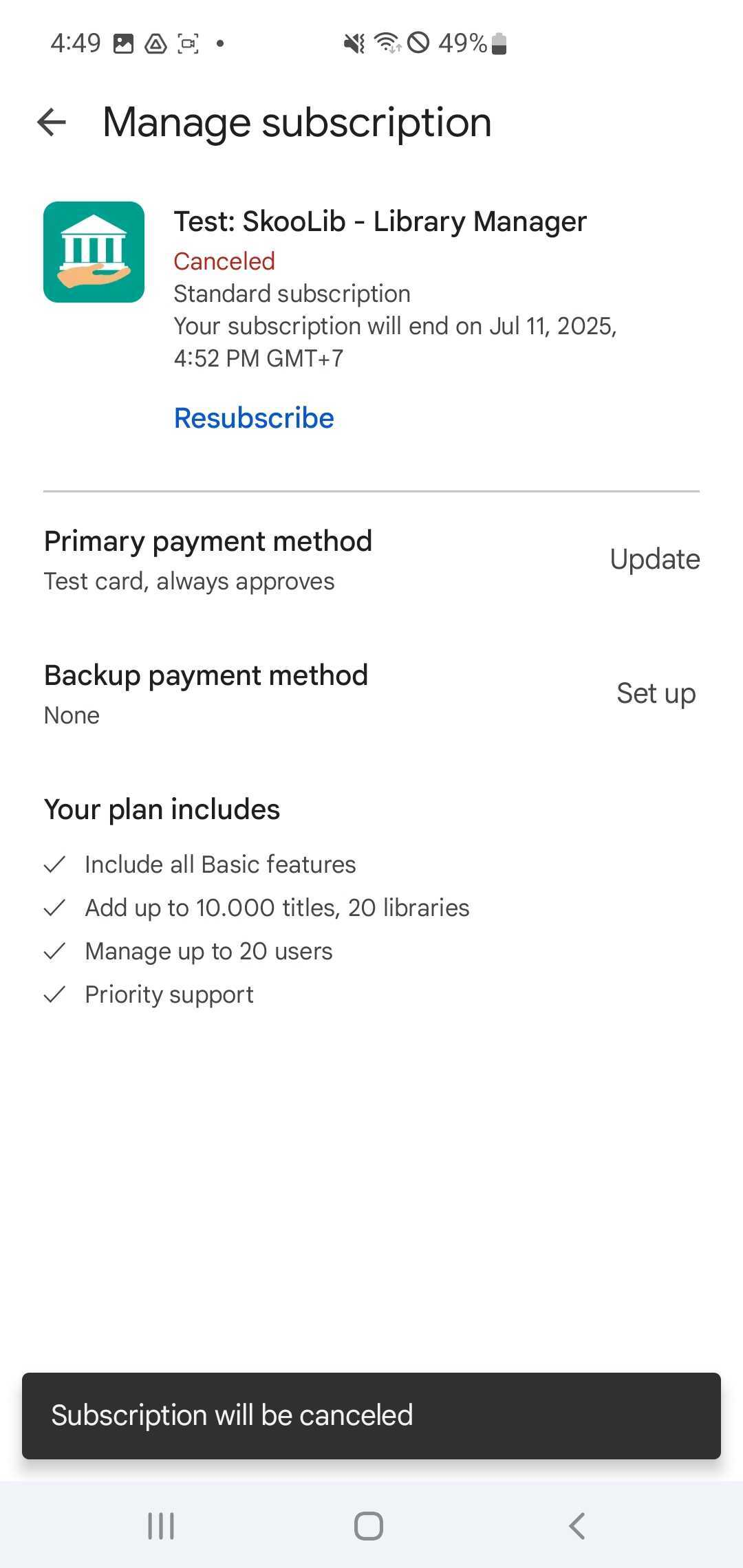
Cancel subcription
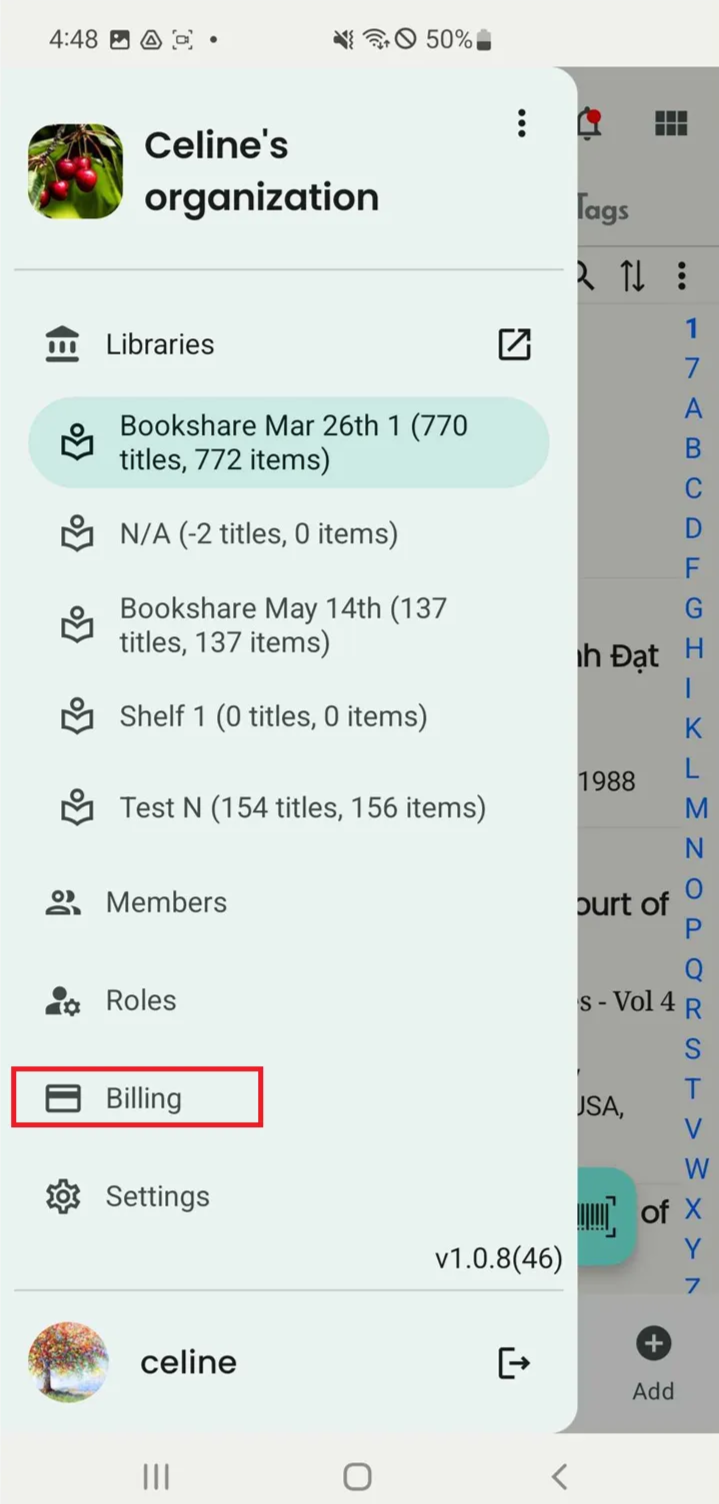
Step 1: Press “Billing” in the side menu
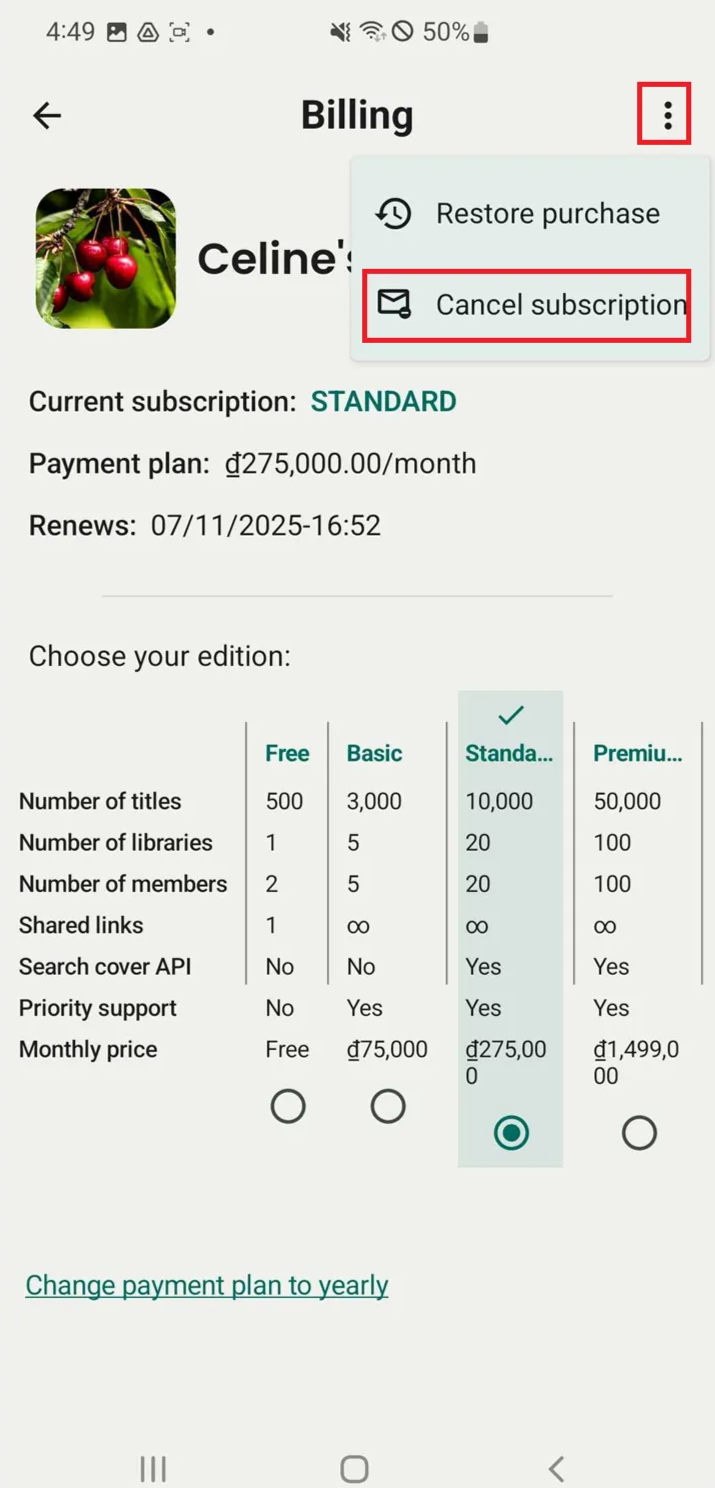
Step 2: Tap on three- dot icon. Press “Cancel subscription”
Step 3: Press the icon of Skoolib
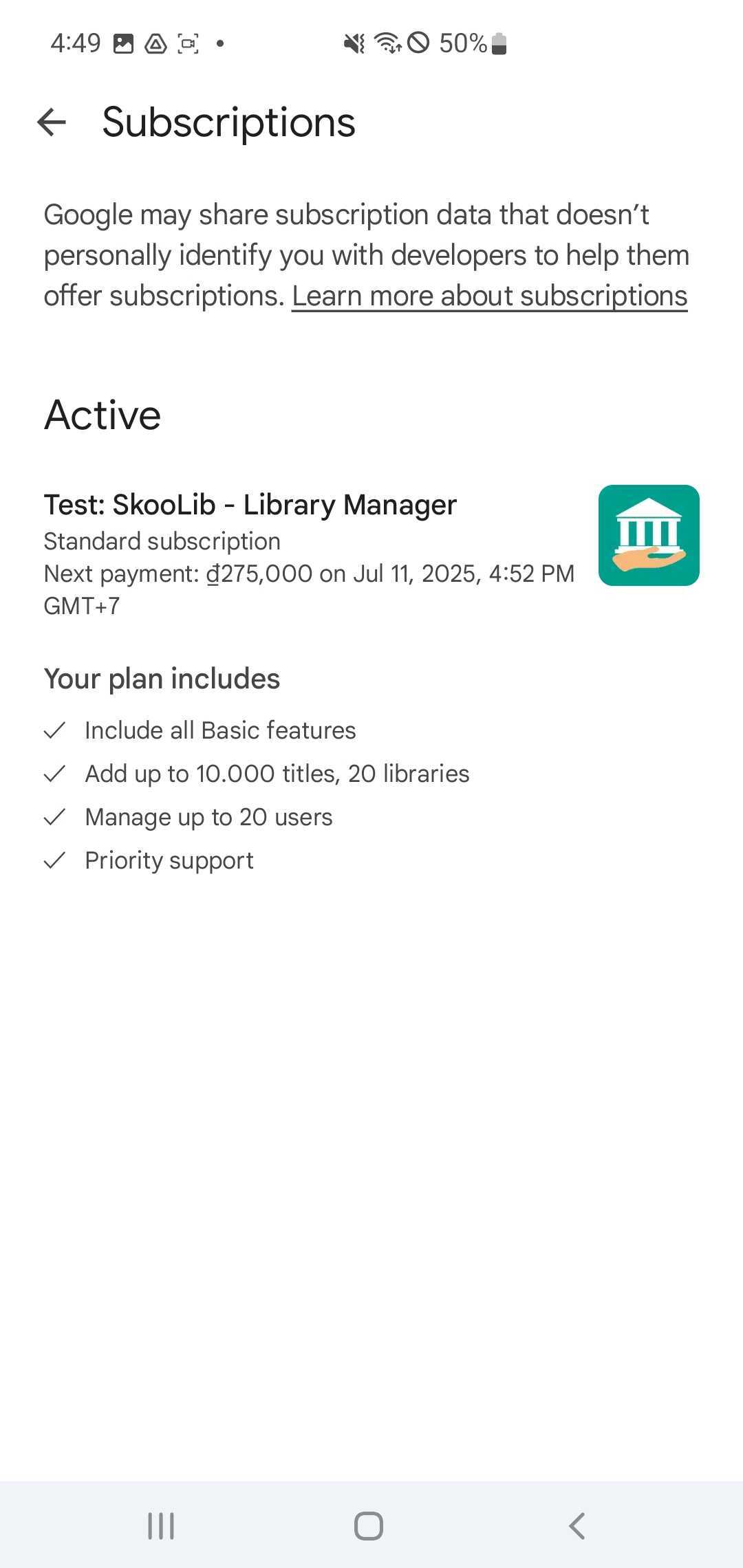
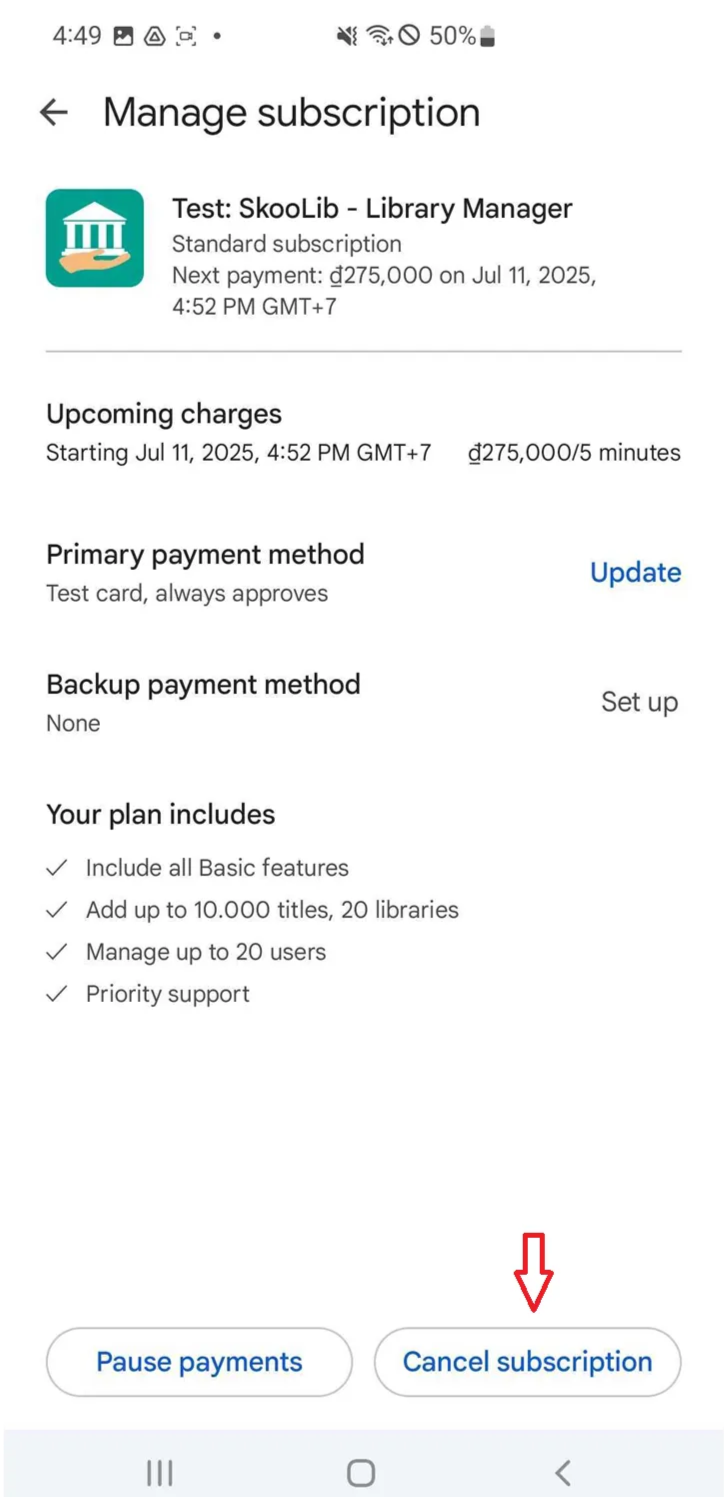
Step 4: The screen shows Upcoming charges. And press “Cancel subscription”
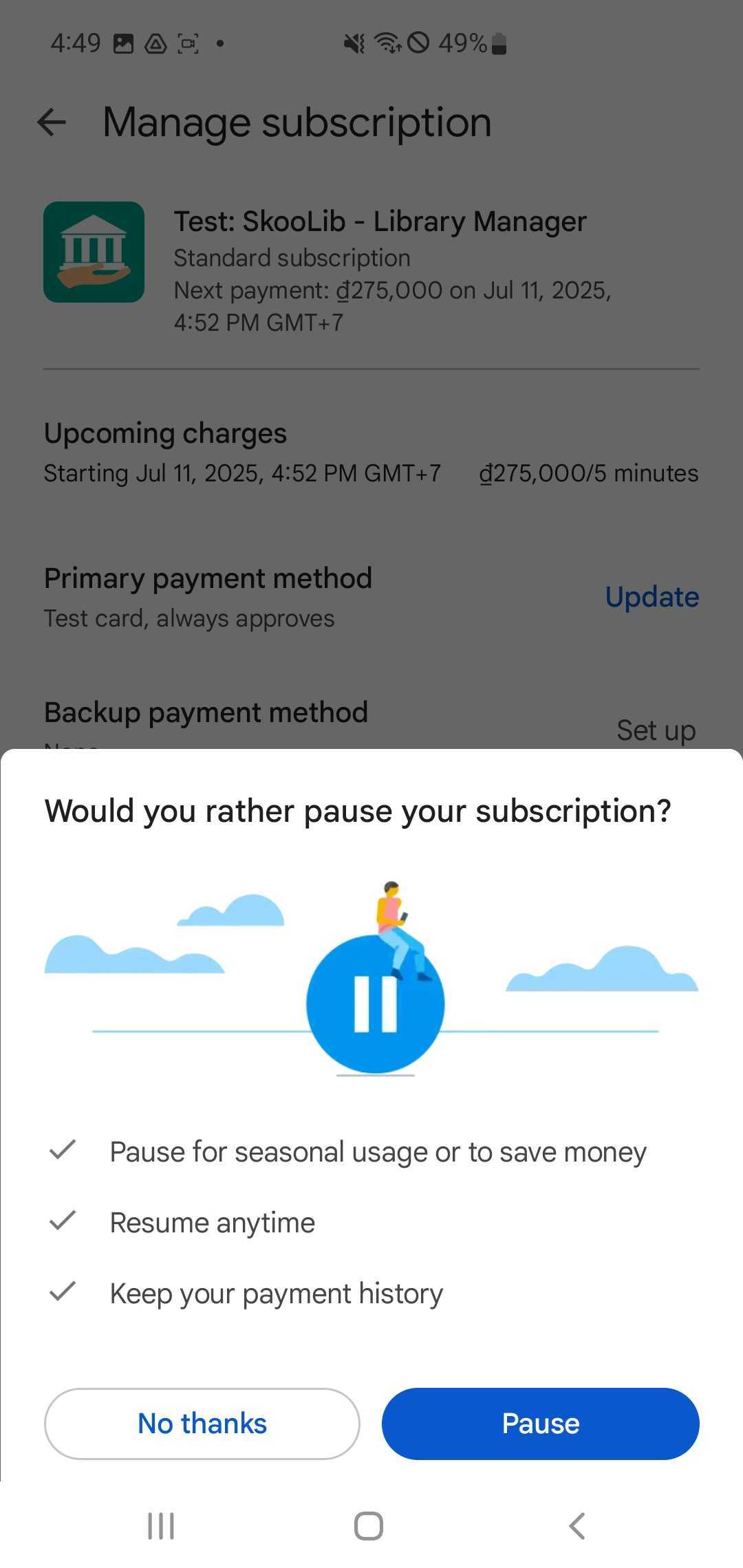
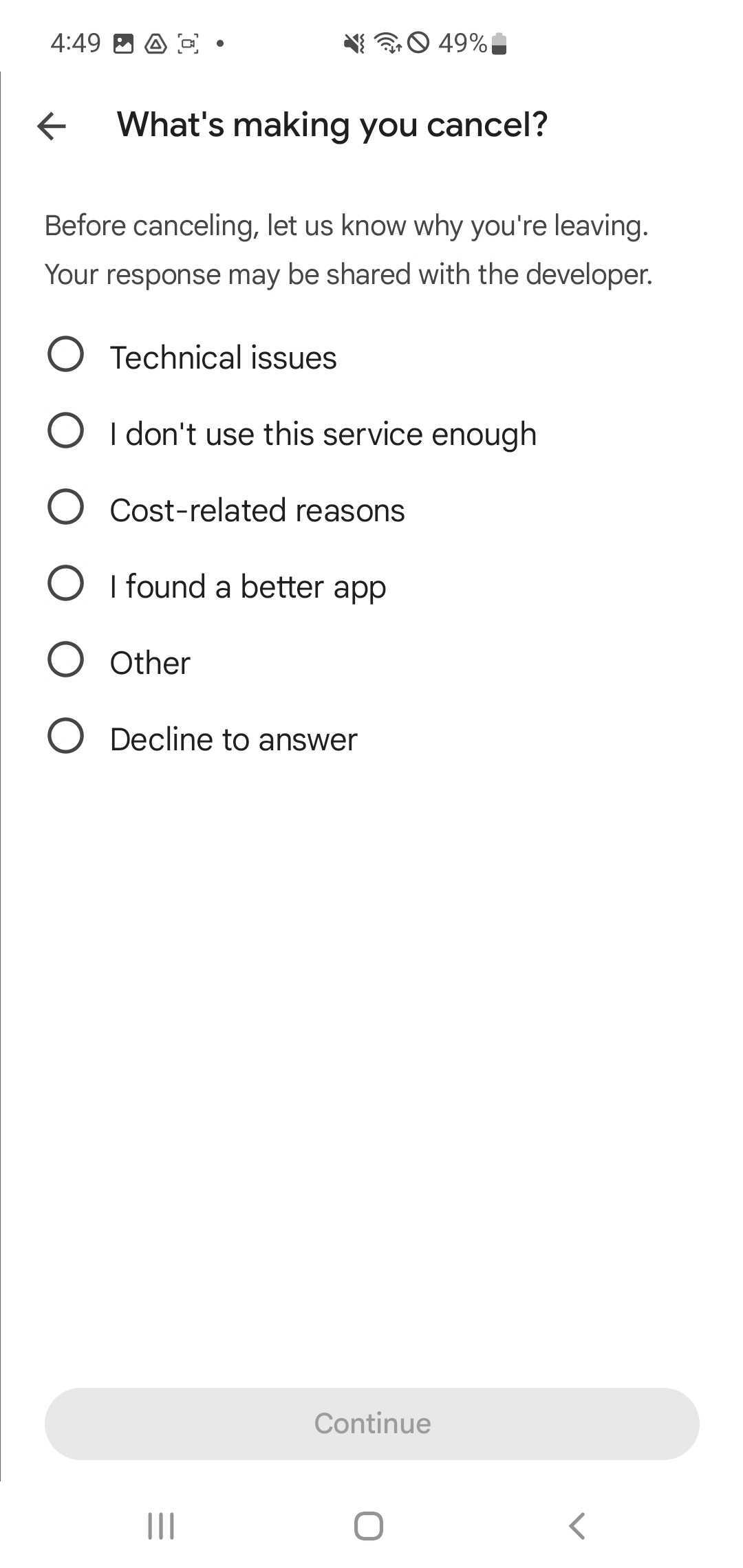
- What’s making you cancel?
- I don’t use this service enough
- Cost-related reason
- Technical issues
- I found a better app
- other
- Decline to answer
Then Press “Continue.”
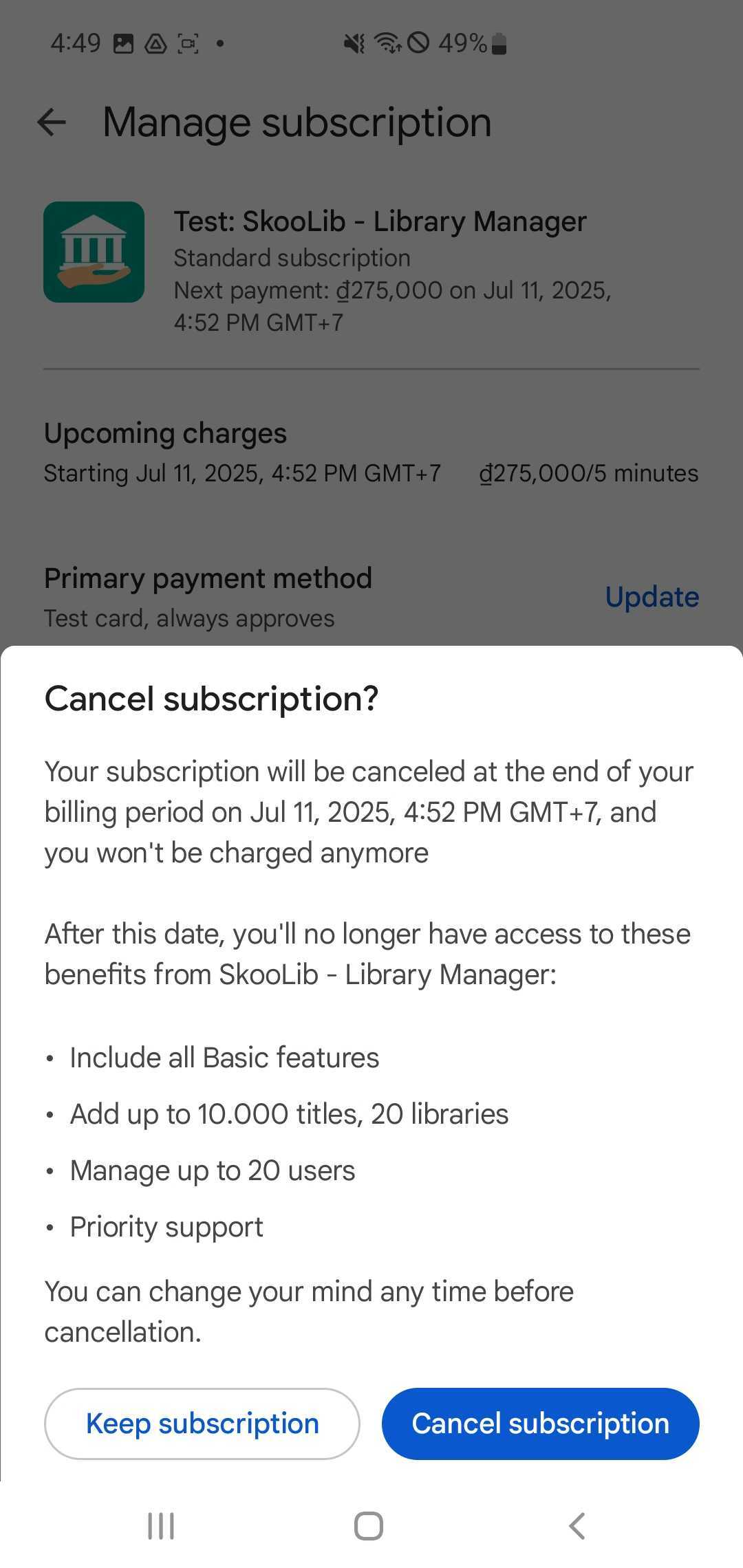
Step 5: Cancel subscription
Step 6: Check mail. The expiration time will be displayed. Your subscription will be automatically canceled after it expires.