Change shelf for item
Step 1: Access the details of book. Scroll down to the item section.
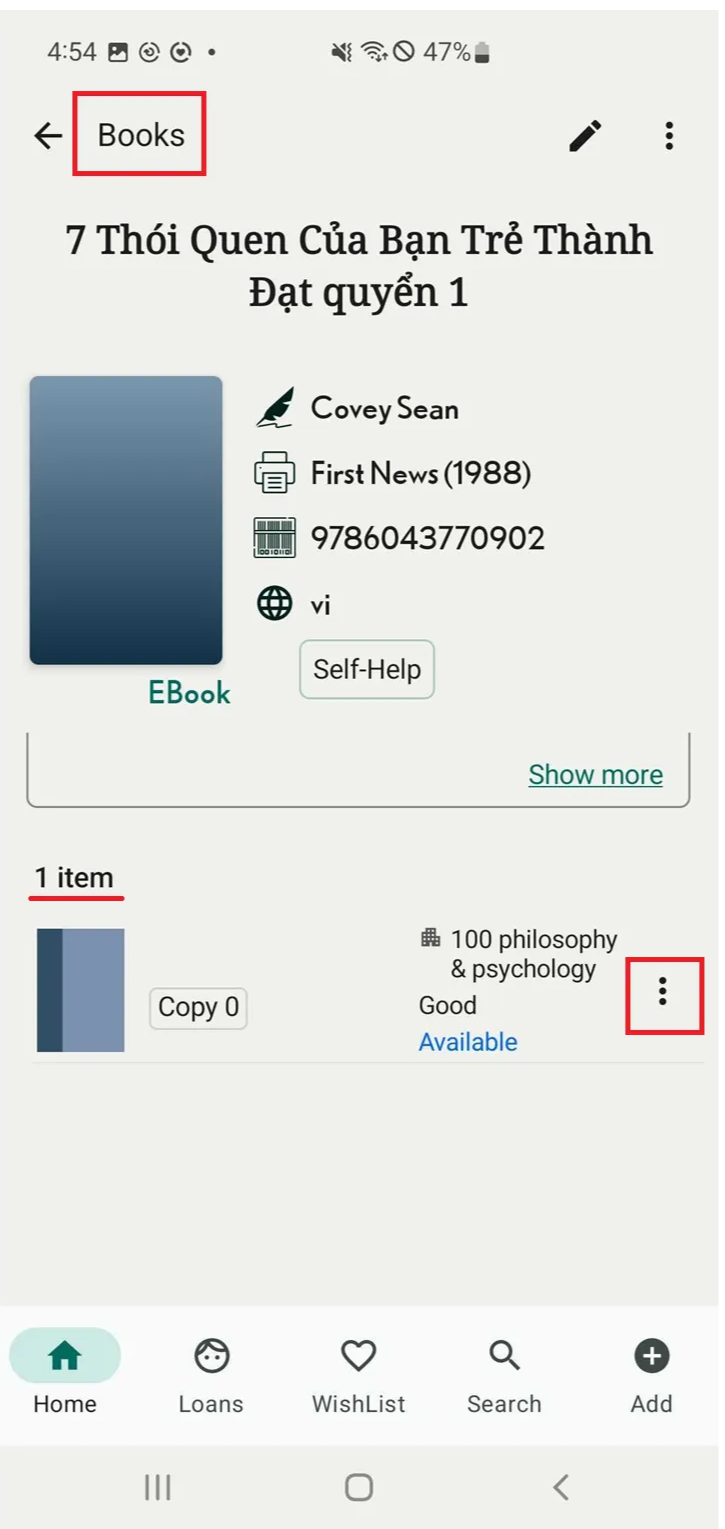
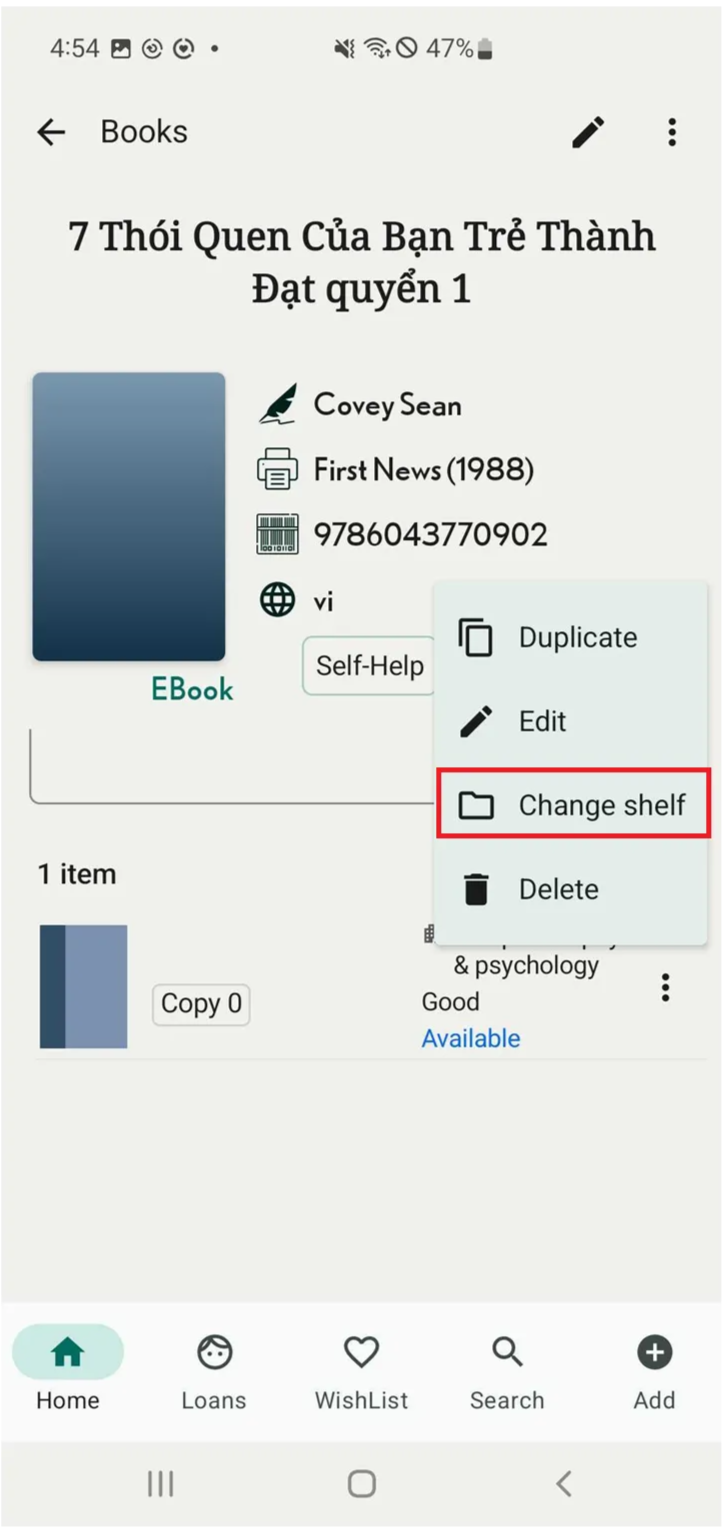
Step 2: Tap on the three-dot icon in the right side of item. There are 4 options:
- Duplicate
- Edit
- Change shelf
- Delete
Select “change shelf” or other option to edit item
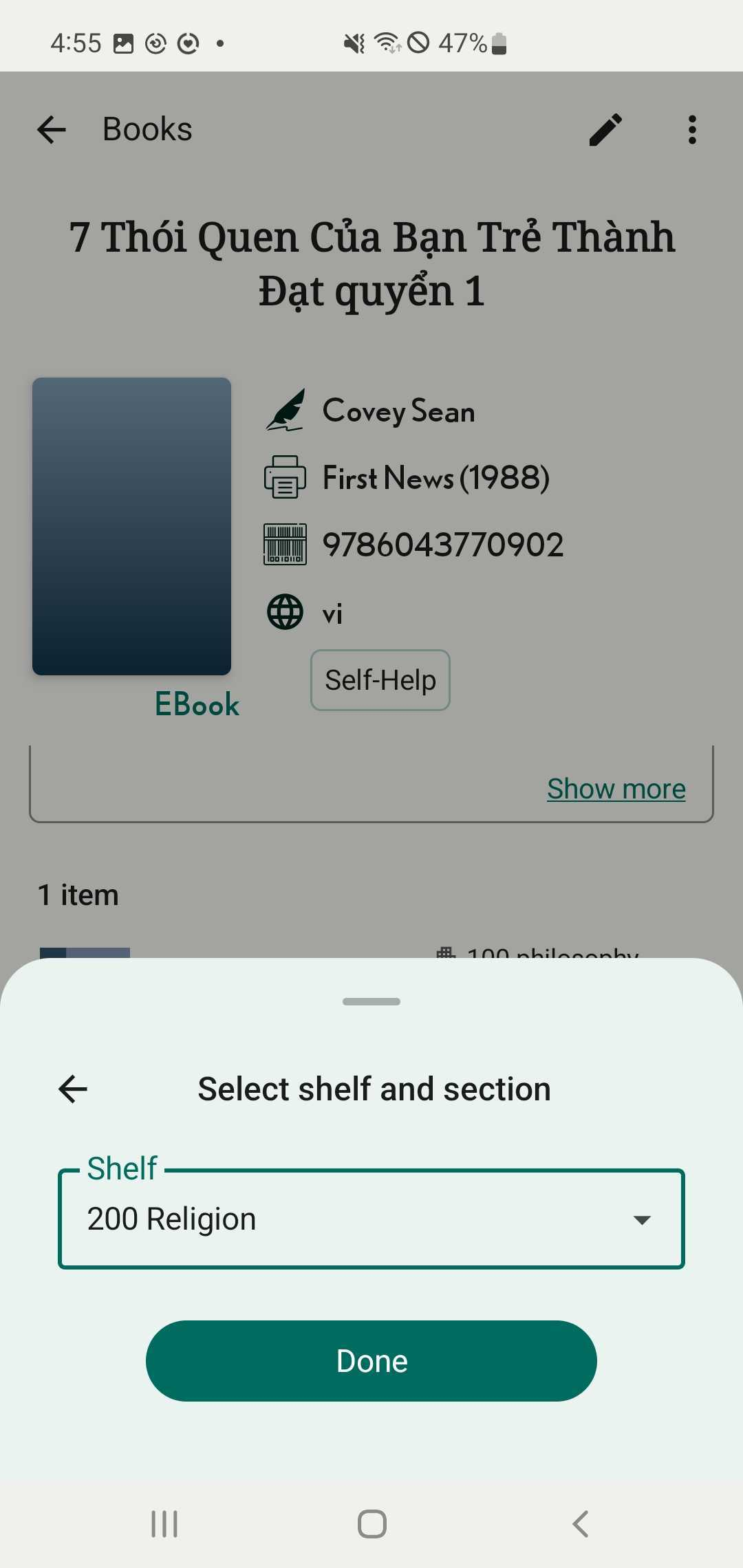
Step 3: Then Select Shelf and section and press “Done”