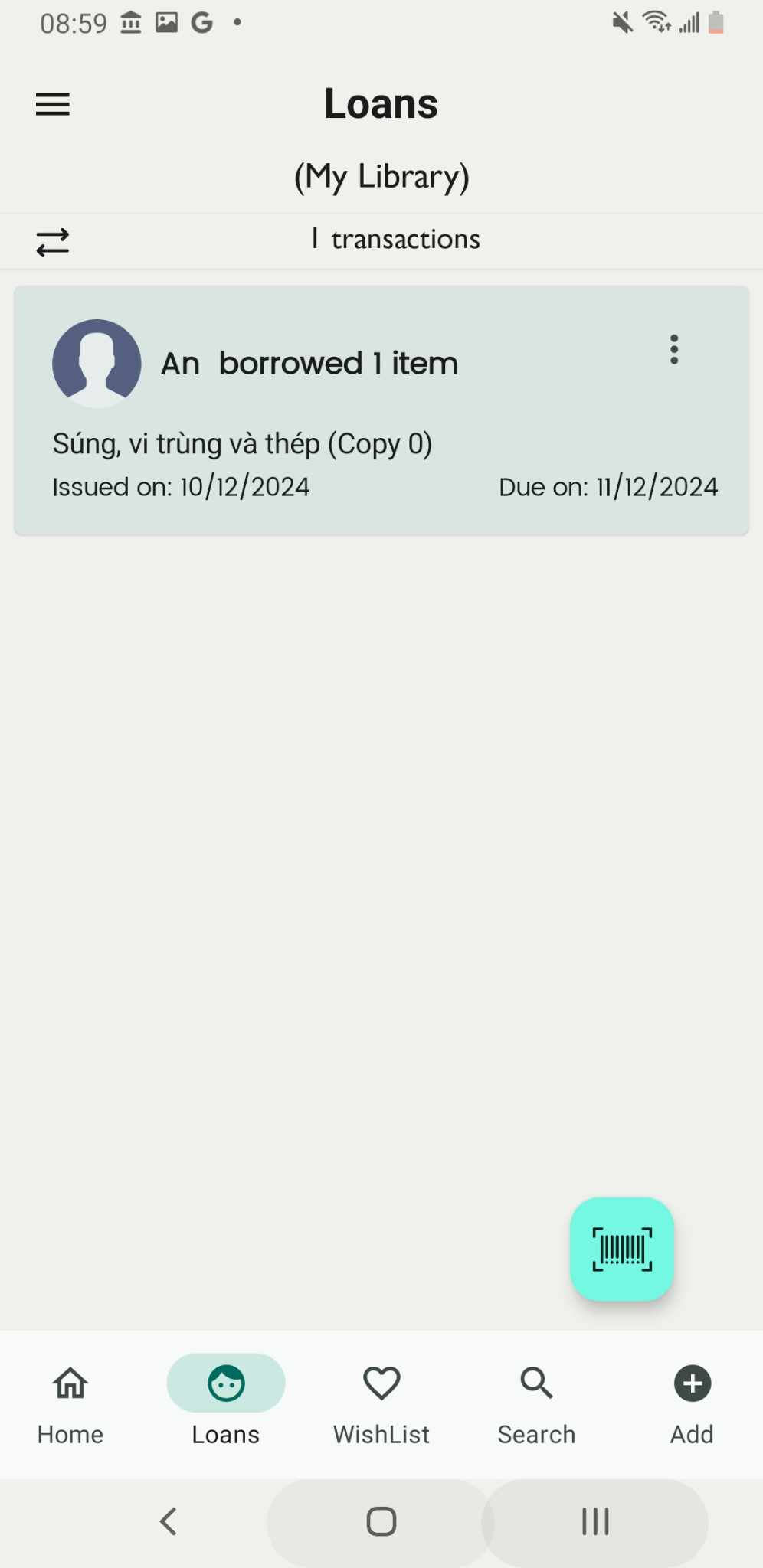
Add book for lending books by enter the ISBN
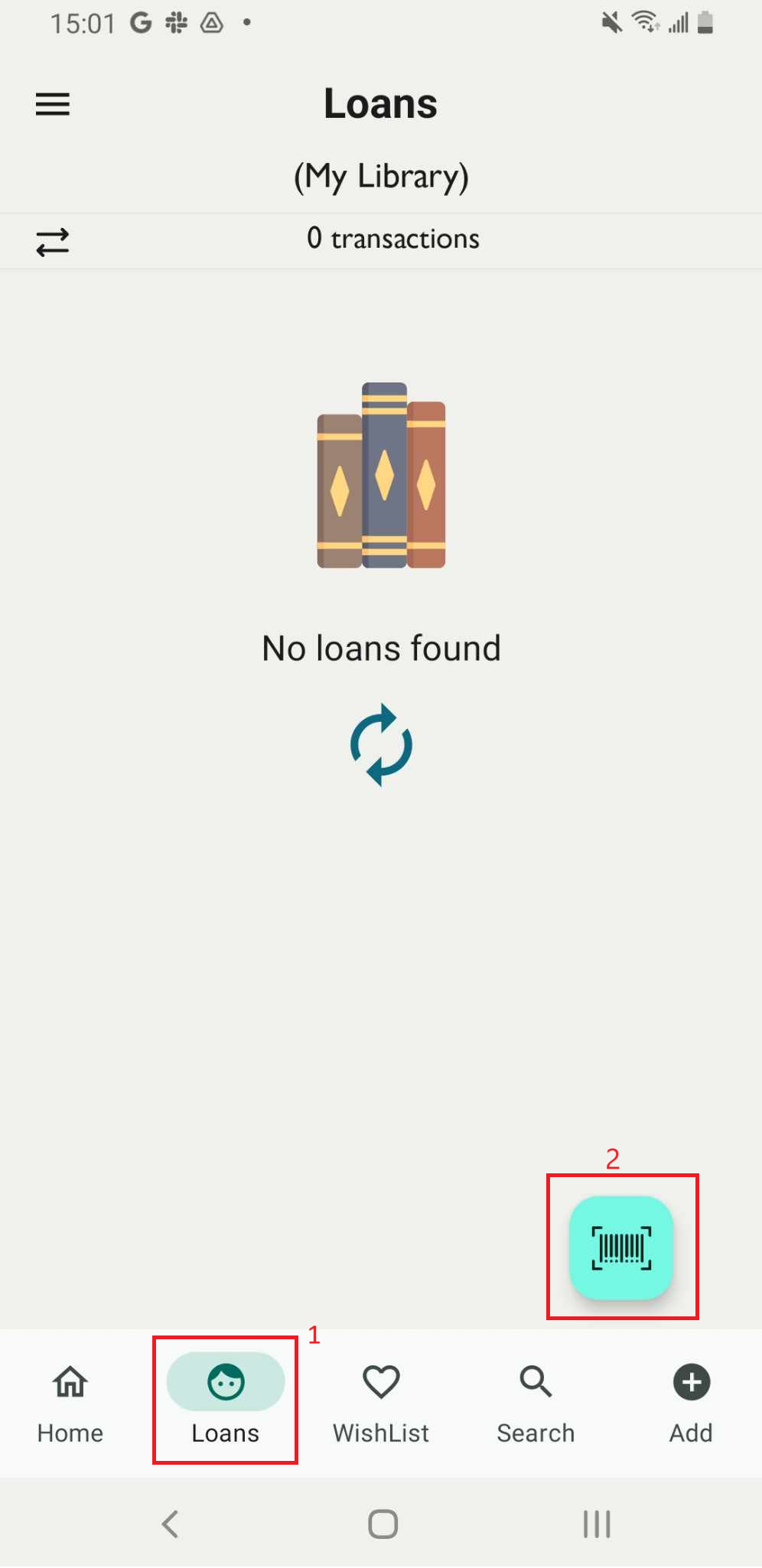
Step 1: Access the Loan field on the main screen. Tap on the scan iconThe camera is turned on
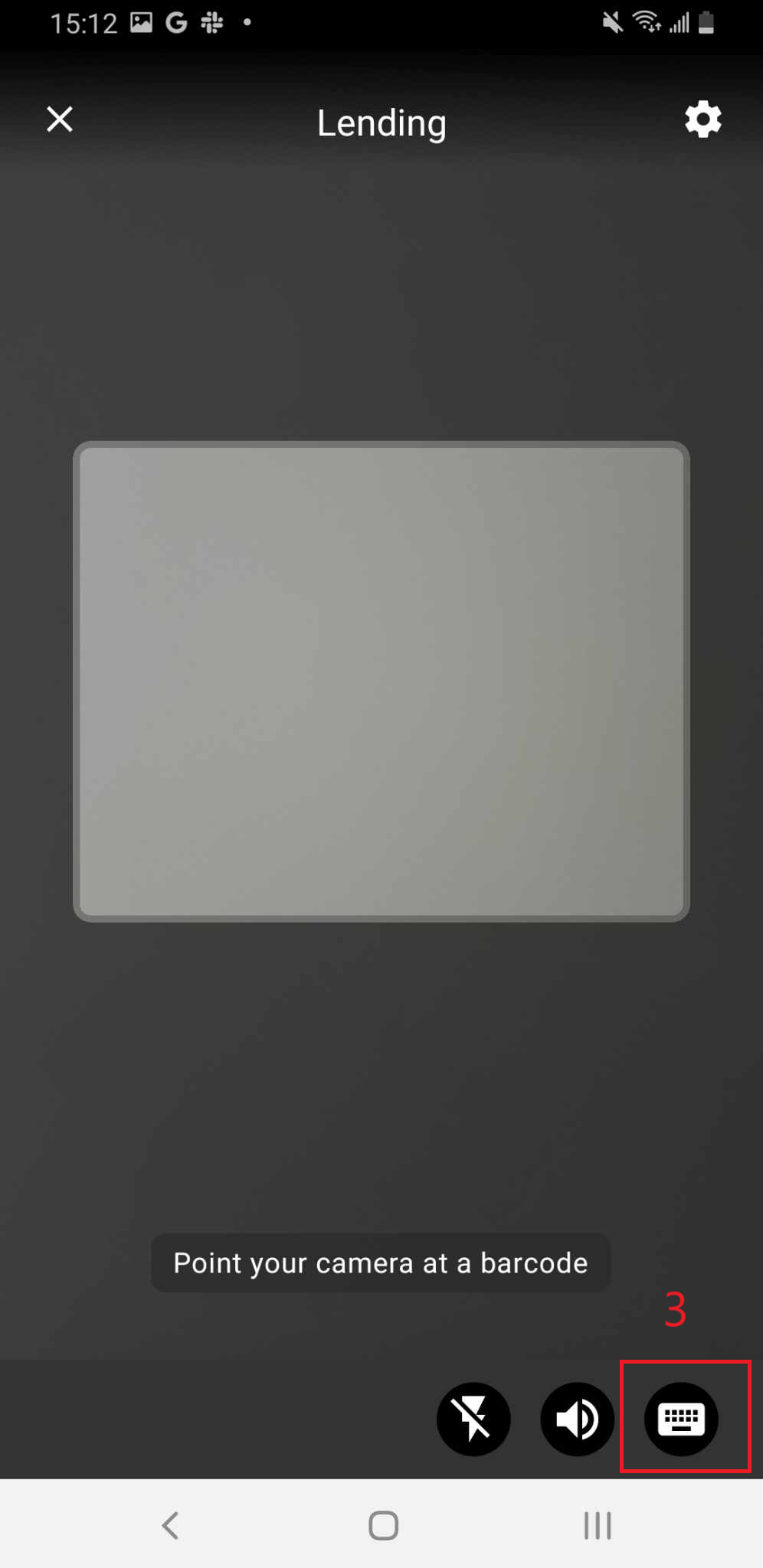
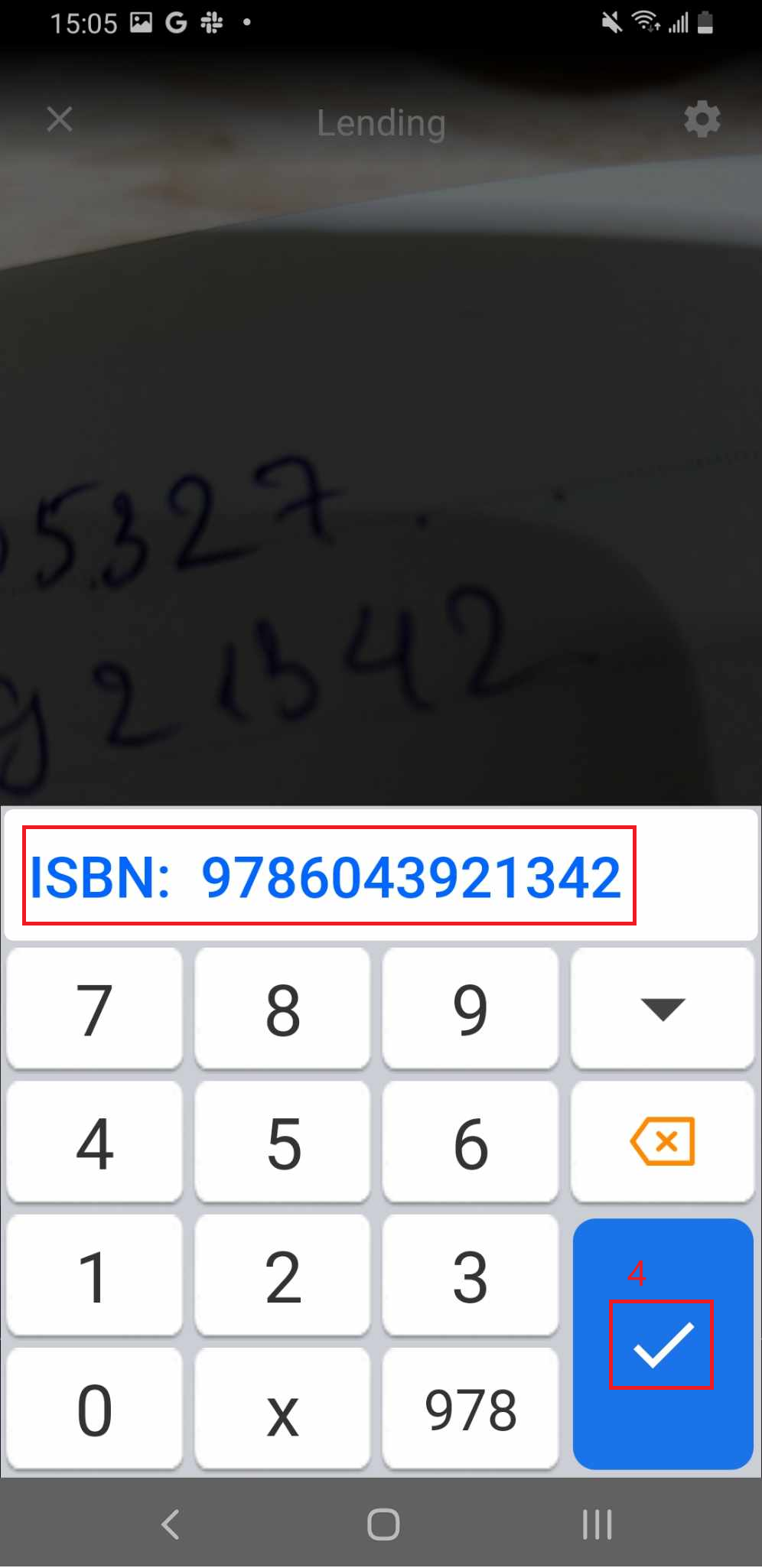
Step 2: The camera is turned on, access the keyboard icon. Enter the ISBN of the book
Step 3: Enter ISBN and press tick icon
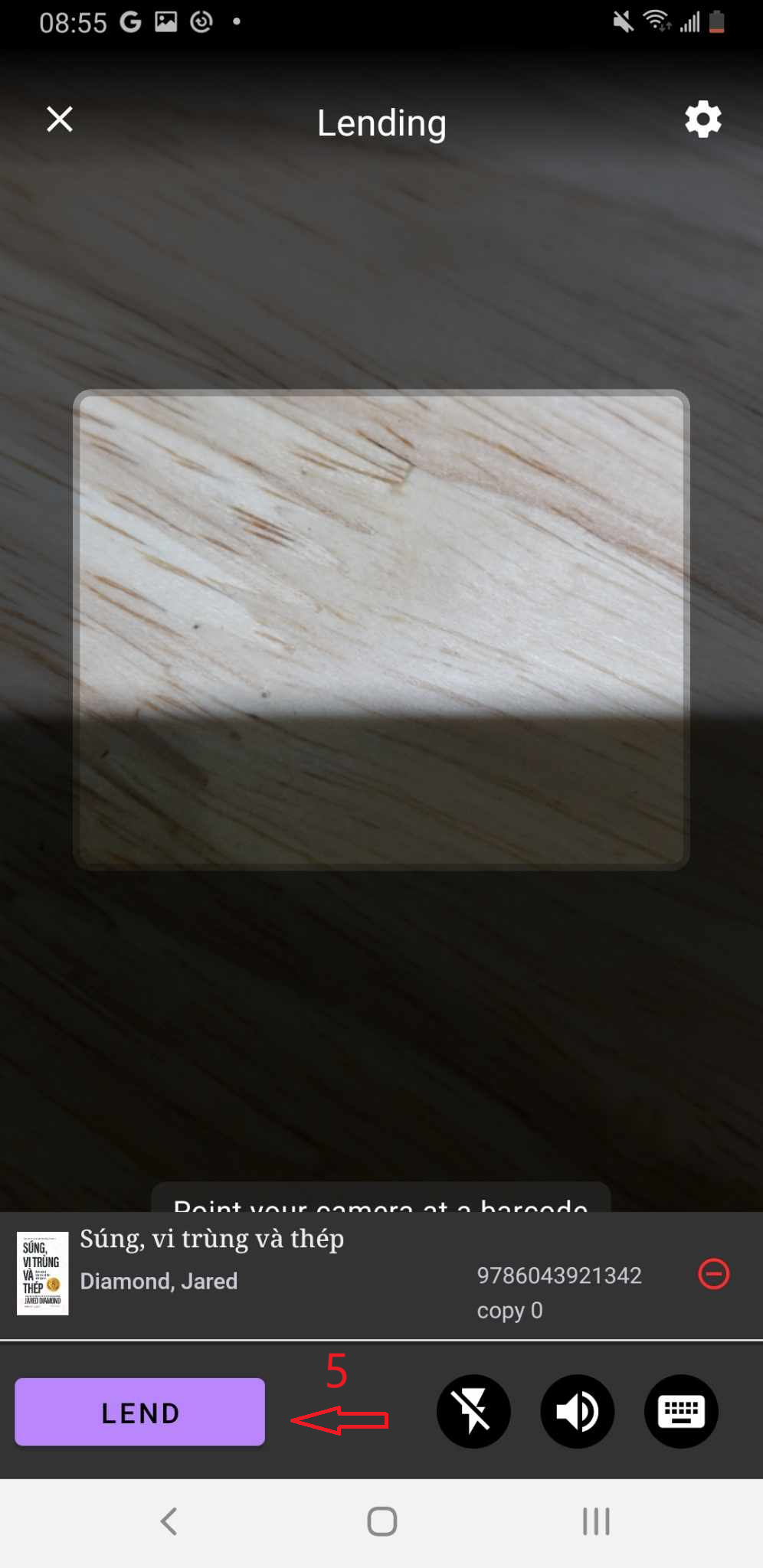
Step 4: The screen shows the list of items in the library on the screen. Press LEND.
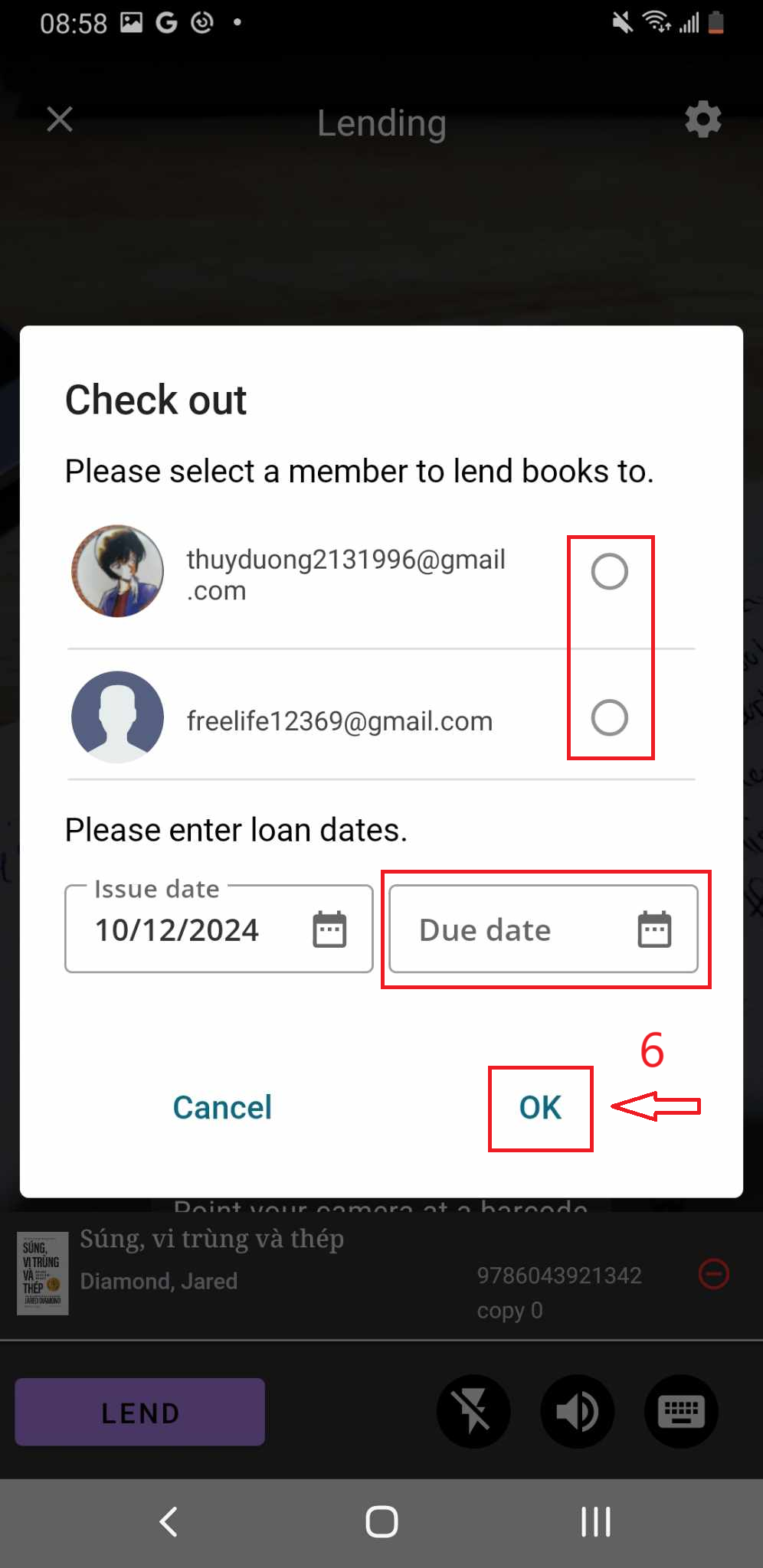
Step 5: Check out page is shown up.
- Select a member to lend a book to
- Enter loan dates
- OK to confirm