
Edit item of Book - Shelves
IN BOOKS TAB:
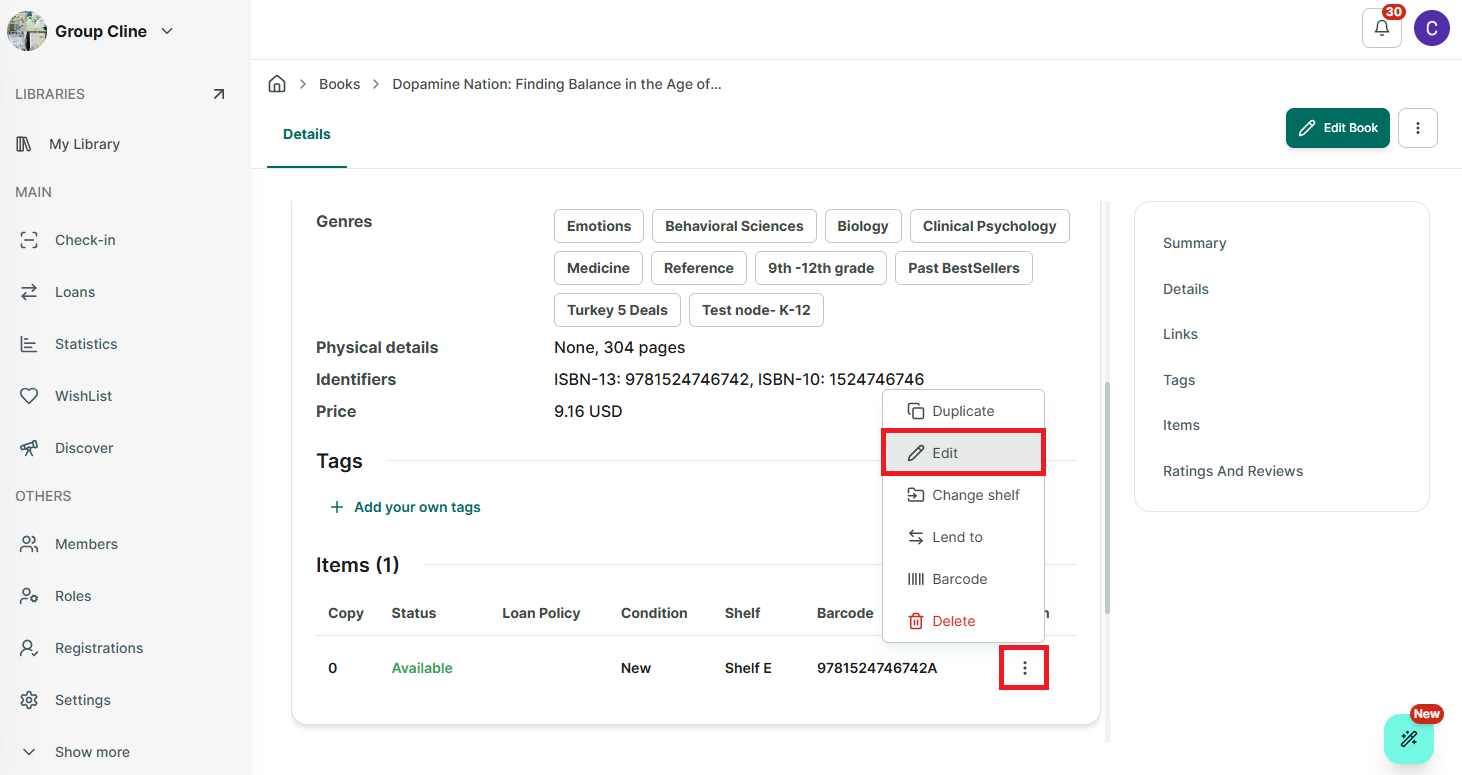
Step 1: Select a library and go to Books tab
Step 2: Access a book you want to edit
Step 3: Scroll down and in the Item section, tap on the three-line icon.
Step 4: Select an option to edit
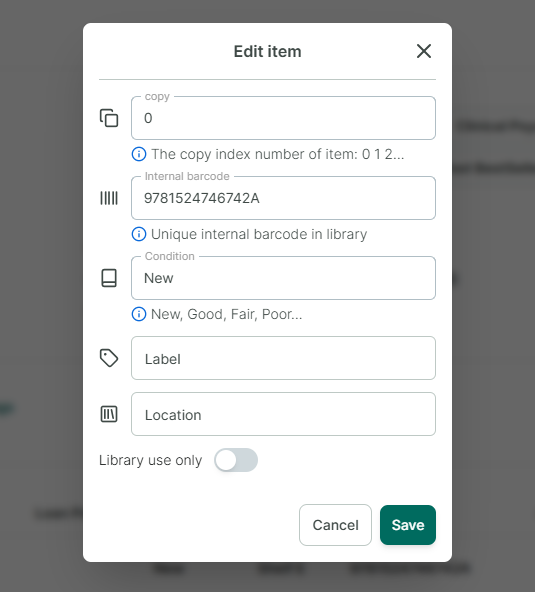
- Tap on “Edit” you can edit: Number of copy, Internal barcode, Condition of item, Label, Location