Skip to content

Delete data

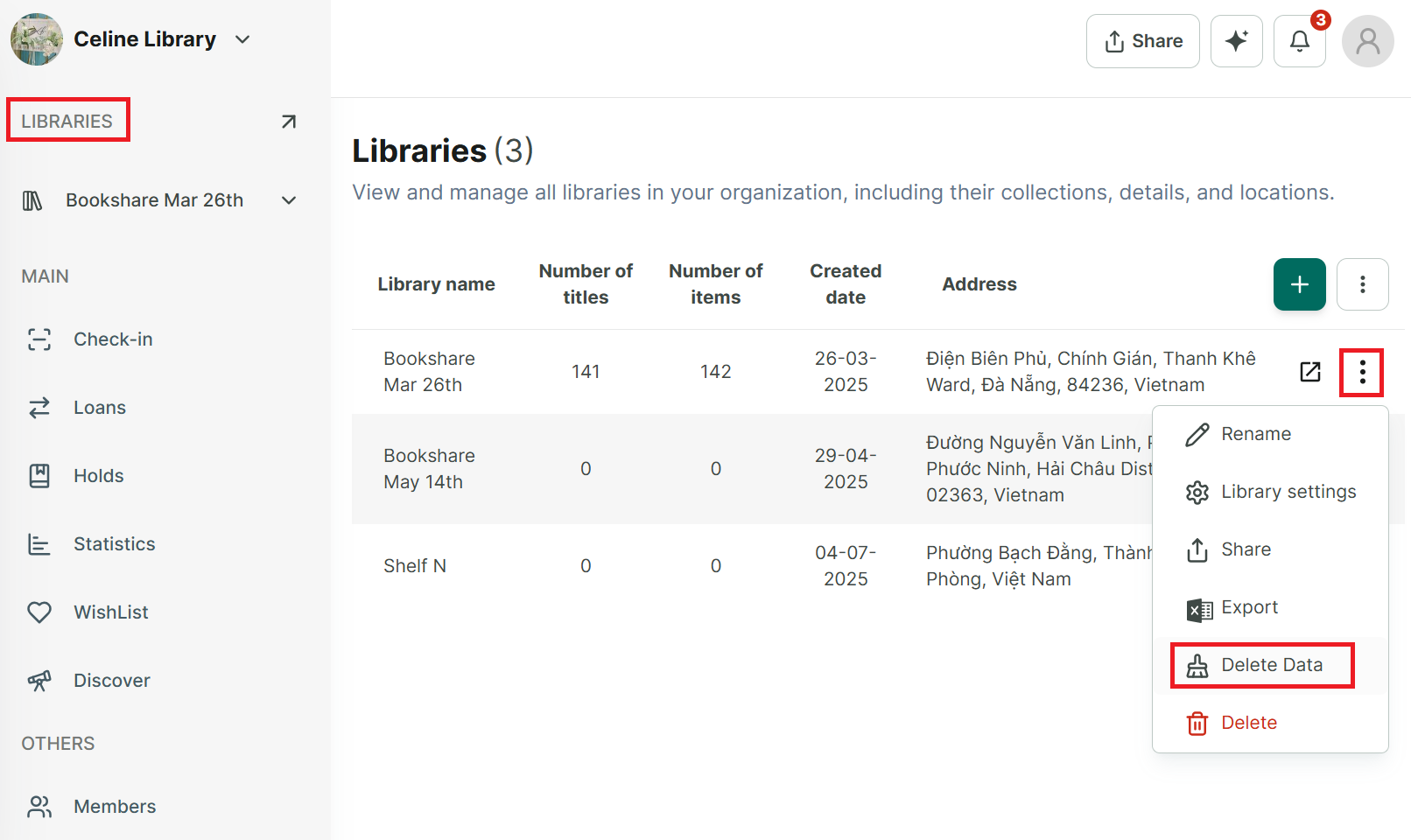
Step 1: Tap on “Libraries” section at the side menu to display all libraries

image.png

Step 2: Tap on three-dot icon at each library to show more option

image.png

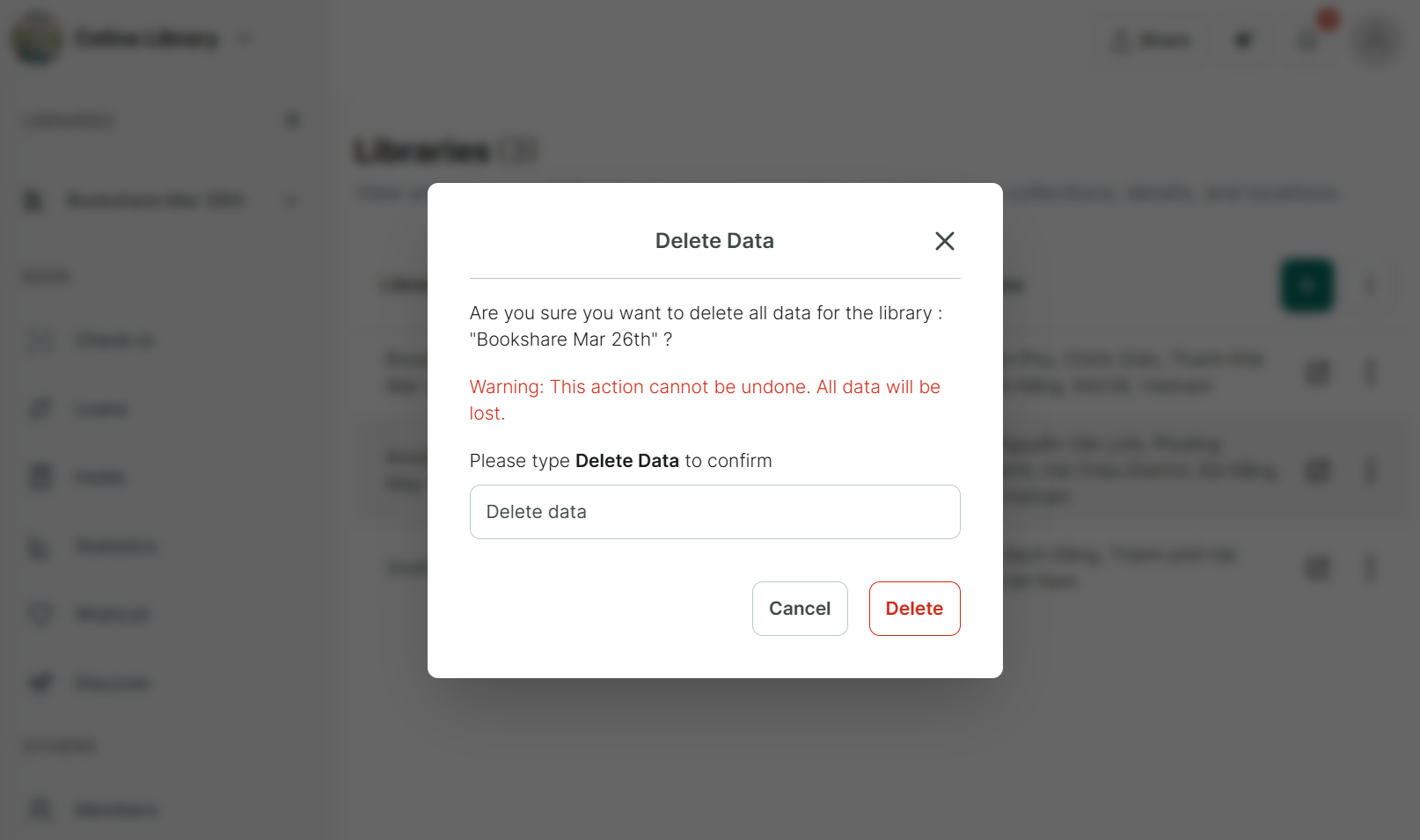
Step 3: Select “Delete data.” The app will display a confirmation form to confirm the deletion.

Step 4: Enter “Delete date” and press Delete, data will be deleted.