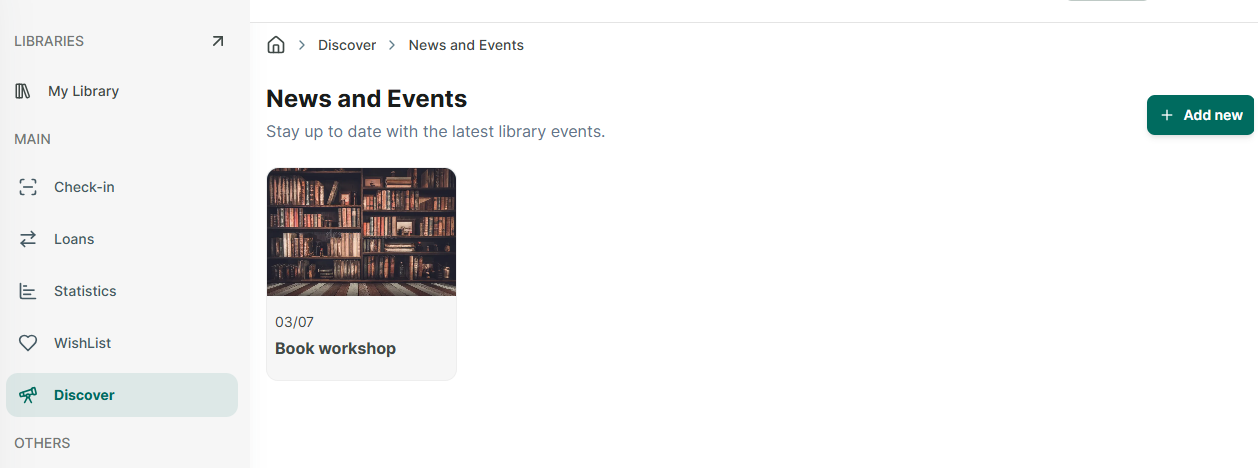
Discover
Step 1: Access “discover” section at the side menu.
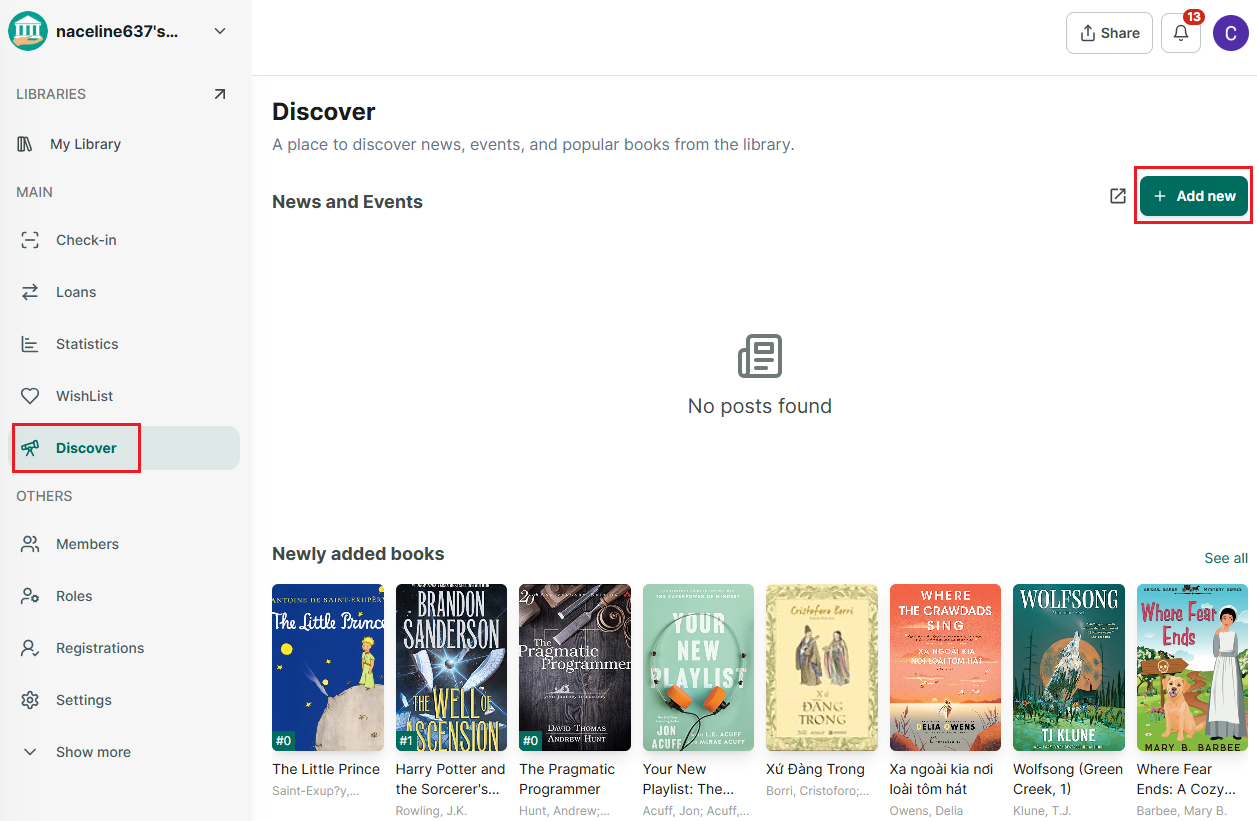
Step 2: You can create news and events for the library so that all members can stay updated. You can also track newly added books, most borrowed books, and recommendations for you.
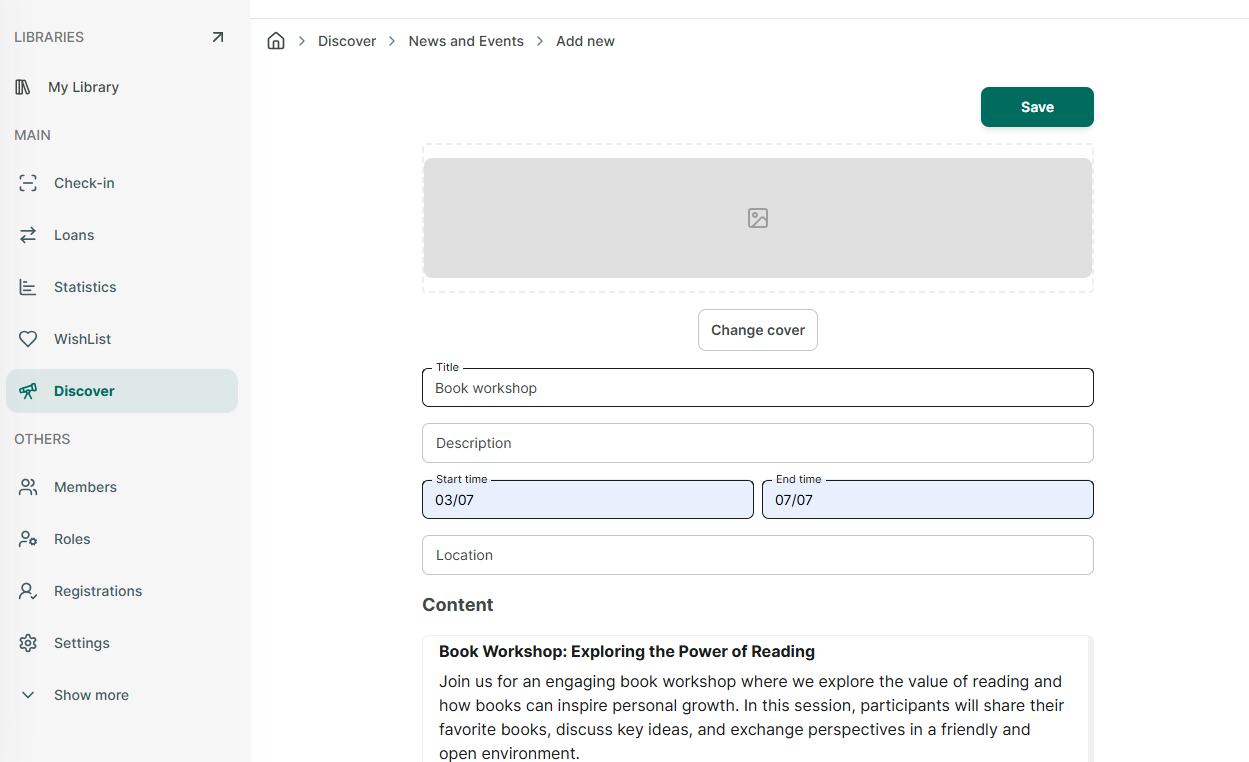
Step 3: To add News and events. Press “Add new”