Account Settings
Sign up
Step 1: Go to the Skoolib website: https://skoolib.net
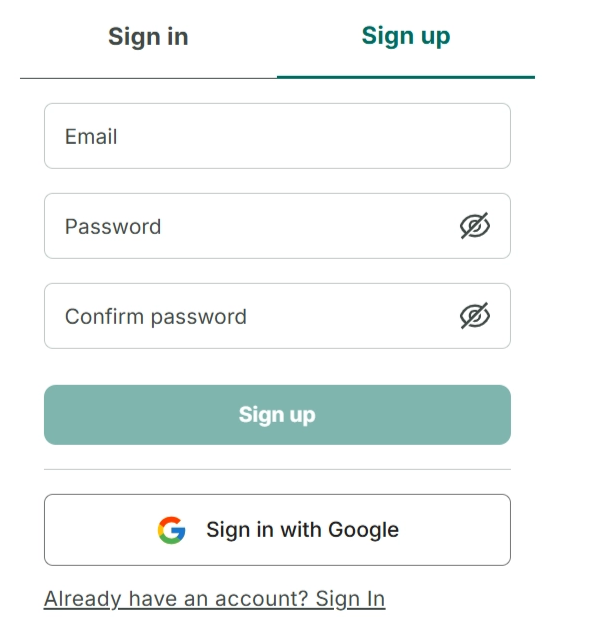
Step 2: Click “Sign up.” Then enter your email, password, and confirm your password.
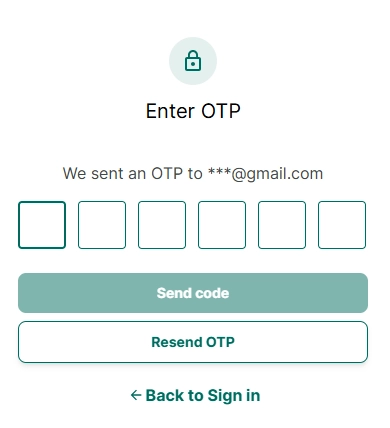
Step 3: An OTP code will be sent to the email you used to register. Check your email and enter the OTP code.
Step 4: Then go back to the login screen to sign in
I. Sign in directly with Google
Step 5: Go to the Skoolib website: https://skoolib.net
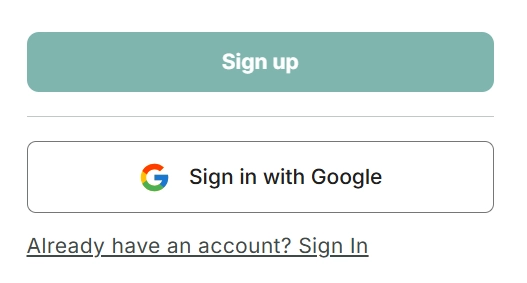
Step 6: Select “Sign in with Google.”
Step 7: Choose an existing Google account on your device or sign in with the Google account you want to use.
Step 8: Agree to the terms, and you will be able to access Skoolib and successfully create your organization.
My profile
Change Password
Step 9: Tap the account/profile icon at the top right of the screen.
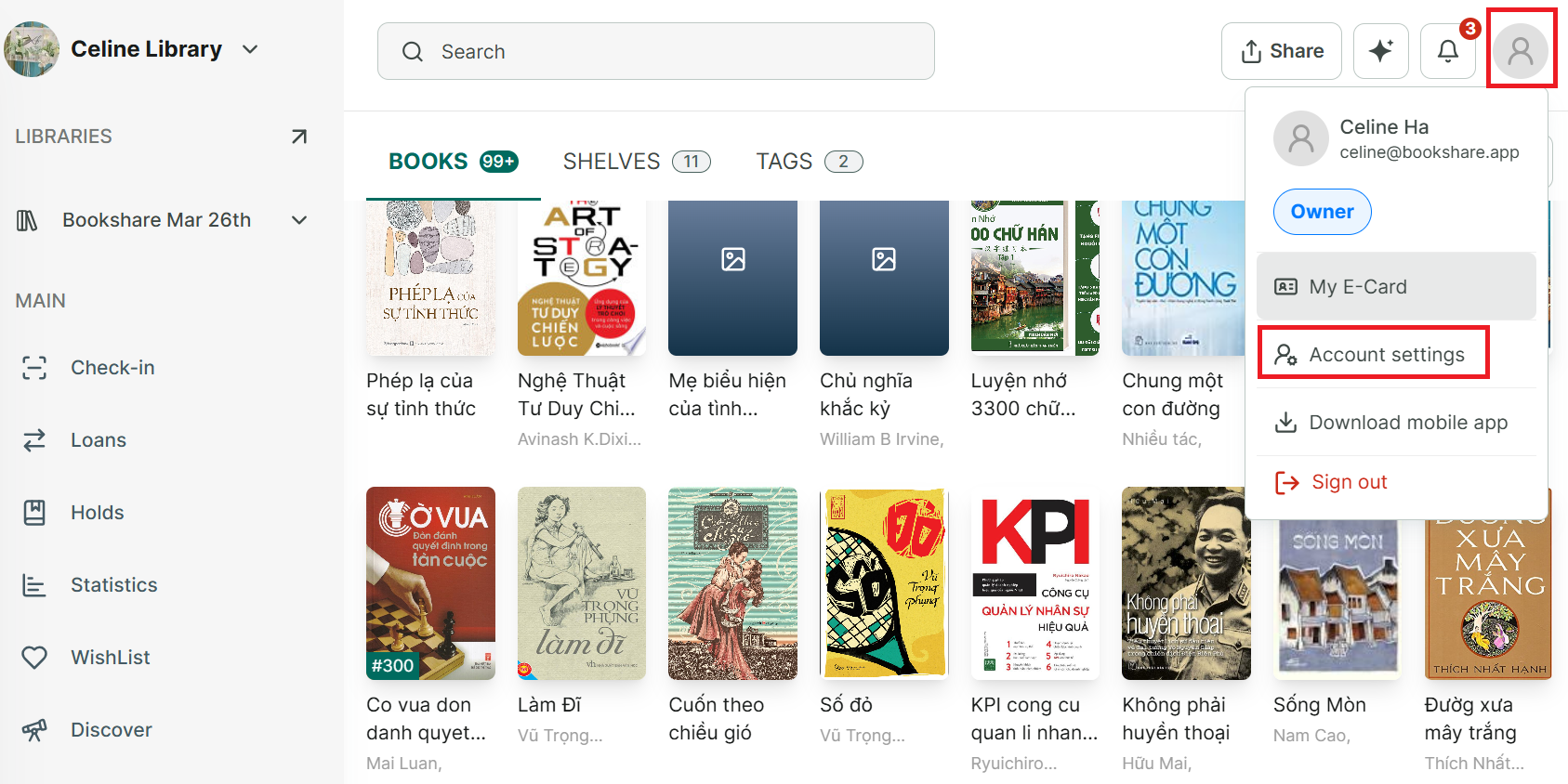
Step 10: Select “Account Settings.”
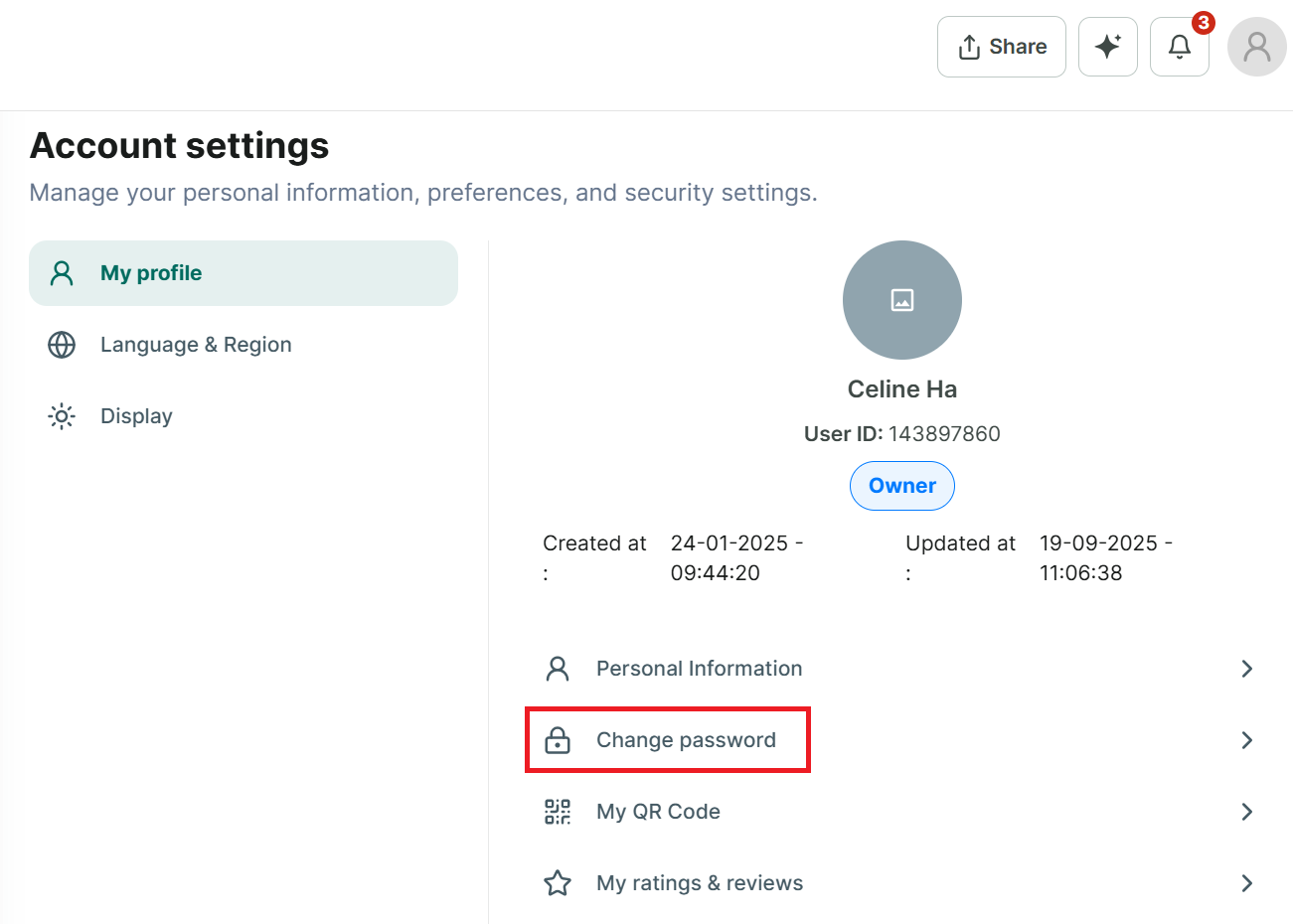
Step 11: Under “My Profile,” choose “Change Password.”
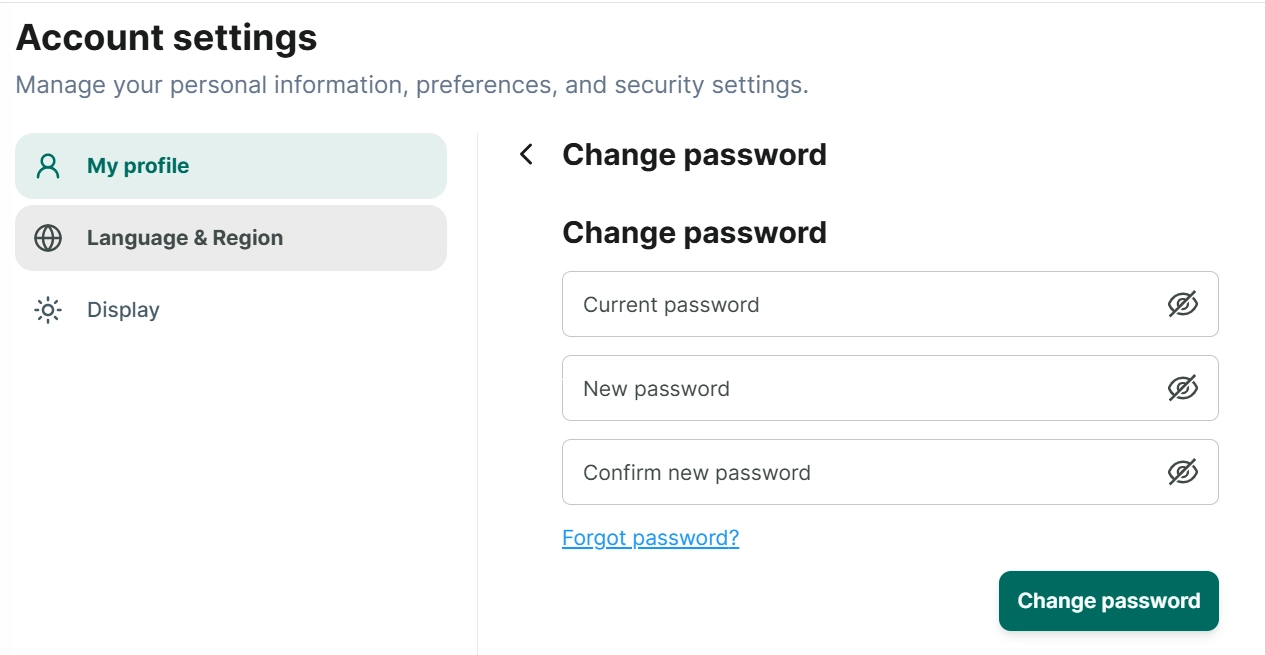
Step 12: Enter your current password, your new password, and confirm it → tap “Change Password.”
Step 13: A “Successfully updated” message will appear.
If you forgot your current password:
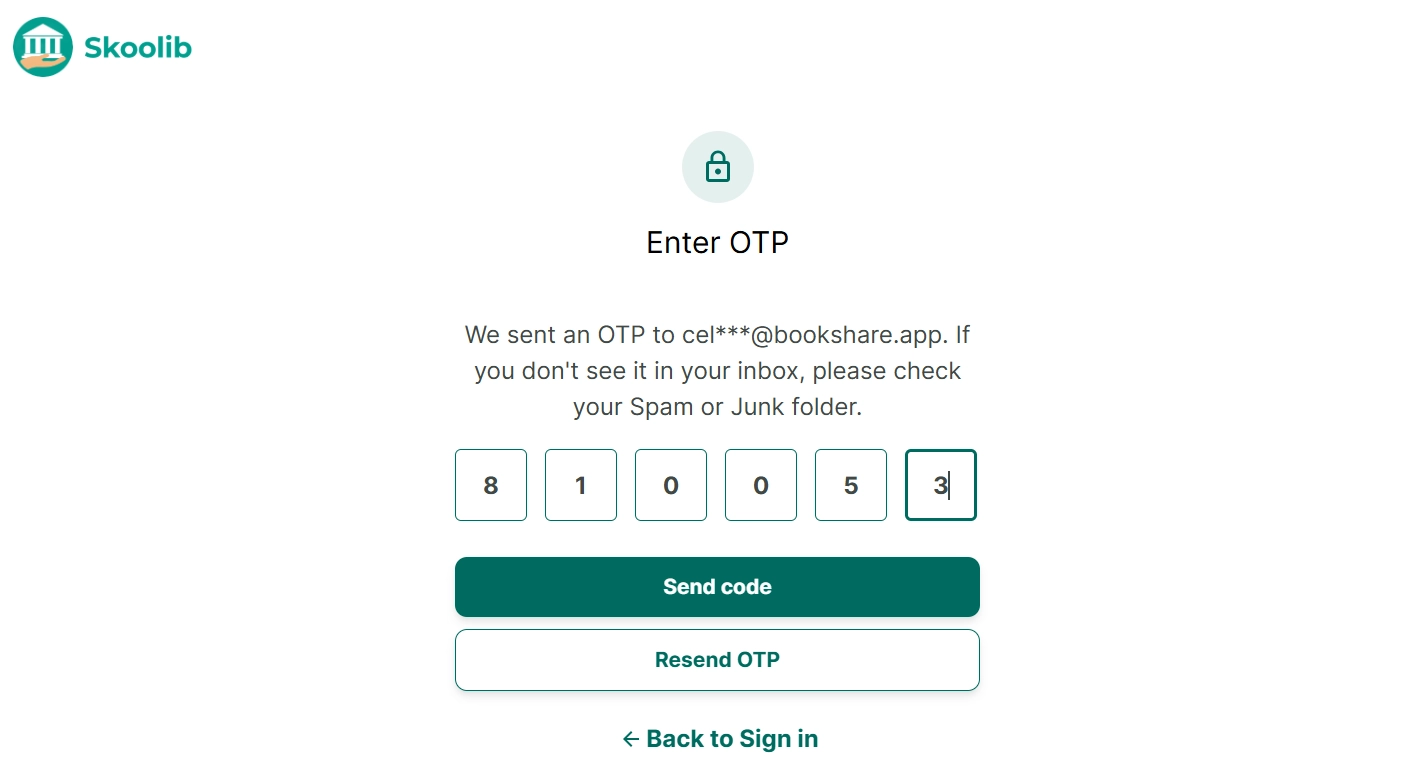
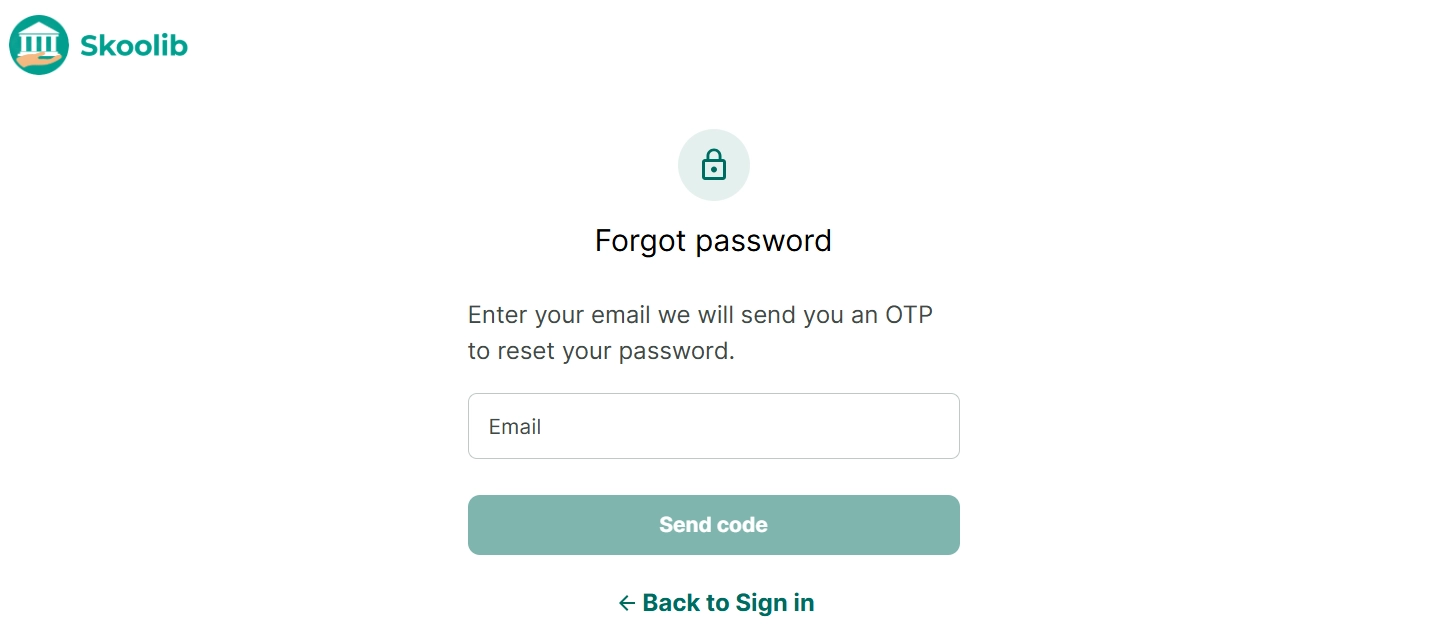
Step 14: Tap “Forgot Password.” You’ll be redirected to a page where you enter your email to receive an OTP code.
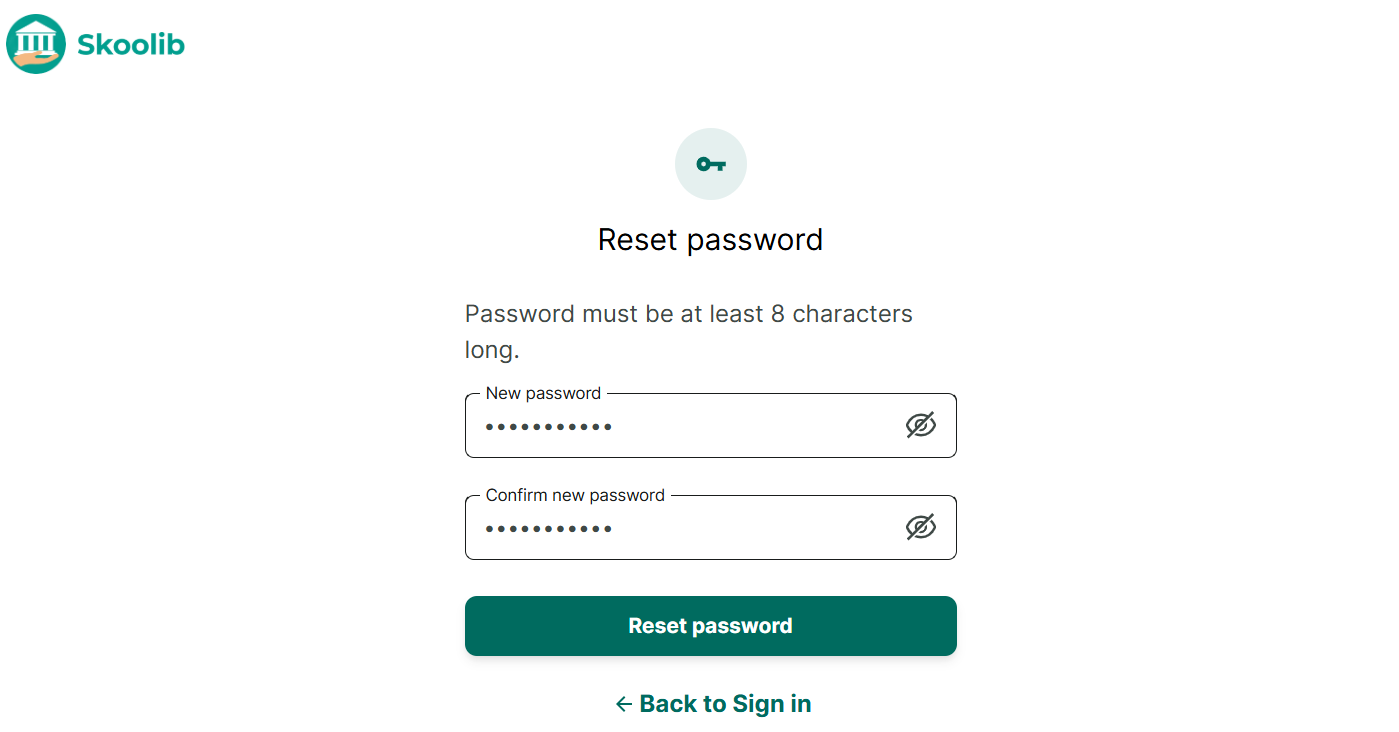
Step 15: Check your email and enter the OTP code.
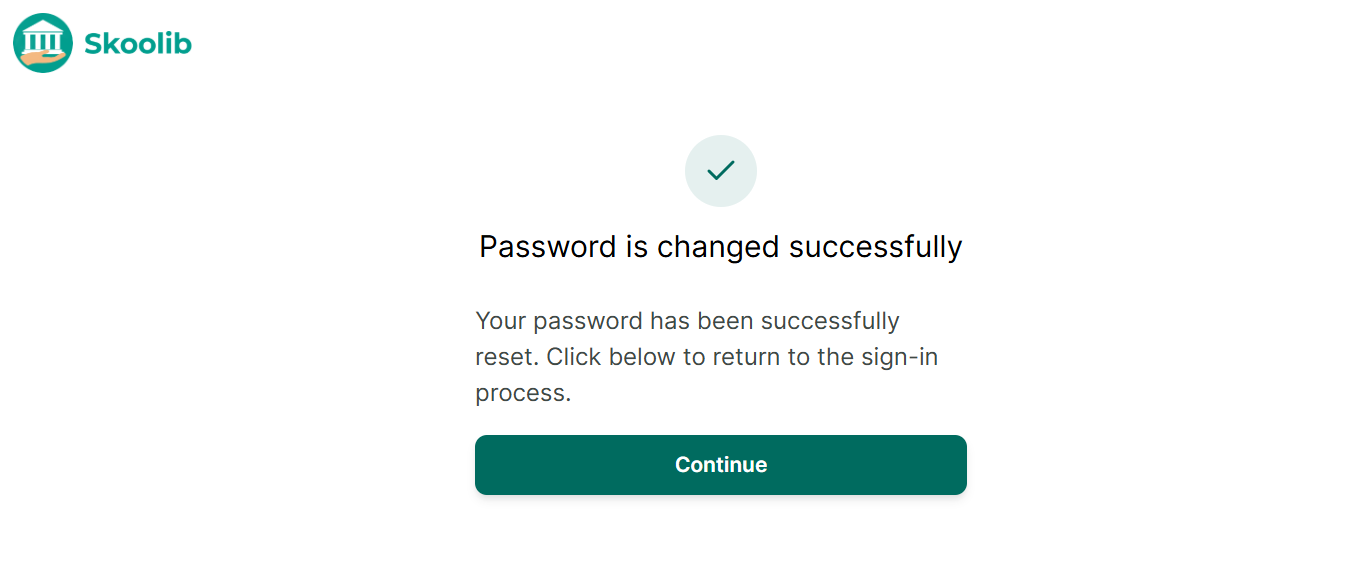
Step 16: Set a new password to complete the reset.
Step 17: After resetting your password, return to the main screen and log in again with your new password.
Edit profile
Step 18: Tap the account/profile icon at the top right of the screen.
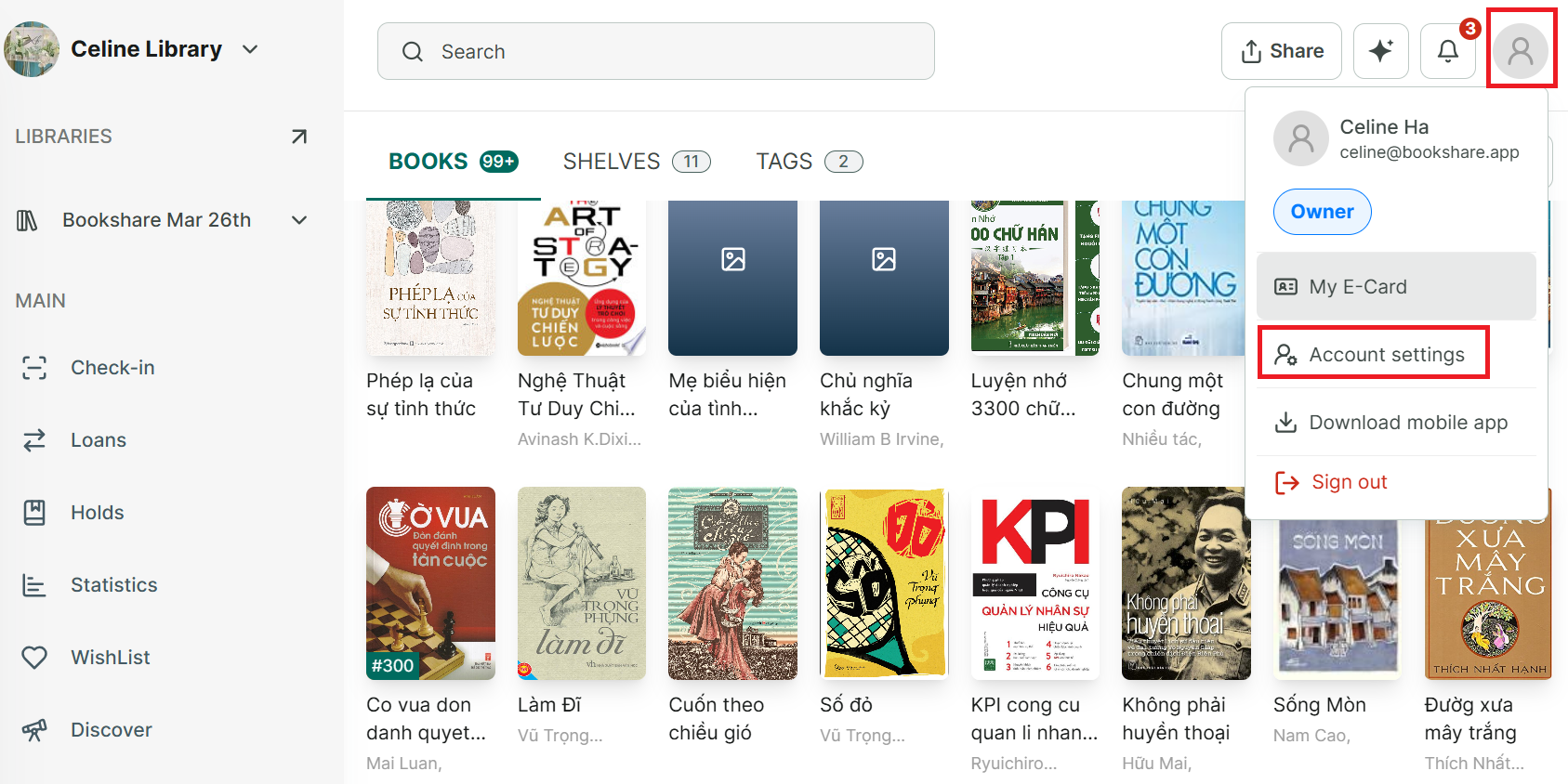
Step 19: Select “Account Settings.”
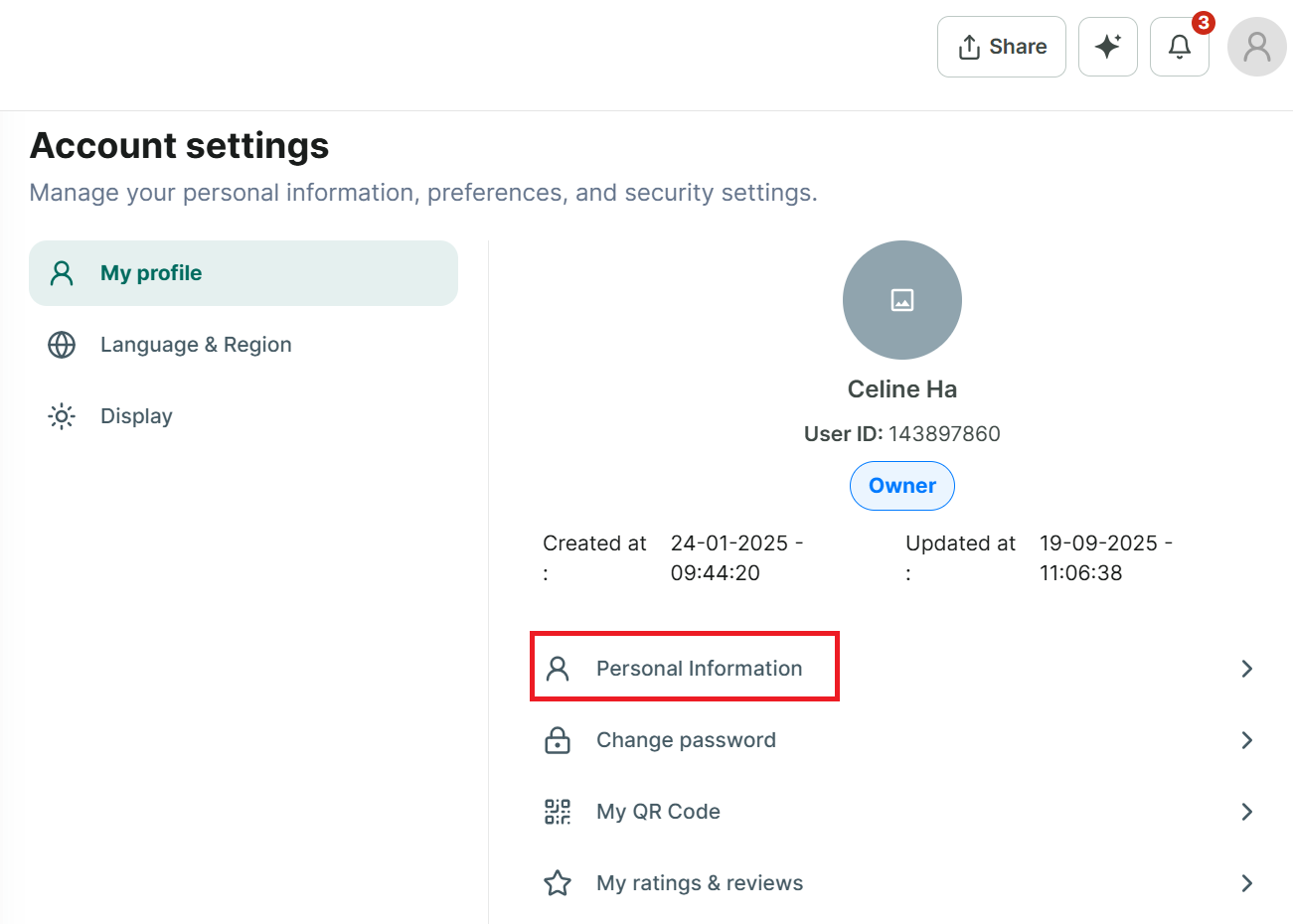
Step 20: Under “My Profile,” choose “Personal information.”
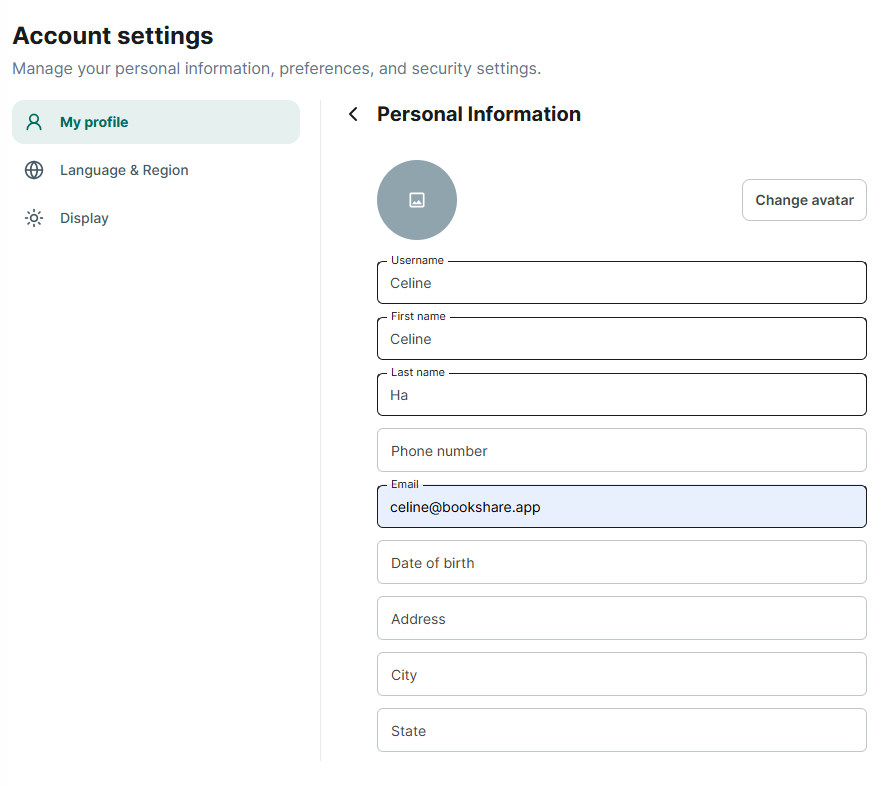
Step 21: You can edit all your information and change avatar
- Username
- Last name
- First name
- Phone
- Date of Birth
- Address
- City
- State
- Zip code
- Country
Then Press “Save”
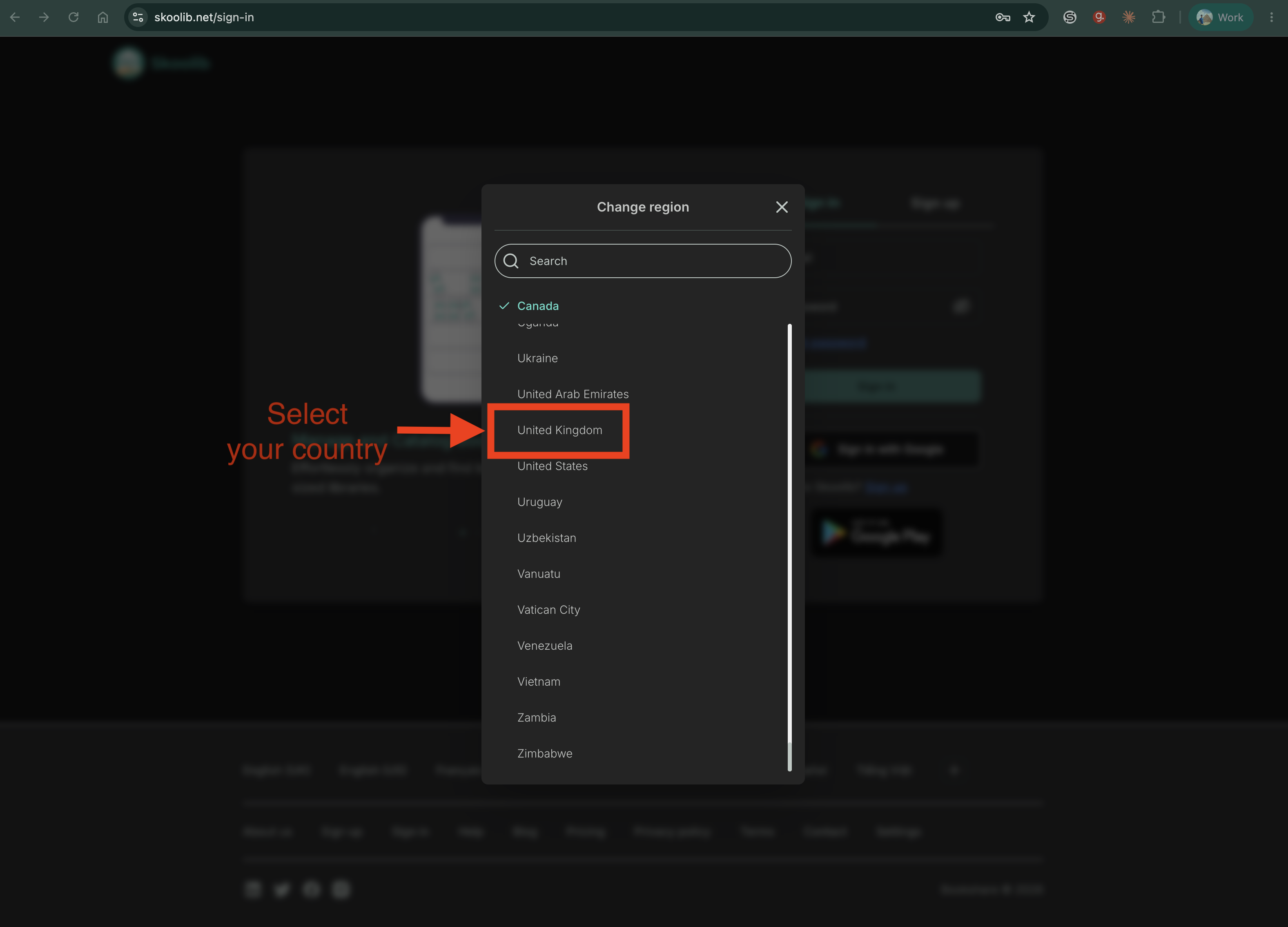
Change region or country
Step 1:
Go to https://skoolib.net.
On the Sign In page, sign out if you are already signed in.
In the footer, click Settings, then click Change region.
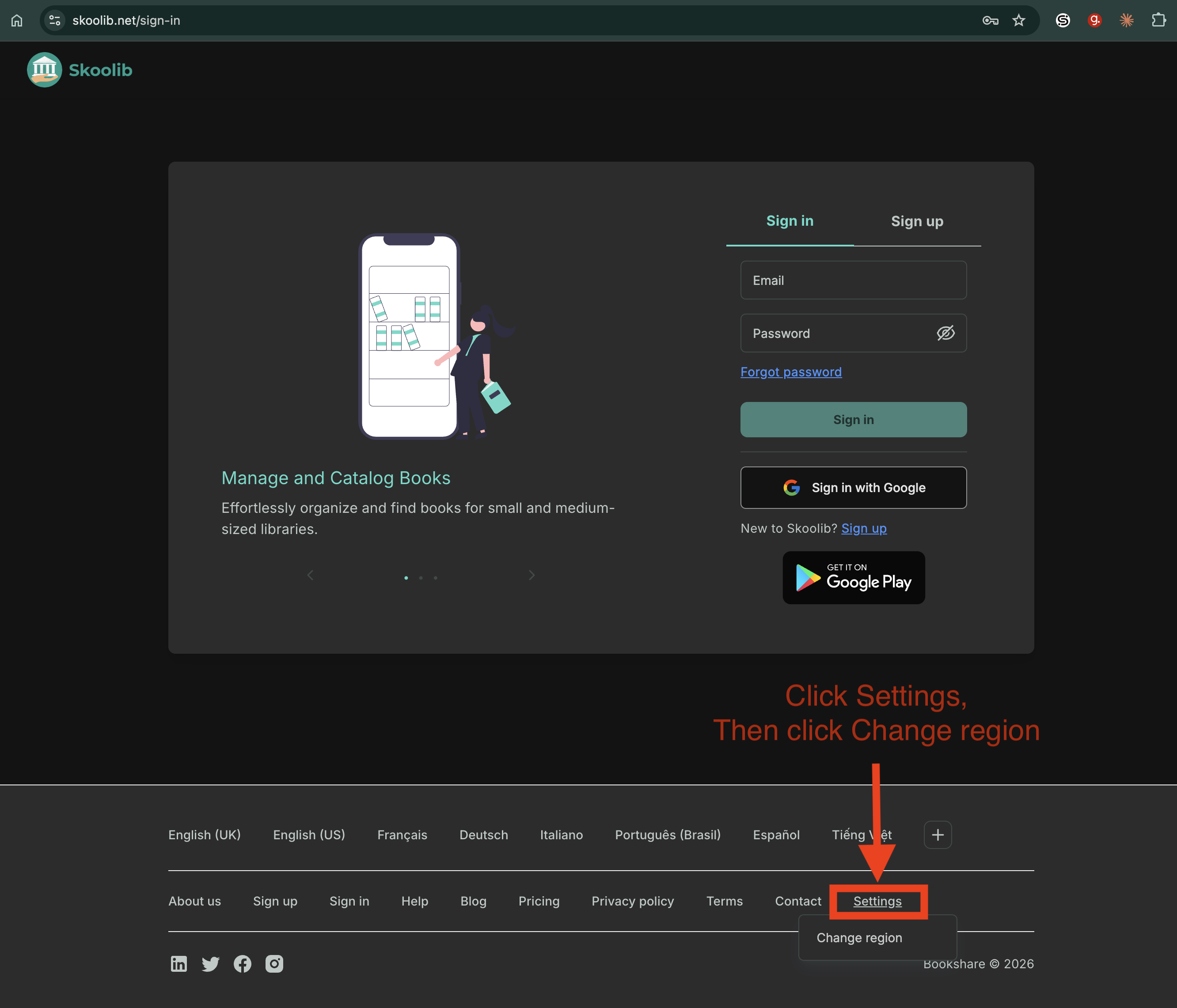
Step 2:
Select the country where your library is located.
Then, sign in again.