
Set item cover as shelf cover
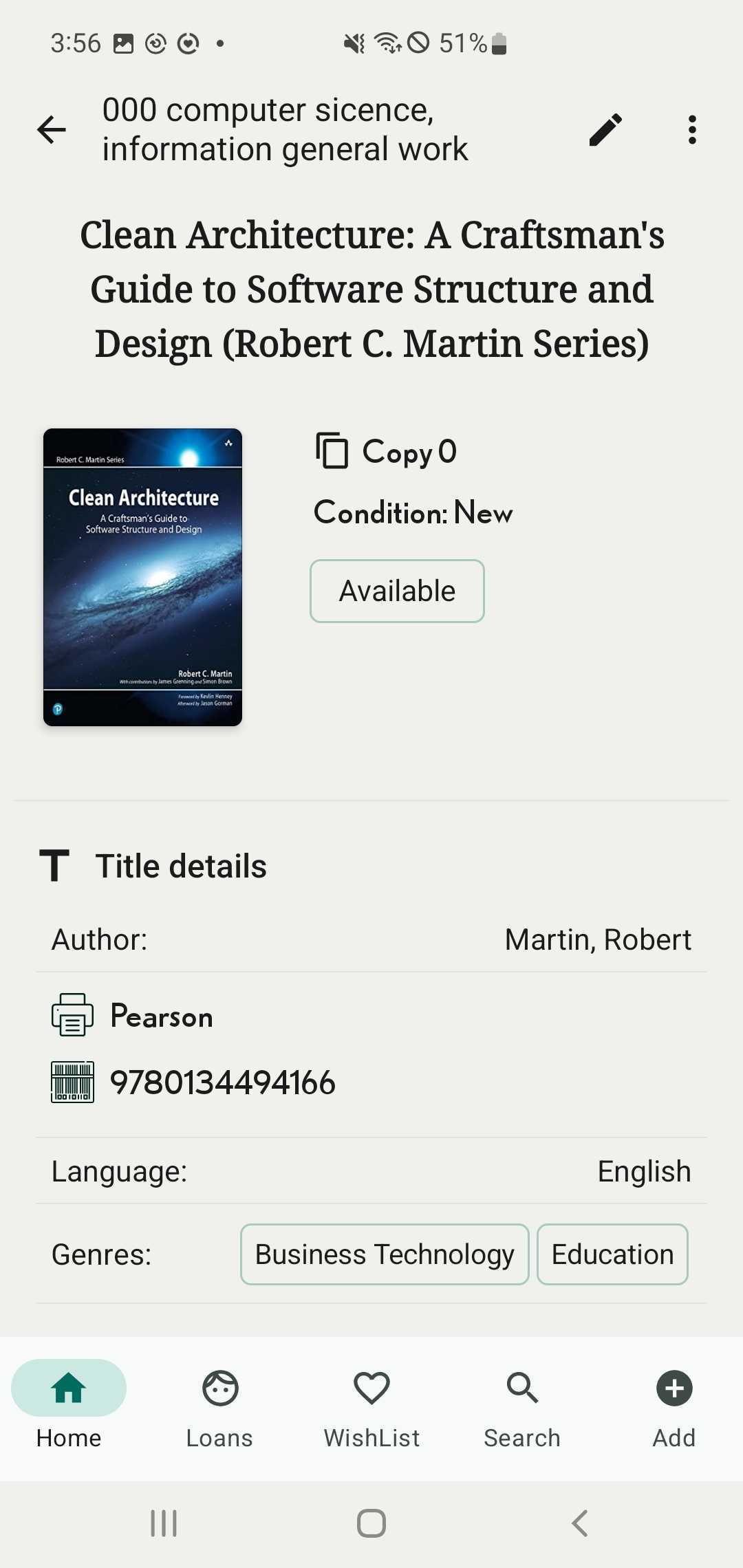
Step 1: Go to the Shelves tab and access the title details.
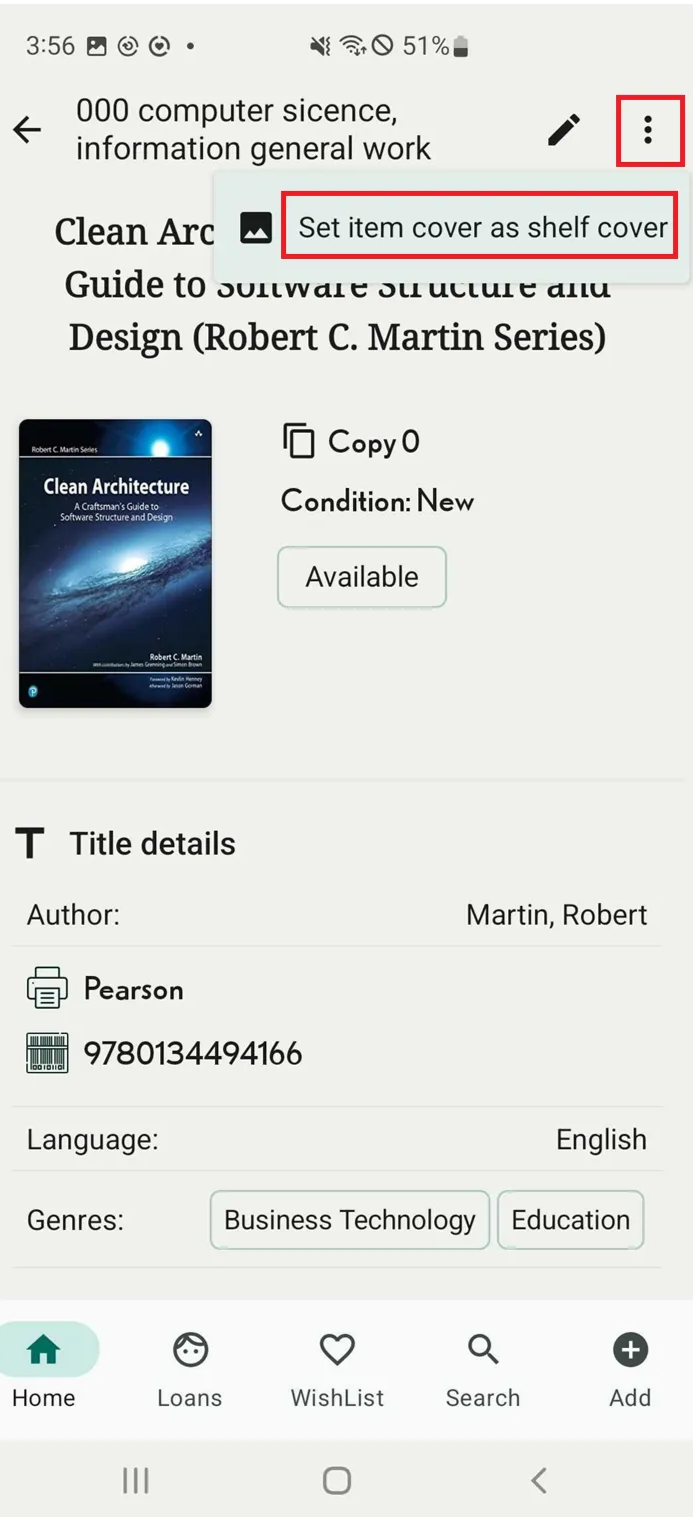
Step 2: Tap on the three-dot icon the right top of corner and it shows “Set item cover as shelf cover”
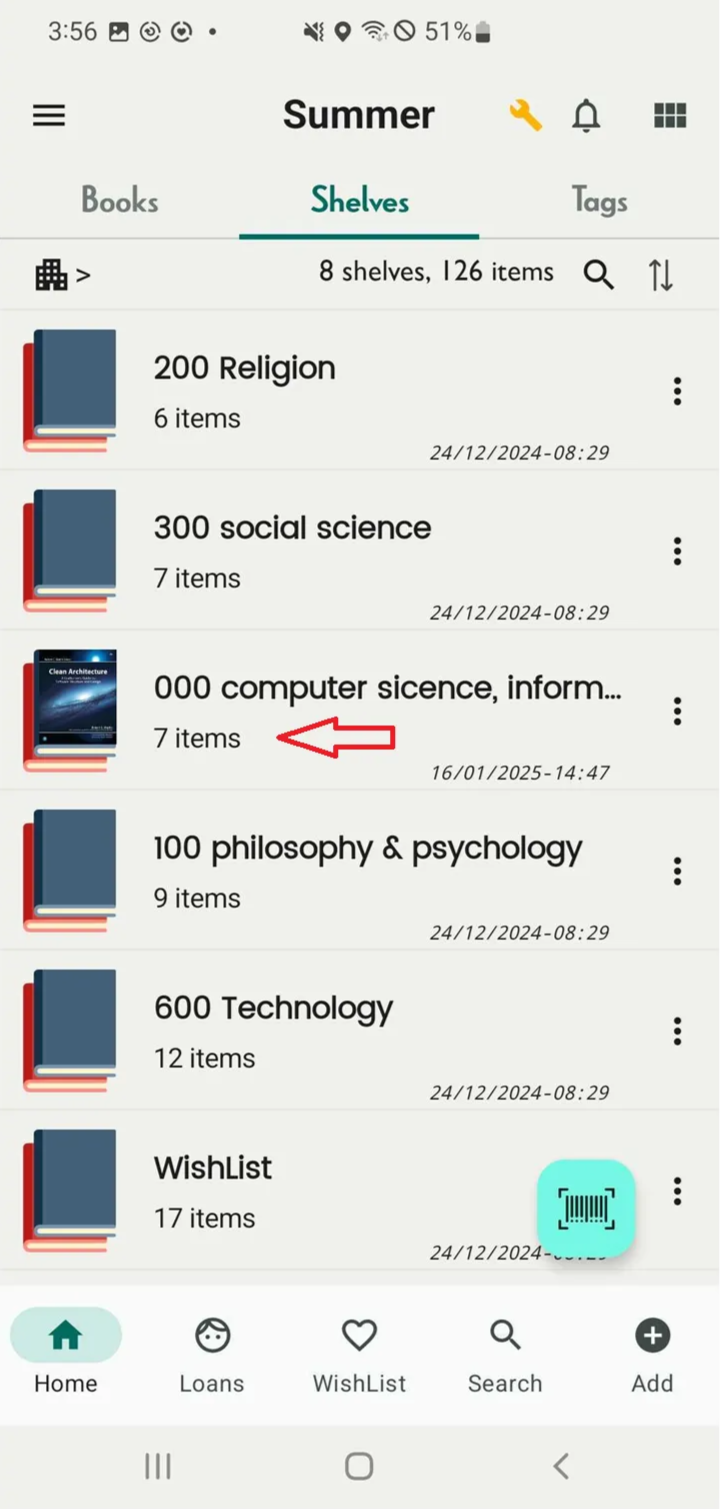
Step 3: The shelf cover will be appeared
Chat with Skoolib
Answers come from the Help Center guides.