
Add book by manual input
Step 1: Access the a library you want to add book
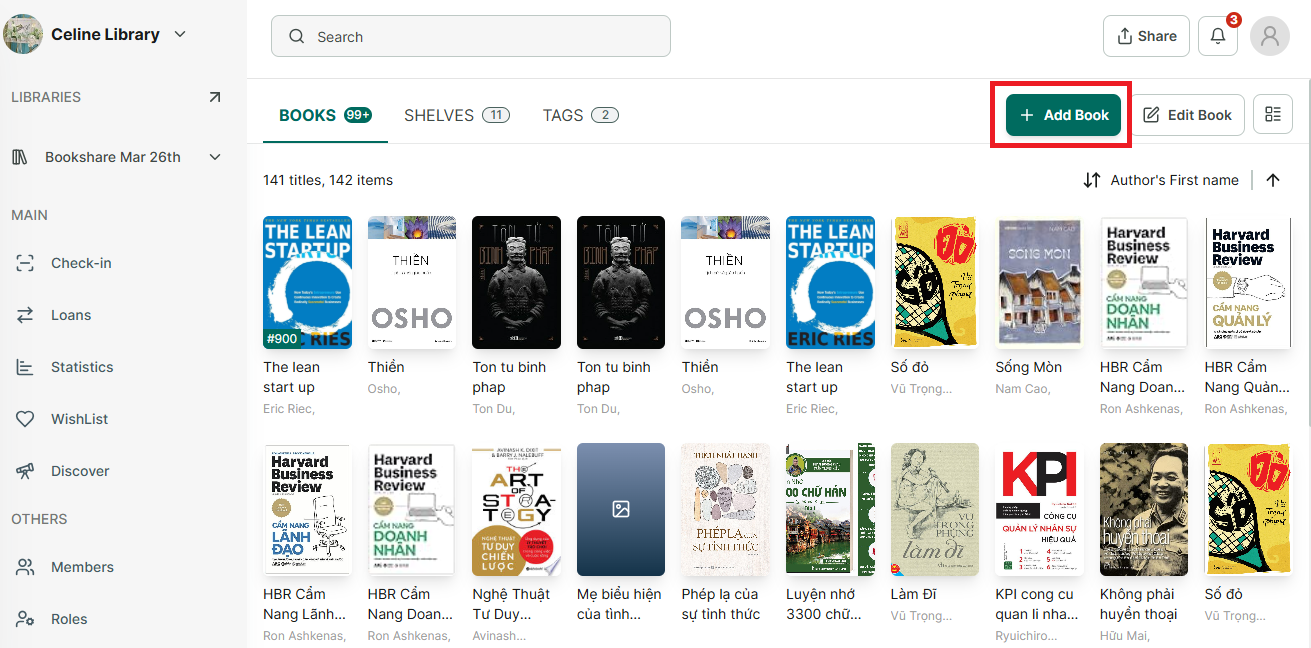
Step 2: Then press “Add book” button at the right top of conner.
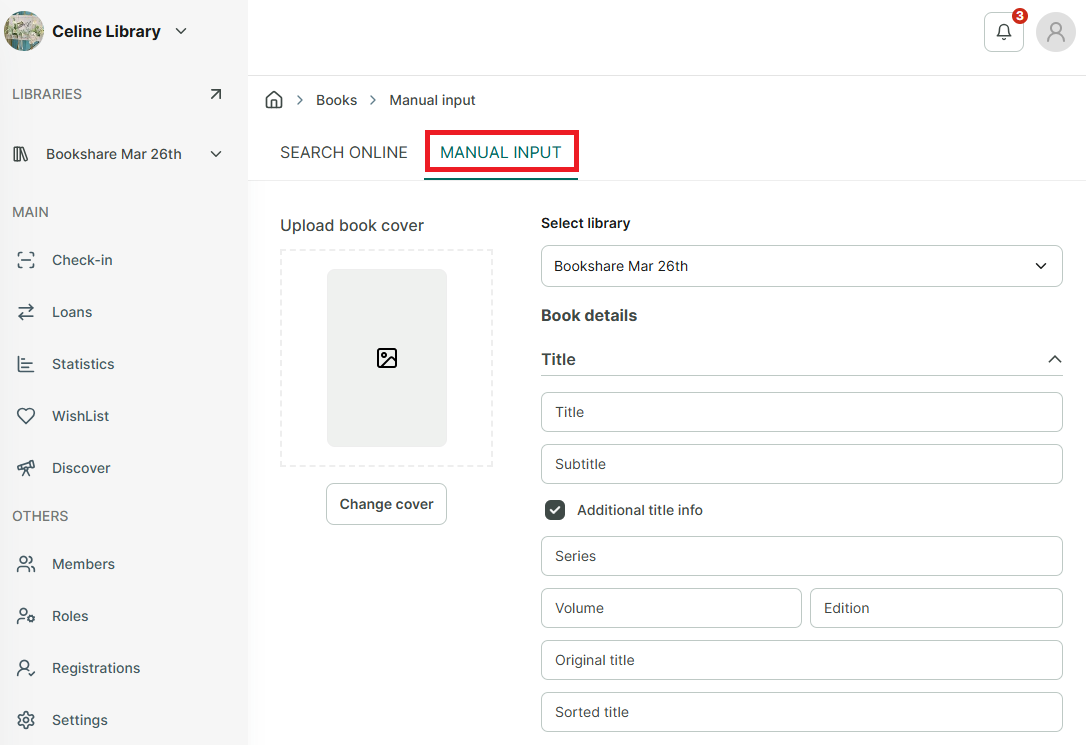
Step 3: Select “Manual input” option.
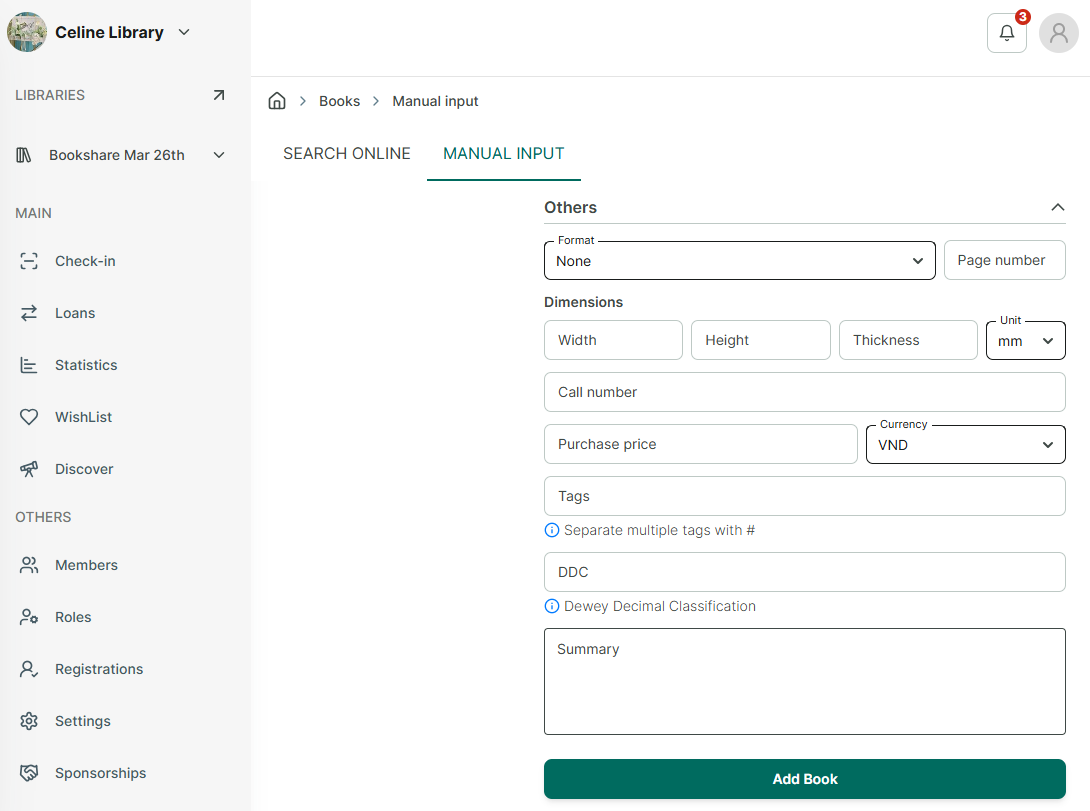
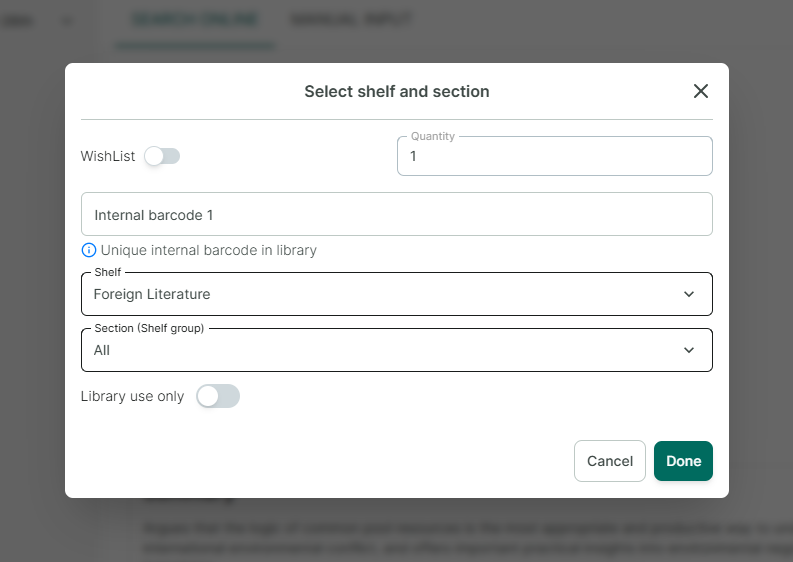
Step 4: Enter the book’s information, then press “Add Book.”
Chat with Skoolib
Answers come from the Help Center guides.