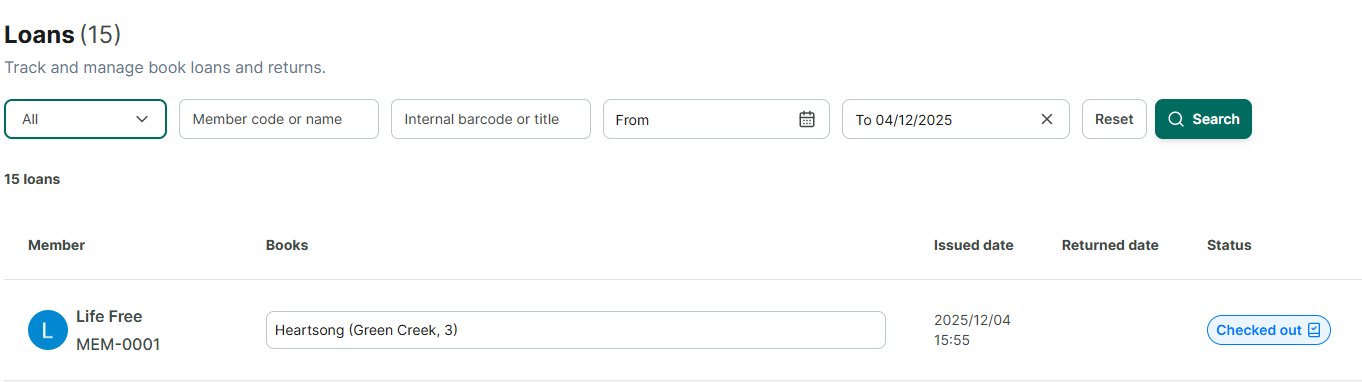
Placing a hold on a book that is currently on loan or has existing holds.
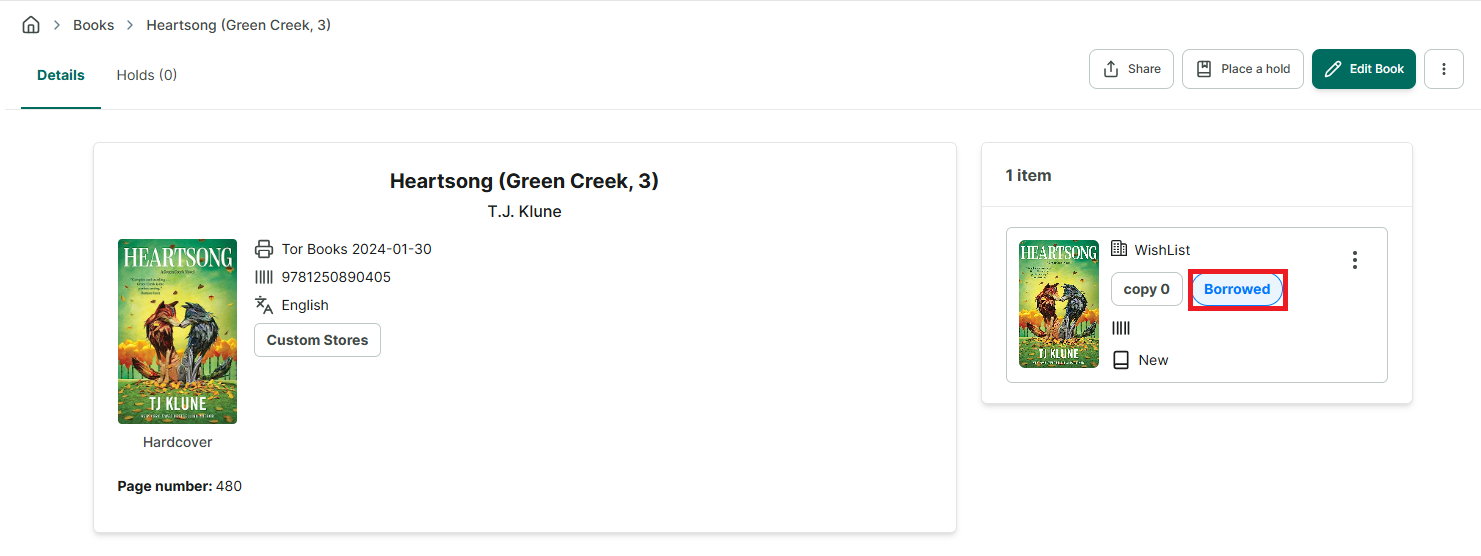
Step 1: When a book has been checked out, its status is “Borrowed”
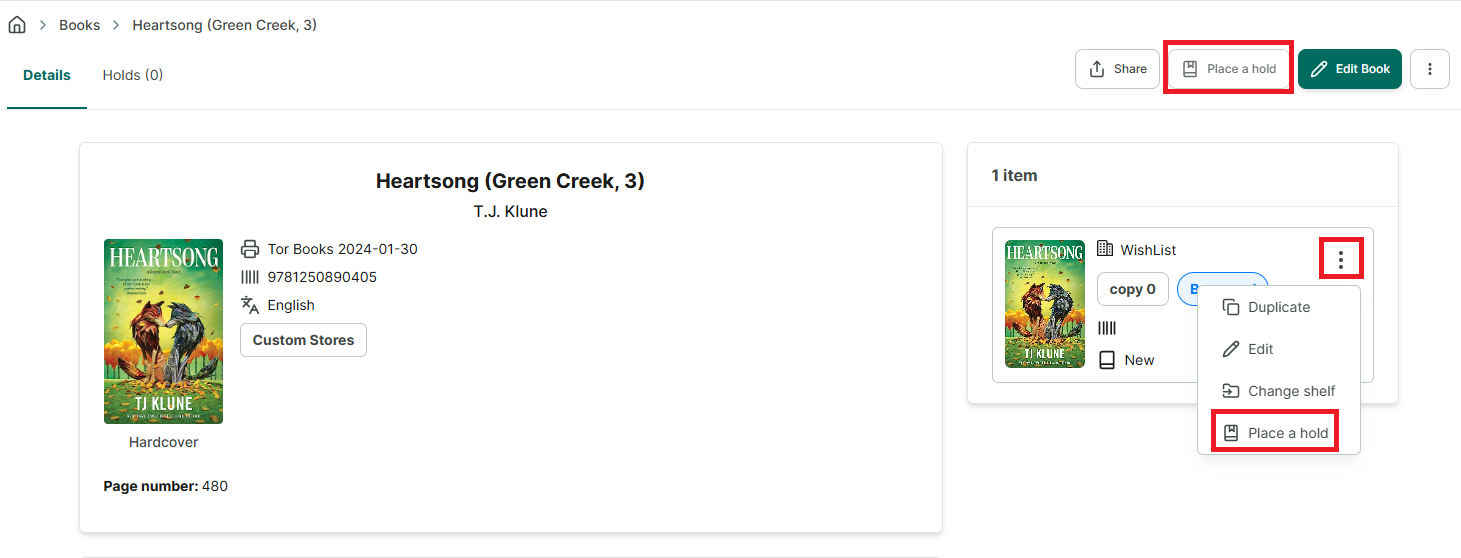
Step 2: You can place a hold directly from the book information screen. There are two “Place Hold” buttons:
• Place Hold on the main screen • Place Hold in the options menu for the book
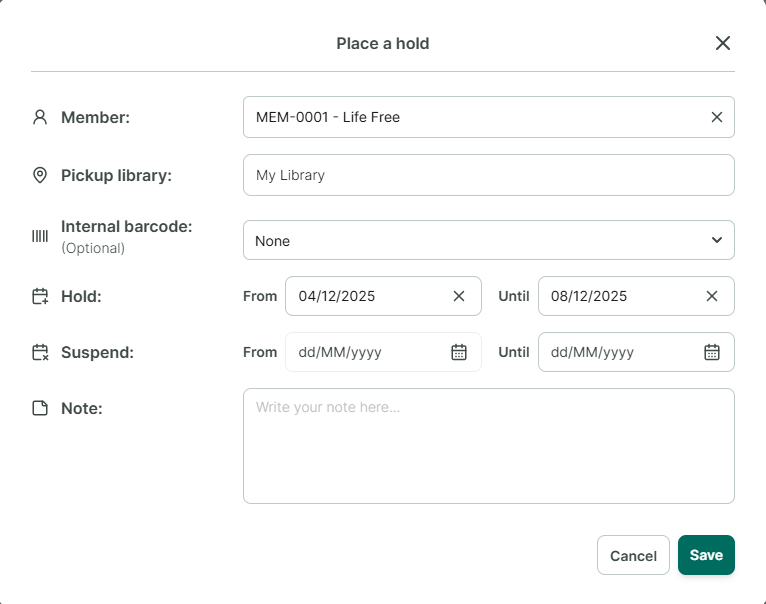
Step 3: Fill in the information on the hold form. Then click “Save.”
Step 4: After completion, check the book’s “Book Holds” section. The new hold will be in the ” Queued” status because there are already members who have holds on this currently loaned book.
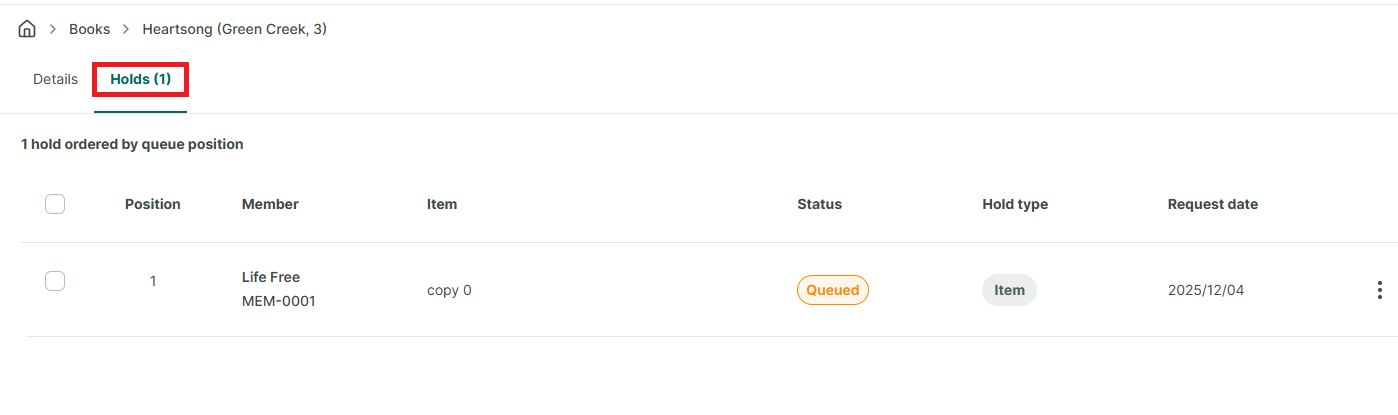
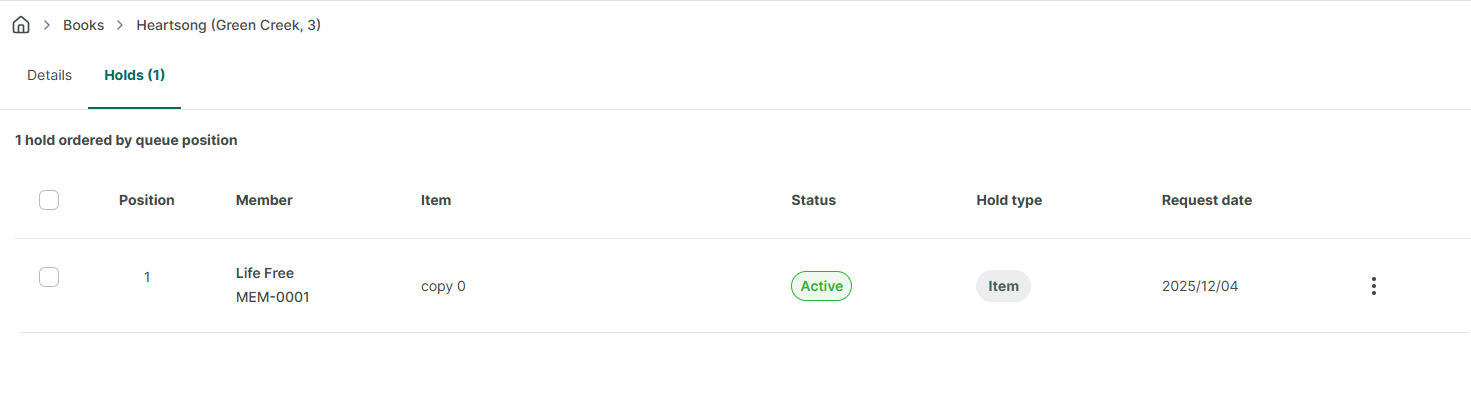
Step 5: When the book is returned, the hold will automatically transfer to the next waiting member. The status on the page will be updated from “Queued” to “Active.” In the “Book Holds” section, the status will also change from “Pending” to “Active.”
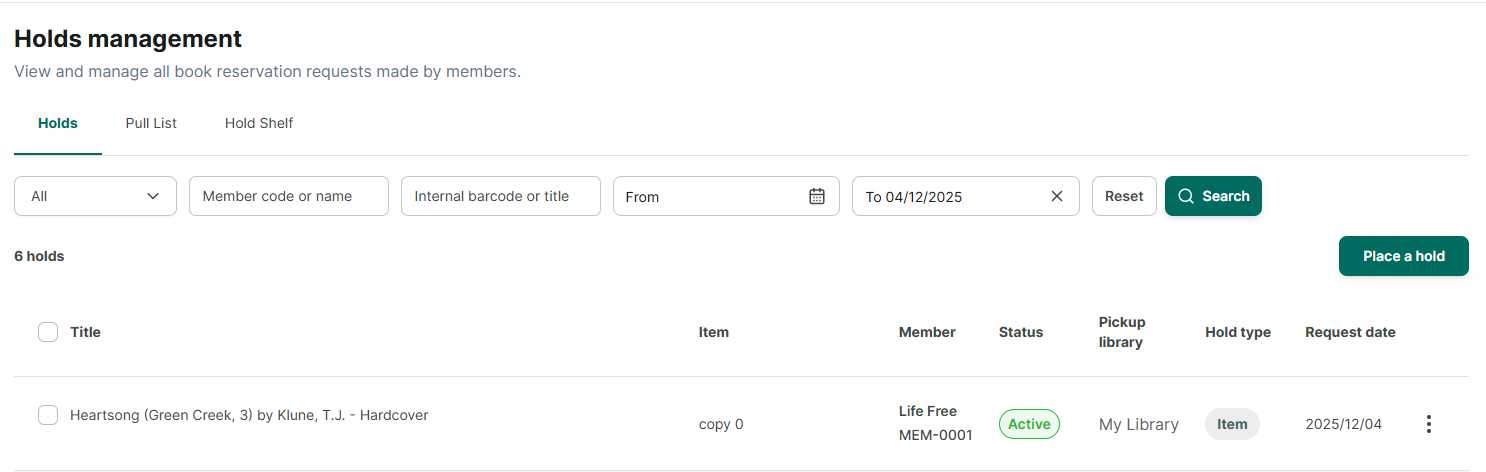
Step 6: Next, click on the “Pull List” to place the book on the “Hold Shelf” once it is ready, so that the member knows the book is available for checkout. The member will receive an email notification that the book is ready for pickup. This notification applies to both online and offline members, provided their email information has been updated.
◦ Click the three-dot button select "**Place on Hold Shelf**."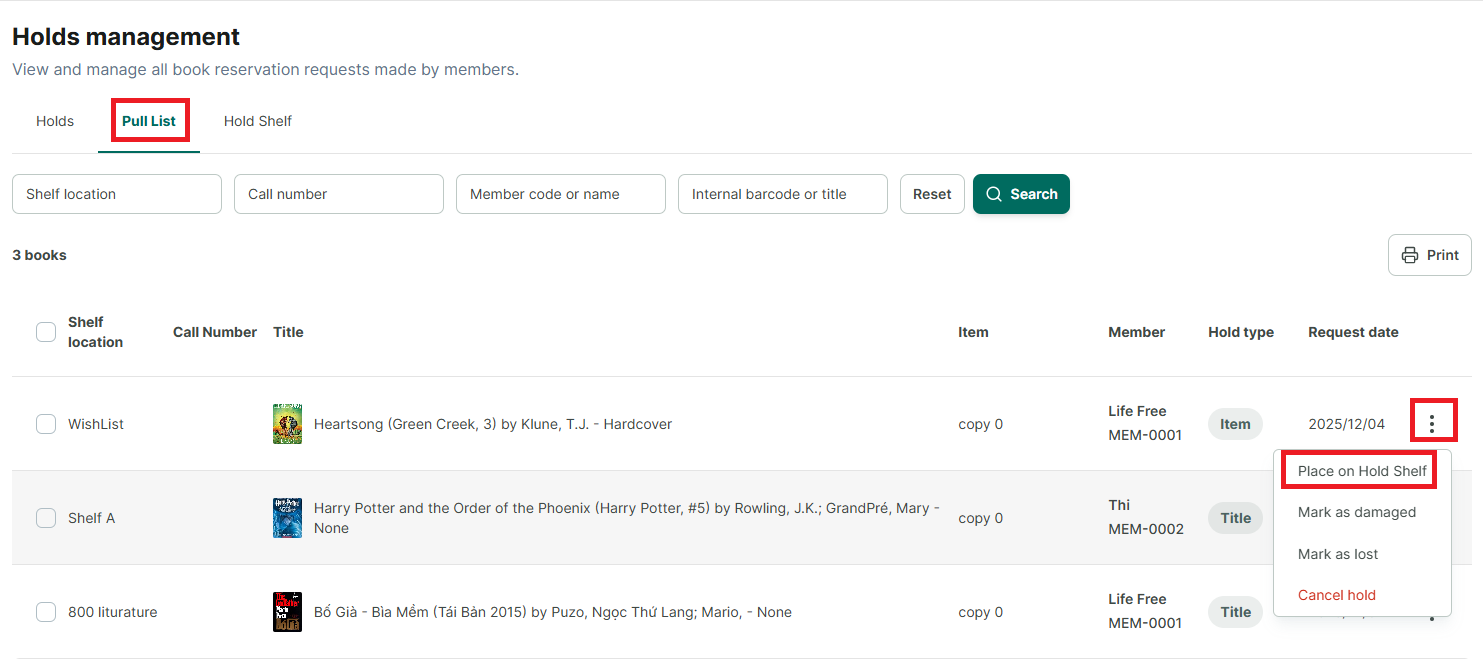
Step 7: After the member has arrived to collect the book, the librarian needs to mark the book as collected to create a loan transaction for this book from the “Hold Shelf.”
◦ Click the three-dot icon and select "**Mark as Picked up**"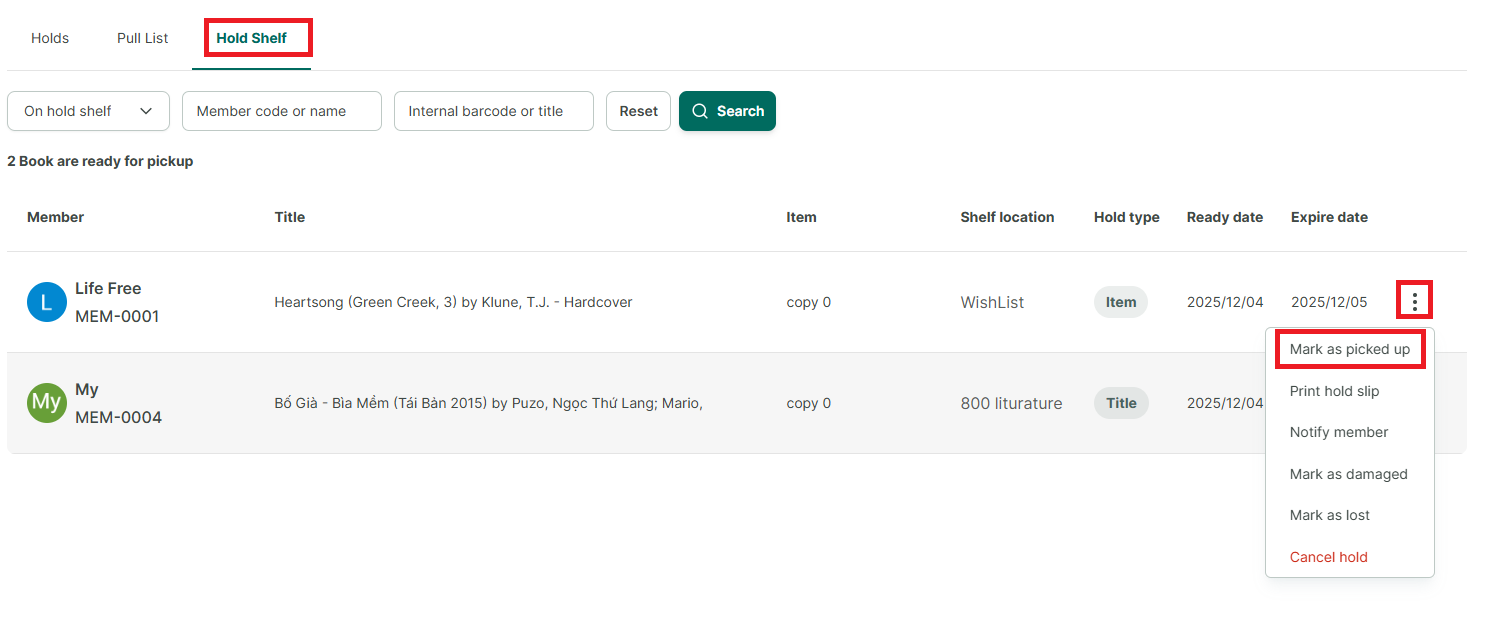
Step 8: The Create Loan Transaction form appears. Add the due date and click “Lend” (Check Out).
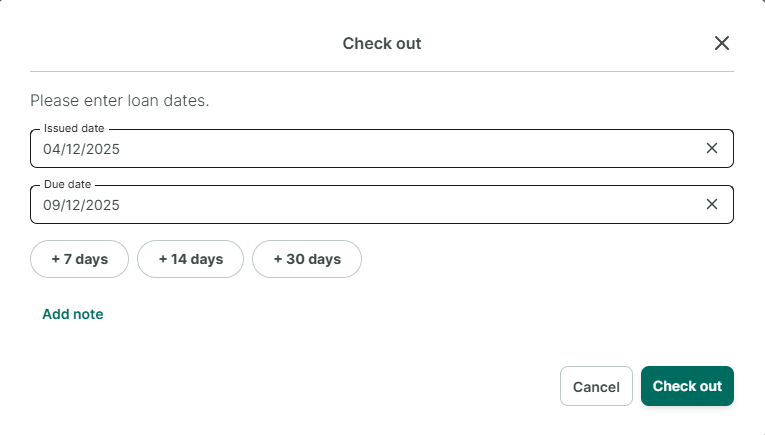
Step 9: The book will be recorded as borrowed in the “Loans” section.