
Role
Add manual role
Step 1: At the side menu, tap on Role section.
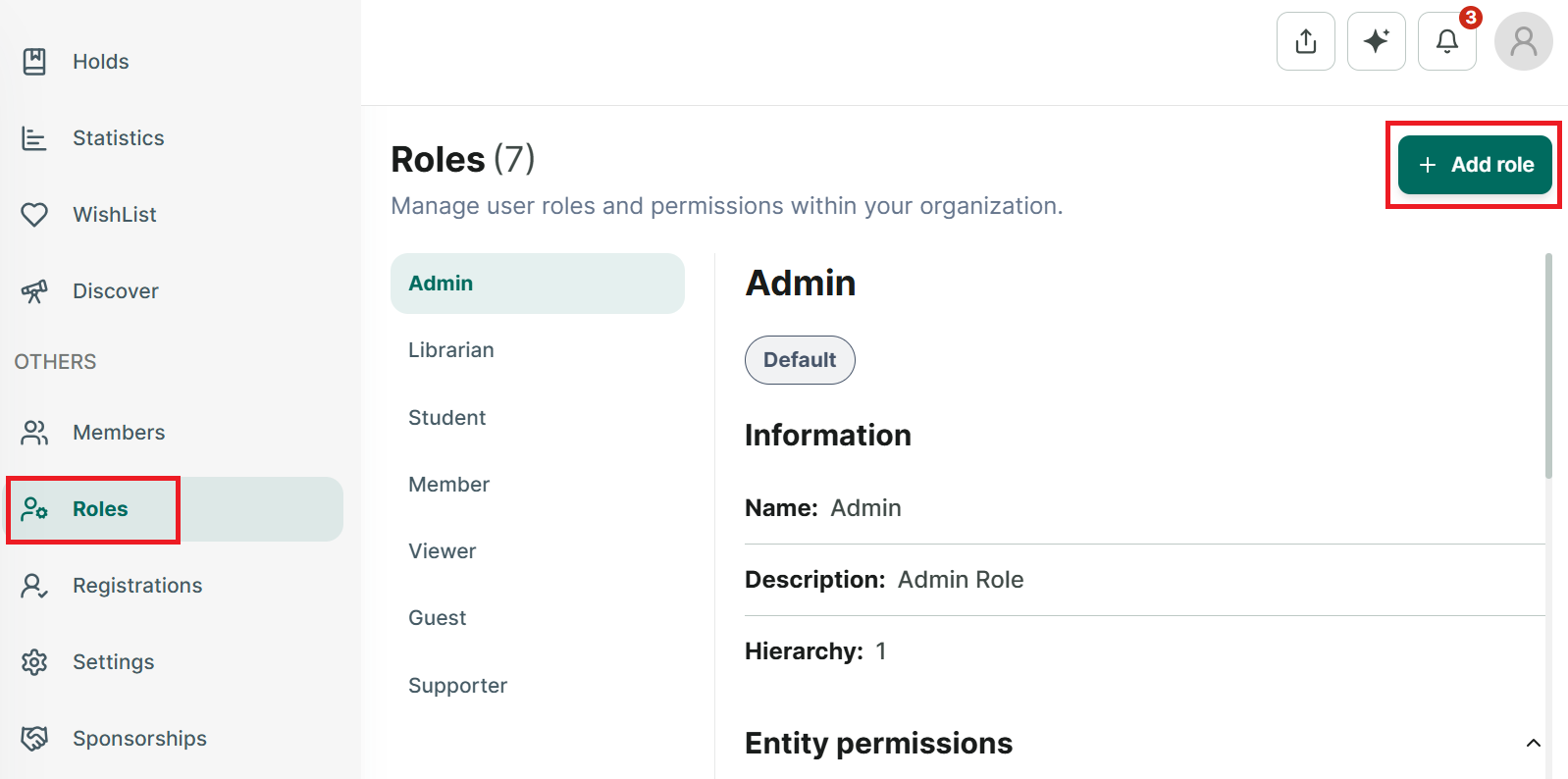
Step 2: The list of roles in the library.
Step 3: Press Add Role button at the right top of conner
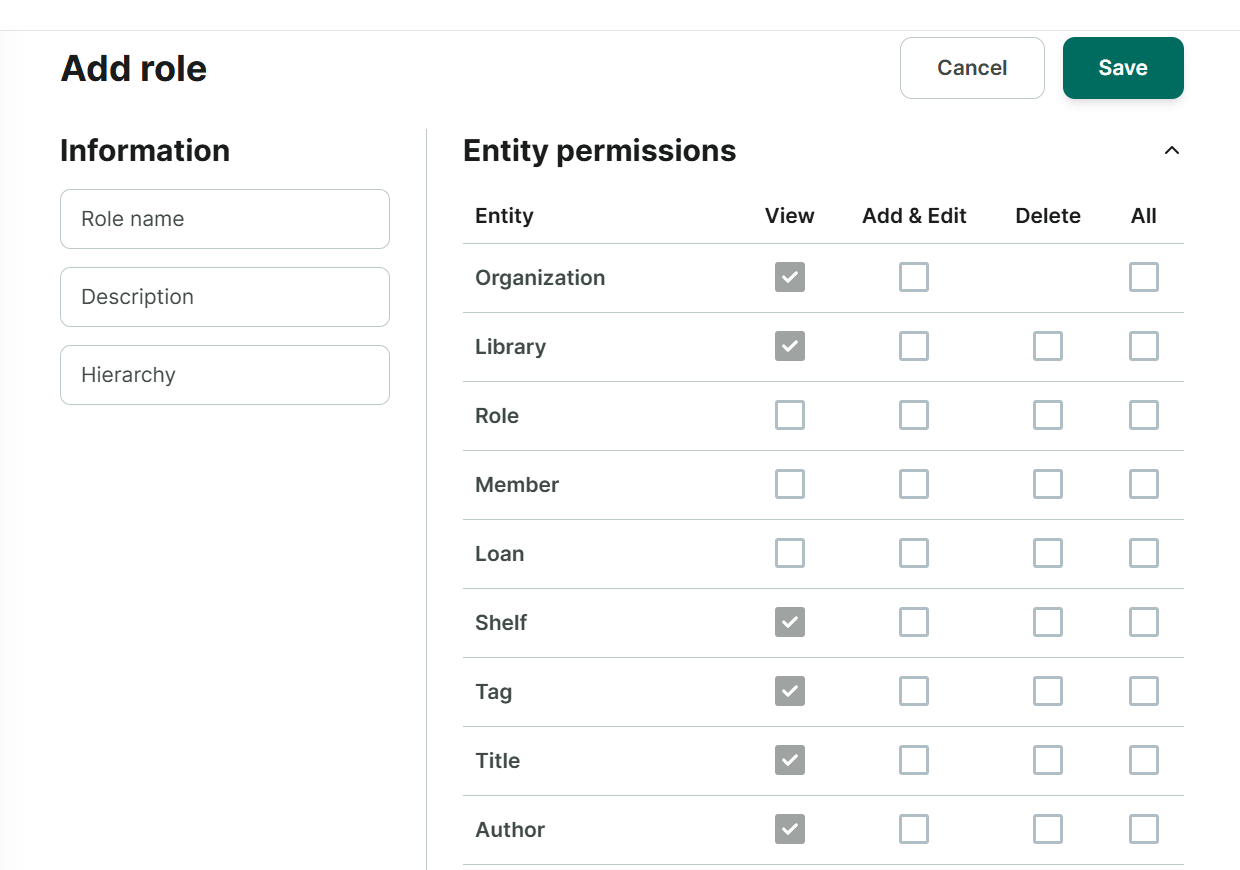
Step 4: The add role page is shown up.
- Role name
- Description
- Hierarchy
- Choose permissions .