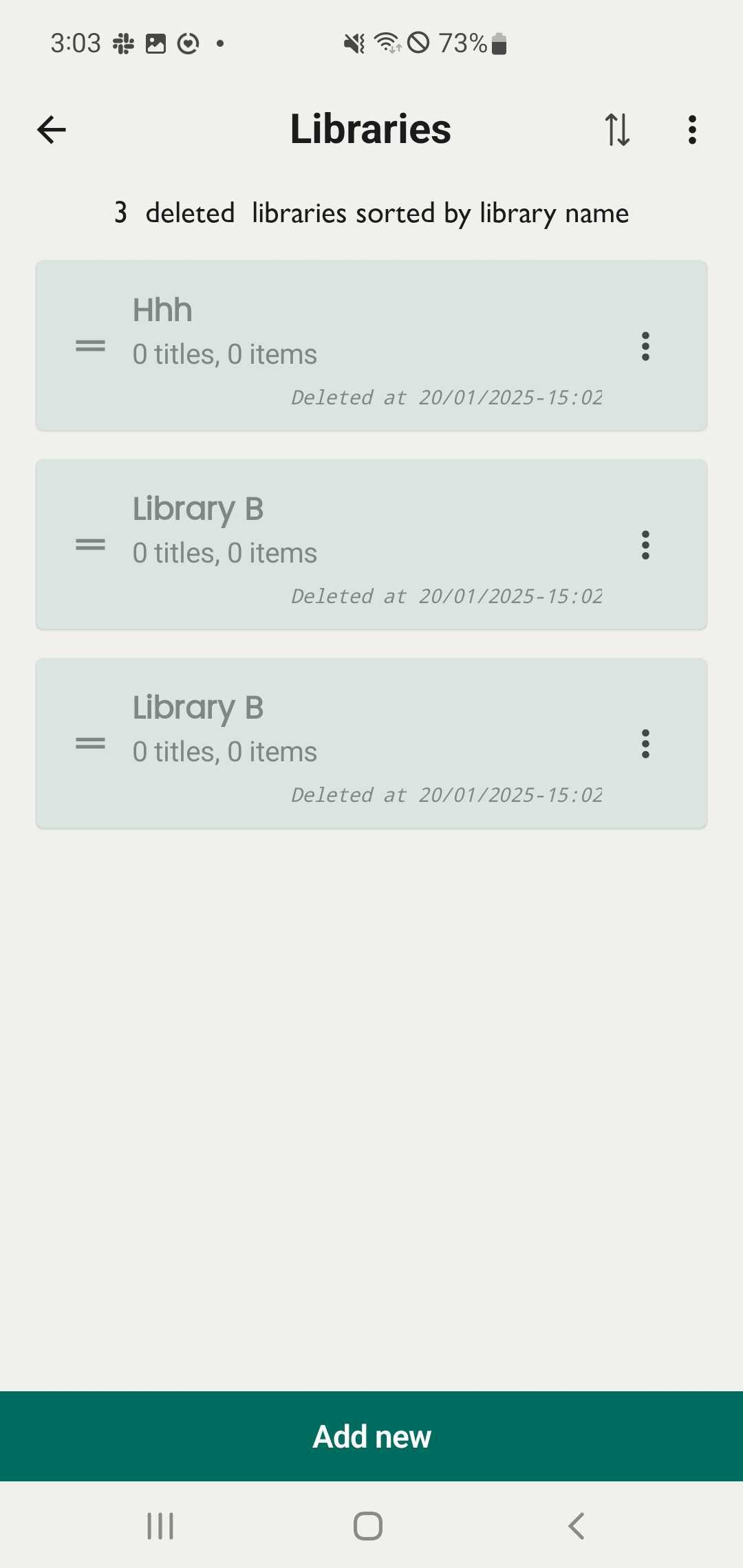
Show/hide deleted libraries
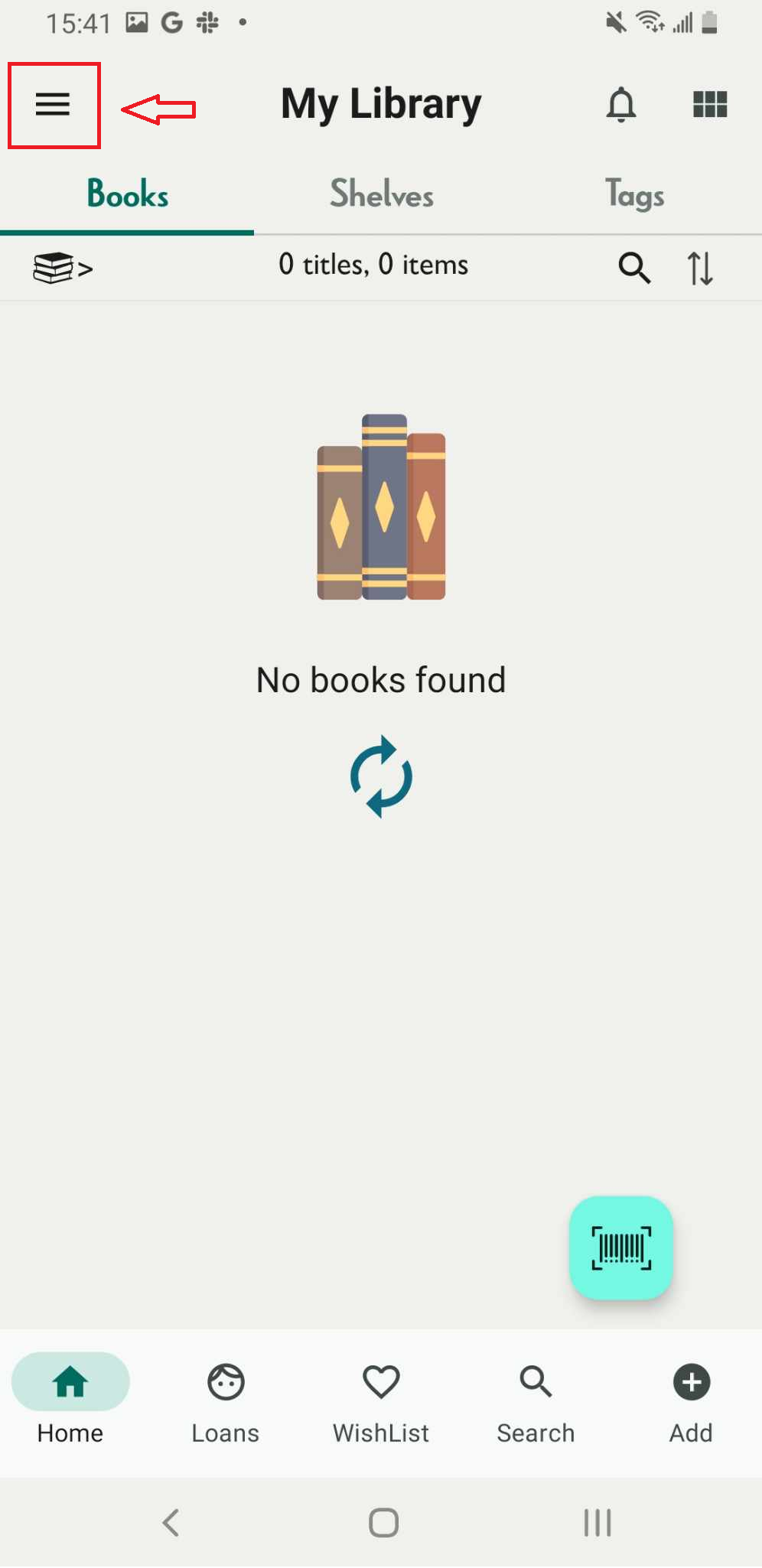
Step 1: Access the libraries through the side menu by tapping the three-line icon.
Step 2: Tap on the three-line icon at the right top corner:
- Show deleted libraries
- Hide deleted libraries
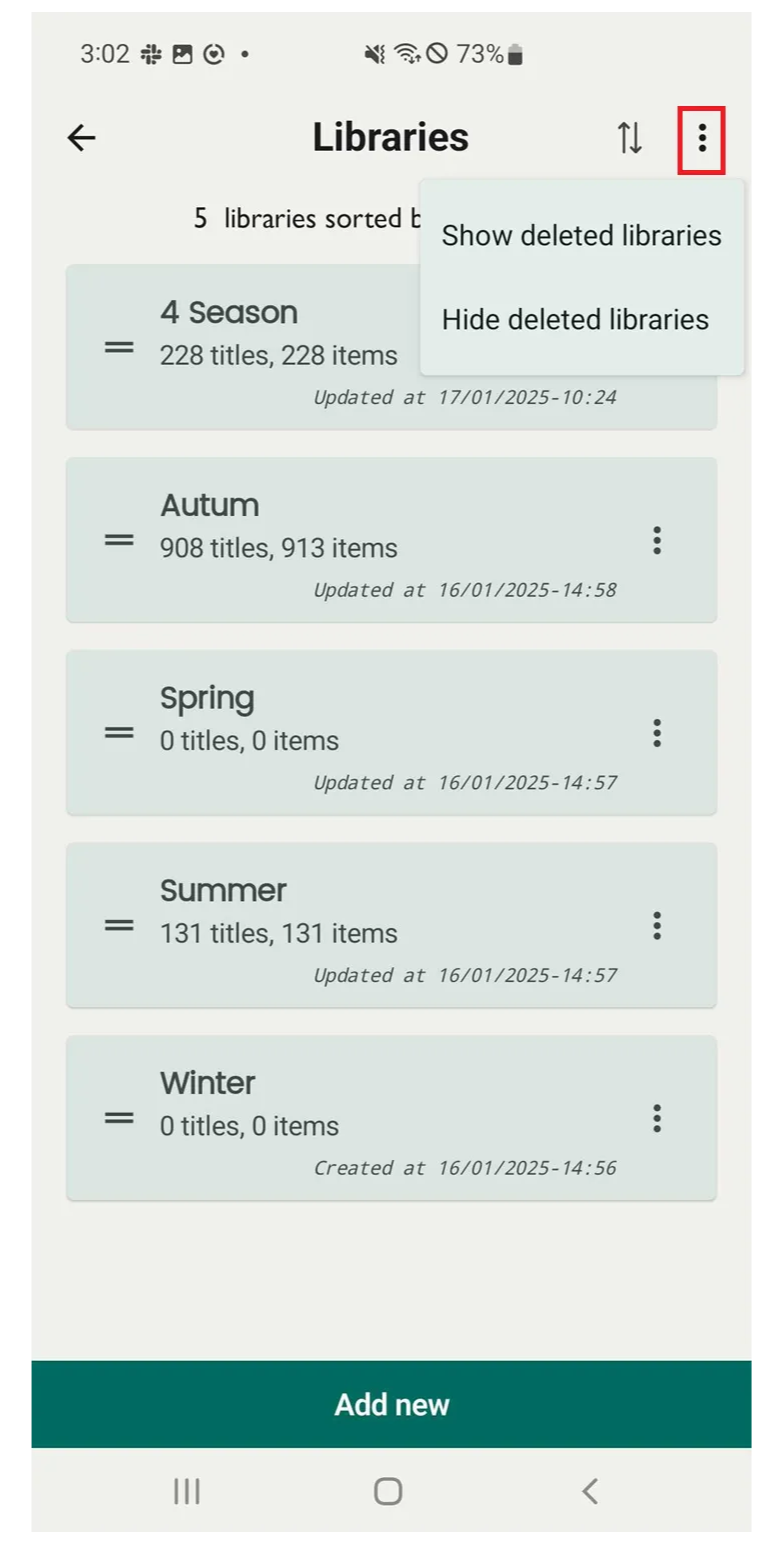
Step 3: Tap on “Show deleted libraries” → The deleted libraries is displayed\
Tap on “Hide the deleted libraries” the deleted libraries will be hidden from view, returning to the main library list.