Add book to wishlist by Scan barcode
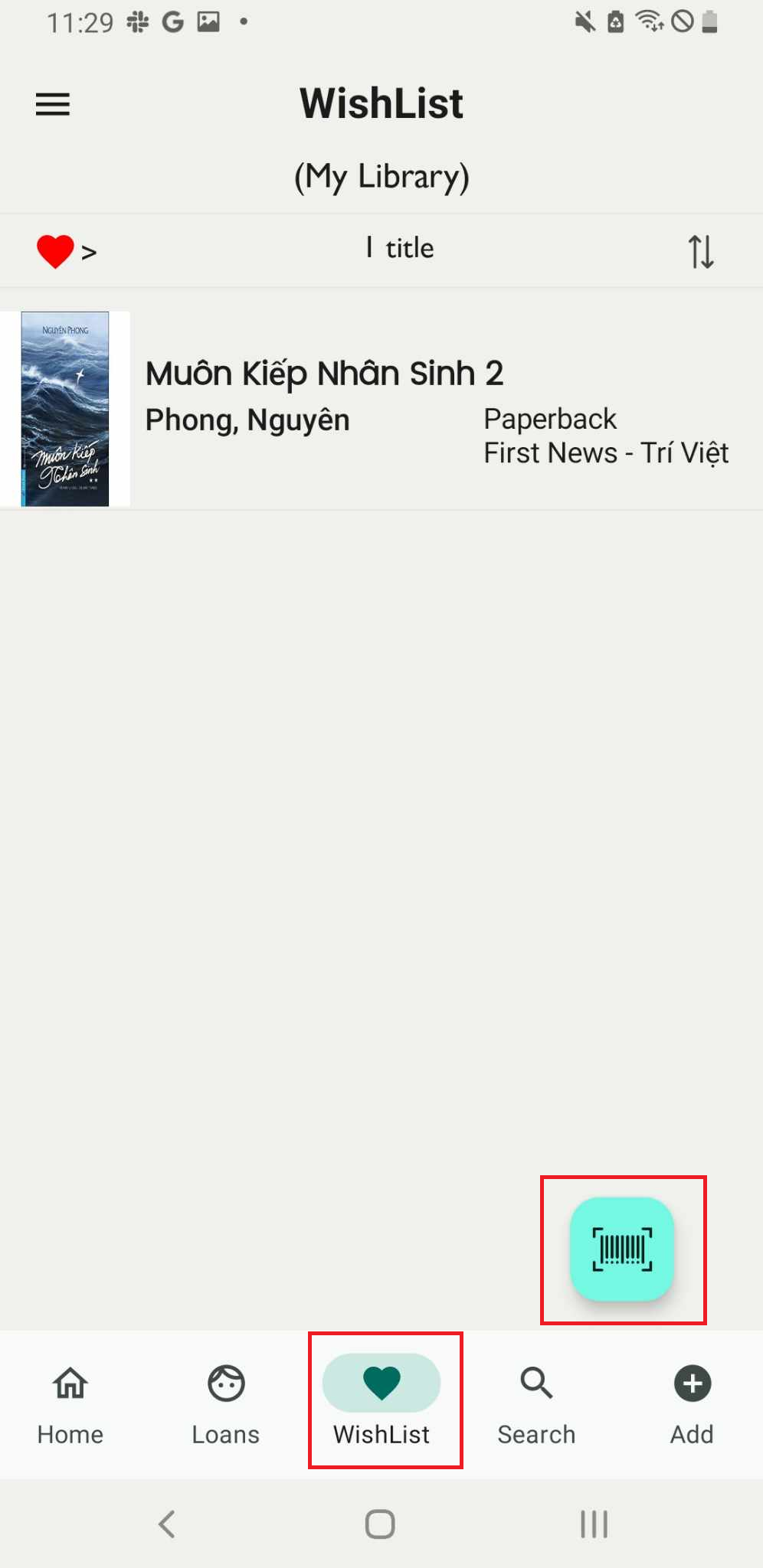
Step 1: On the main screen, tap on the “Wishlist” field and then access the barcode icon.
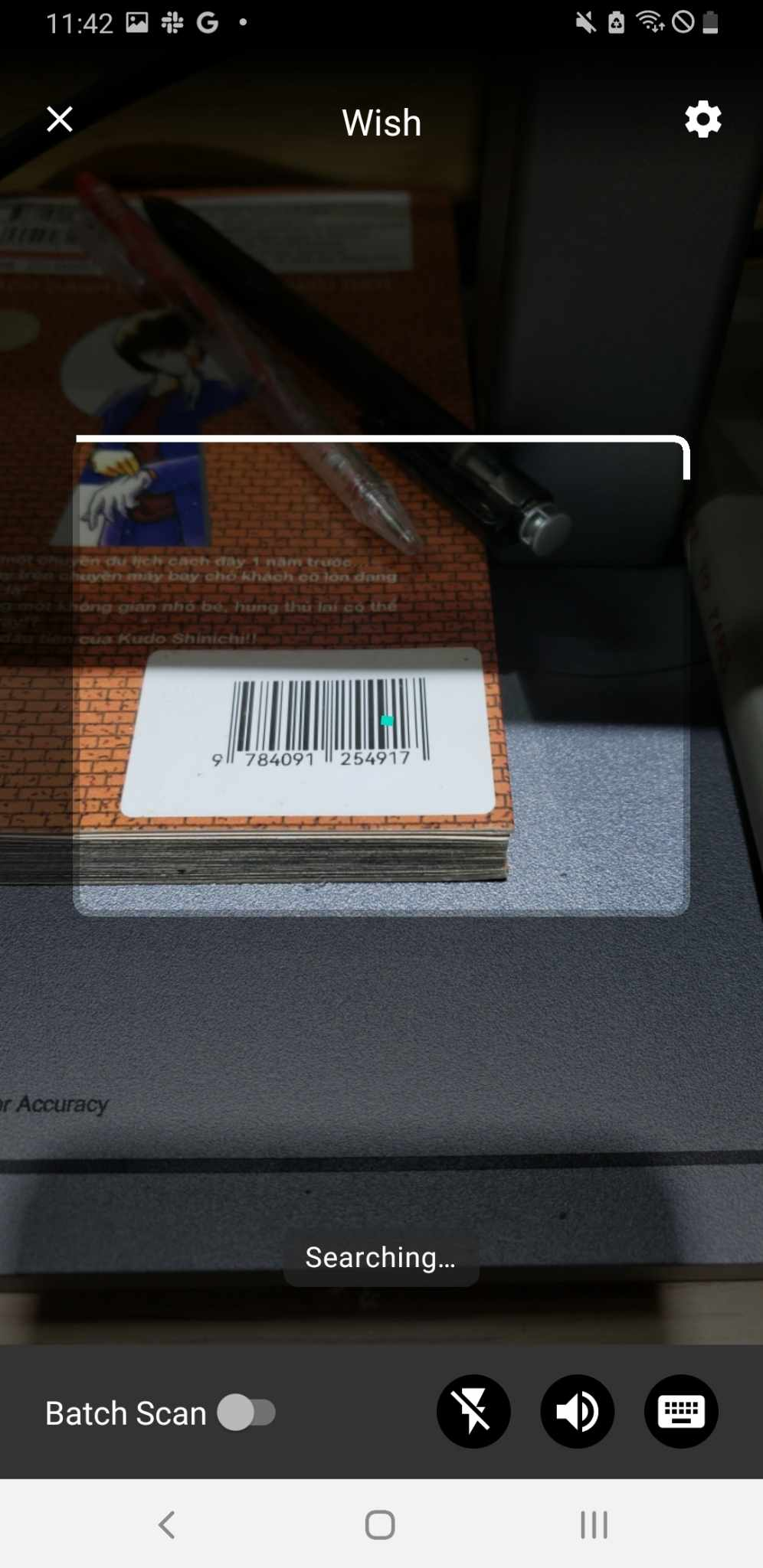
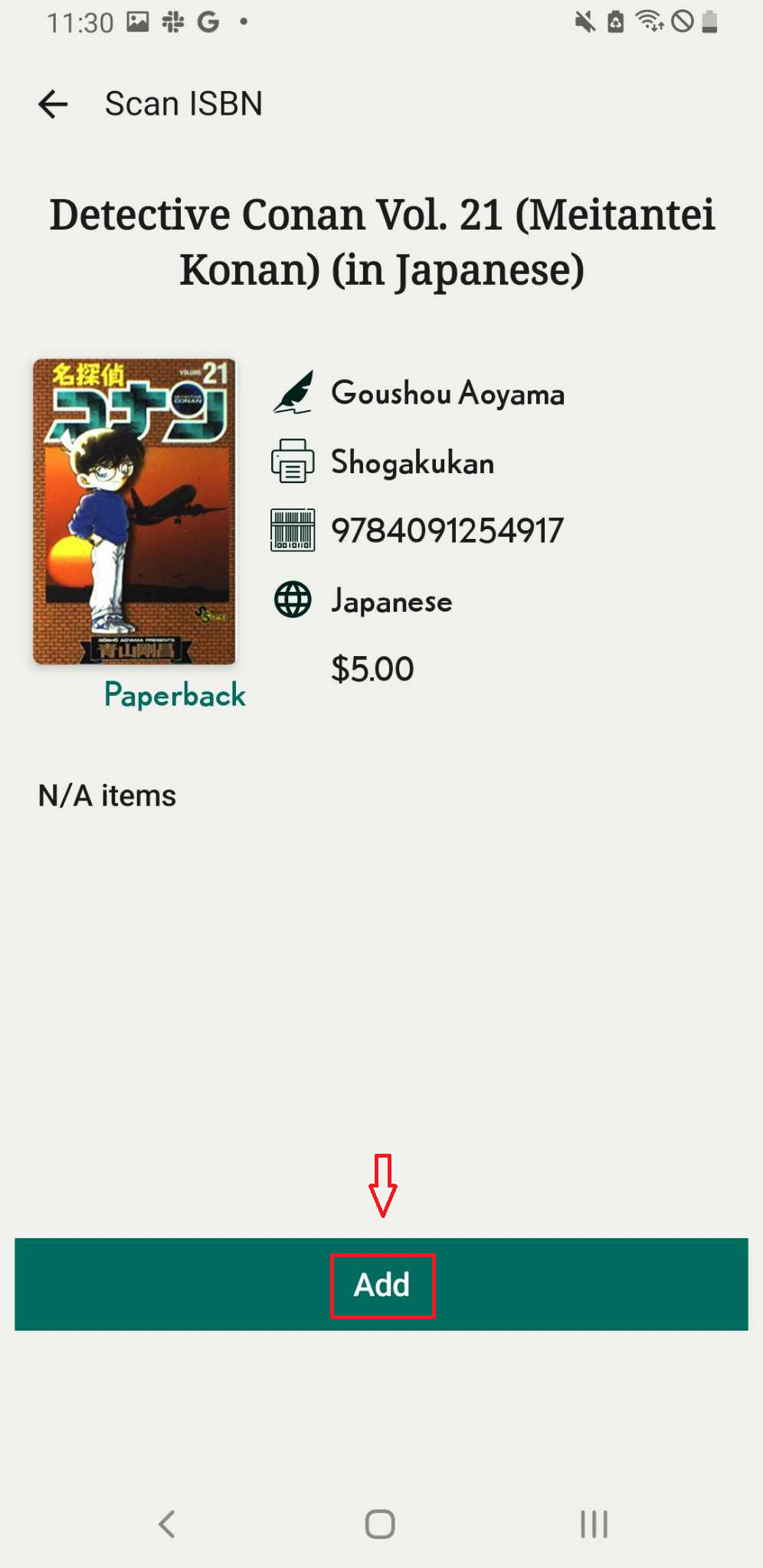
Step 2: Scan the ISBN of the book. The app will display the book data. Press “Add.”
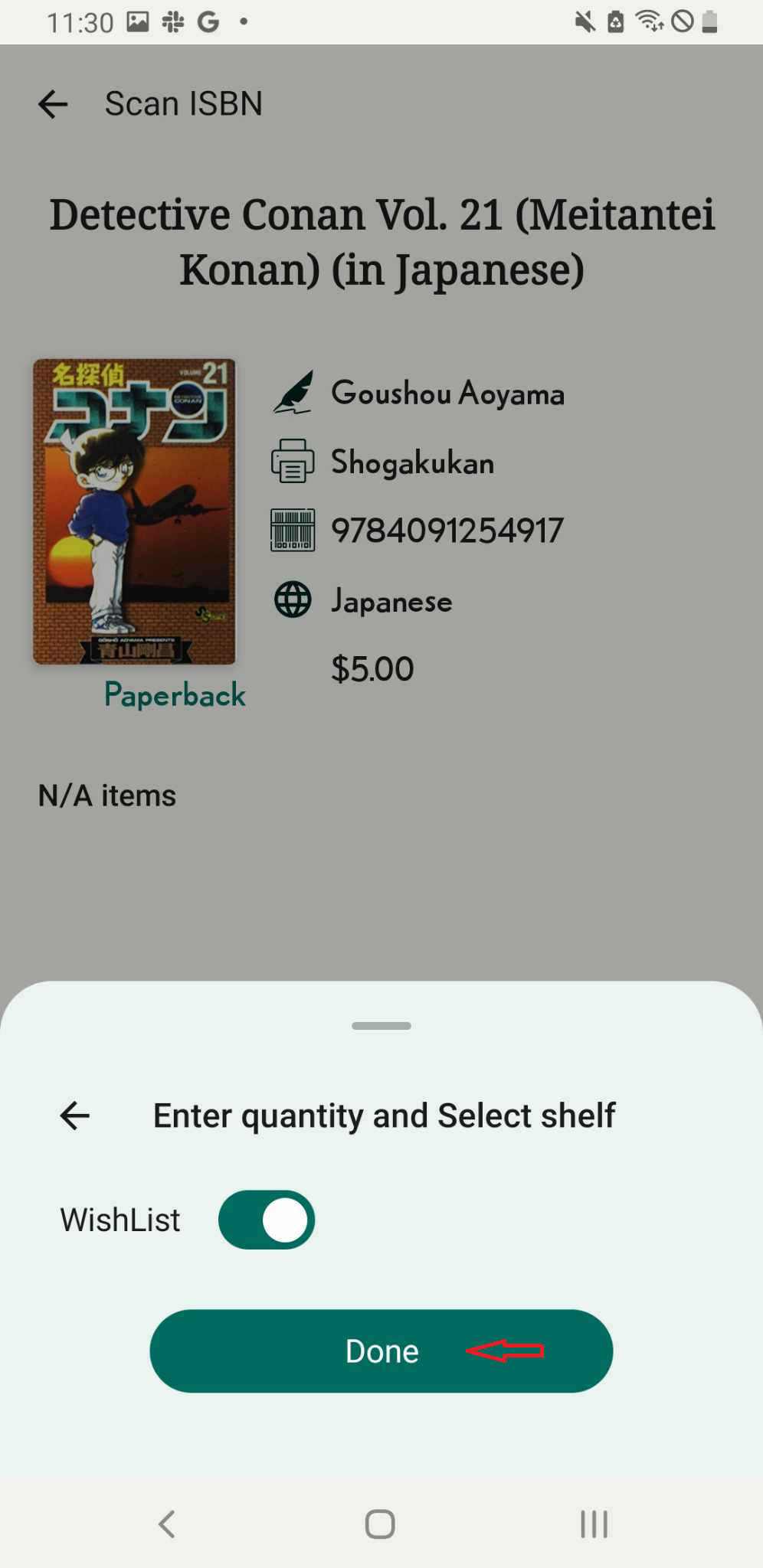
Step 3: Slide the toolbar to select the wishlist. Press Done
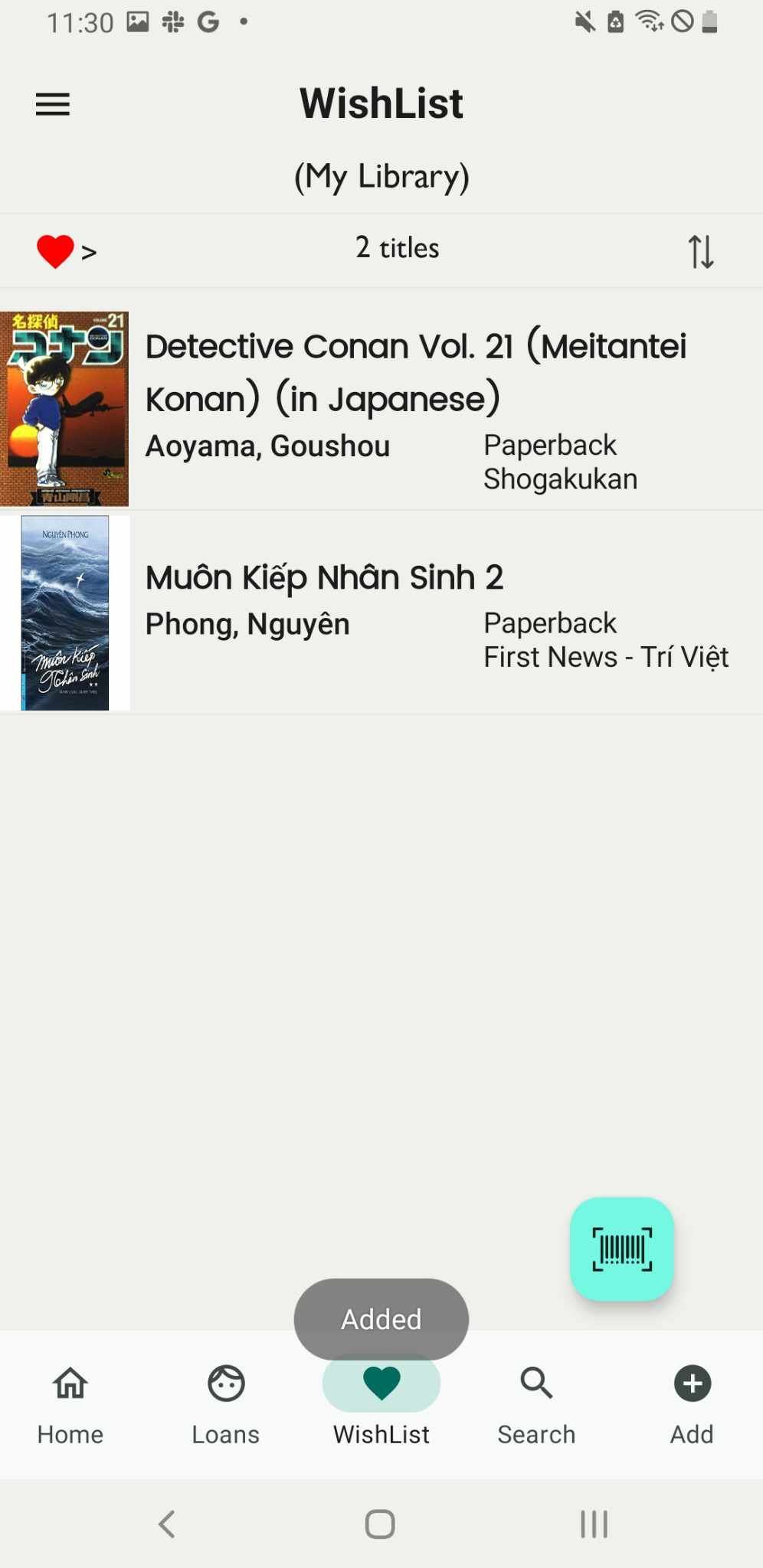
Step 4: The book is dispalyed in the wishlist