
Upgrade Subscription
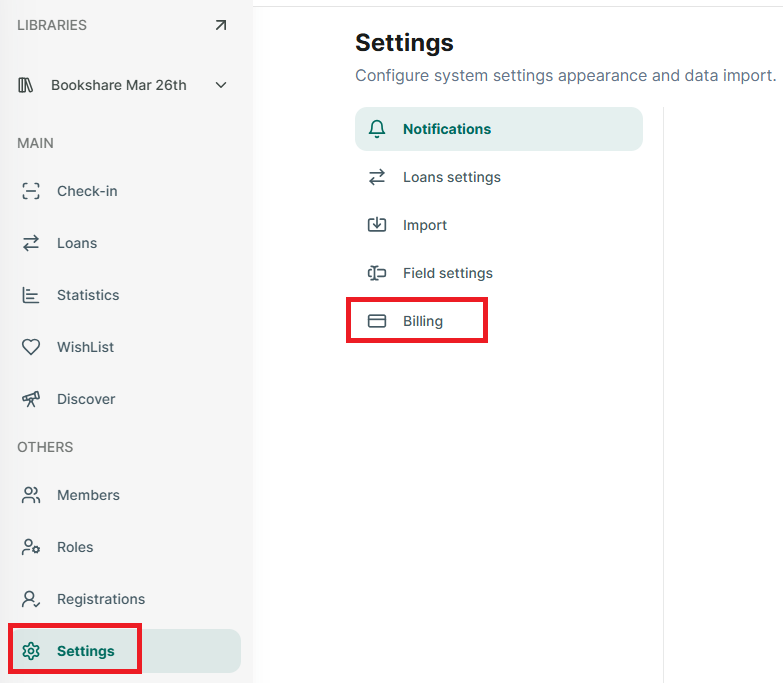
Step 1: Go to Setting section at the side menu
Step 2: Then Tap on “Billing” and it display all subscriptions
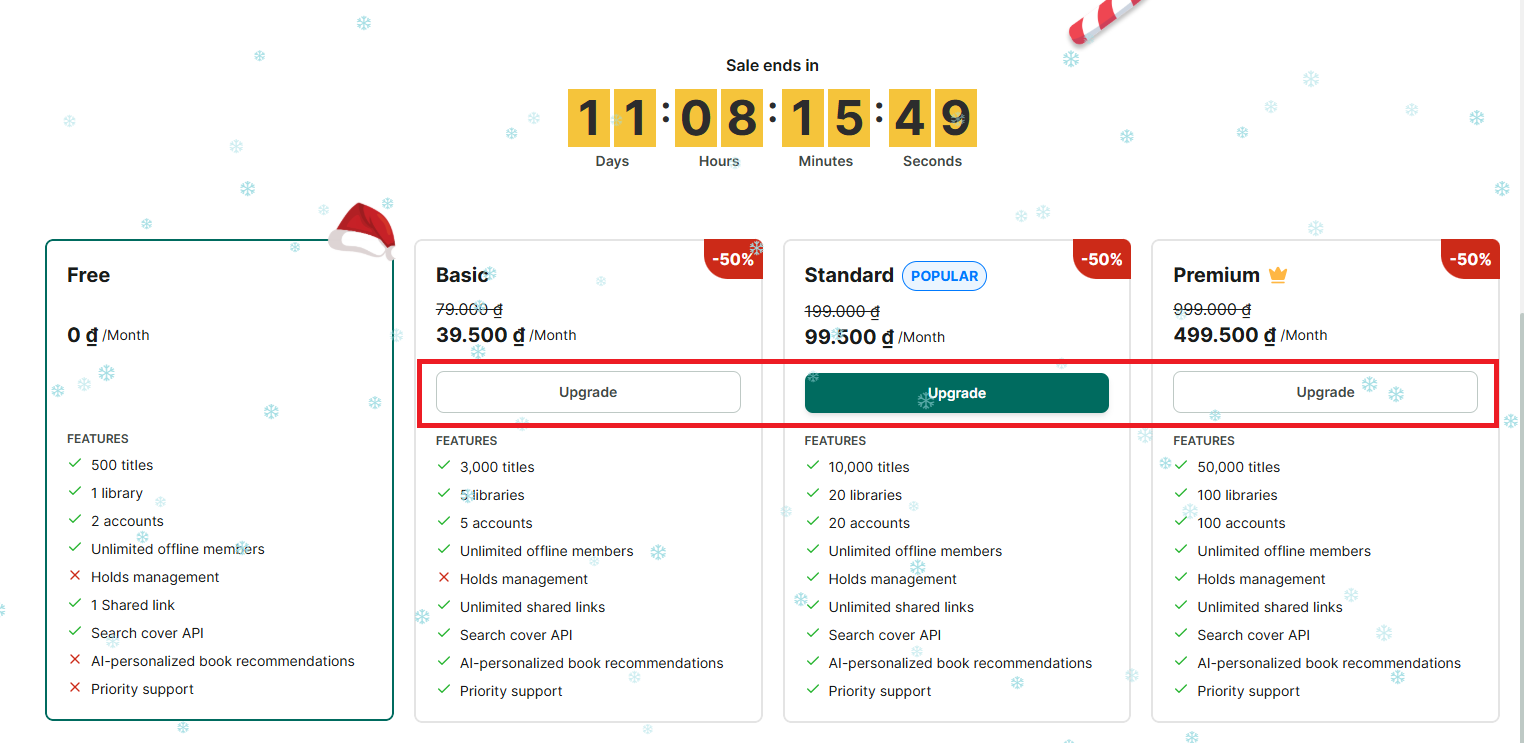
Step 3: Tap on a “Upgrade” button at the subscription you want to updgrade
Chat with Skoolib
Answers come from the Help Center guides.