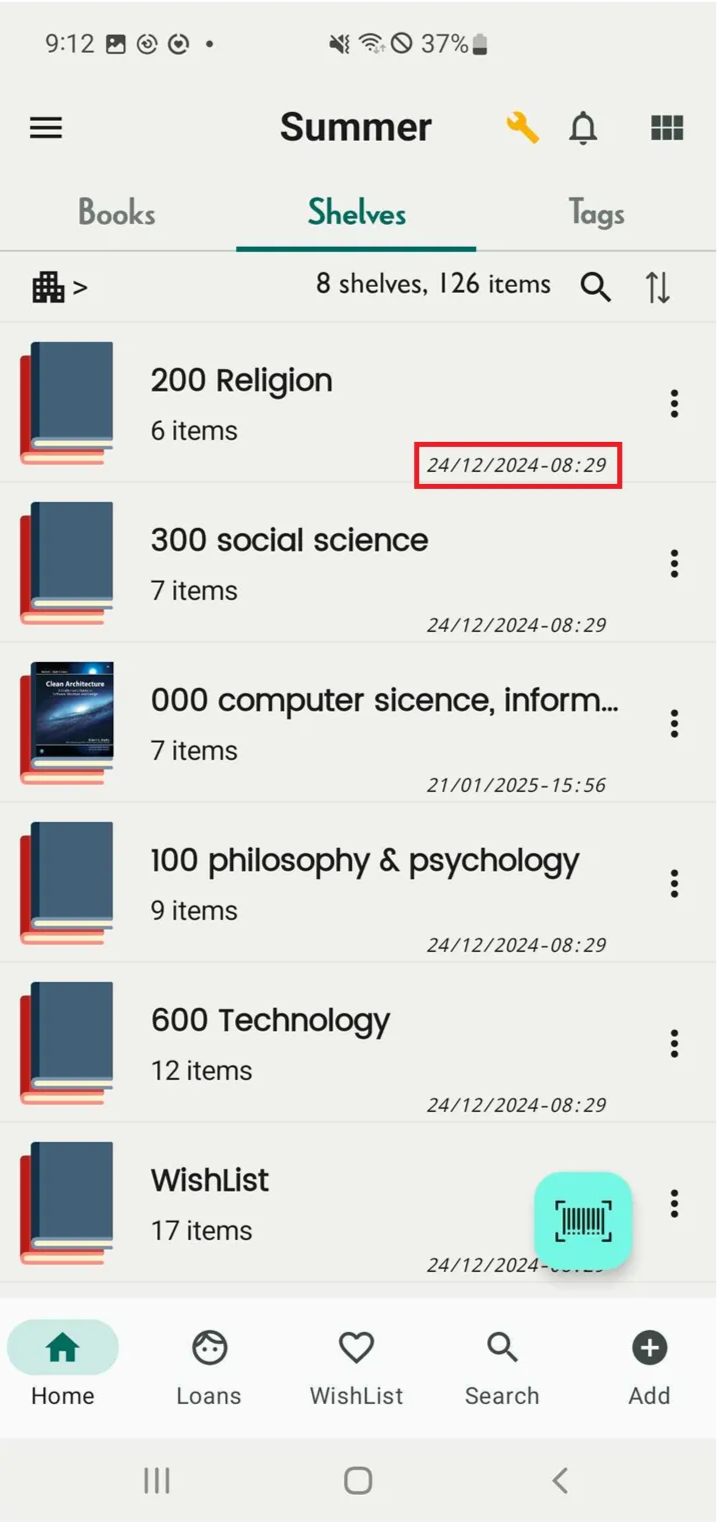
Date format
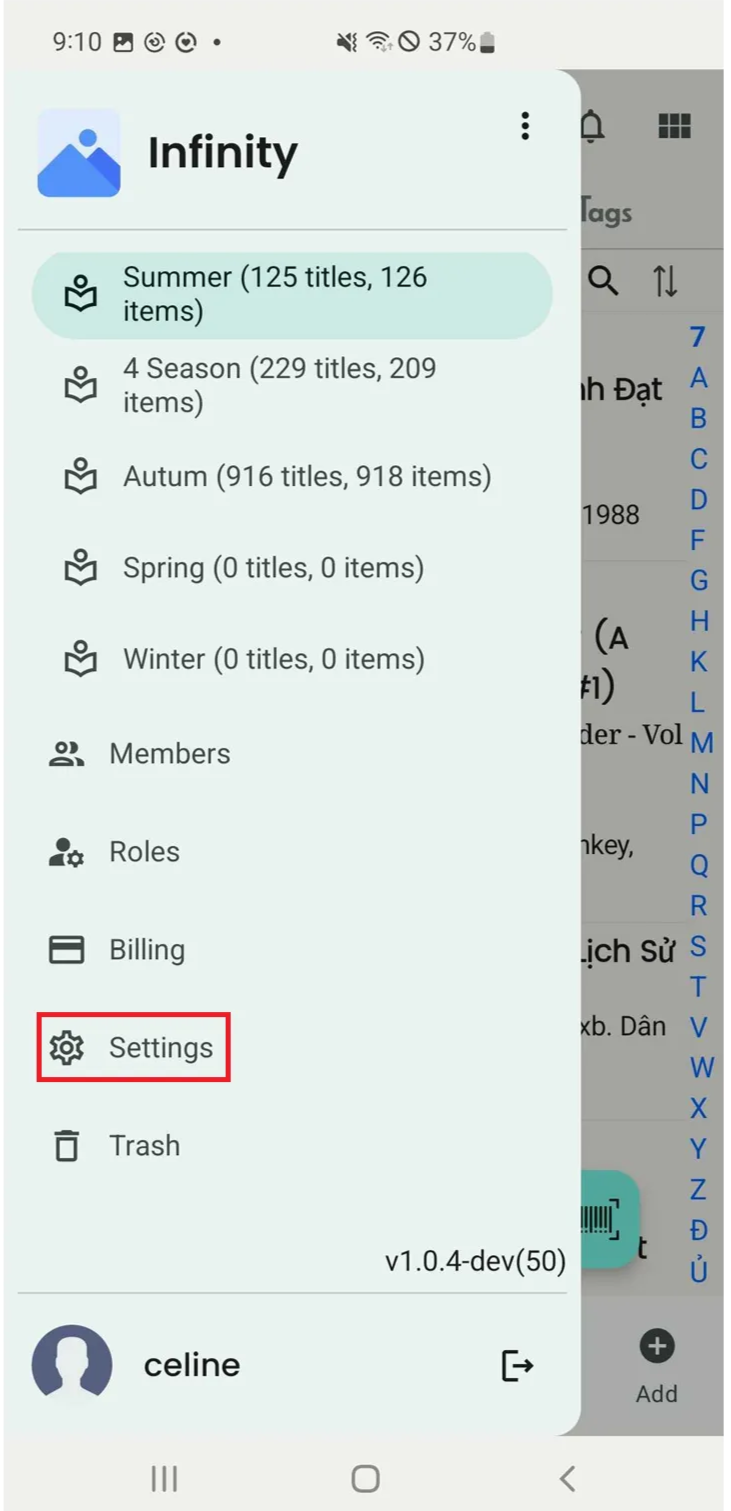
Step 1: Tap on three-line icon. The list of options will appear. Then, tap on Settings.
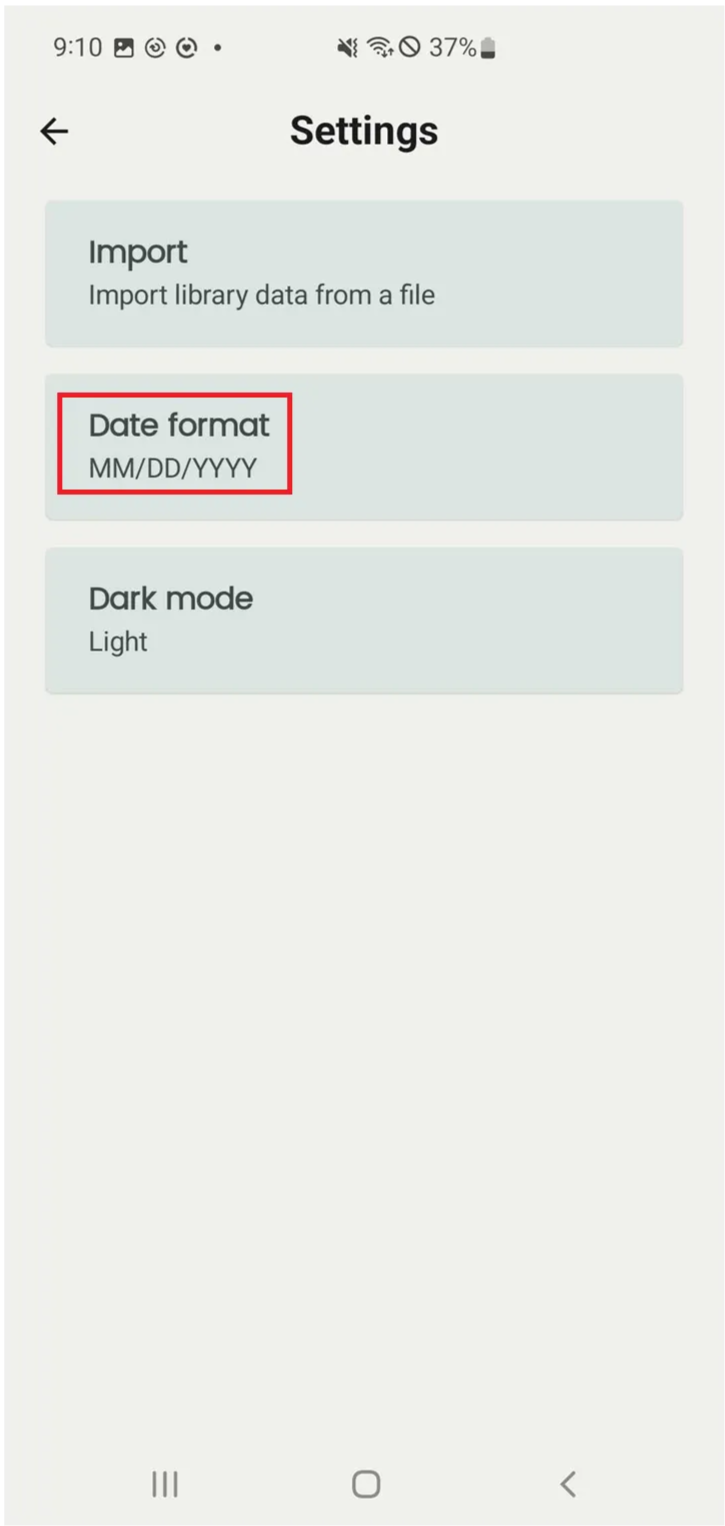
Step 2: Select “Date format”.
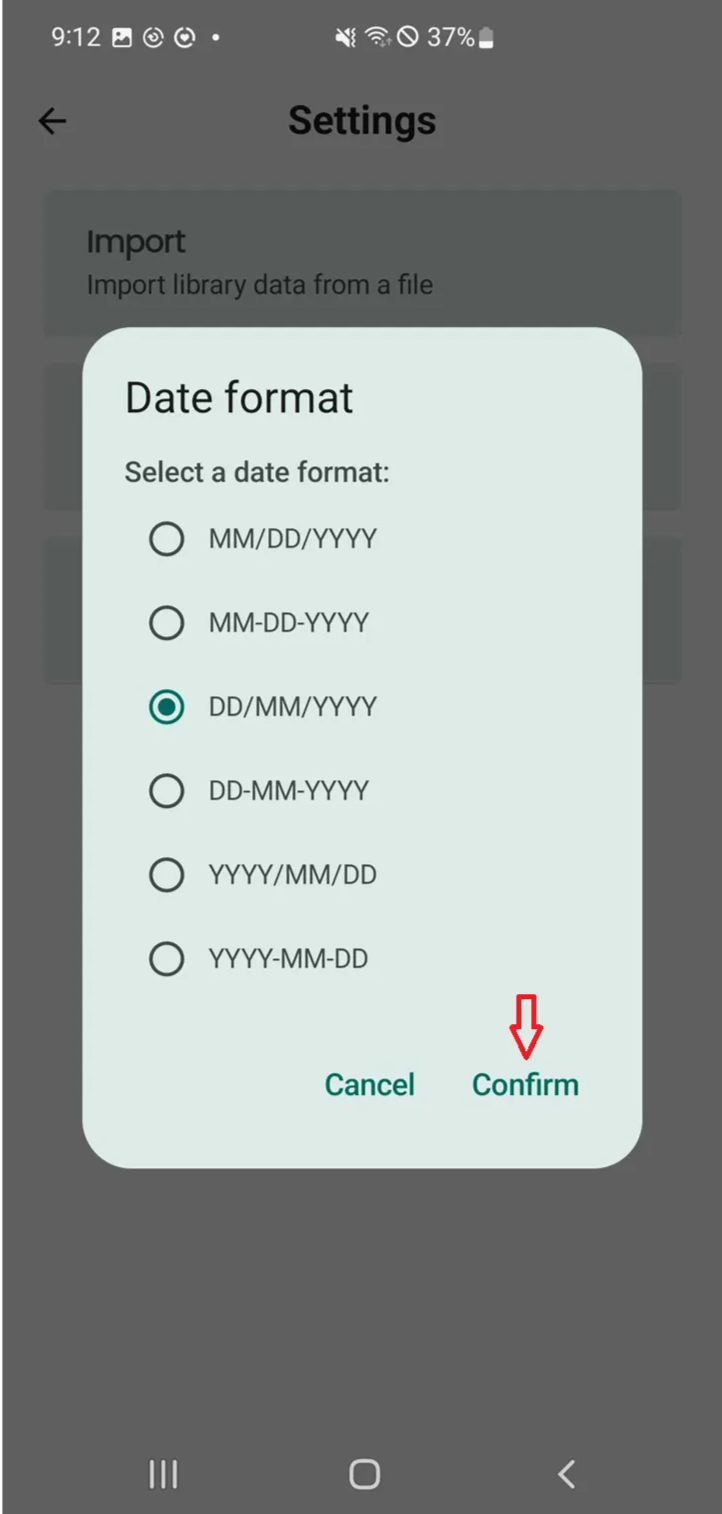
It shows: Select the date format:
- MM/DD/YYYY
- MM-DD-YYYY
- DD/MM/YYYY
- DD-MM-YYYY
- YYYY/MM/DD
- YYYY-MM-DD
Step 3: You can select Cancel if you want to stop the action. To continue, choose a date format and press Confirm.