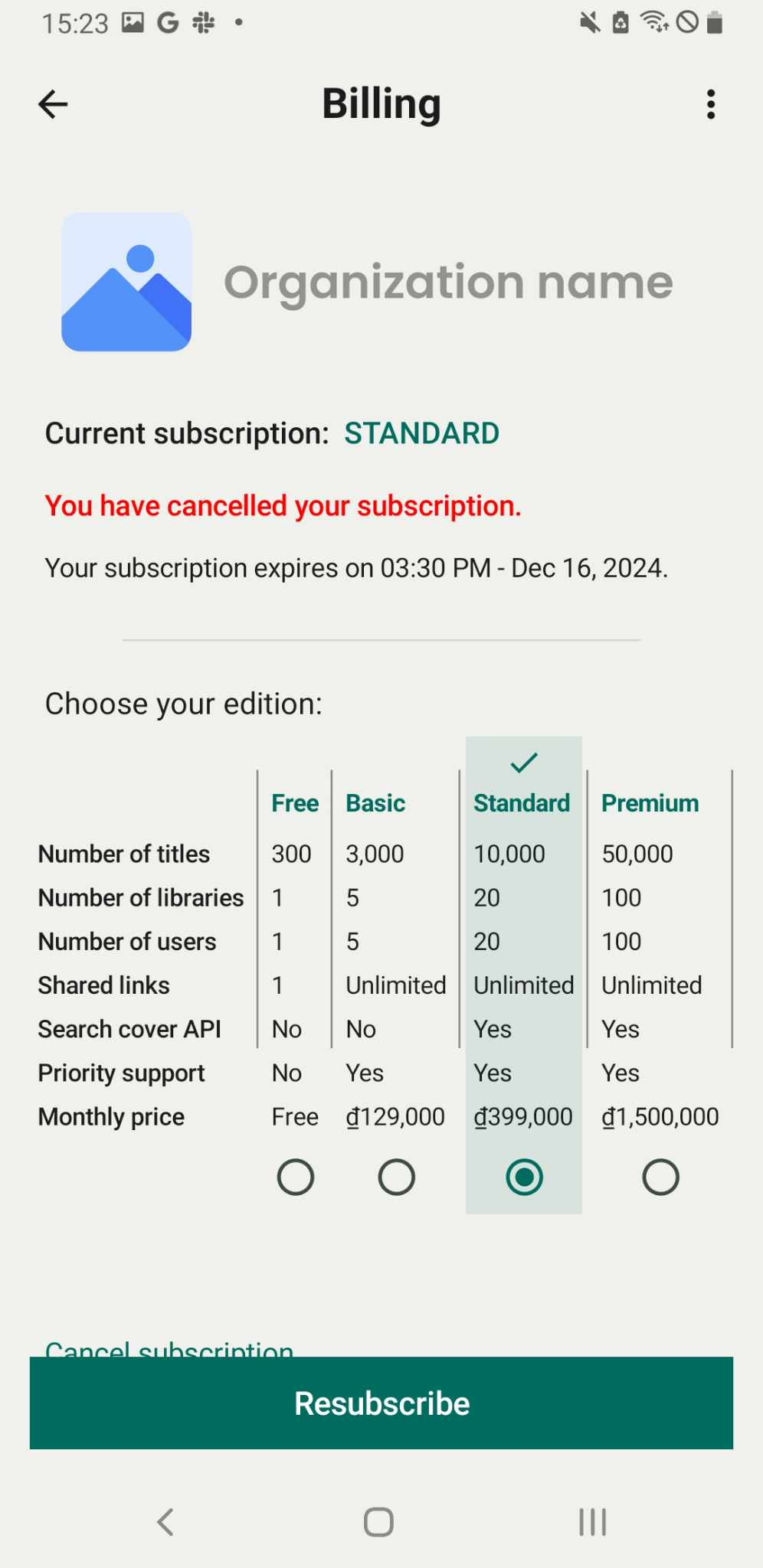
Downgrade subcription
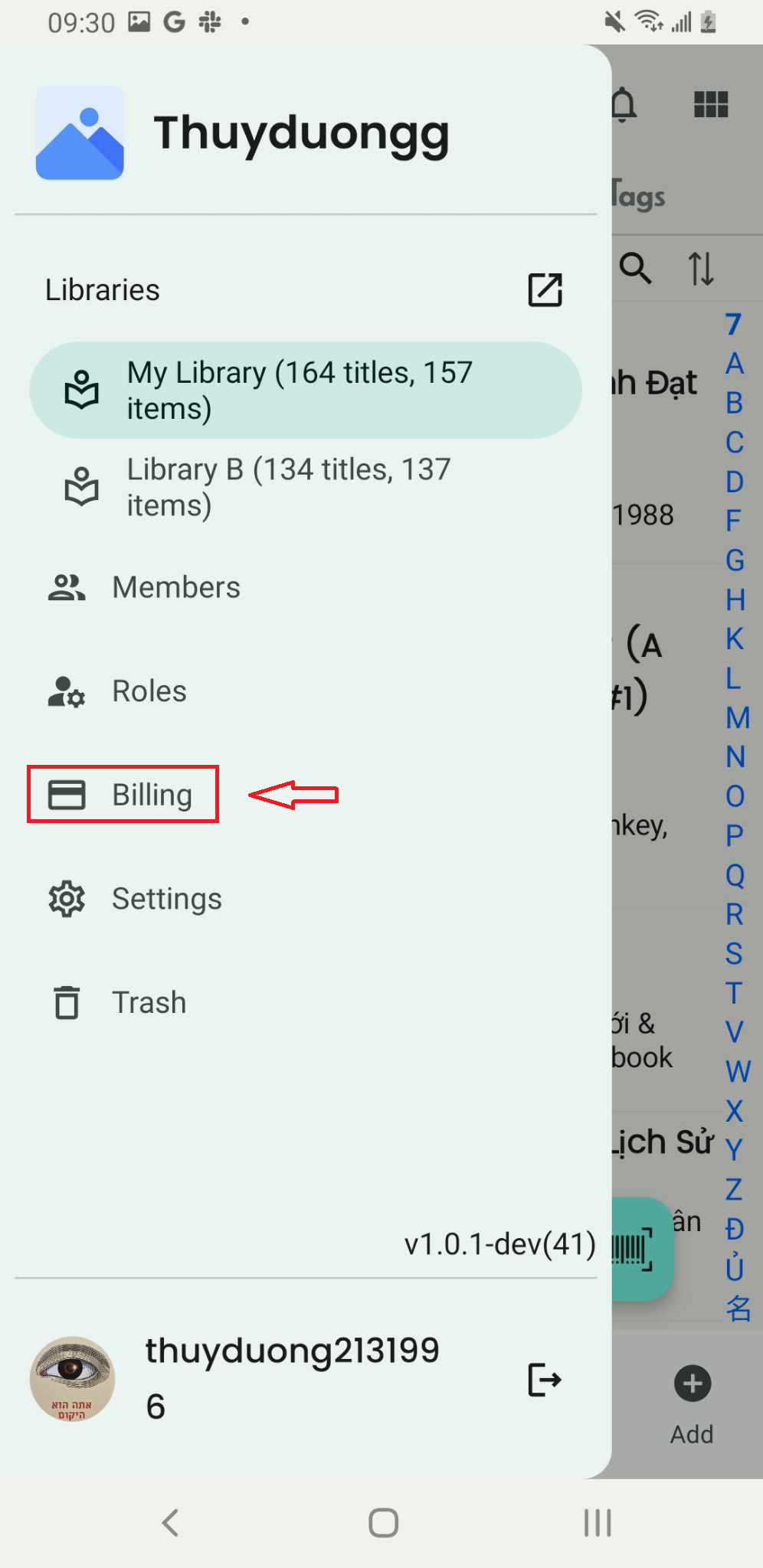
Step 1: Press “Billing” in the side menu
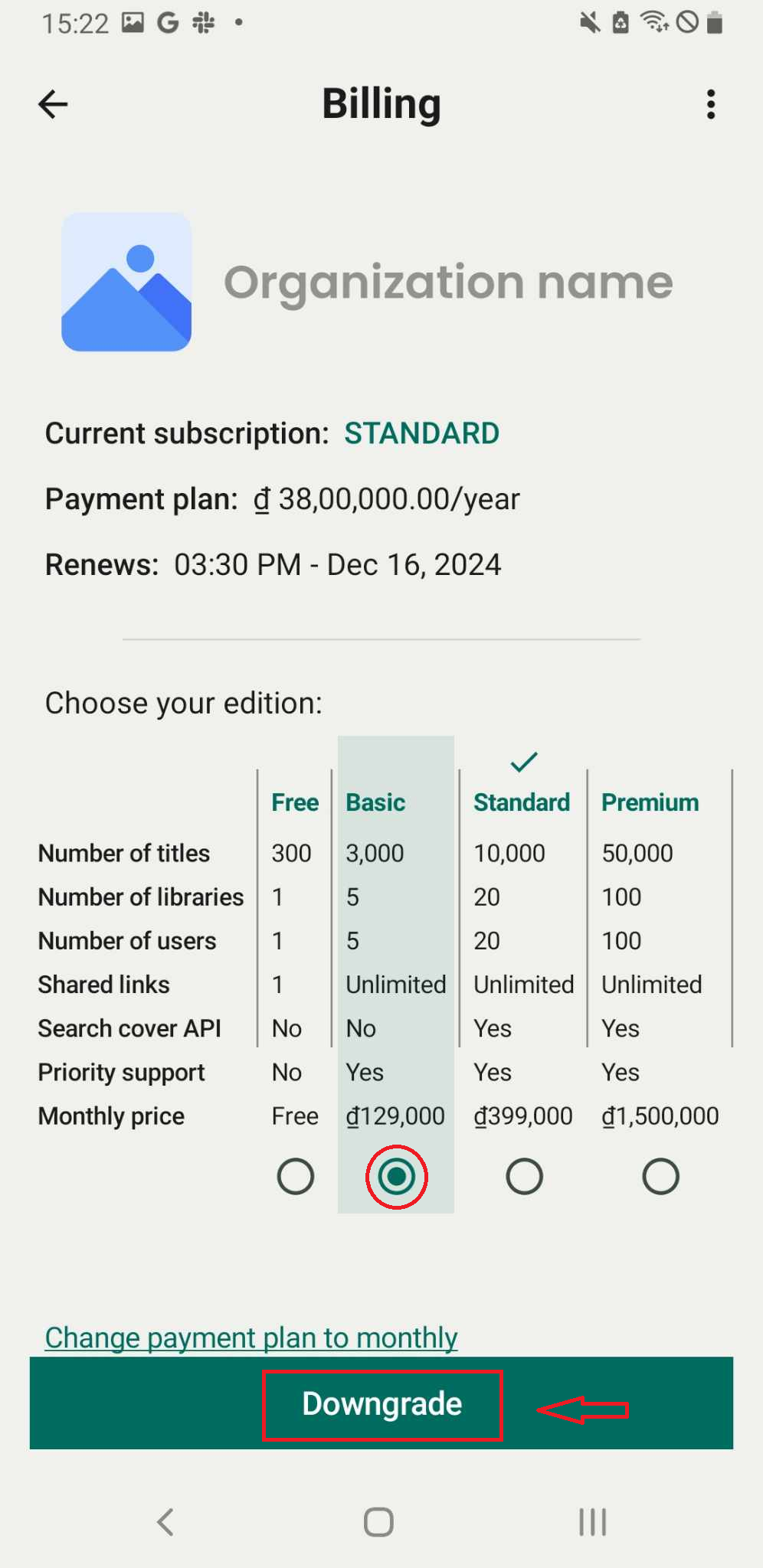
Step 2: Select the edition you want to downgrade. Press “Downgrade”
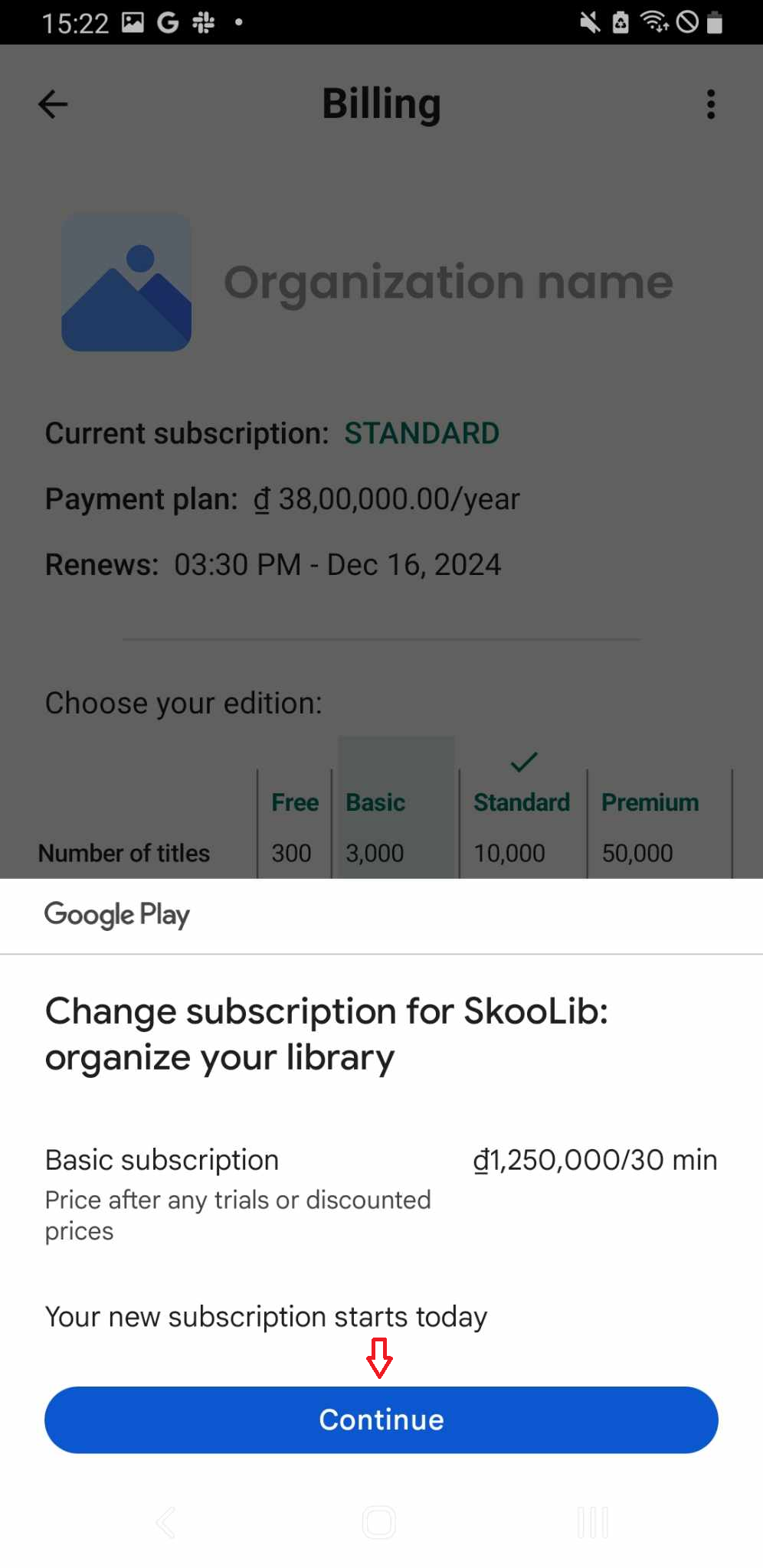
Step 3: Press “Continue”
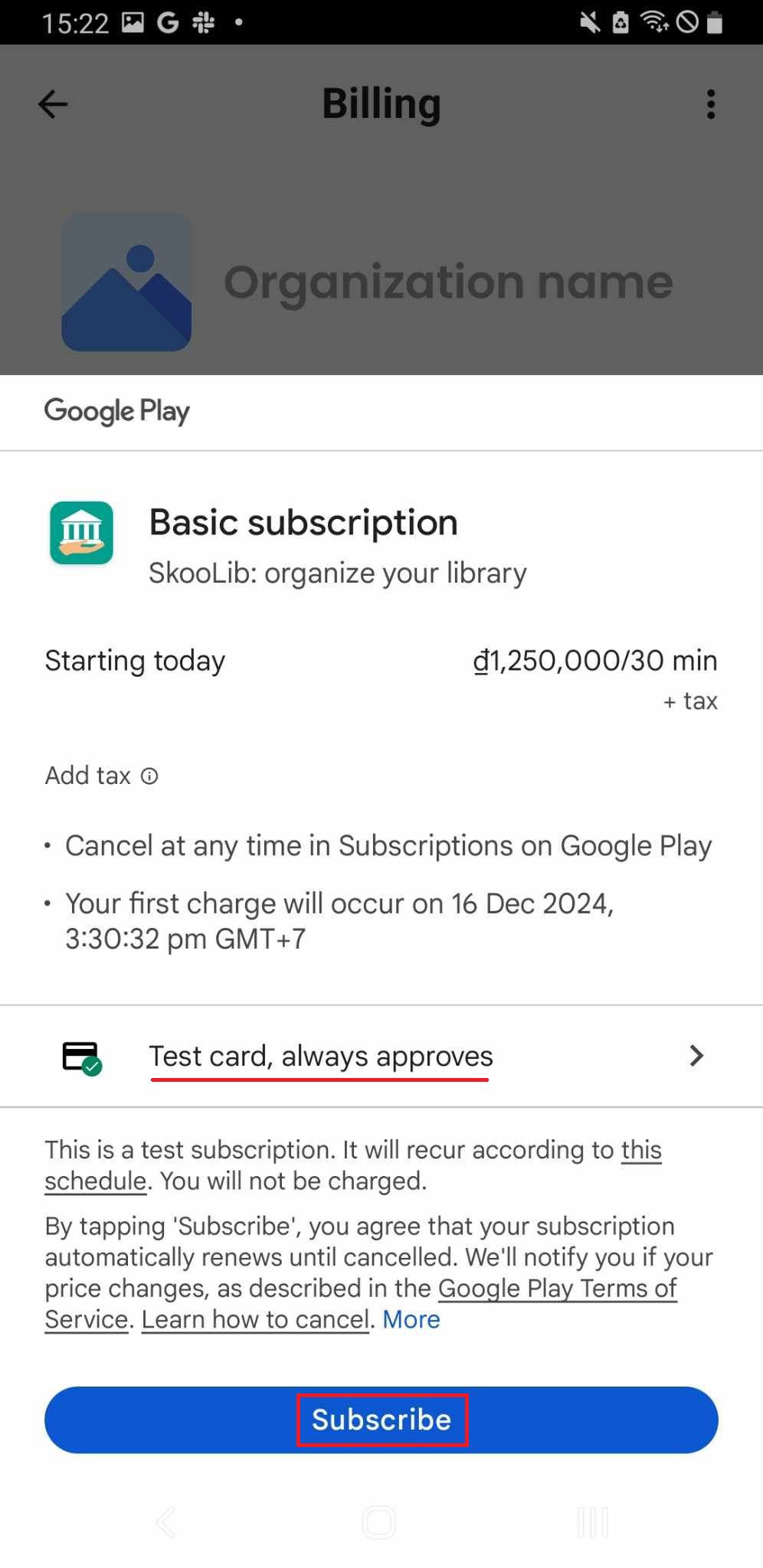
Step 4: Choose the method of subsscription: Test card, always approves
Then press “Subcribe”
Step 5: The screen displays the expiration time of the current subscription. The account will switch to the new subscription once the current one expires.