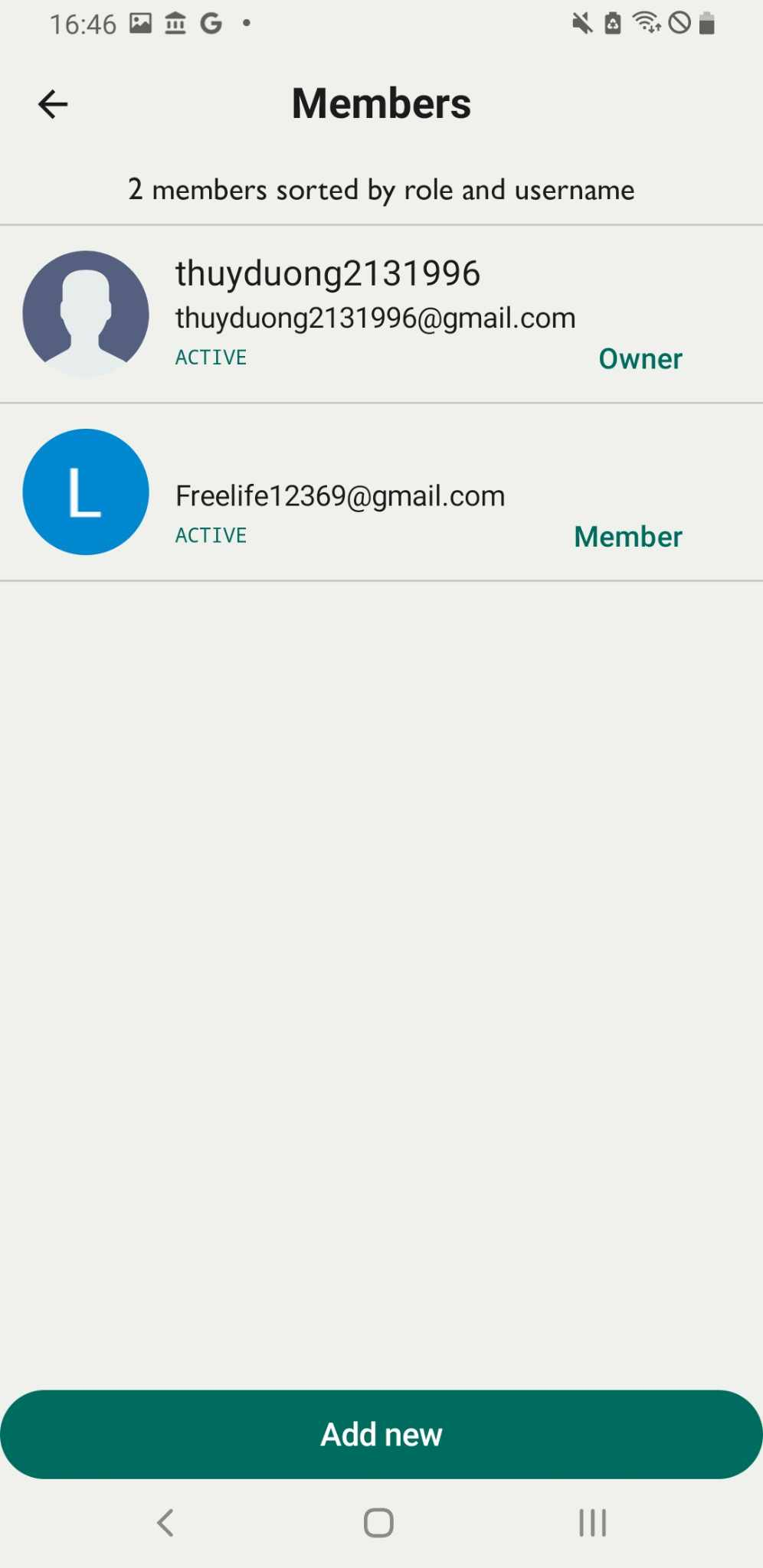
Add new member
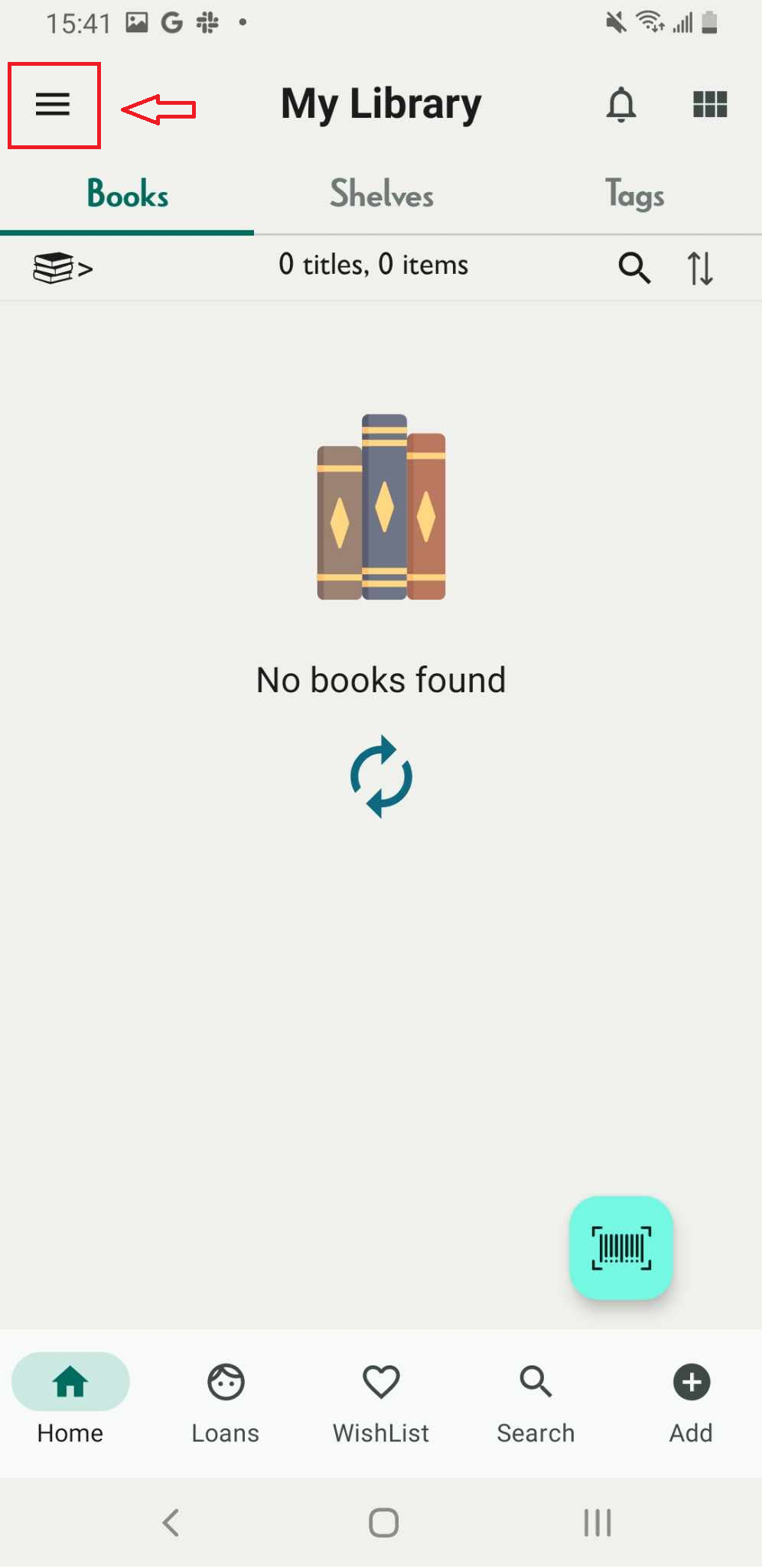
Step 1: Tap the three-line icon
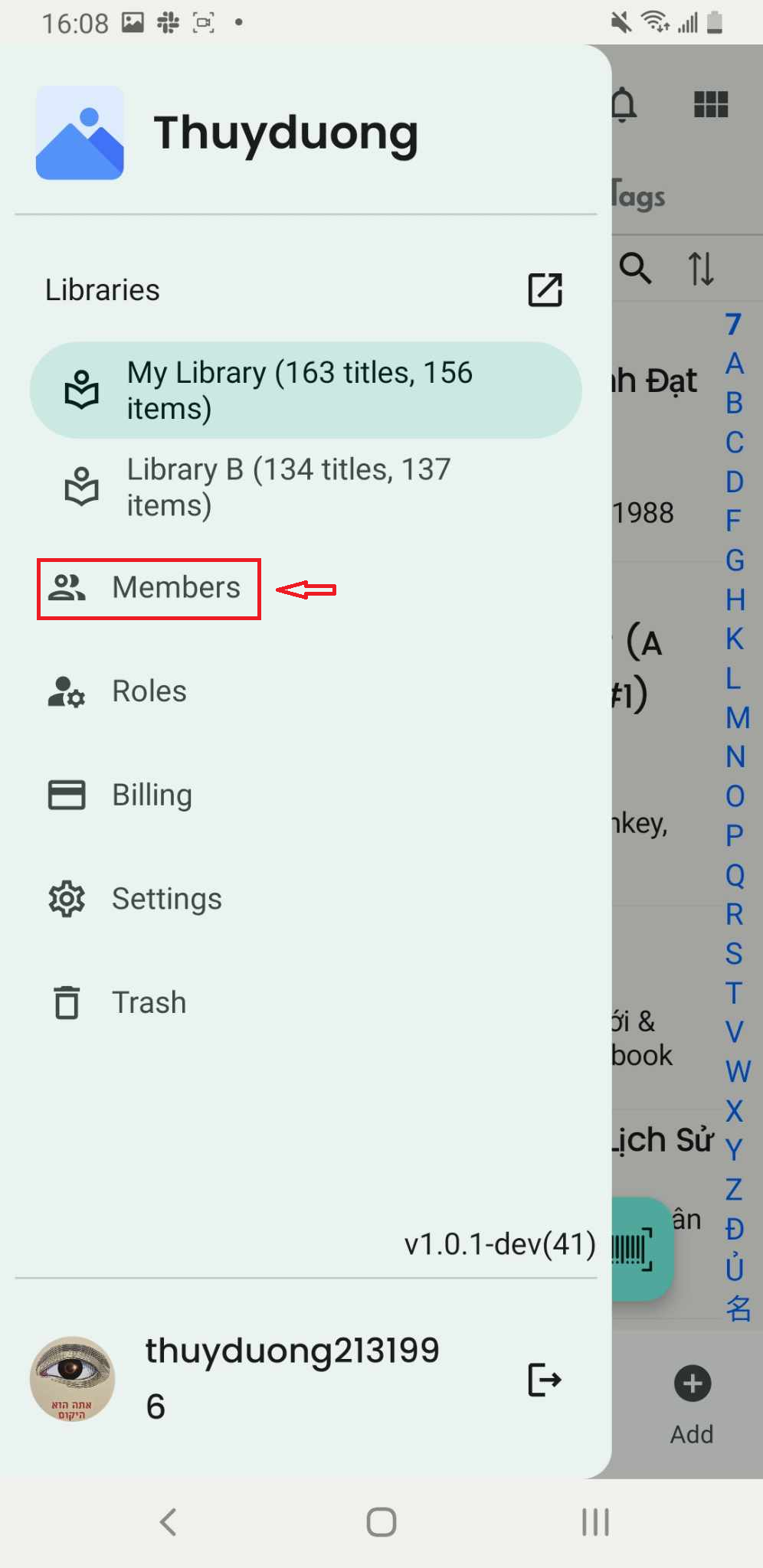
Step 2: Select “Members”.
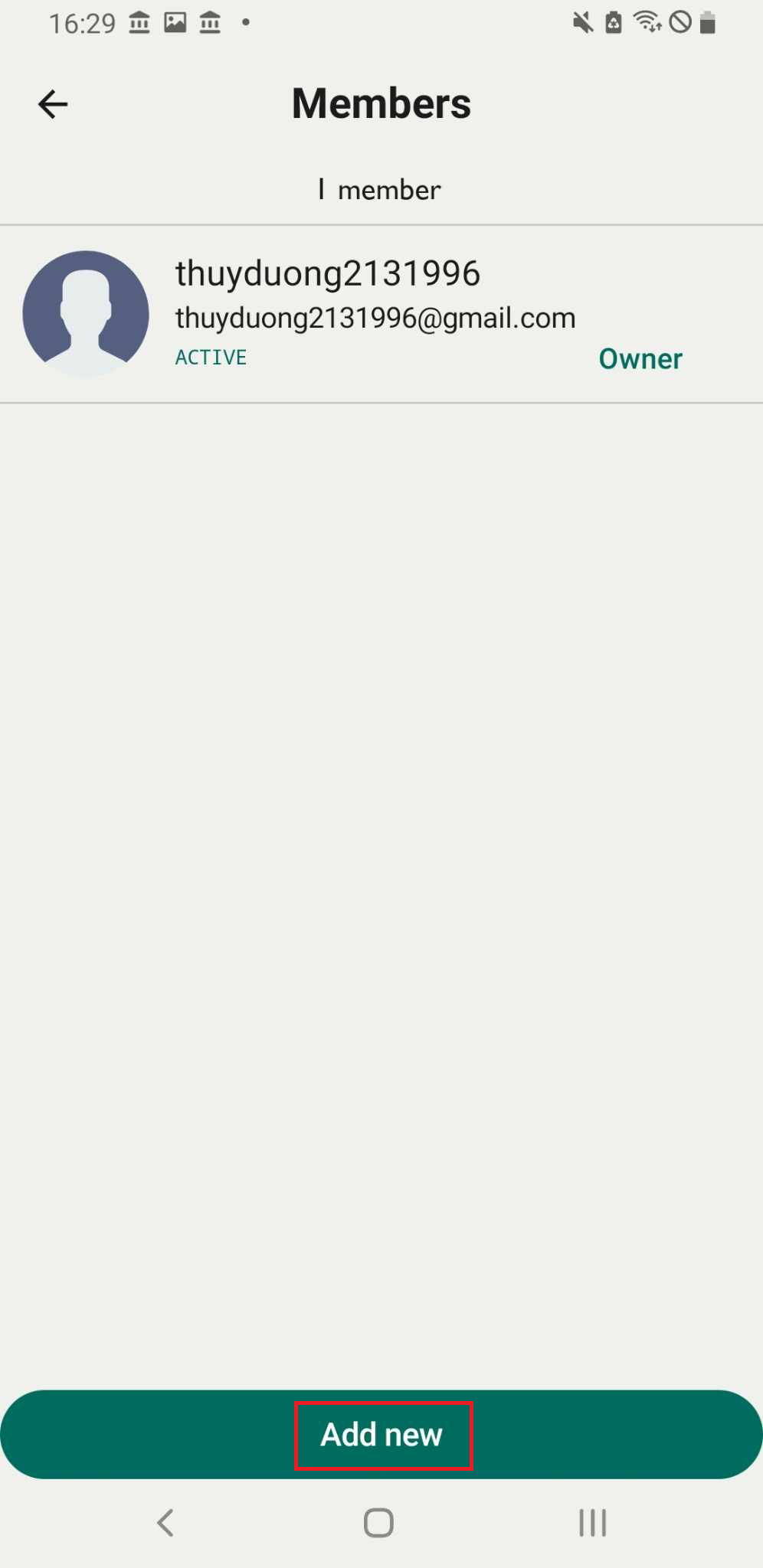
Step 3: The list of members in the library is displayed on the screen. Tap “Add New” to add a new member.
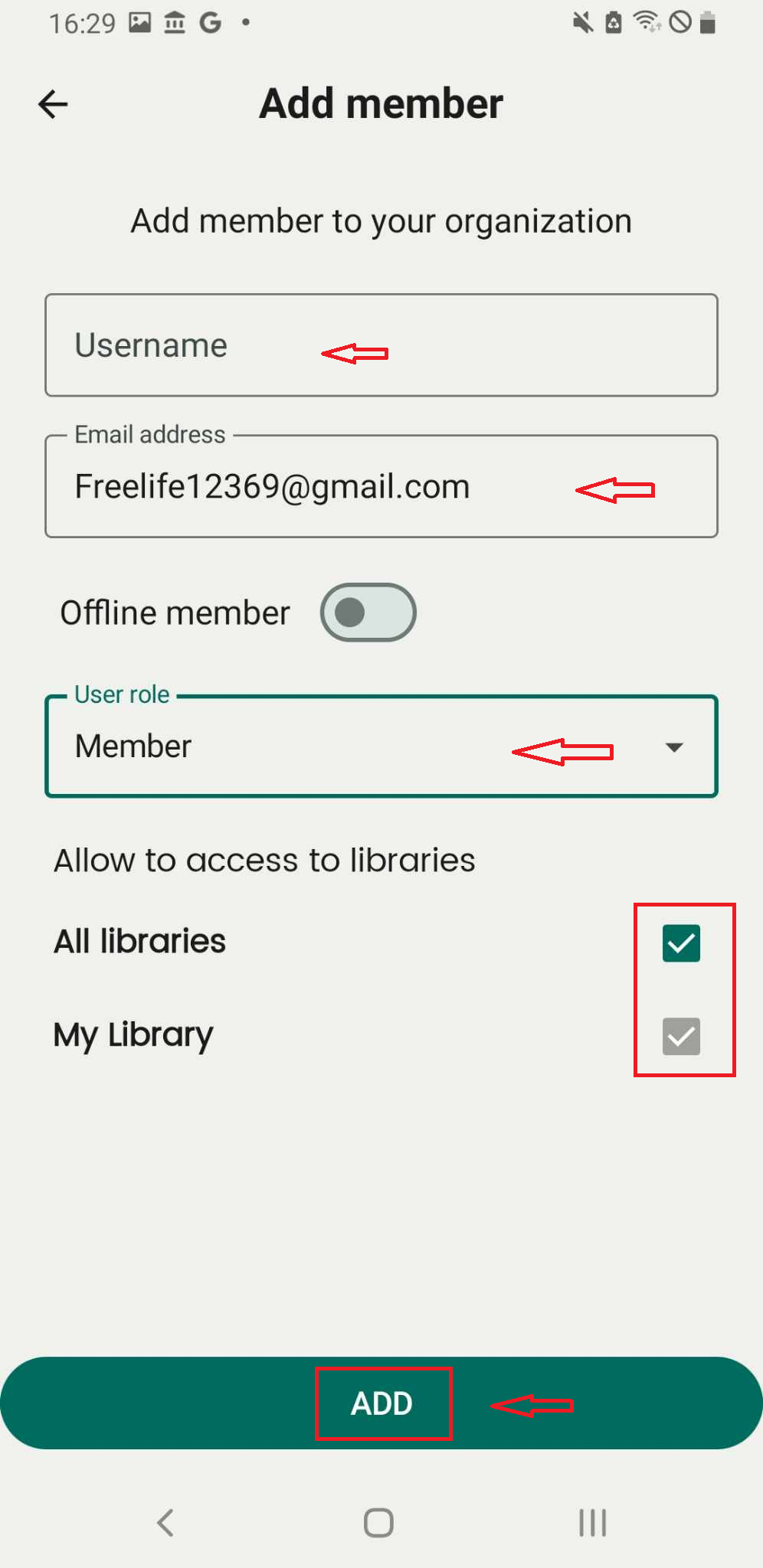
Step 4: Enter the email address, select the user role, and grant access to libraries. Tap “ADD” to confirm.
Step 5: The message “Invitation sent” is displayed, but “undefined” appears under the member’s email.
The invitation has been successfully sent to the new user.
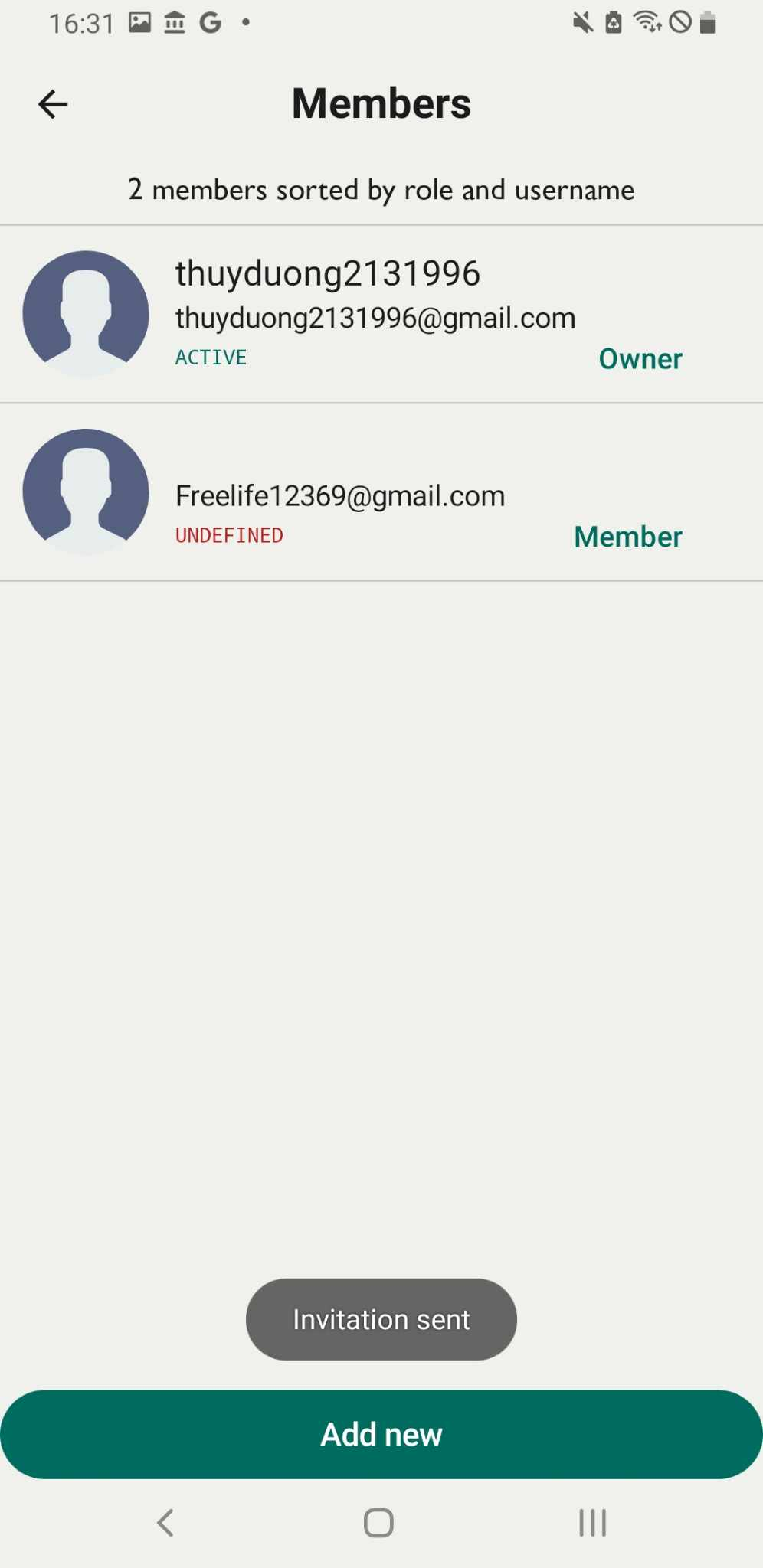
Step 6: The new user receives an email containing a link to accept the invitation. The new user click to the link and “invited sucess”, The screen show new member’s email is active