Add a new Shelf/Section
Step 1: Access the a library you want to add book
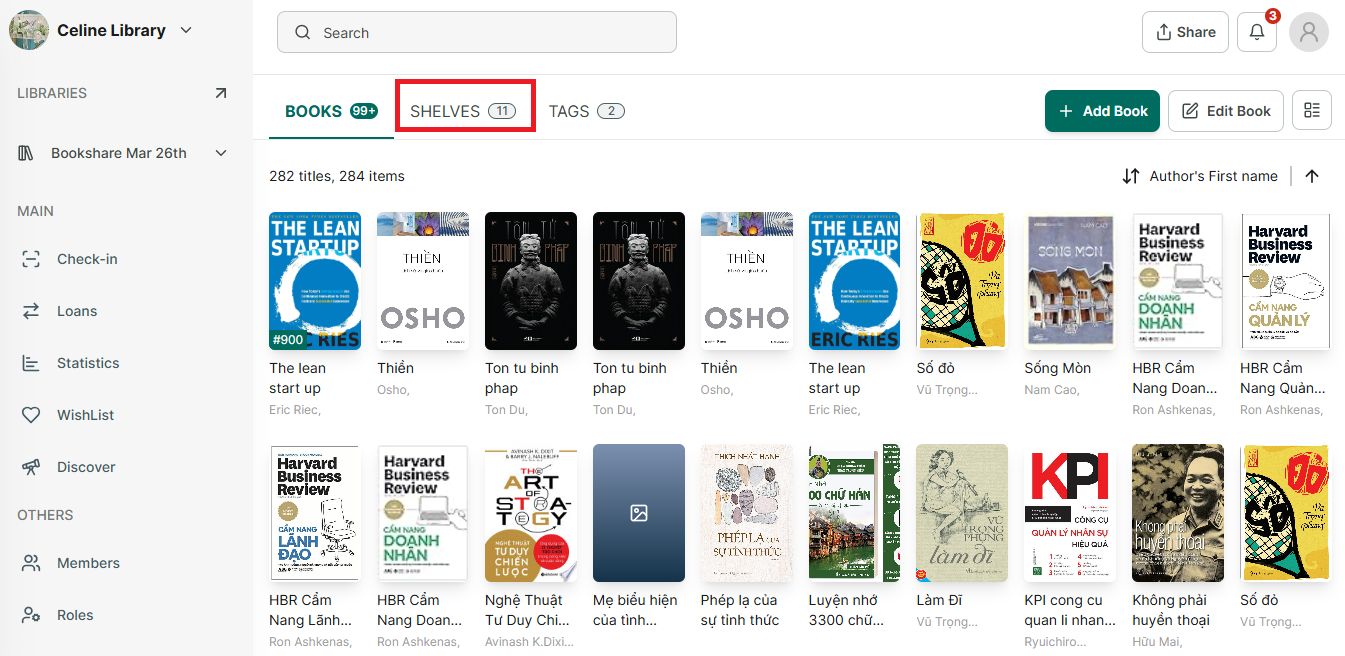
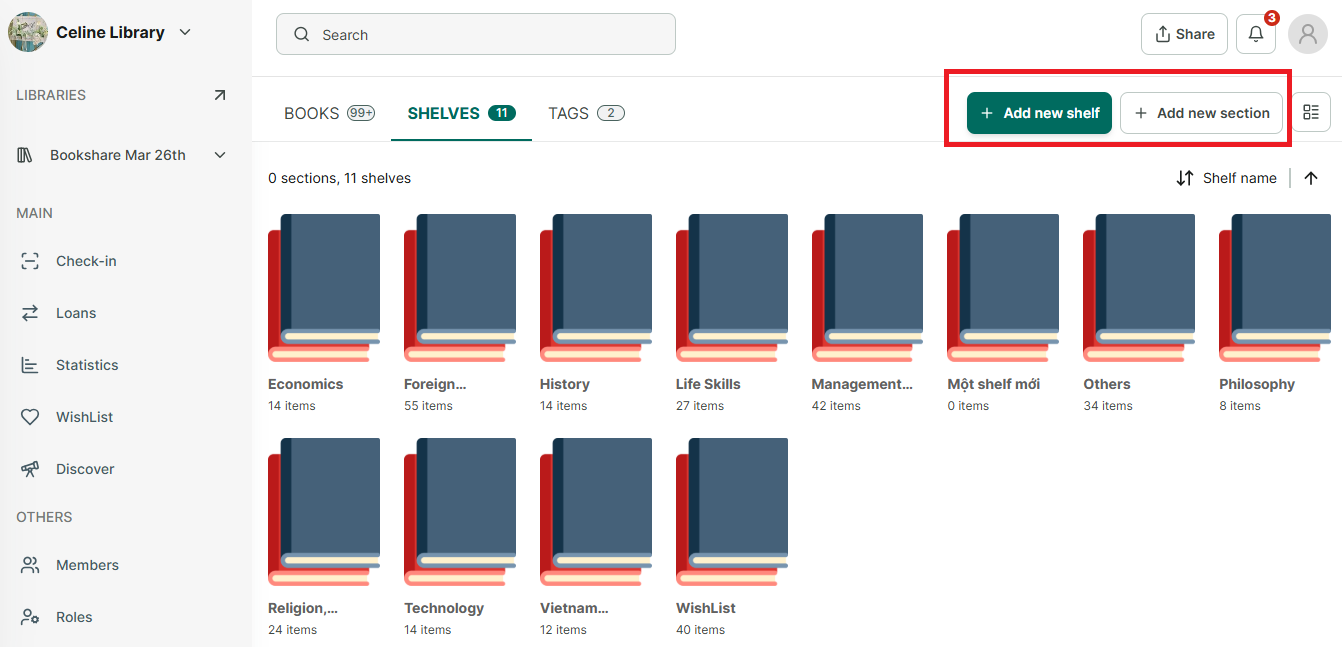
Step 2: Go to Shelves tab and tap on “+Add new shelf” or “+Add new section” button.
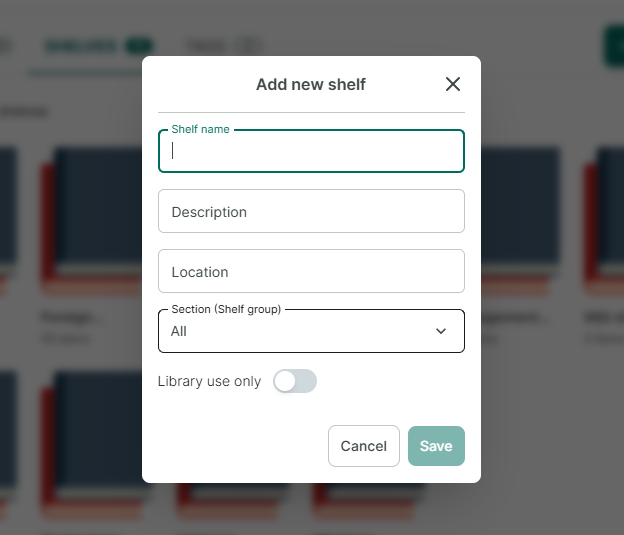
Step 3: If you add a new shelf, please enter Shelf name - Description - Location - Section(Shelf group) - switch “Library use only” if needed. Then press “Save”
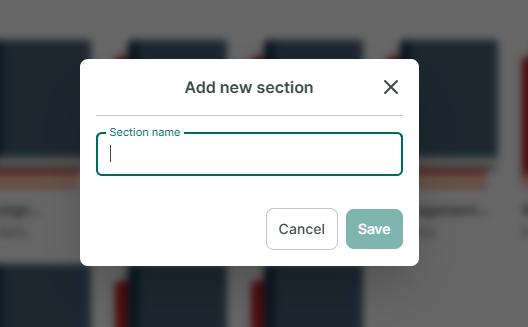
Step 4: If you add a new section, please enter “Section name” and press “Save”