Change region or country
Step 1:
Go to https://skoolib.net.
On the Sign In page, sign out if you are already signed in.
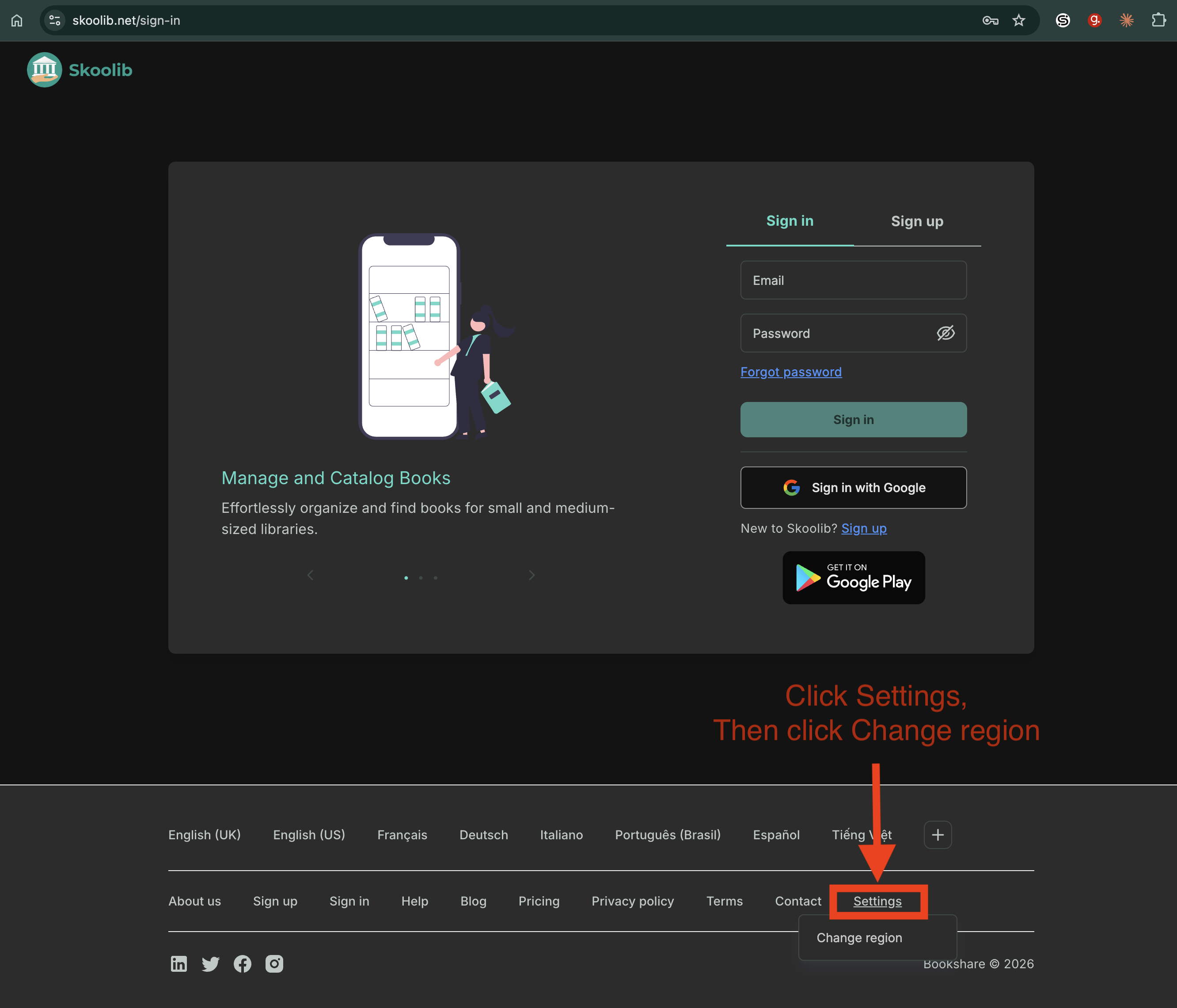
In the footer, click Settings, then click Change region.
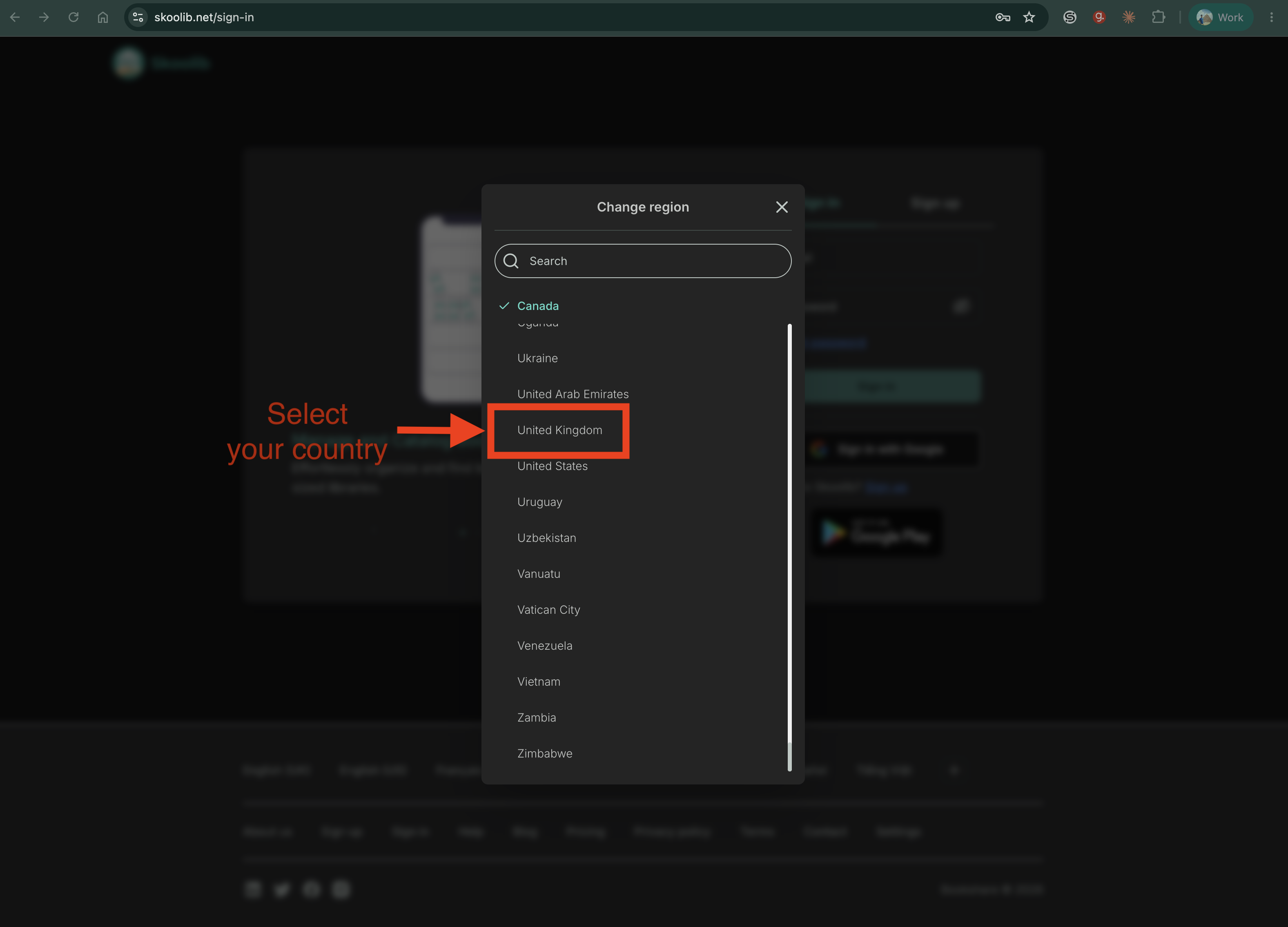
Step 2:
Select the country where your library is located.
Then, sign in again.