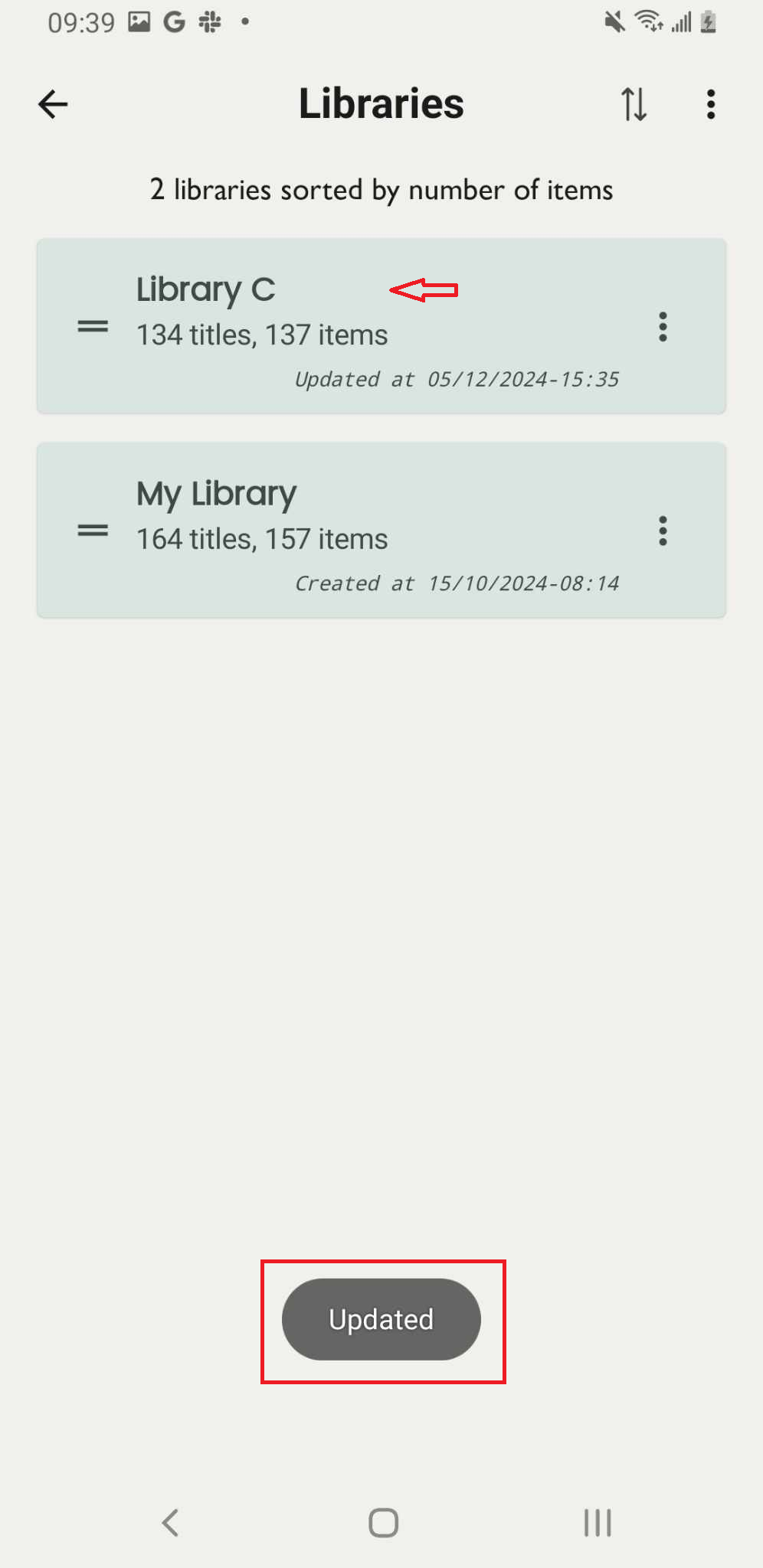
Change name or delete a library
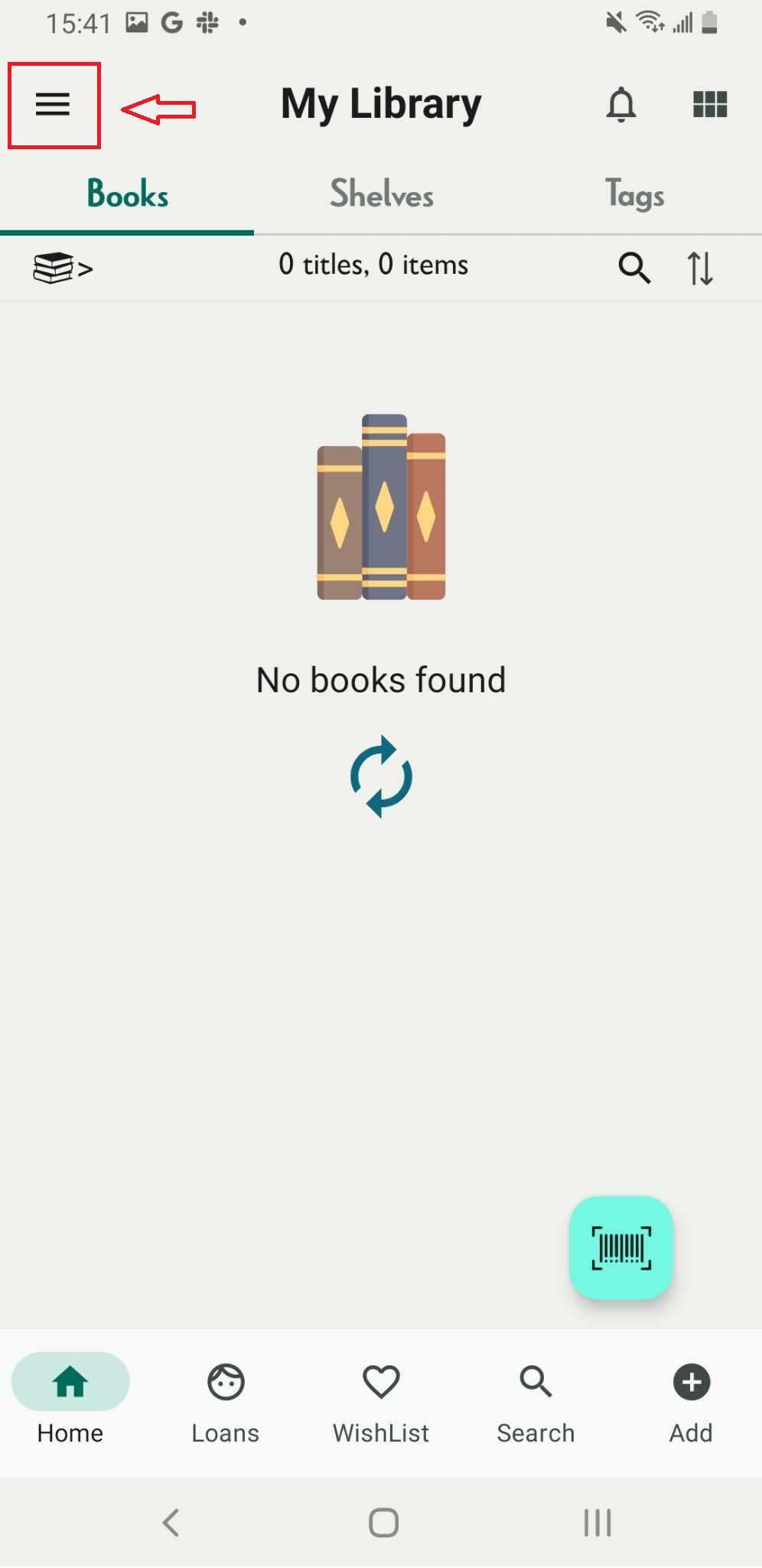
Step 1: Tap on three-line icon. It shows the side menu
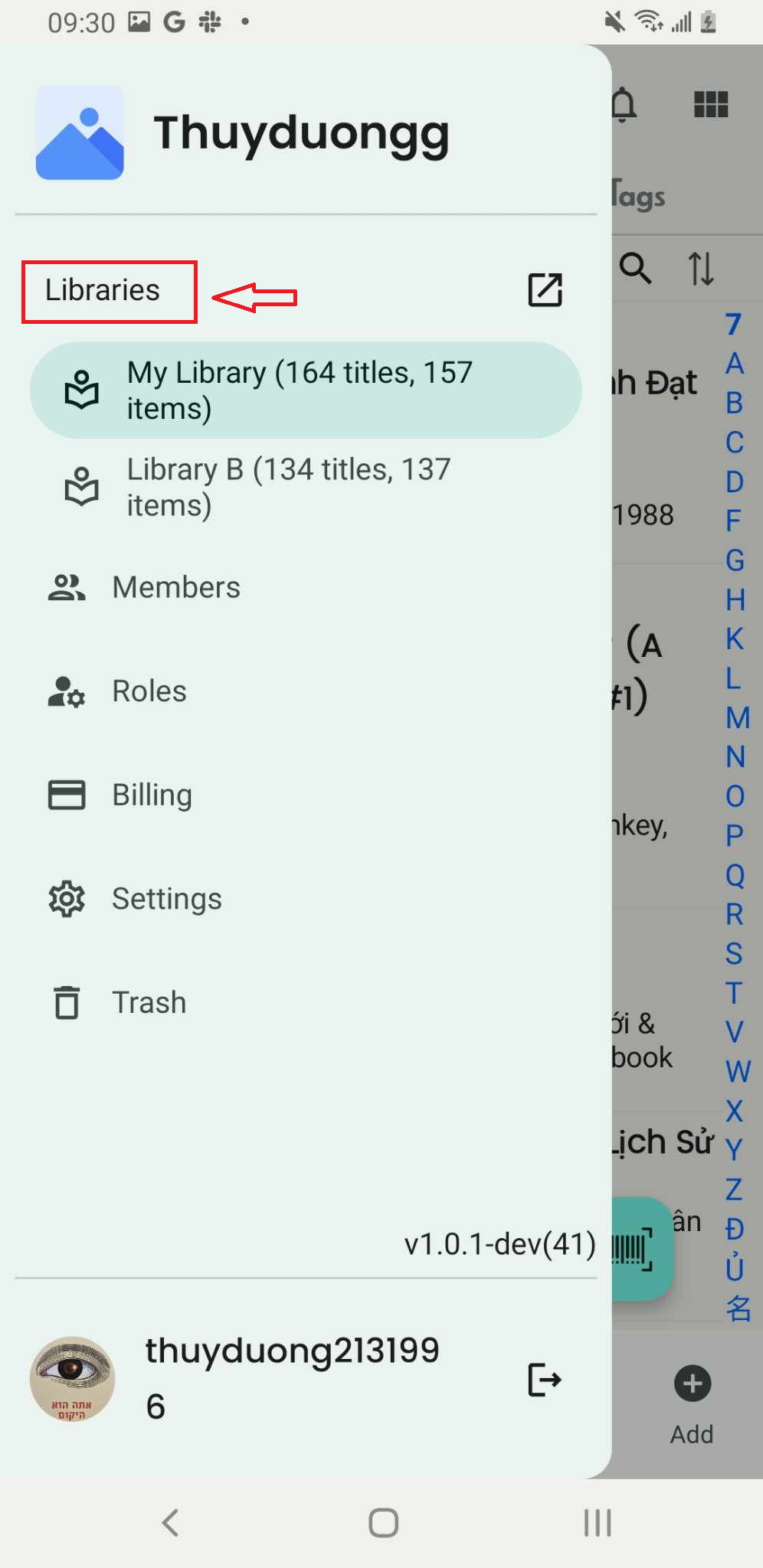
Step 2: Tap on “Libraries”
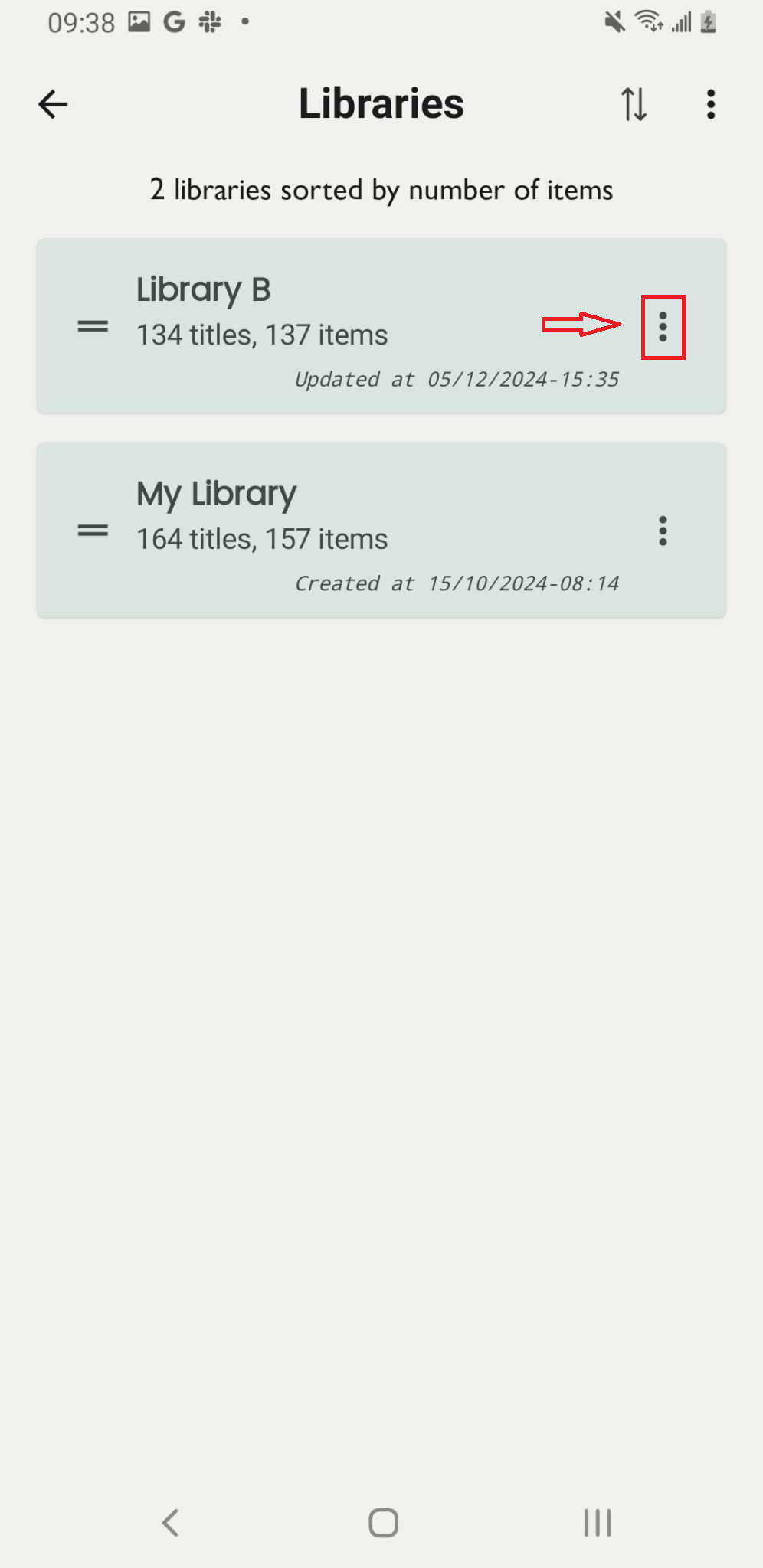
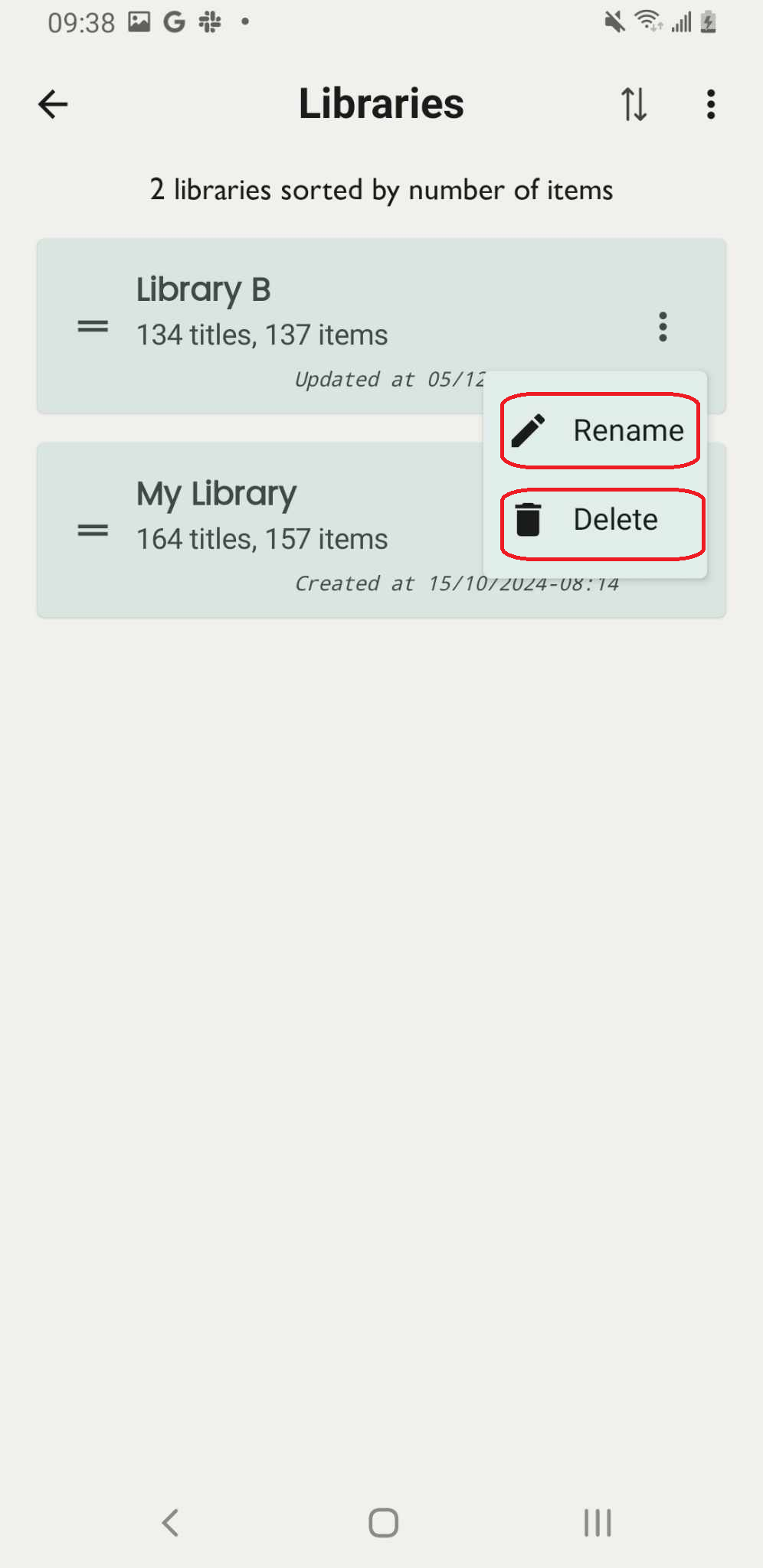
Step 3: It displays all the libraries. Tap the three-dot icon next to the library name.
Step 4: Choose one of two options: “Rename” or “Delete”
Press “Rename” or “Delete”
Step 5: Enter the new name of library then tap on OK
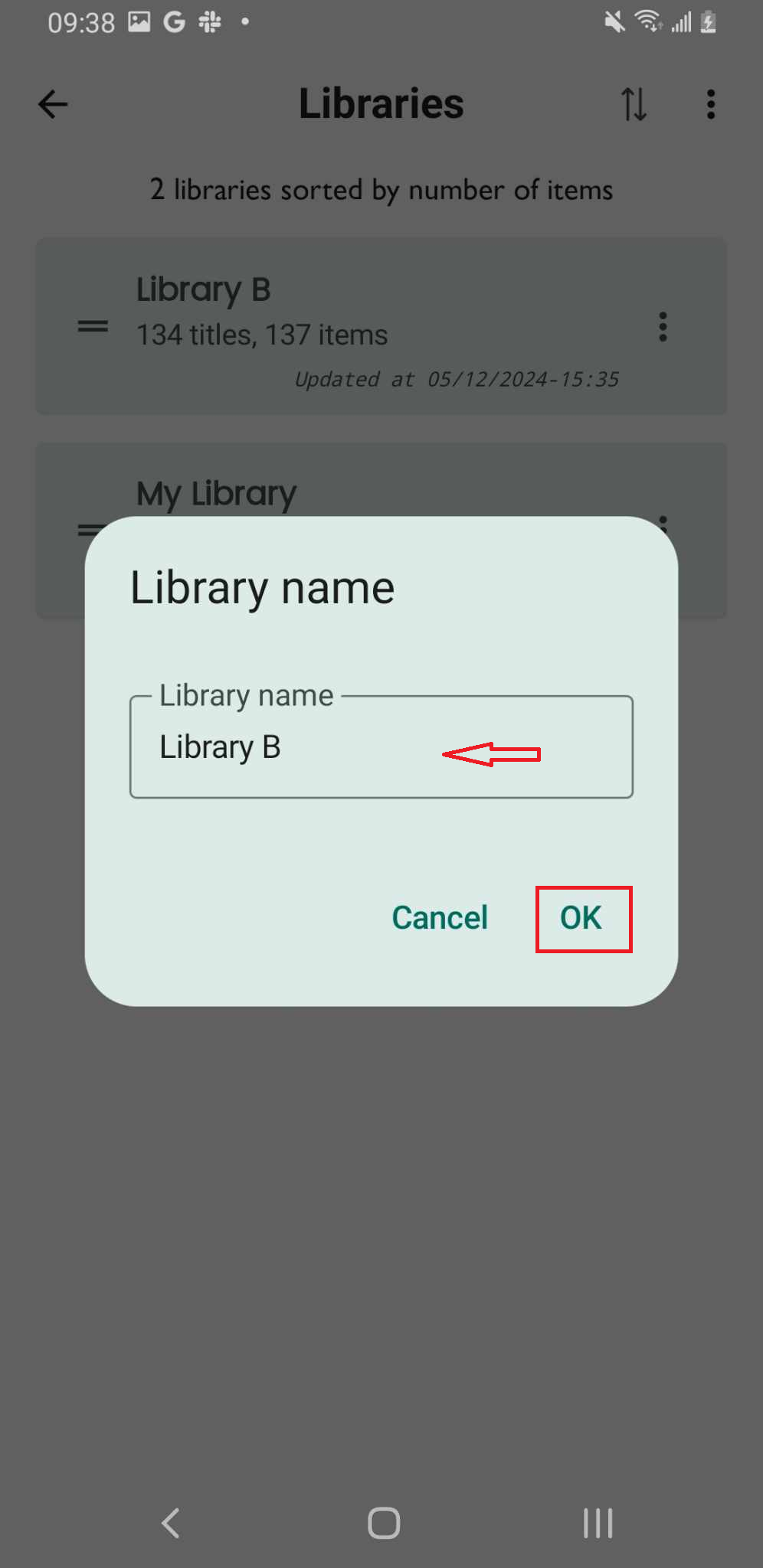
Step 6: The screen shows “Updated”