
Skip to content

Add new offline member

Step 1: Tap on “Member” at the menu side
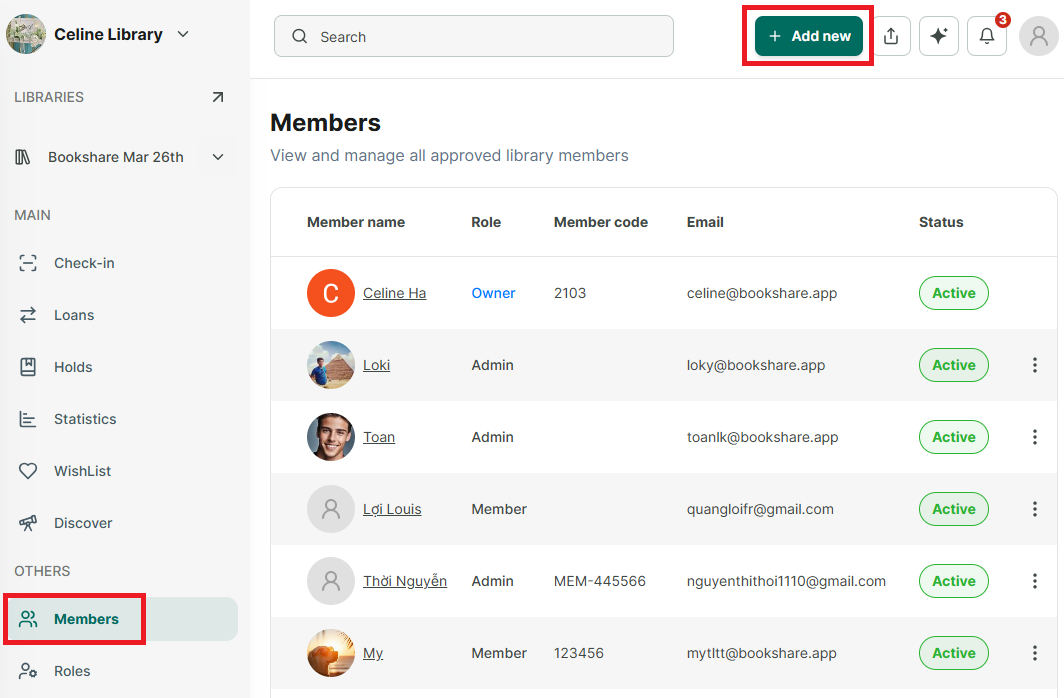
image.png

Step 2: The list of members in the organization is displayed on the screen. Tap “Add New” to add a new member.
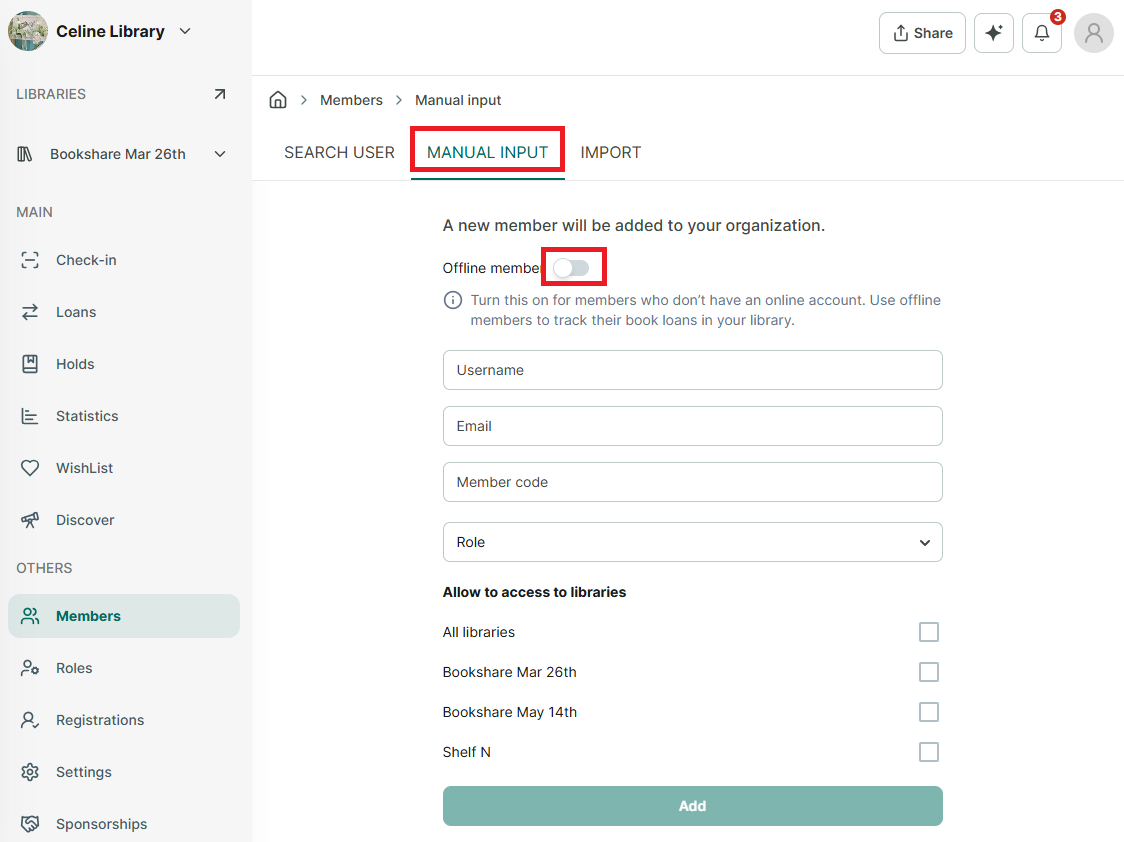
image.png

Step 3: You can add offline members using manual input or by searching for users (for example, using manual input).

image.png

Step 4: Enter the user’s information (the email field is optional).

Step 5: Slide the toolbar to select “Offline Member.” Then select role and the libraries that the member allow to access. Press “Add”.

Step 6: The screen shows “Member added”