Sort
Sort Titles
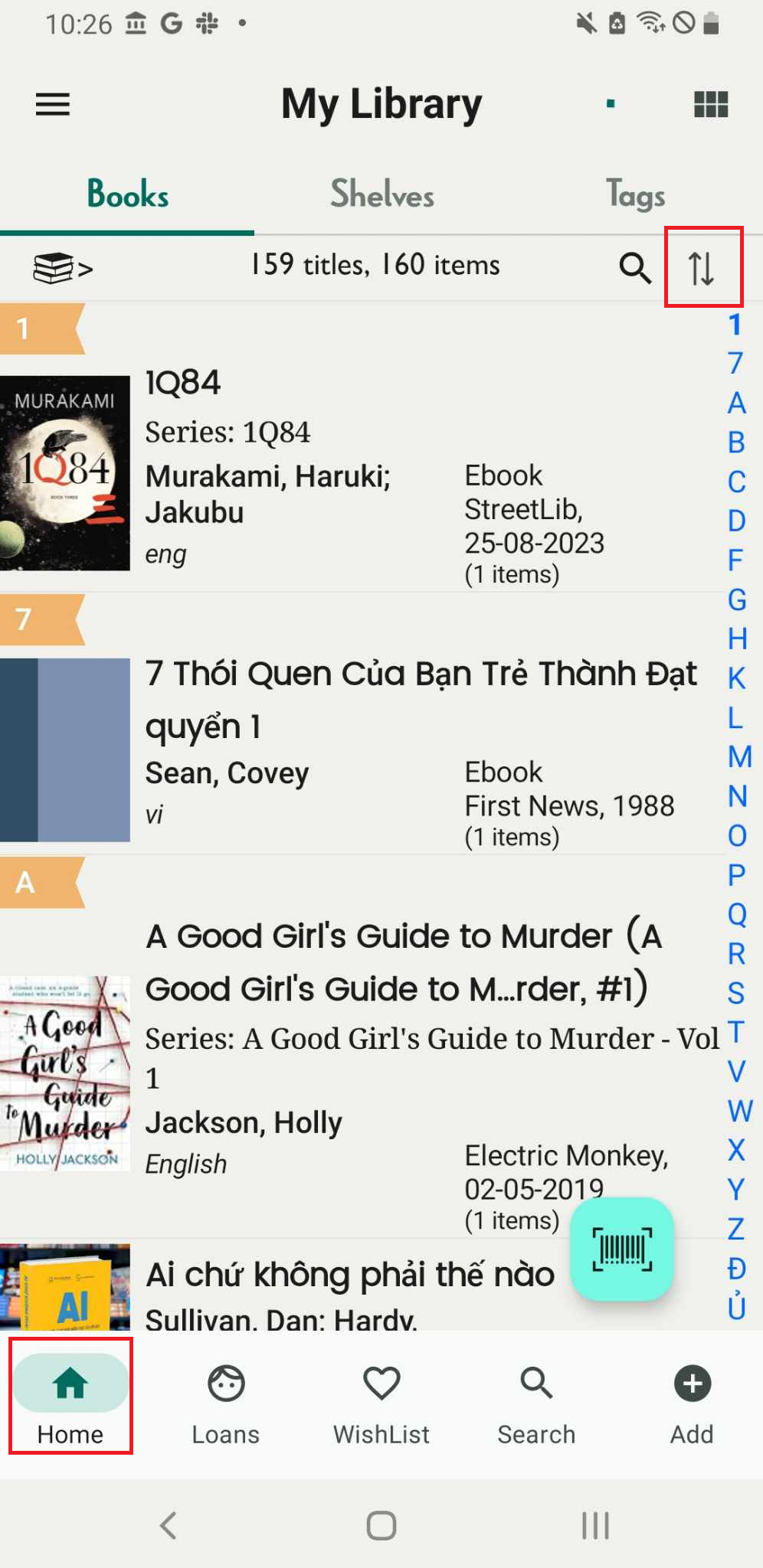
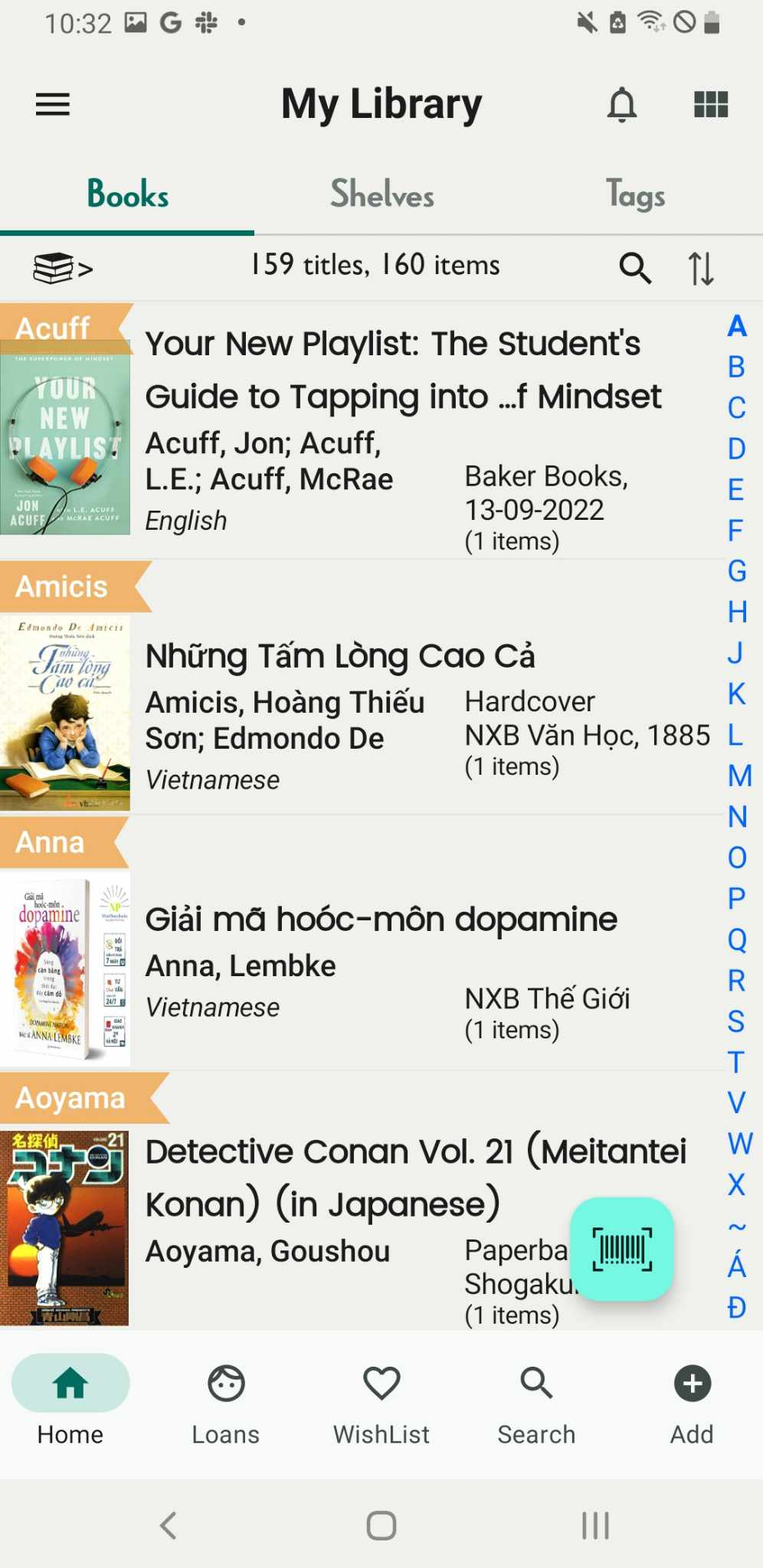
Step 1: Open app, It shows homescreen. Press the bidirectional arrow icon.
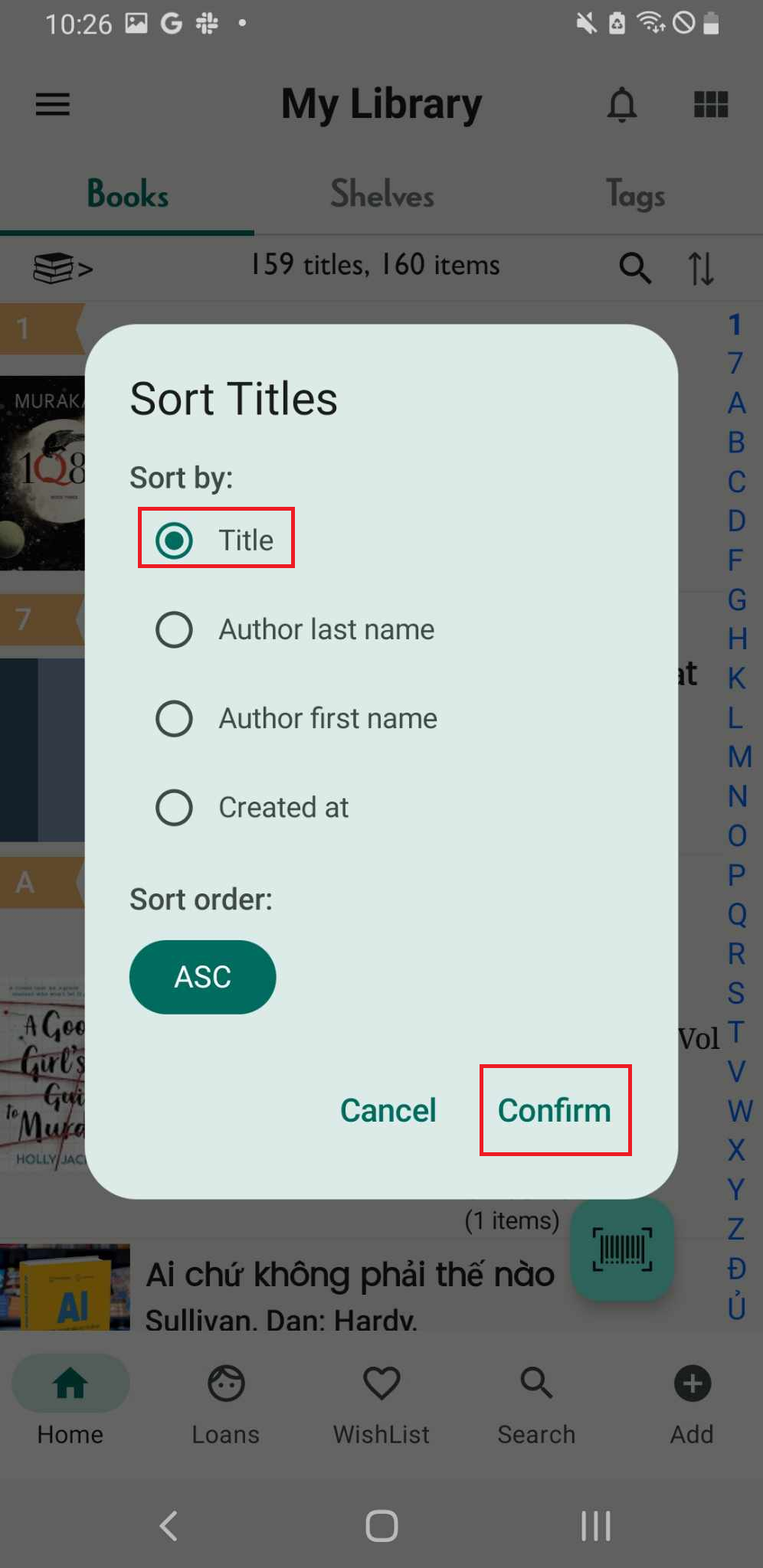
Step 2: #Sort by: Title - Author last name - Author first name
#Sort order: ASC
- Select “title”
- Author last name
- Author first anme
“Confirm” if you want to sort book by title
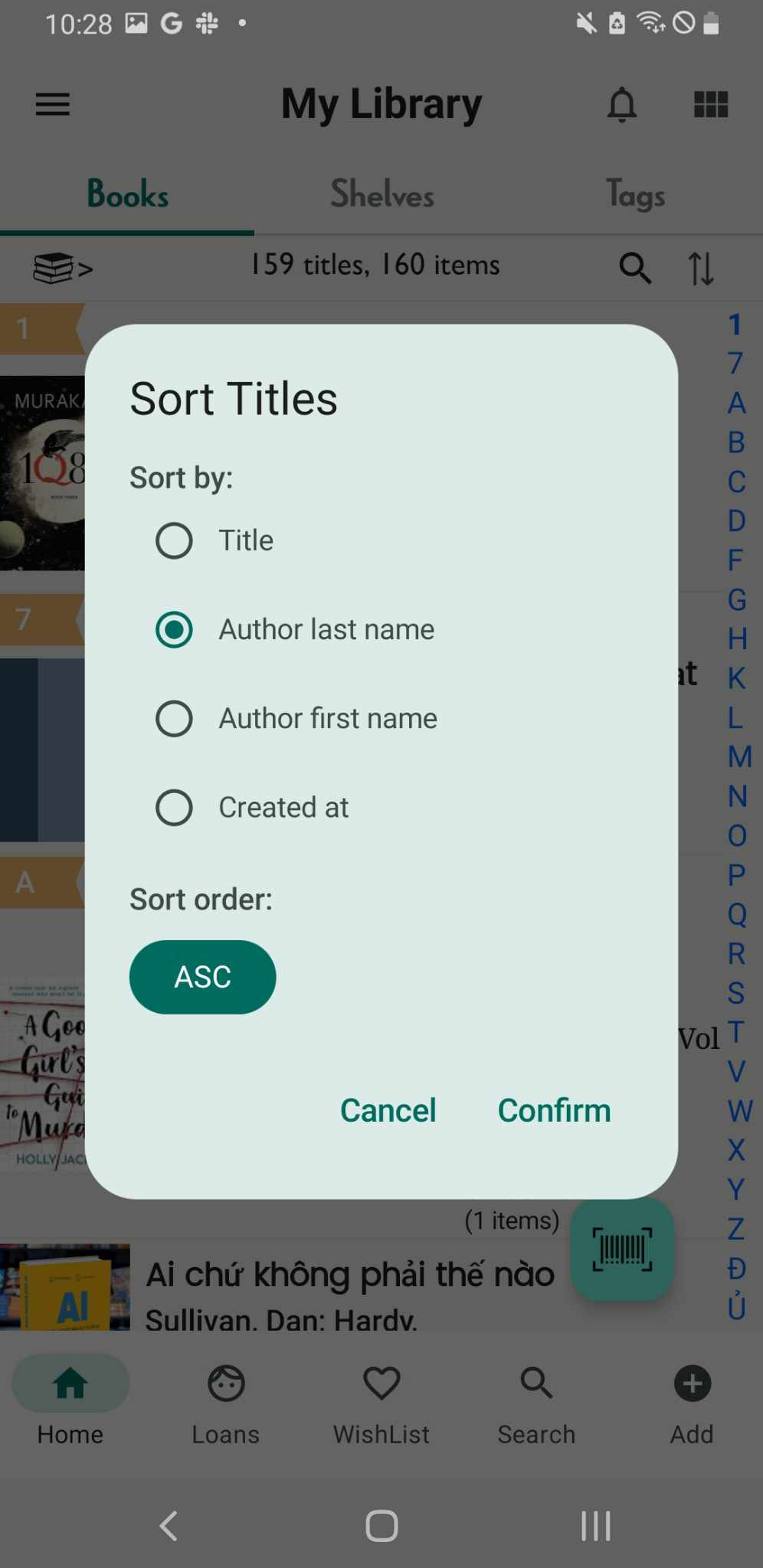
Step 3: The books will be displayed in ascending order based on titles.
Sort Shelf
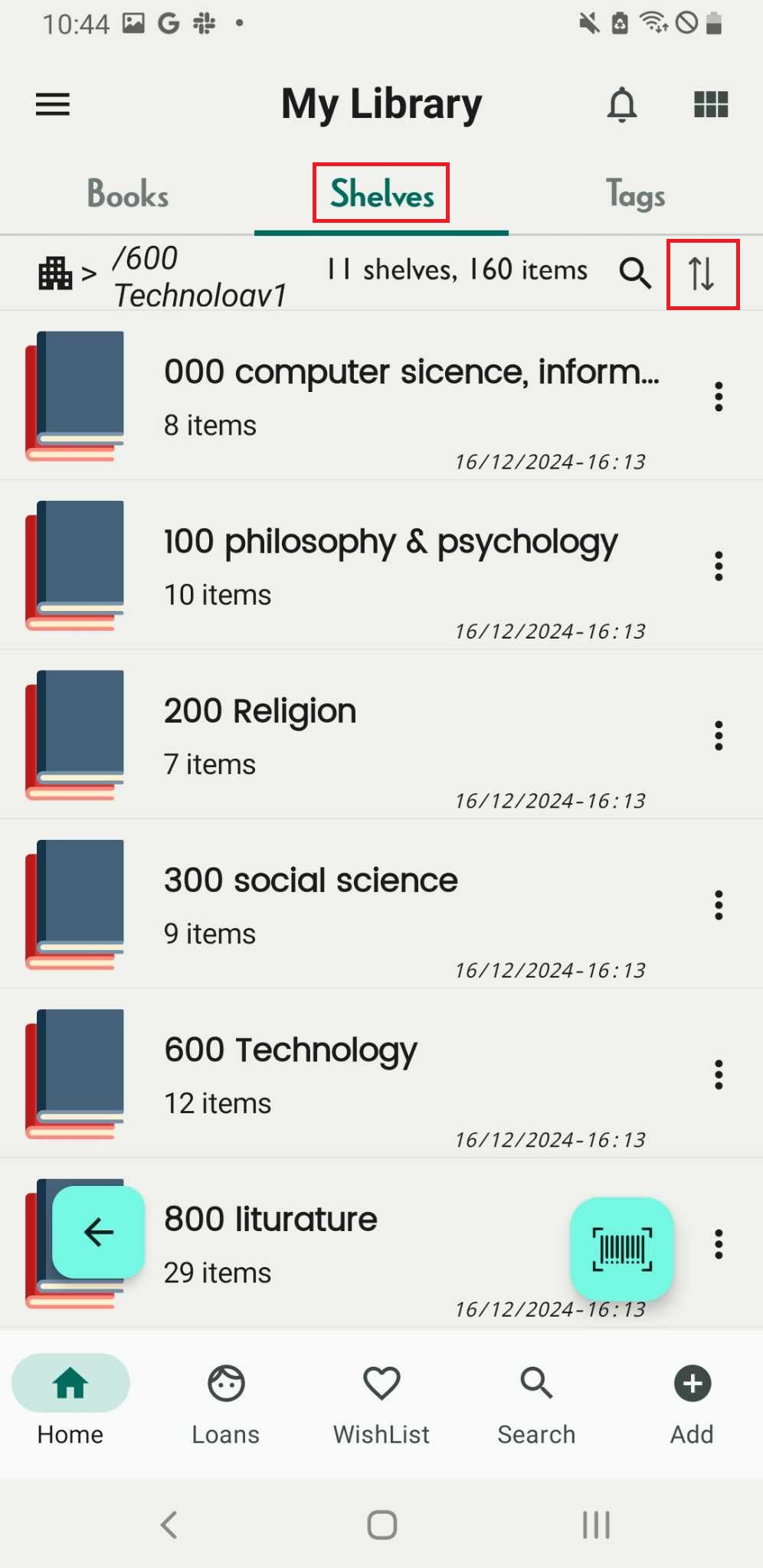
Step 4: Tap on shelves tab. Press the bidirectional arrow icon.
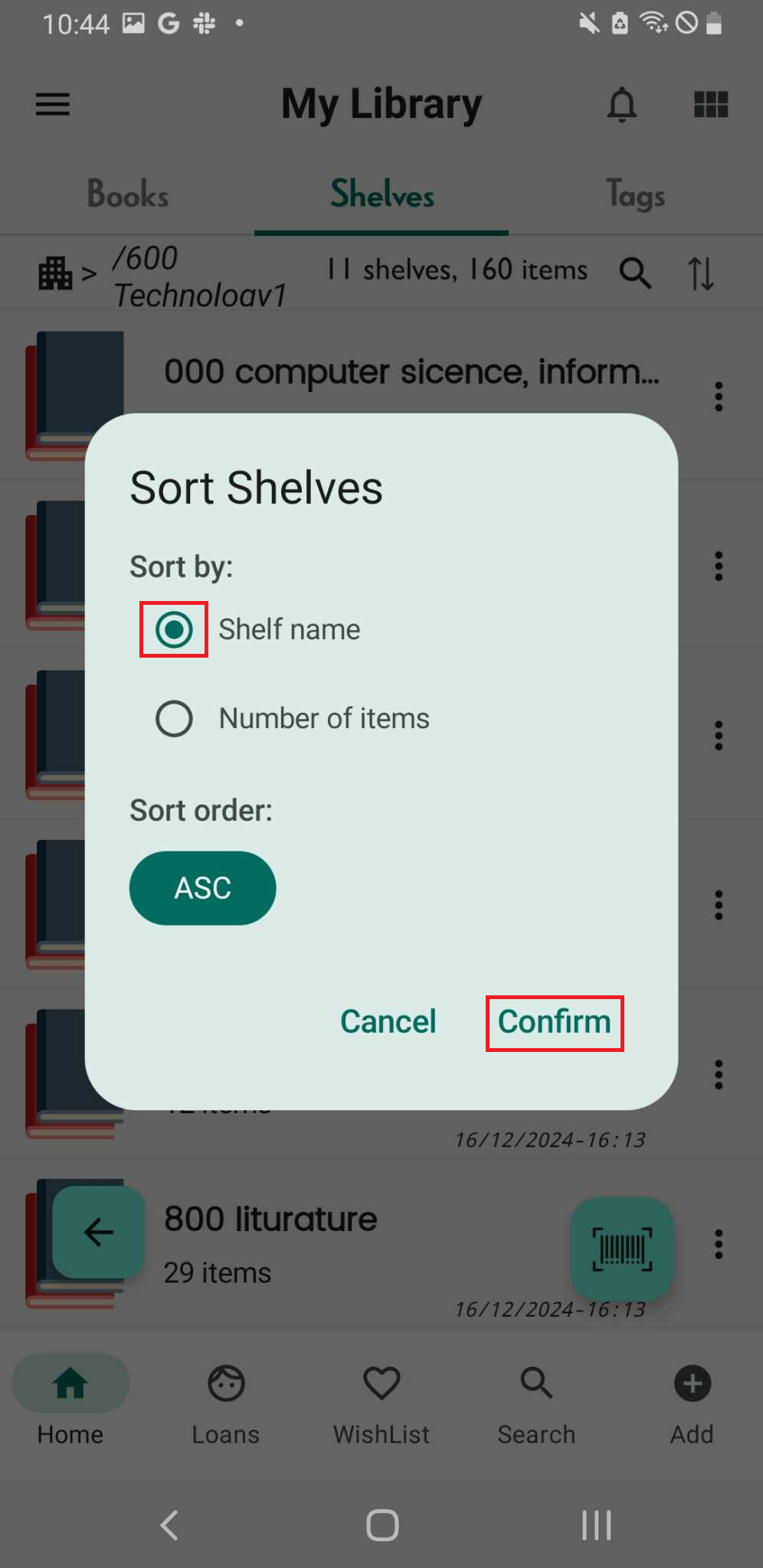
Step 5: #Sort by: Shelf name - Number of items
#Sort order: ASC
Select “shelf name”, “Confirm” if you want to sort shelves by shelf name
Select “Number of items”
“Confirm”, The Shelves will be displayed in ascending order based on number of titles.
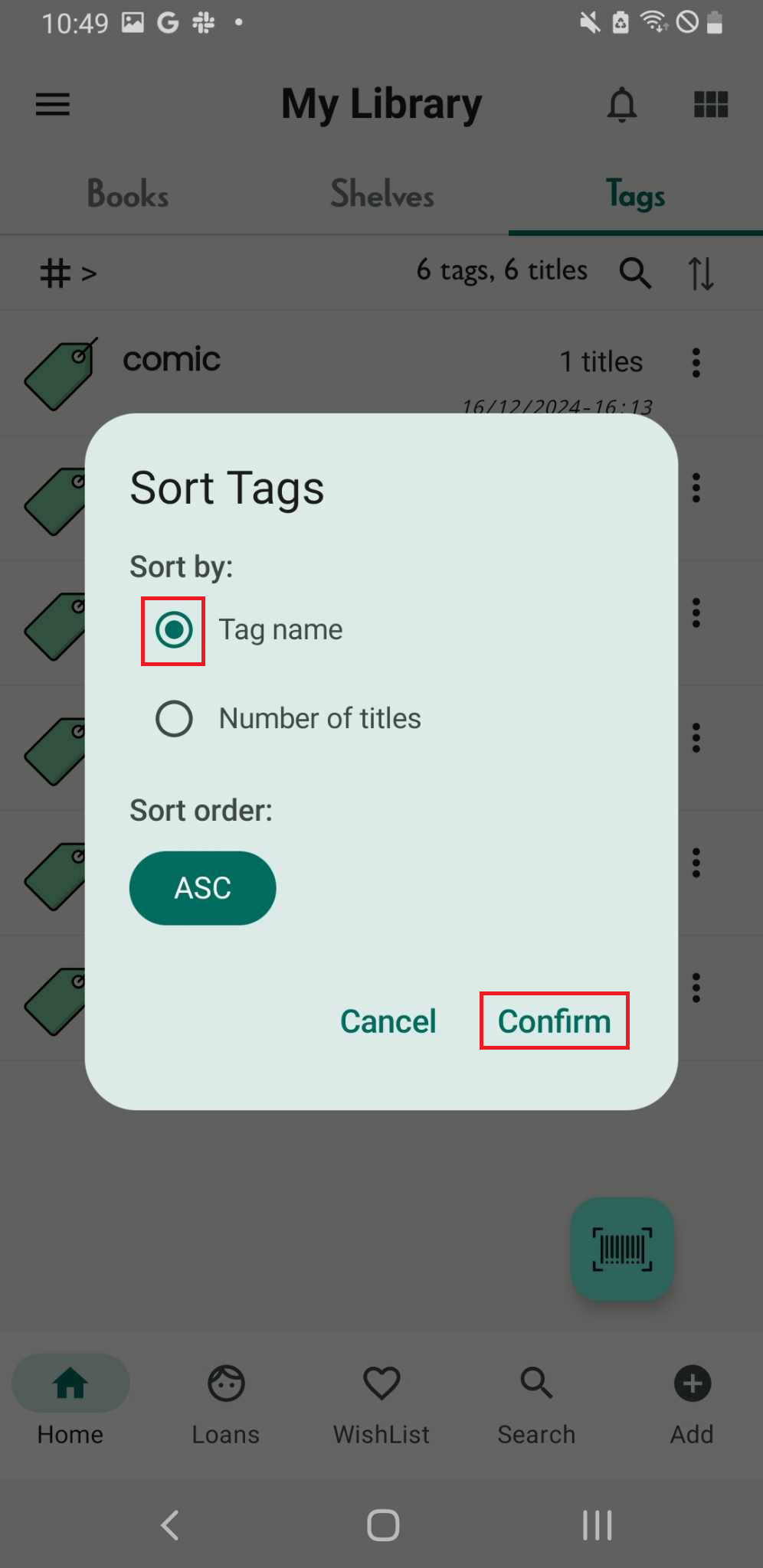
Sort Tags
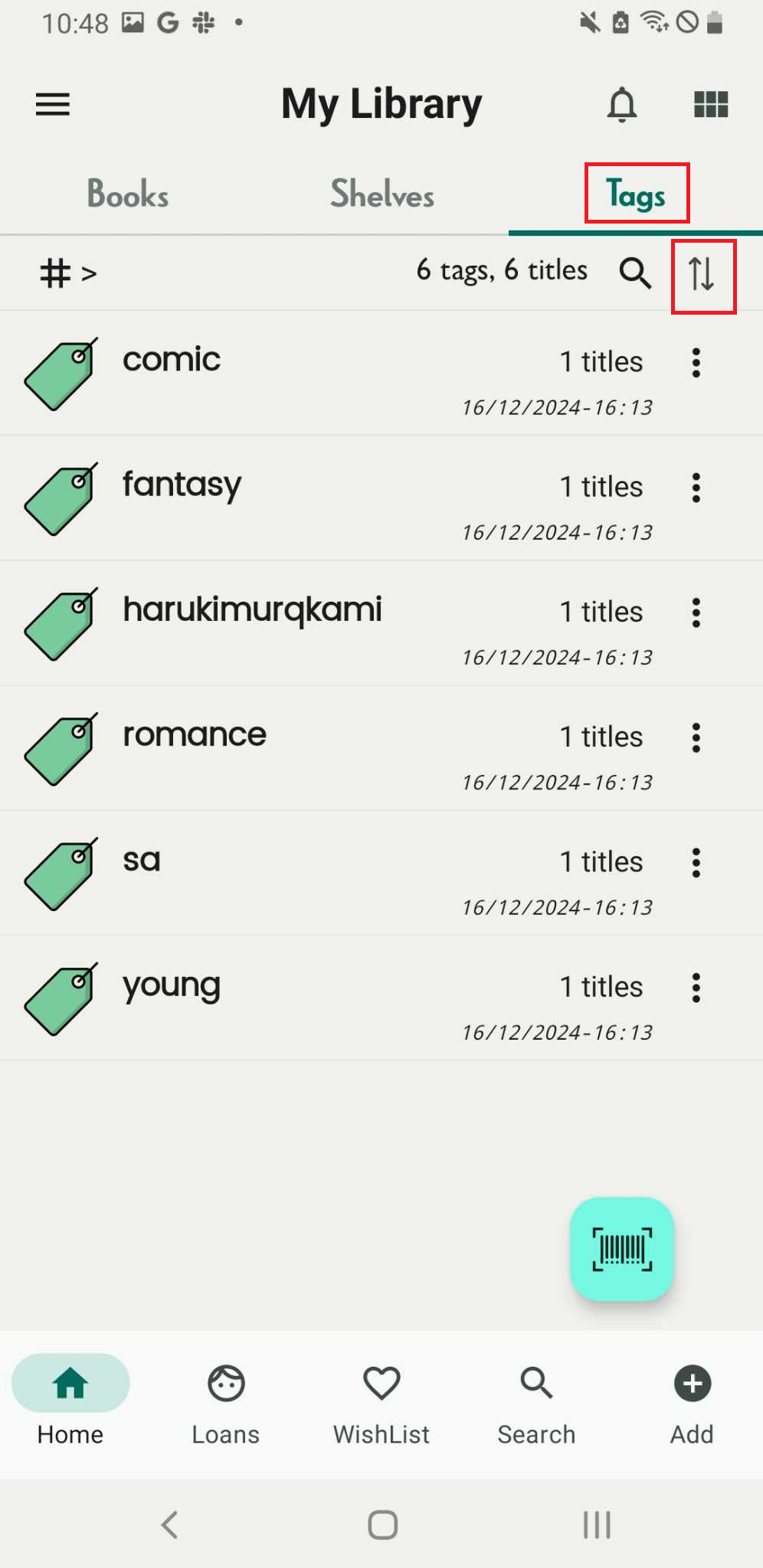
Step 6: Tap on tags tab. The tag list displays both the number of tags and titles. Press the bidirectional arrow icon.
Step 7: Sort by: Tag name - Number of Titles
#Sort order: ASC
Select “Tag name”
“Confirm” if you want to sort book by title
Sort Wishlist
Step 8: Tap on Wishlist field. Press the bidirectional arrow icon.
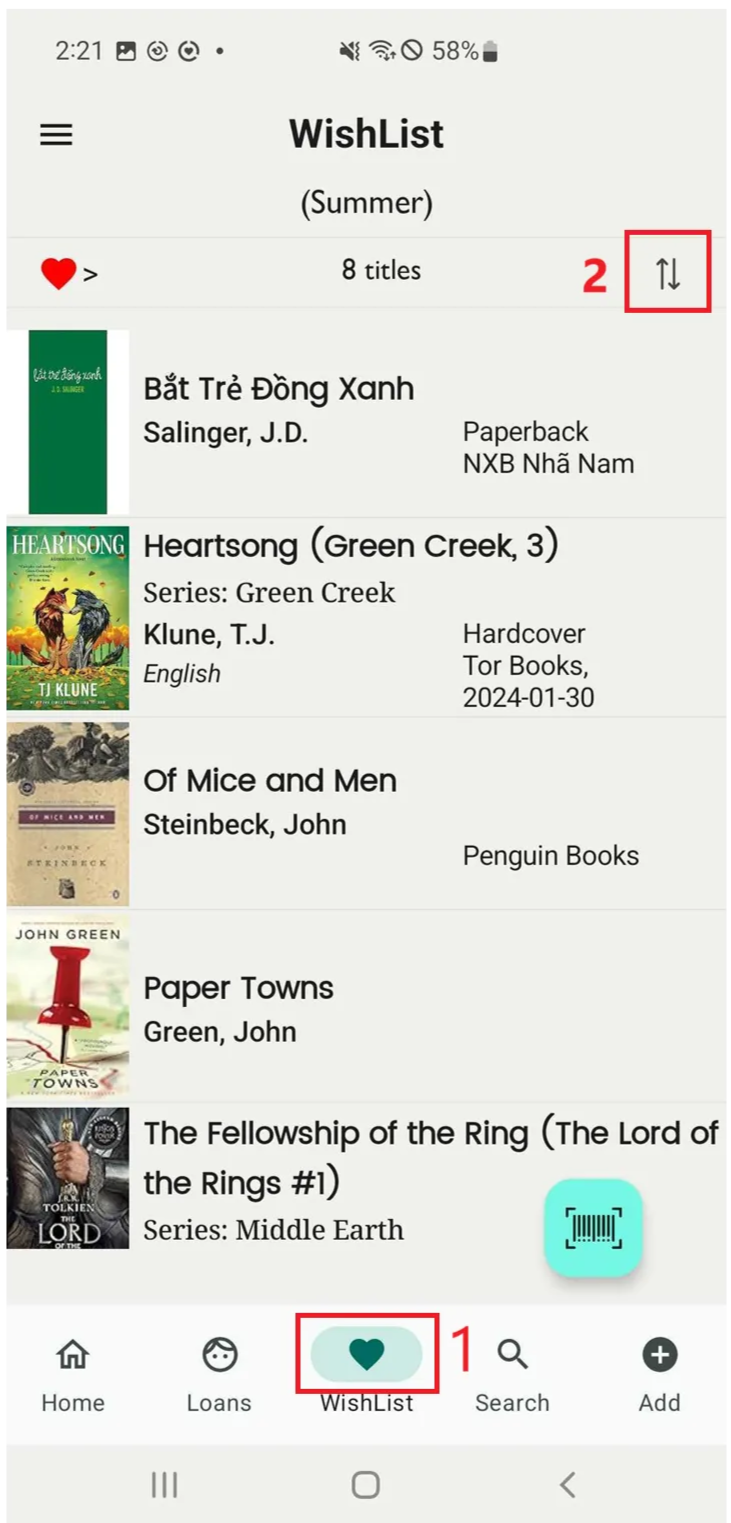
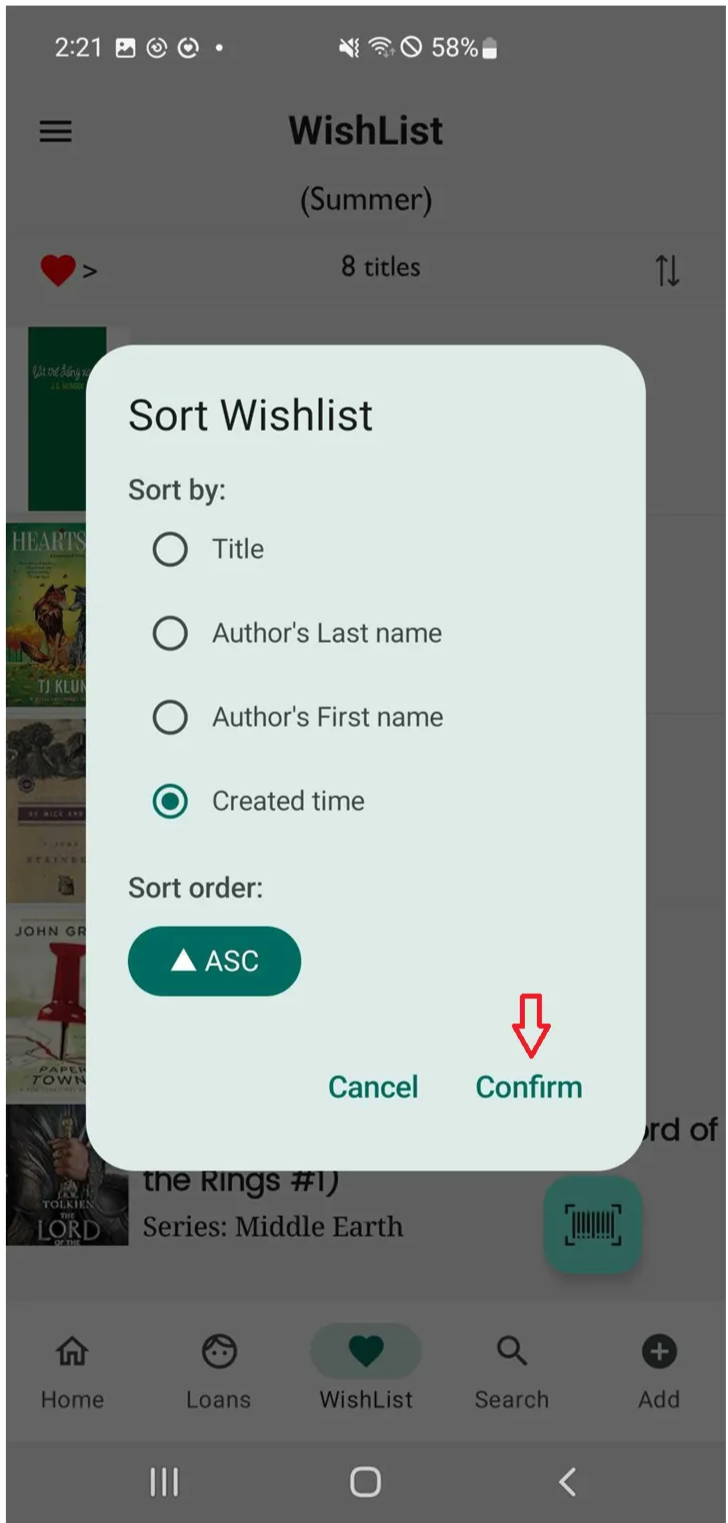
Step 9: Sort by: Titles - Author’s Lastname - Author’s First name - Create time
#Sort order: ASC
Select “Create time”
“Confirm” if you want to sort book by title
Sort Libraries
Step 10: Access the libraries in the side menu
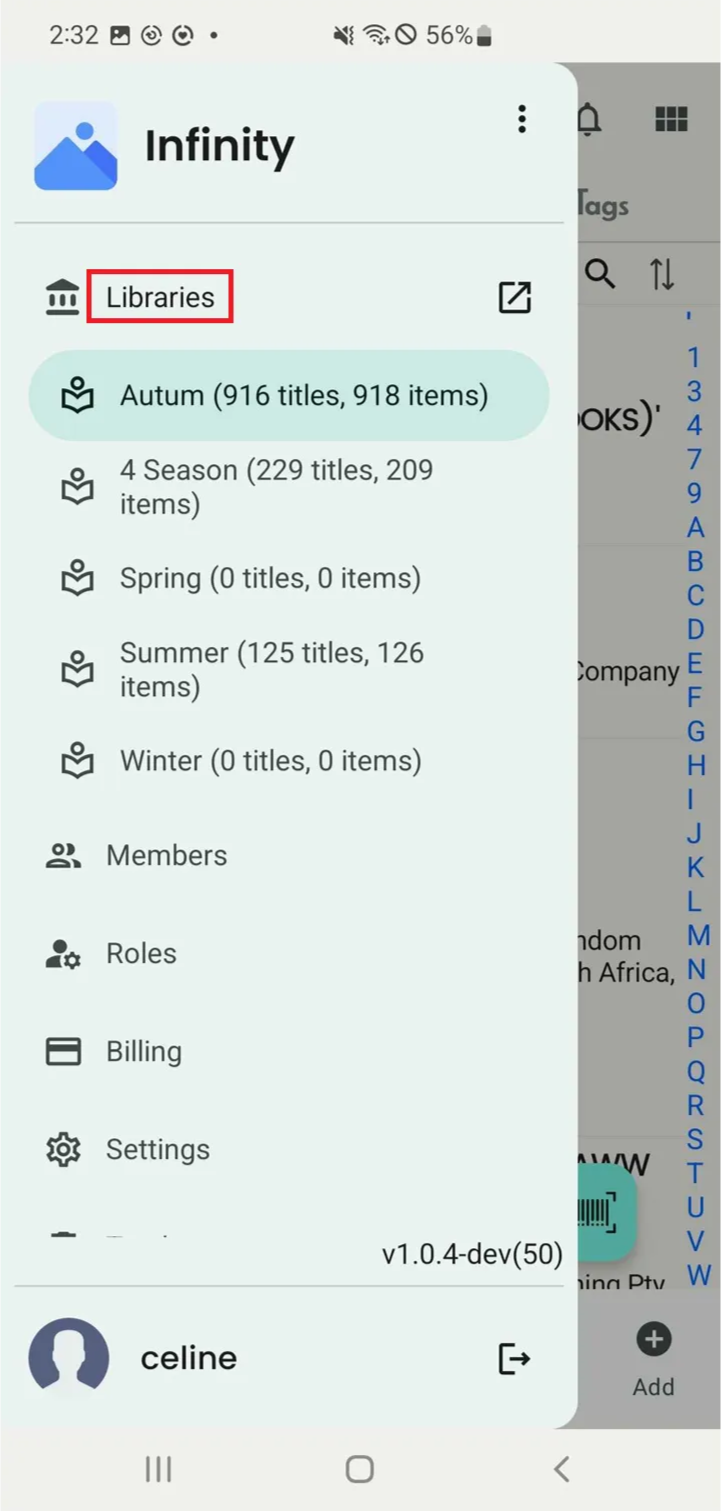
Step 11: All the libraries is shown up. Then press the bidirectional arrow icon.
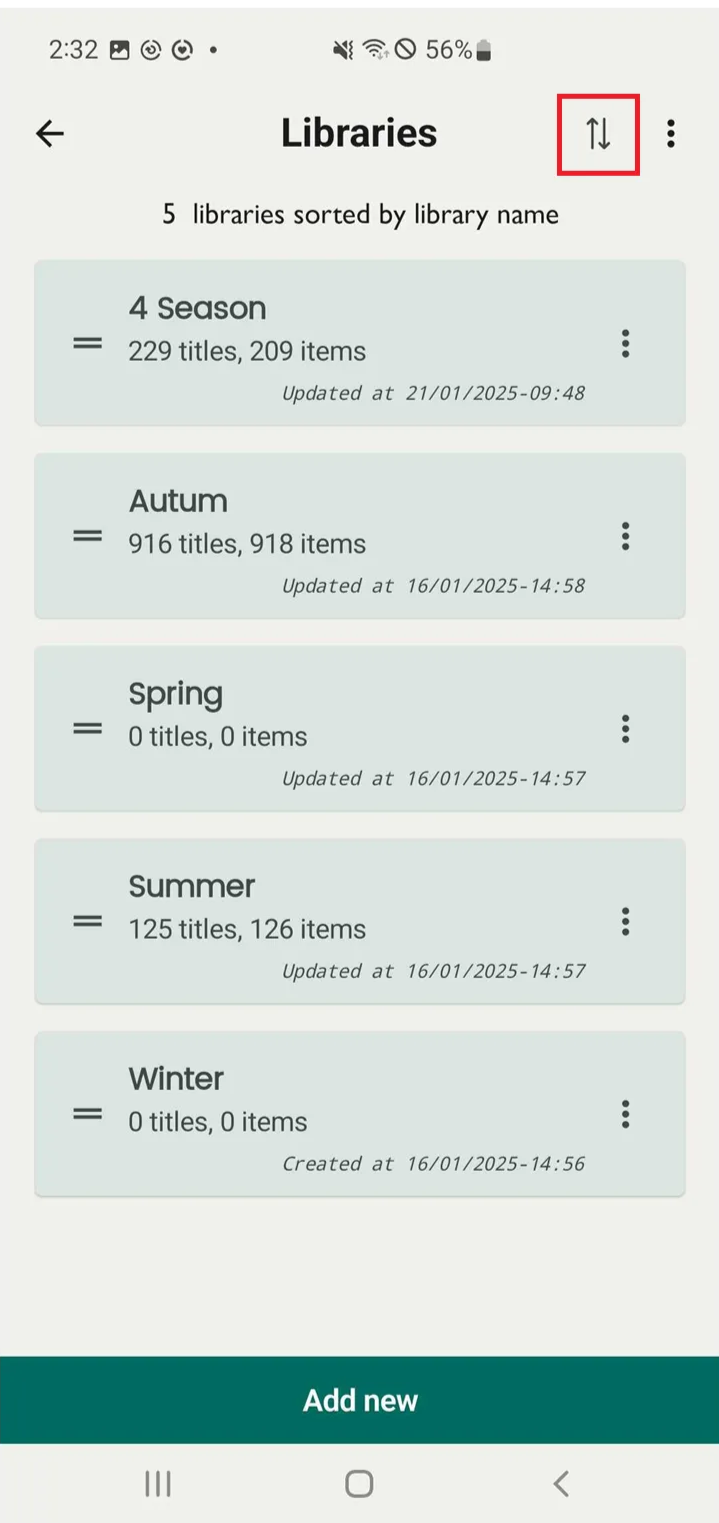
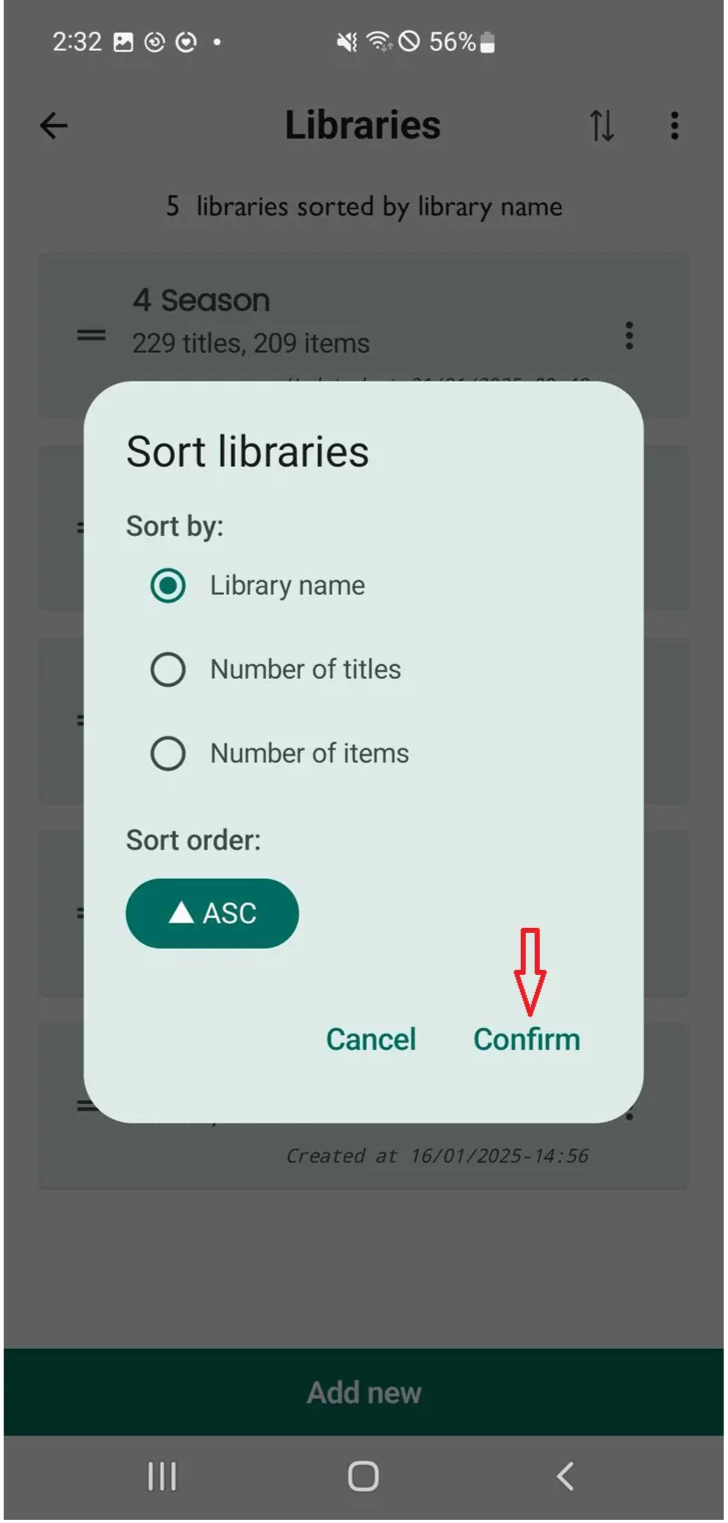
Step 12: Sort libraries
#Sort by: Librariy name - Number of titles - Number if items
#Sort order: ASC
Cancel - Confirm