
Mark a book as lost
Step 1: Go to the Loans section and tap on a loan that includes the lost book.
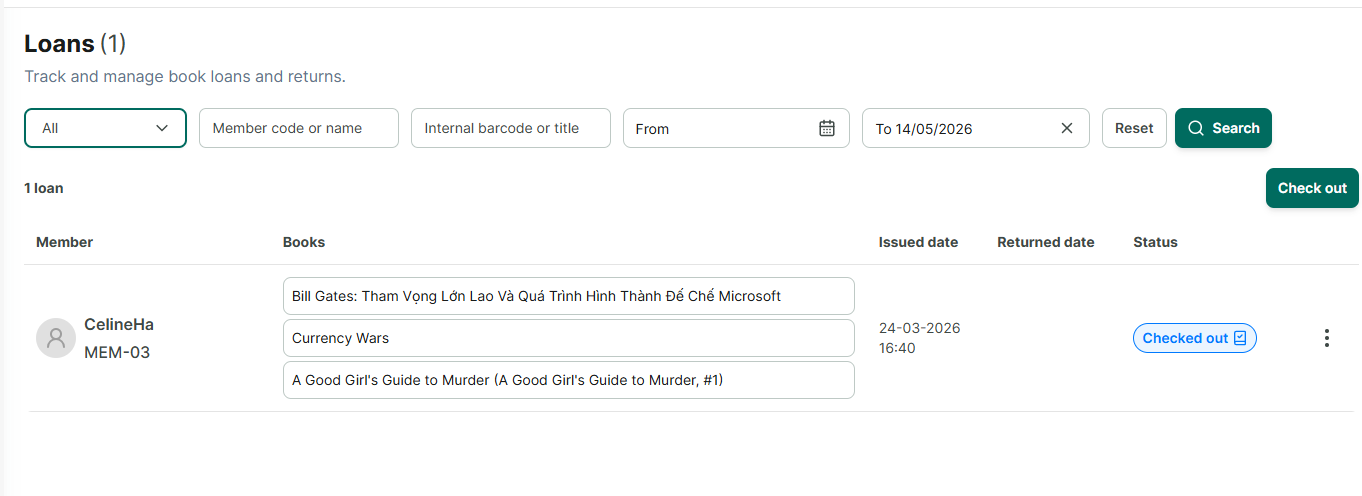
Step 2: The loan detail screen shows all the books and options to edit the loan.
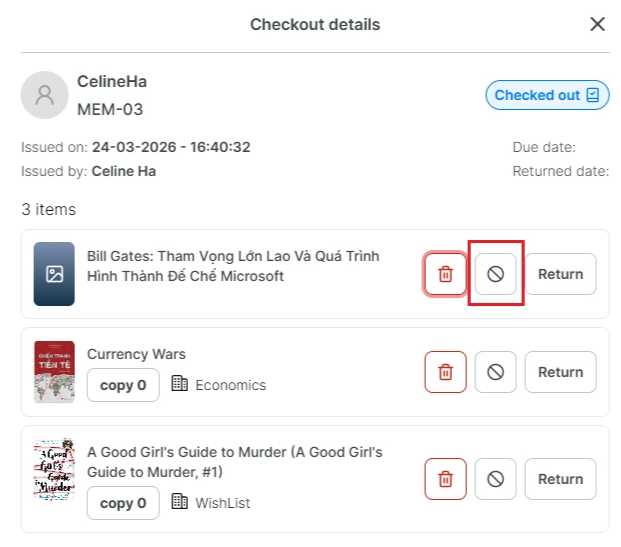
Step 3: Tap the circle icon with a slash next to each book.
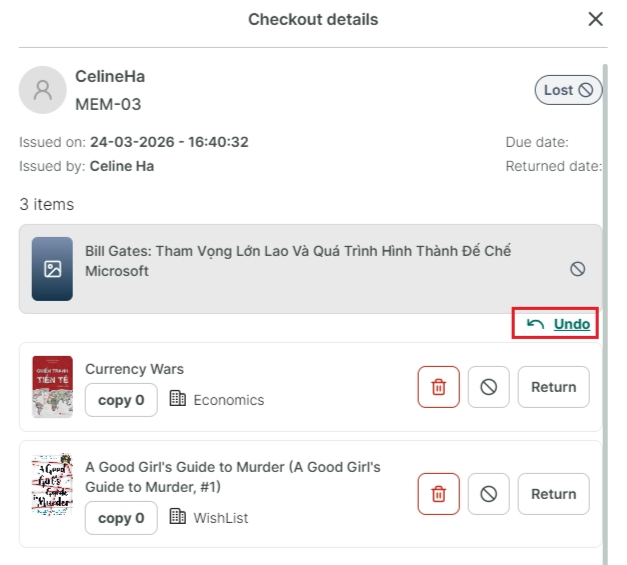
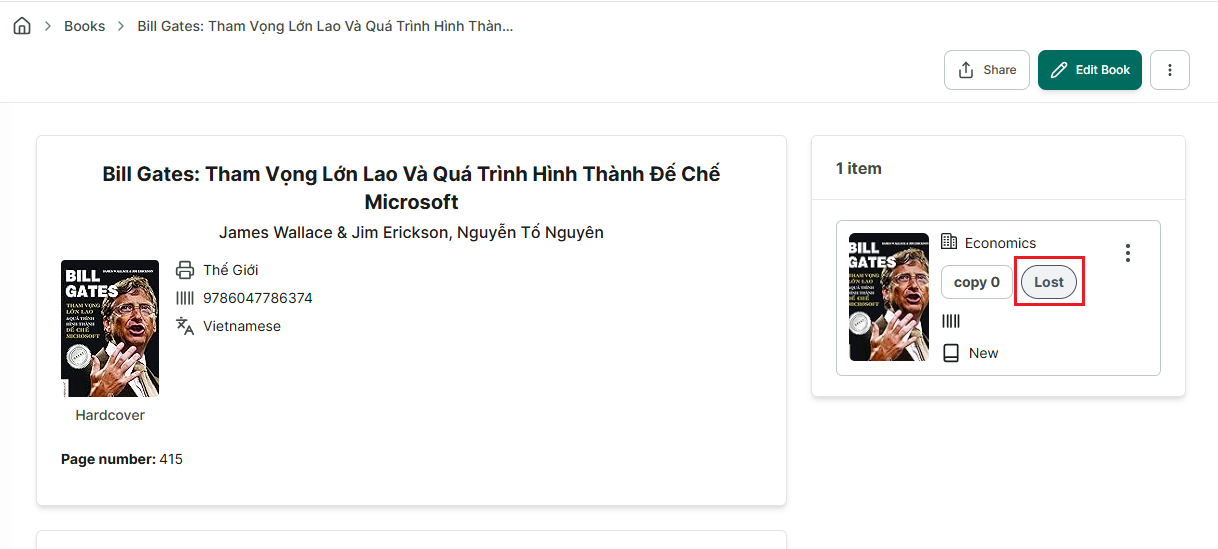
Step 4: This book will be marked as lost and unavailable on books and shelves tab.
Step 5: You can undo this action immediately afterward, but it can only be undone once.
In case, book is found and you want to mark book available again. Follow this steps: