Btach edit Book
Batch edit Tag
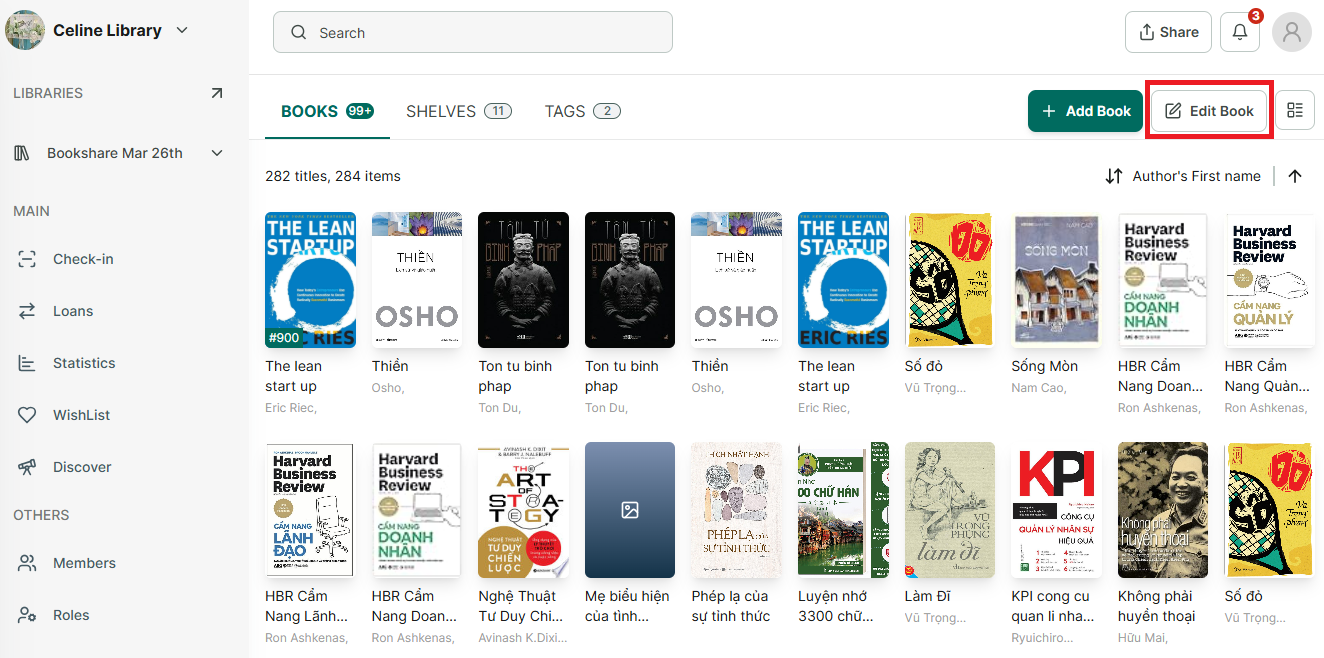
Step 1: Acces a library you want to edit book
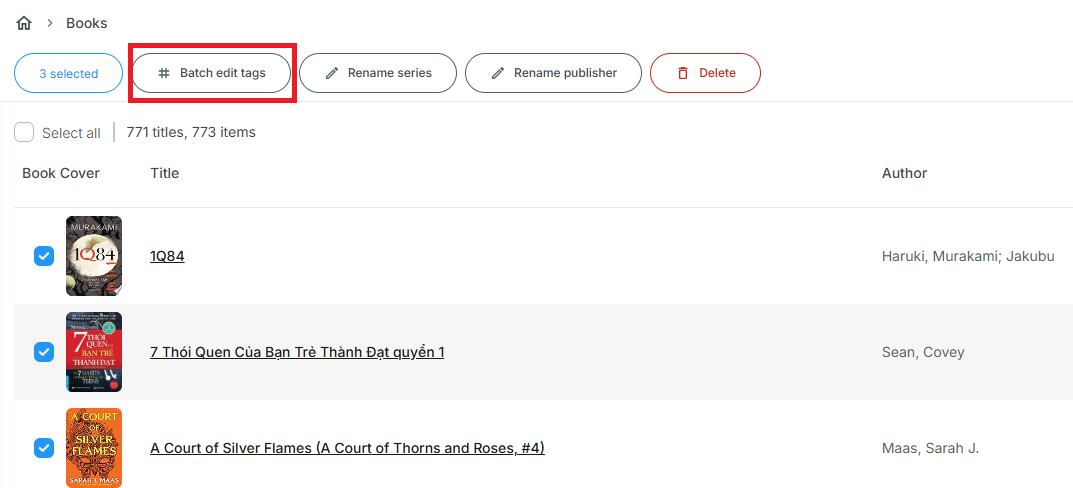
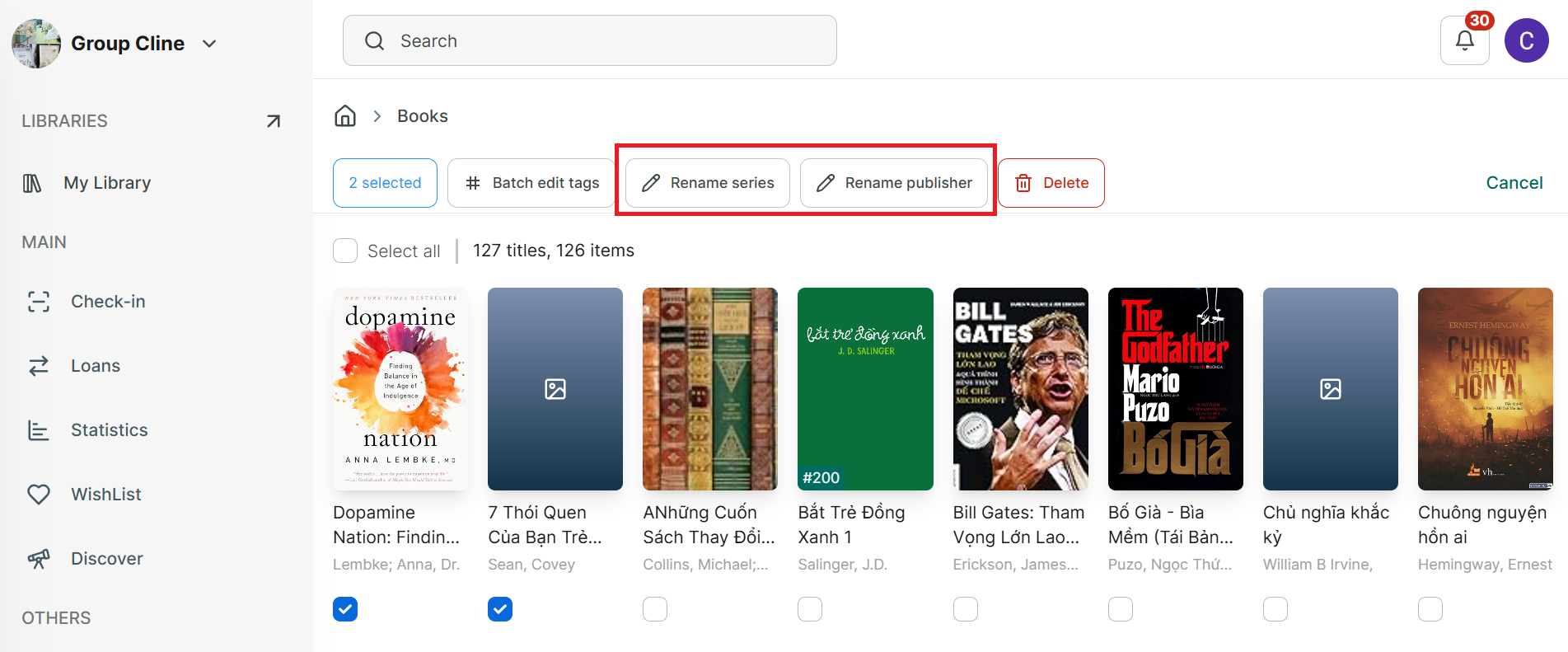
Step 2: Tap on “Edit book” button, then select mutiple book you want to edit tag.
Step 3: Tap on “batch edit tag”
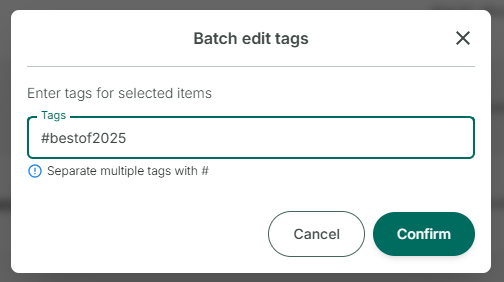
Step 4: Enter tags for selected titles and press confirm.
Step 5: Note that if you want to add more than a tag, separate multiple tag with
Batch edit details of book - series/publisher
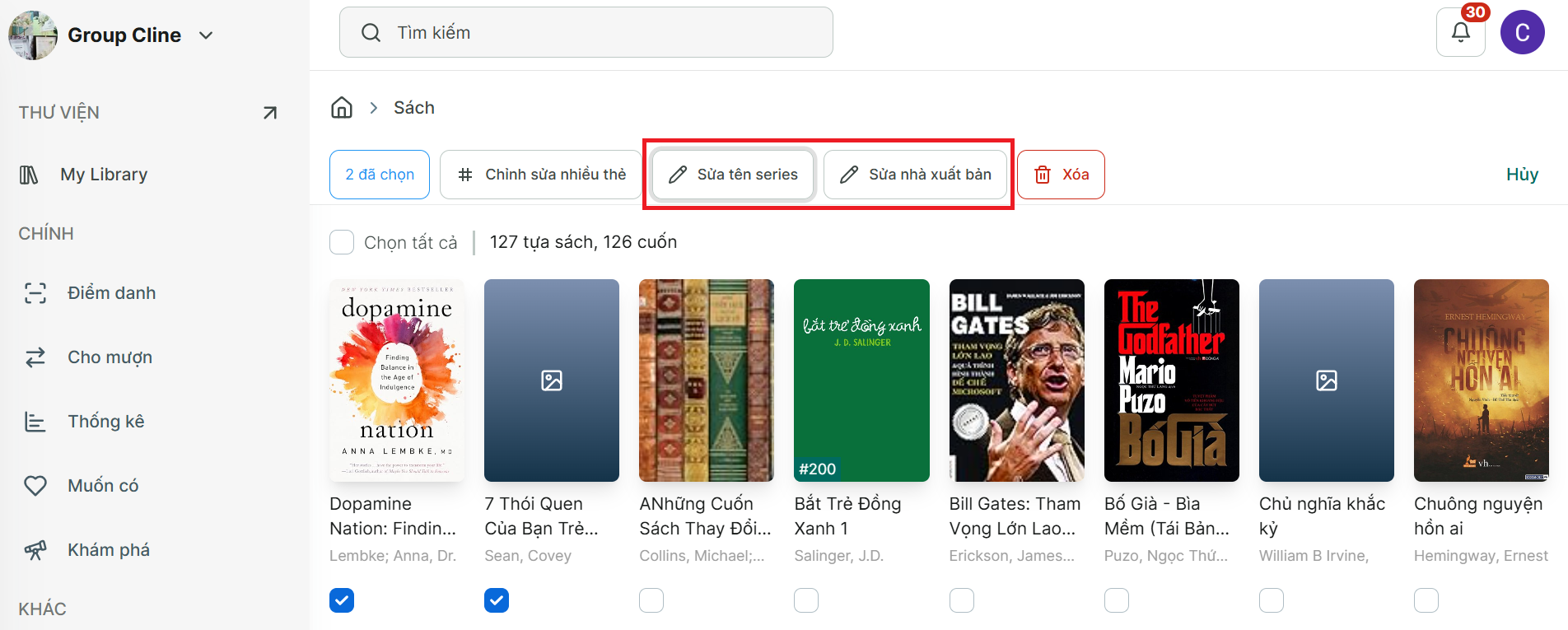
Step 6: Tap on “Edit book” button, then select mutiple book you want to edit.
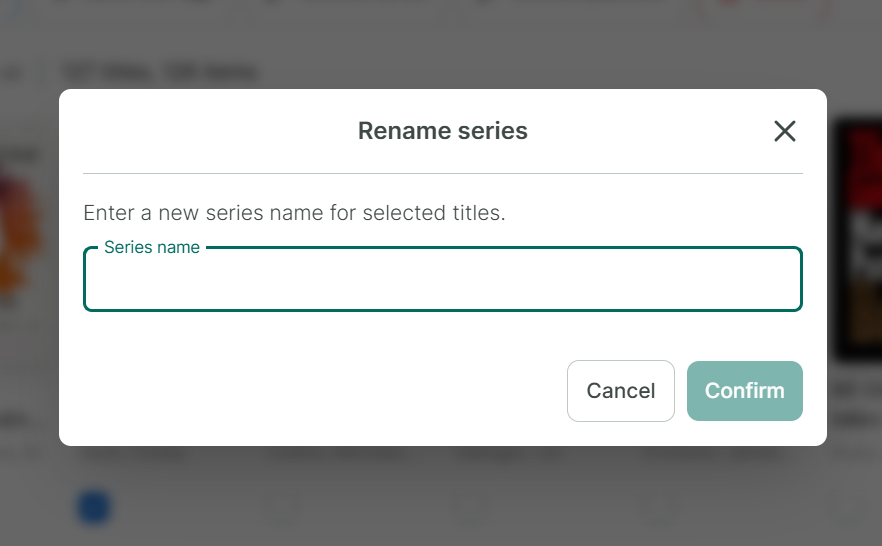
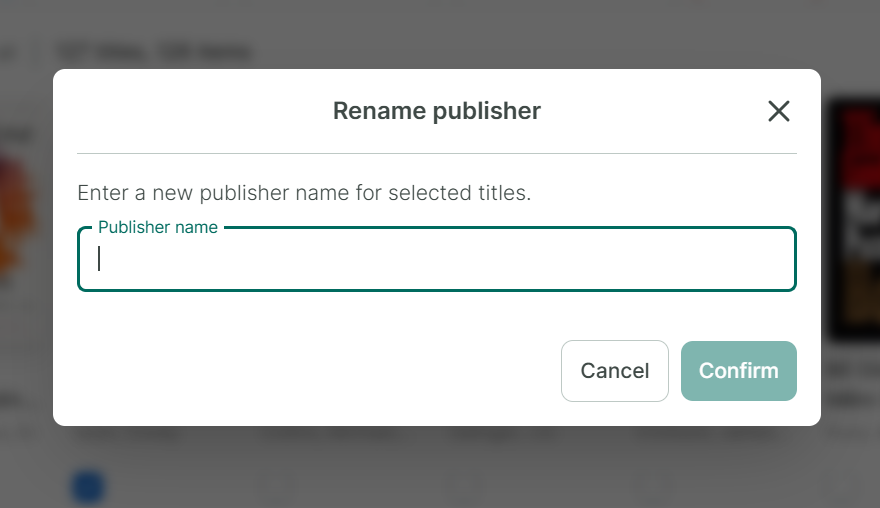
Step 7: You can select “Rename series” or “Rename Publisher” to edit.
Step 8: Enter Series or Publish and press Confirm
Batch delete book