Upgrade subscription
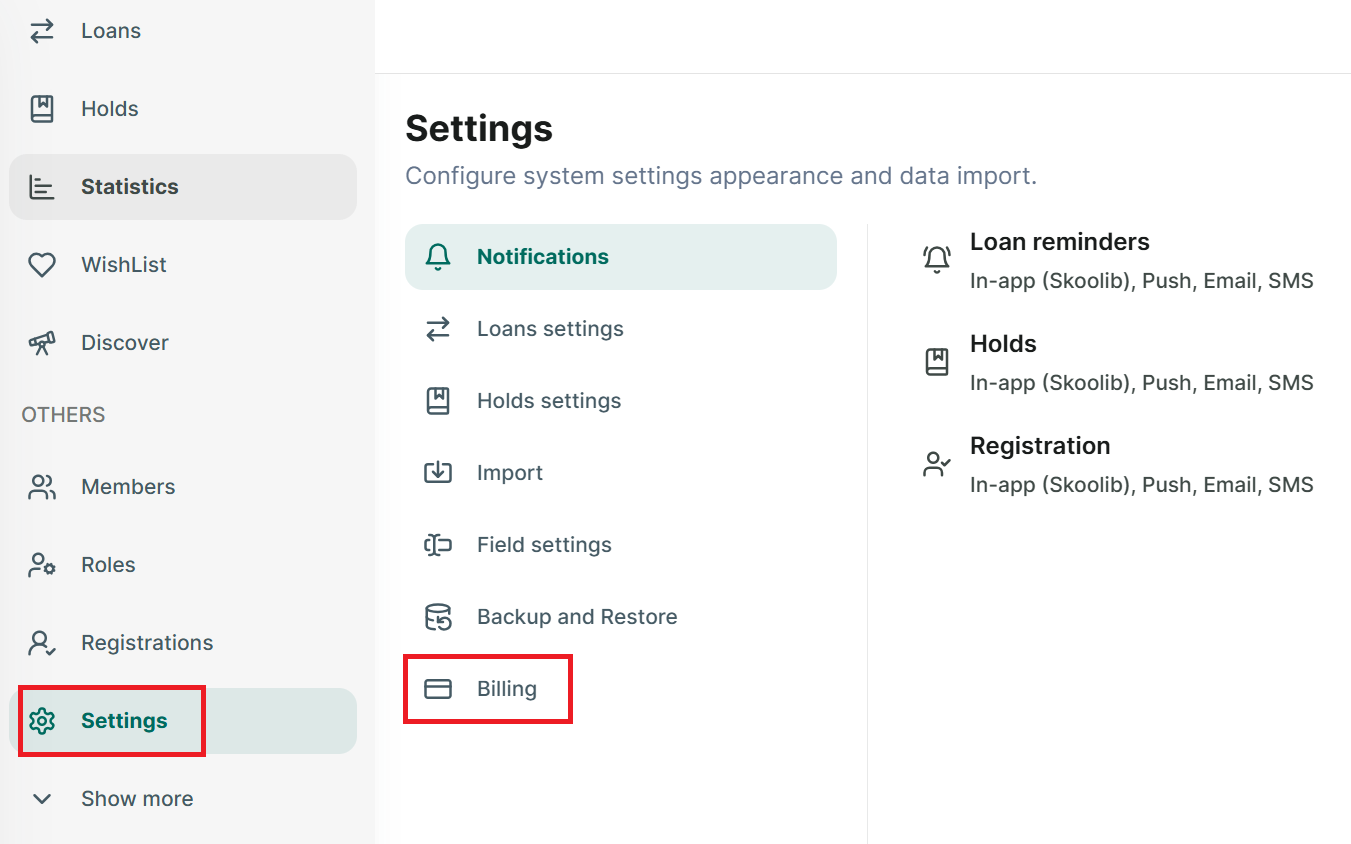
Step 1: Go to Setting section at the side menu
Step 2: Tap on “Billing” section
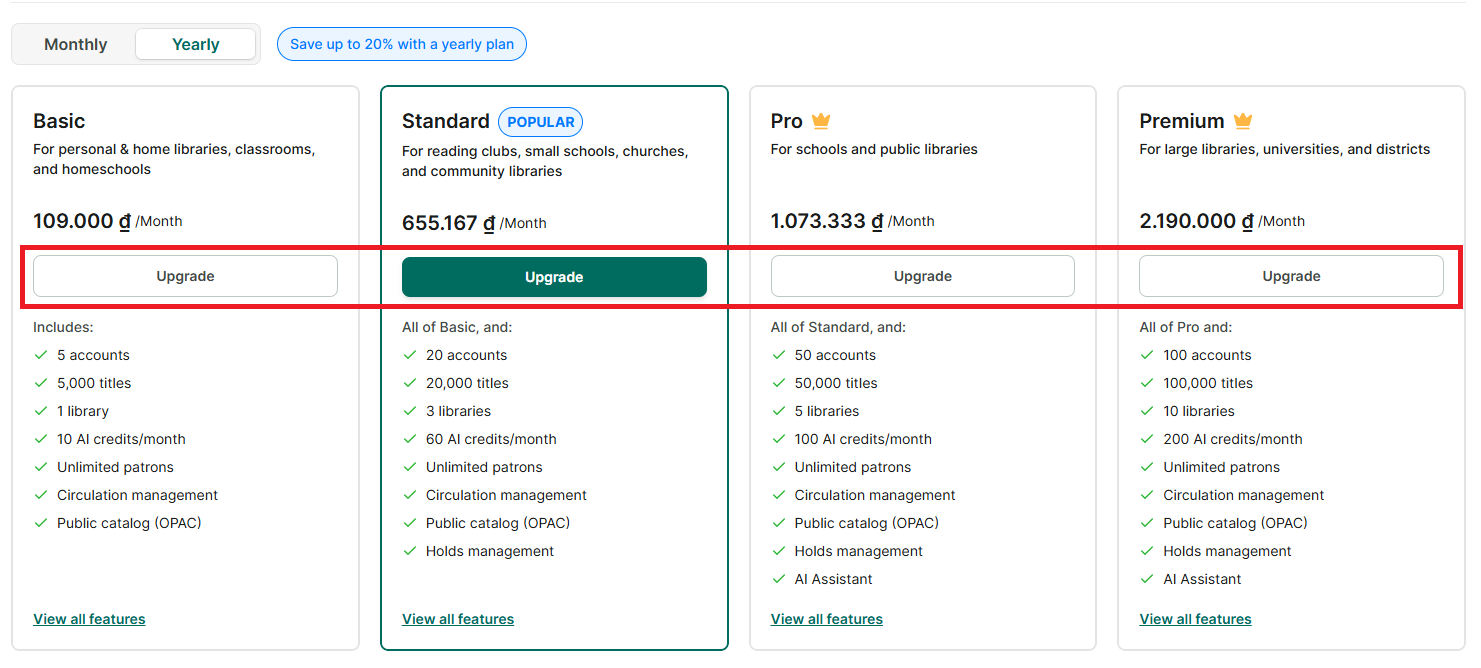
Step 3: It display the plan, billing period and AI credit and all plan
Step 4: Select a plan and press the “Upgrade” button → select “Monthly” or “Annual” plan
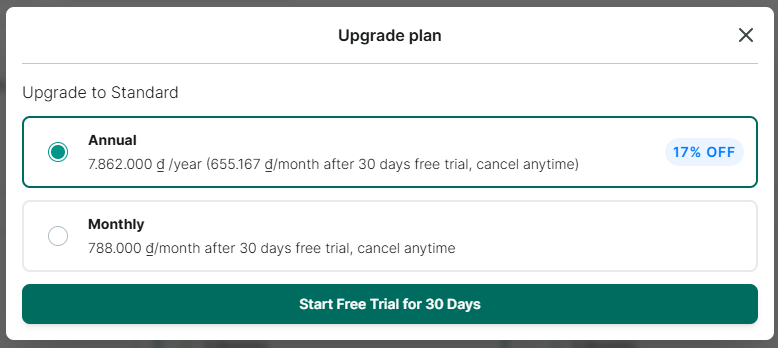
Step 5: Select “Monthly” or “Annual” plan and press “Start free Trial for 20 Days”
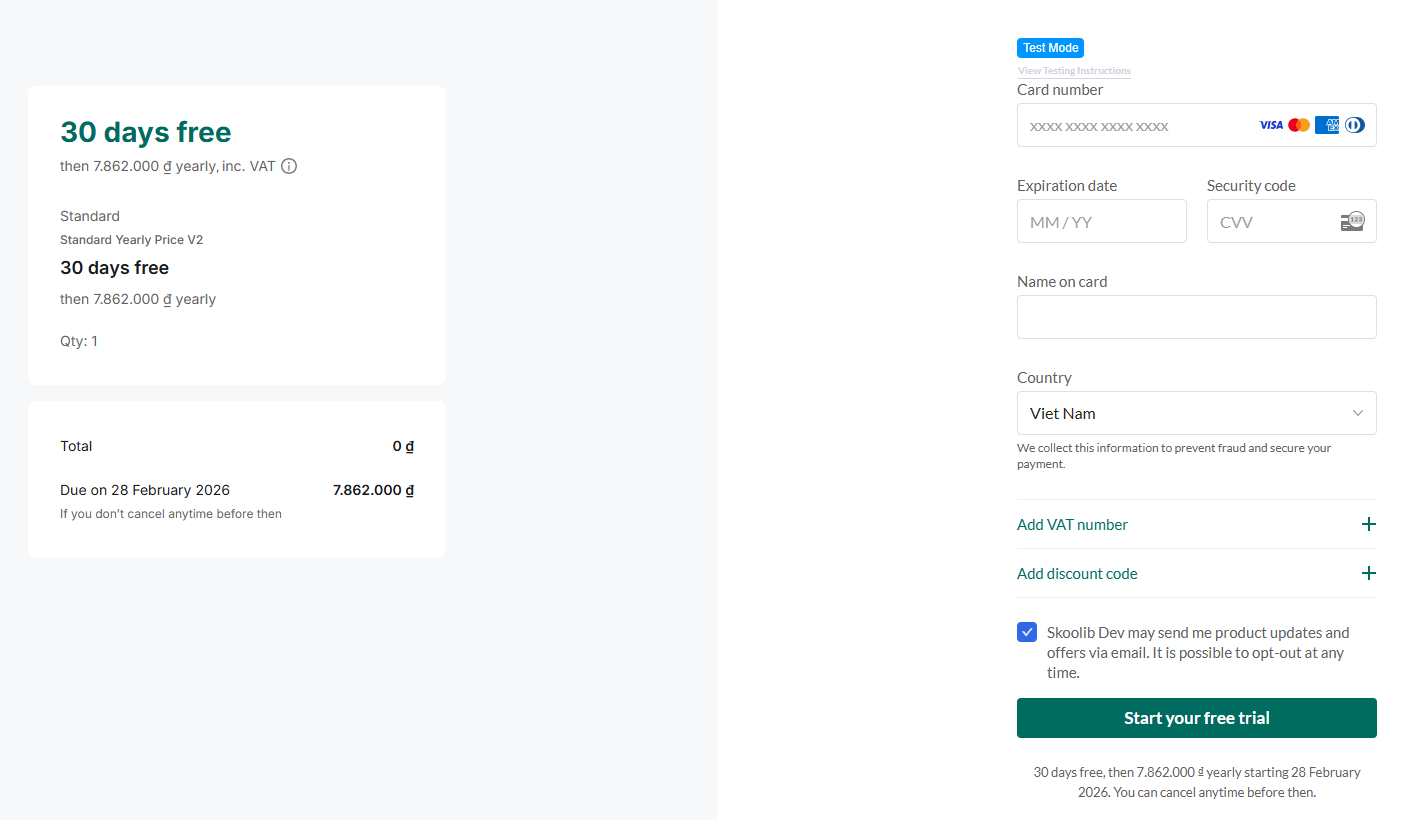
Step 6: Enter payment information and press “Subcribe now”