
Set/change tag cover
Step 1: Access Tag Tab
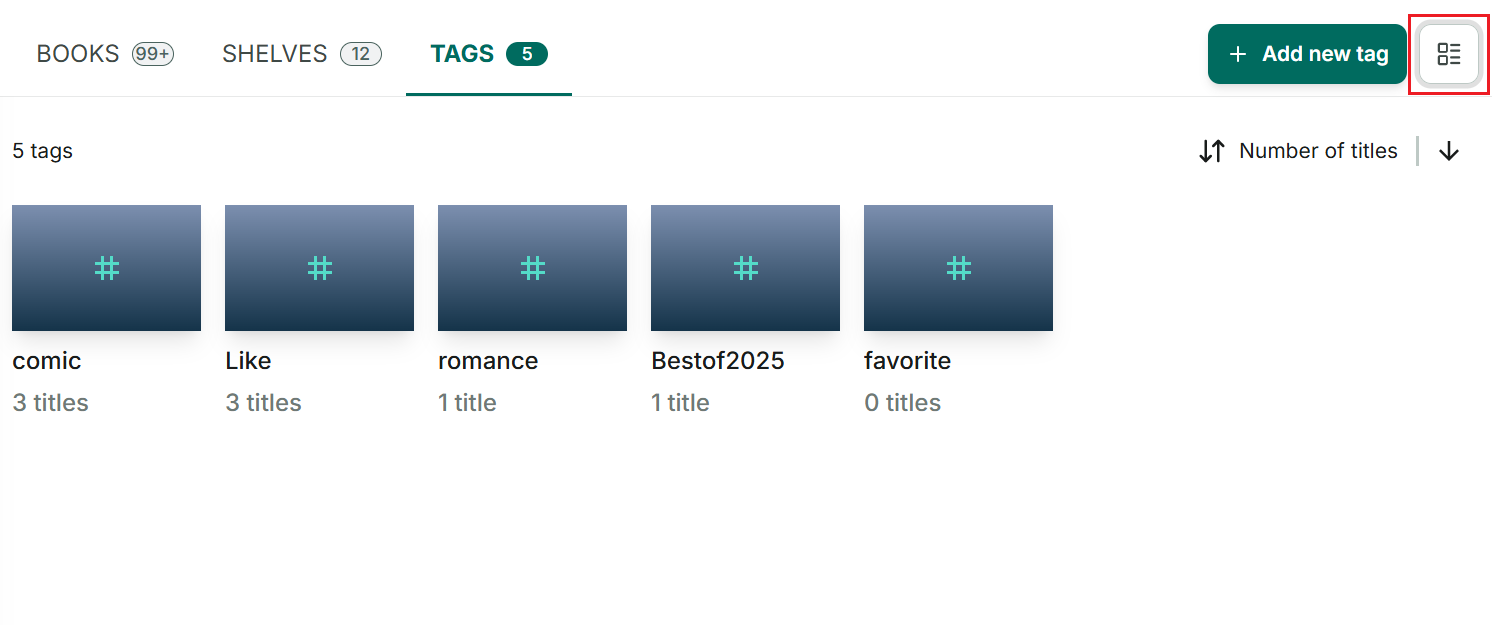
Step 2: Set tags in list view by tapping the list icon located at the top right-hand corner.
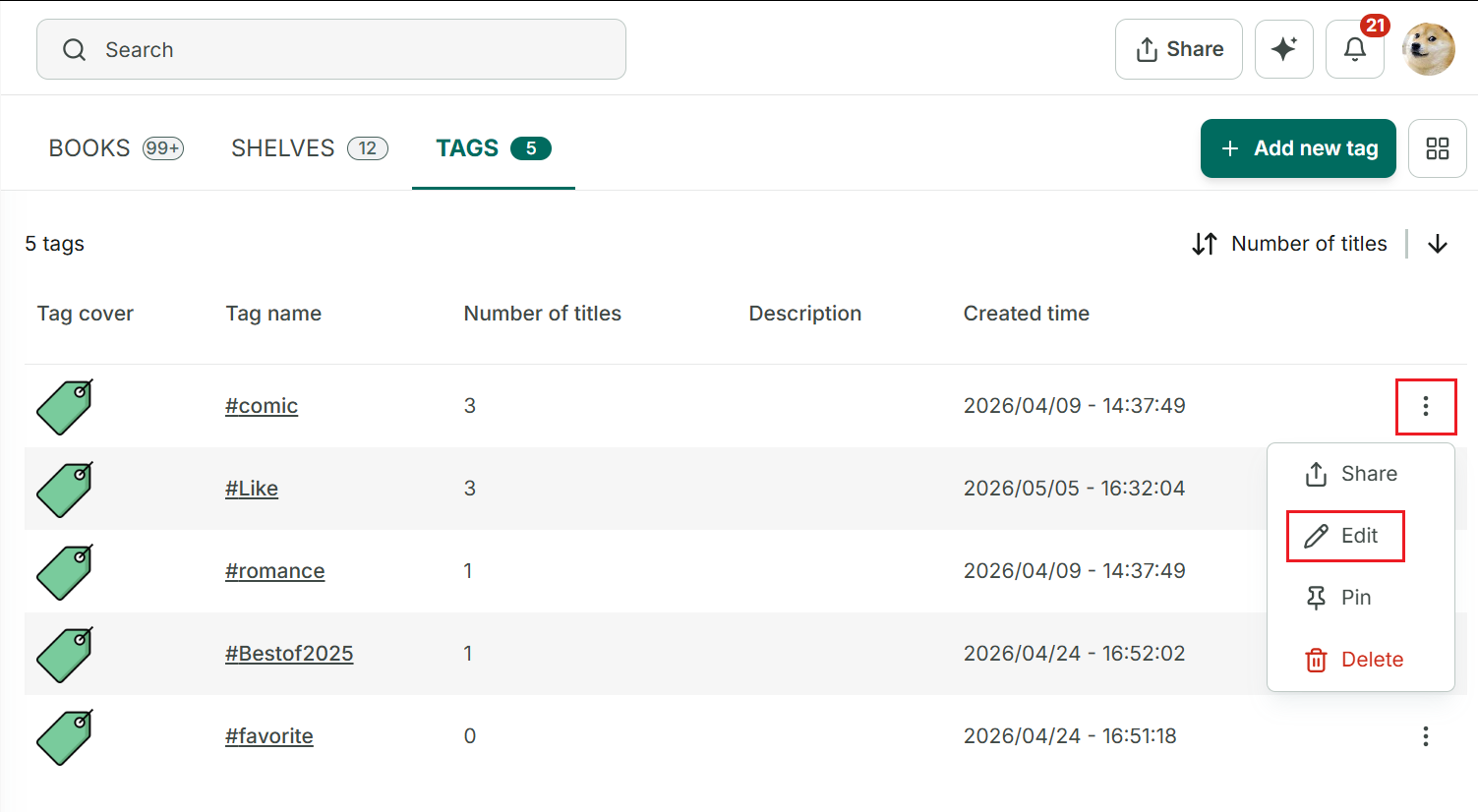
Step 3: Tap on three-dot icon at the right top of corner and select “Edit” option.
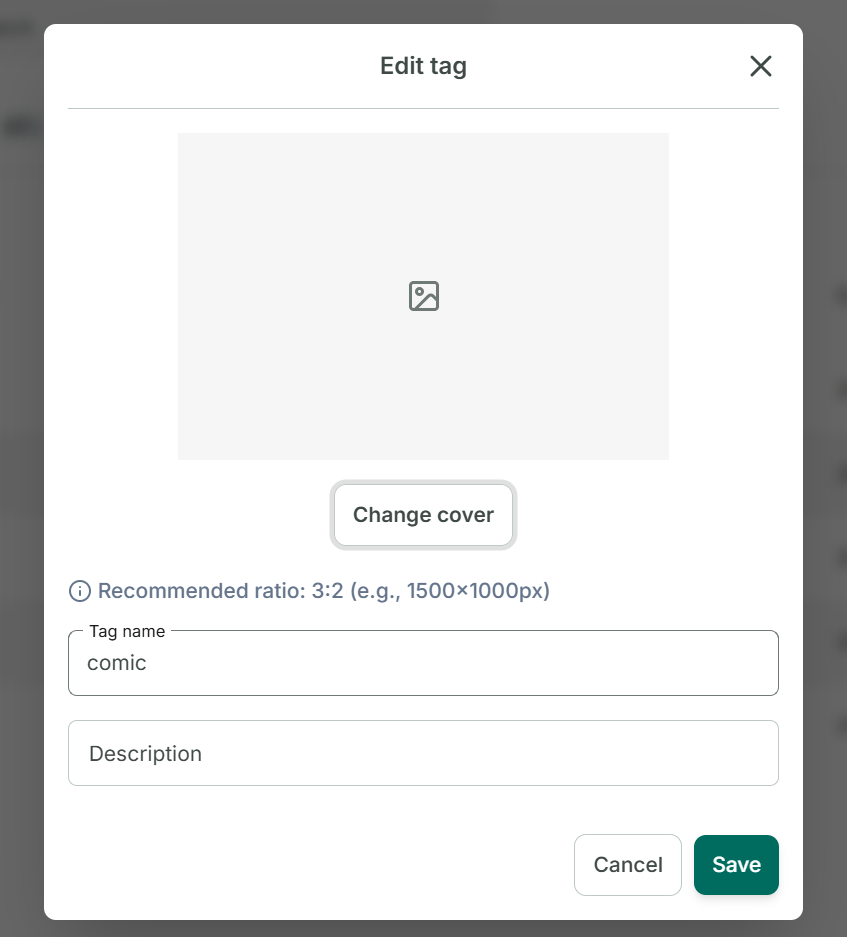
Step 4: Tap on “Change cover” and select option you want to add cover.
- Pick cover from gallery
- Add image link
- Delete
→Press “Save” → Tag cover is updated