Export a Library
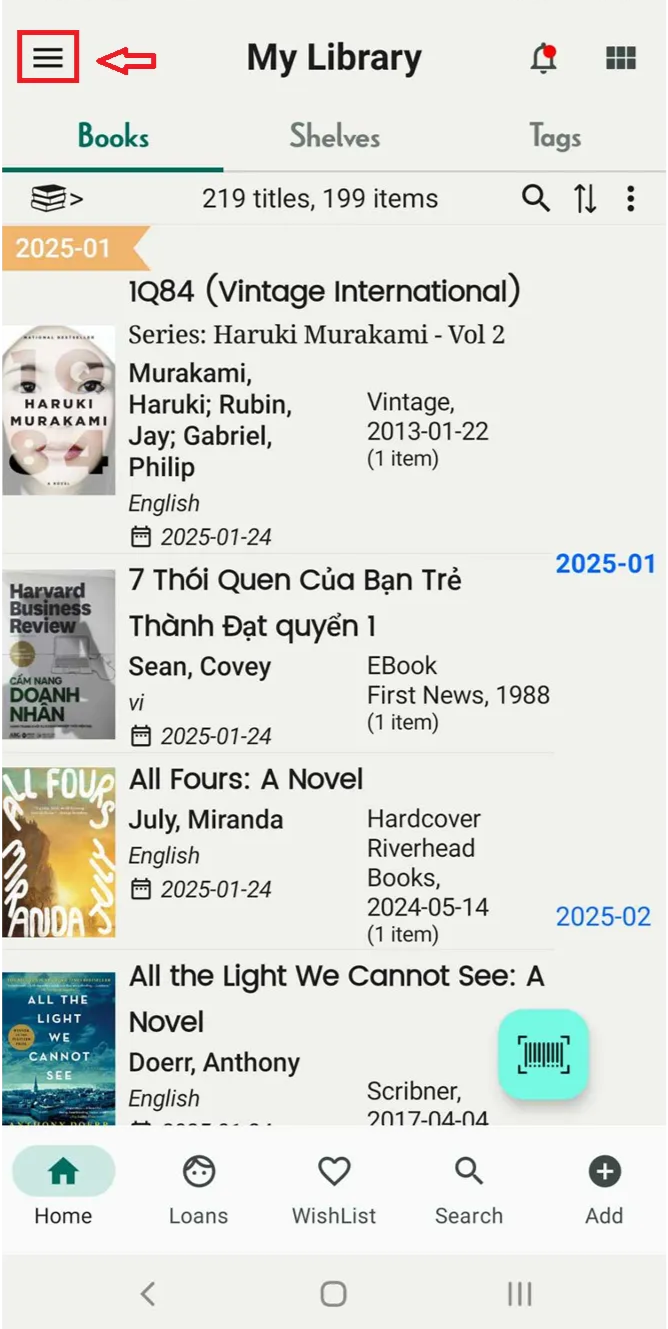
Step 1: Open app and Tap on three-line icon
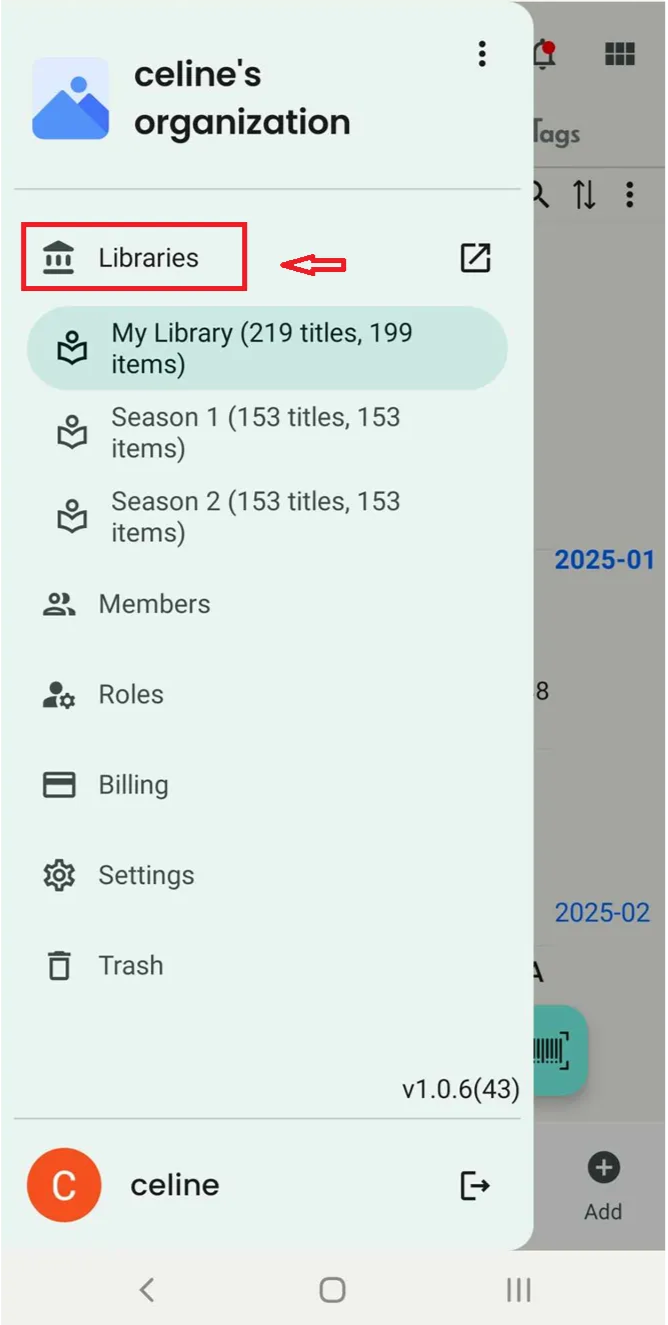
Step 2: Tap on “Libraries”
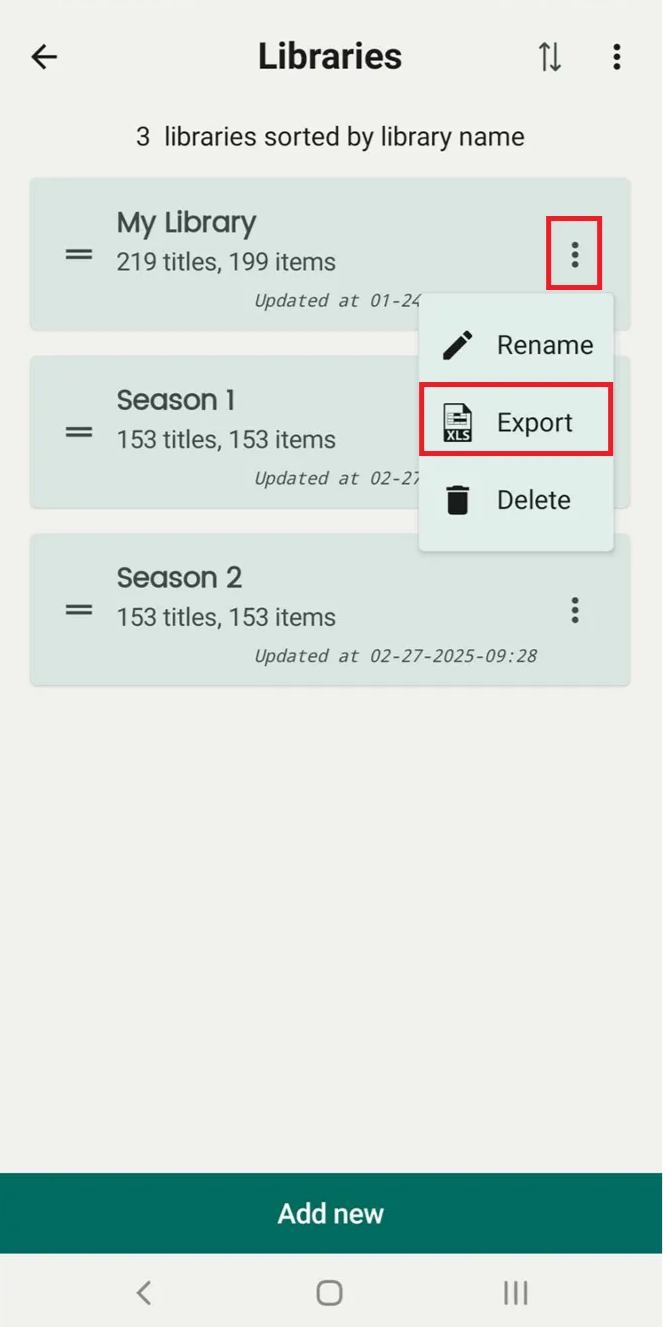
Step 3: It displays all libraries. Tap on the three-line icon next to each library.
- Rename
- Export
- Delete
Select “Export”
Step 4: Select an option “CSV” or “XLS” then press “Export”
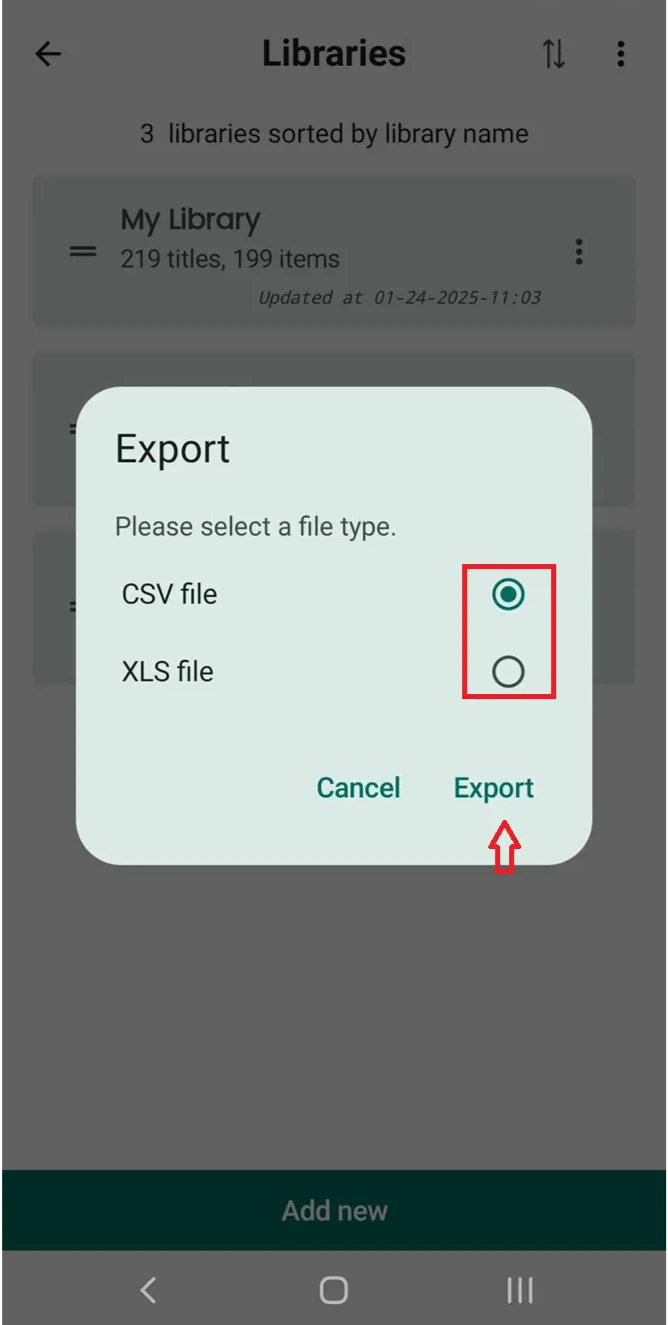
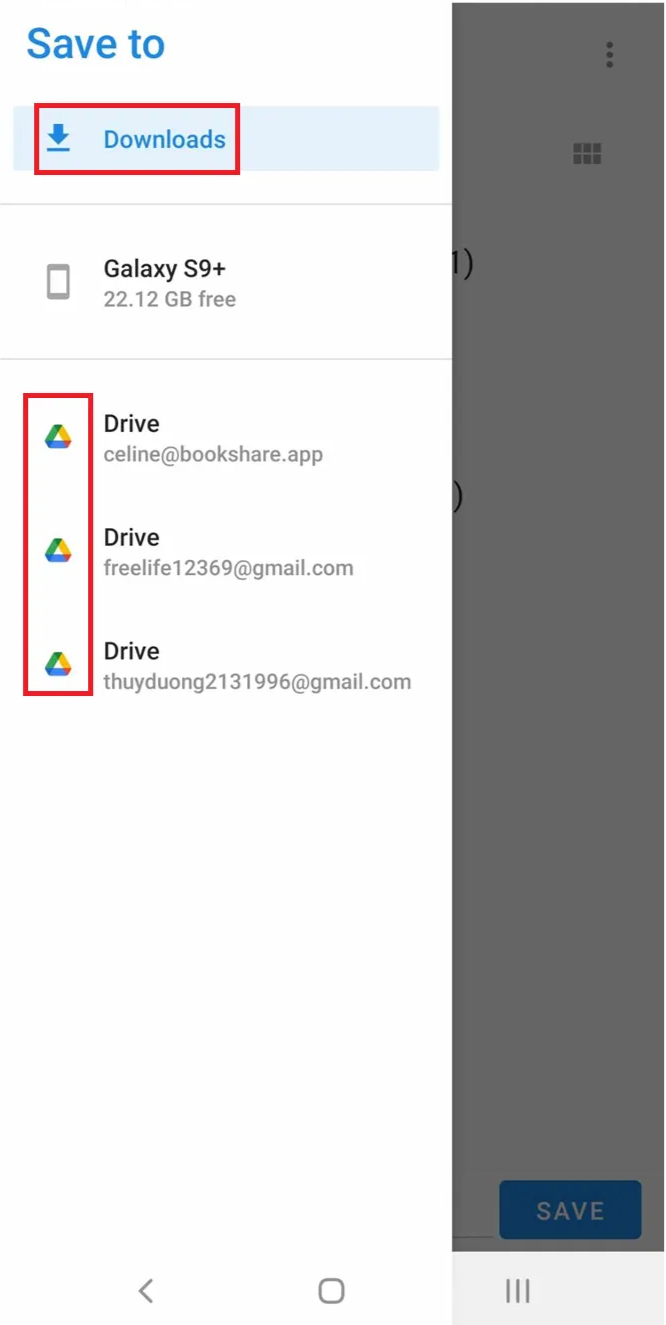
5 You can save the exported file on your device or Google Drive