
Create a Loan from the Books tab
Step 1: Open your library and select a book.
Step 2: At the items of book, tap on three dot icon to show more options
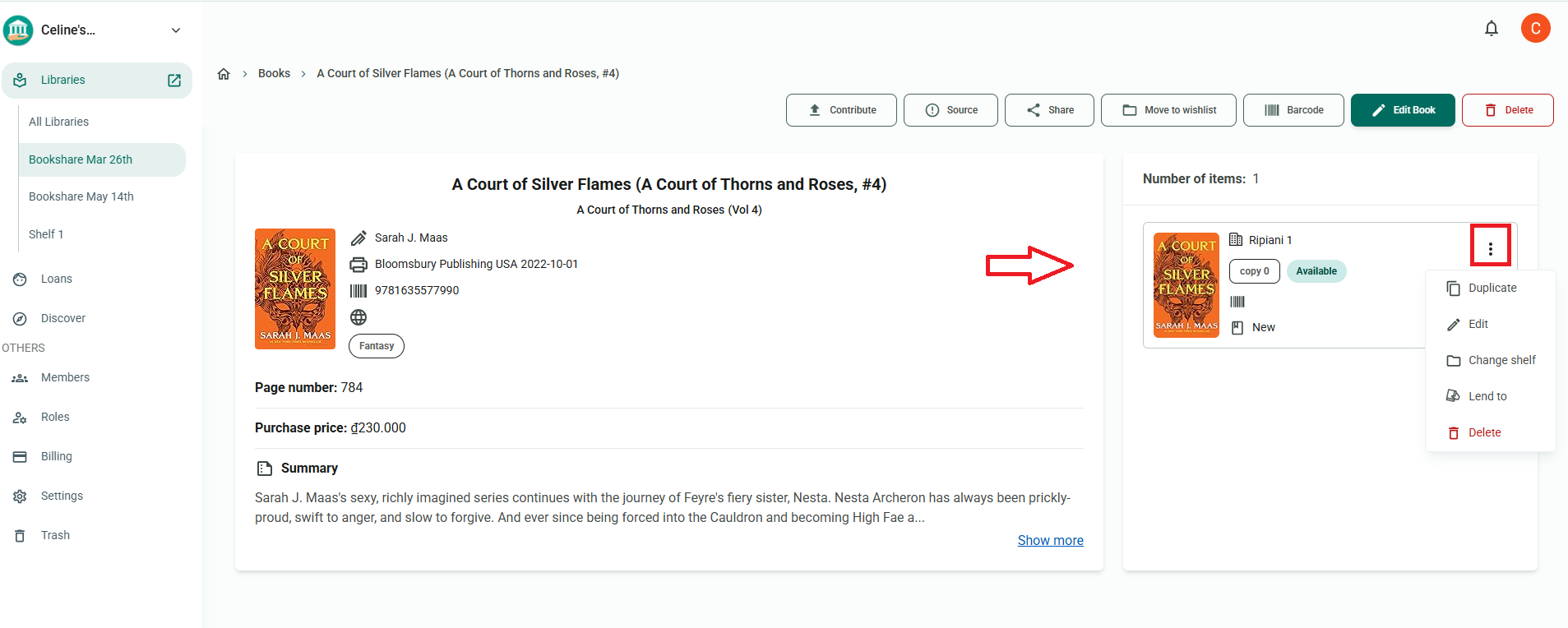
Step 3: Choose “Lend to”.
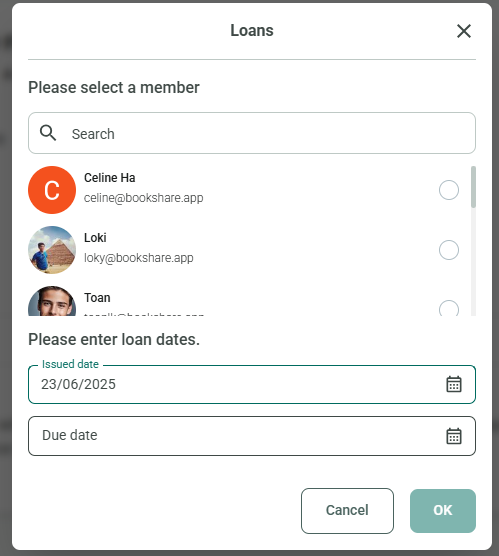
Step 4: Select a member, enter the due date, and tap OK.
Chat with Skoolib
Answers come from the Help Center guides.