Edit profile of member
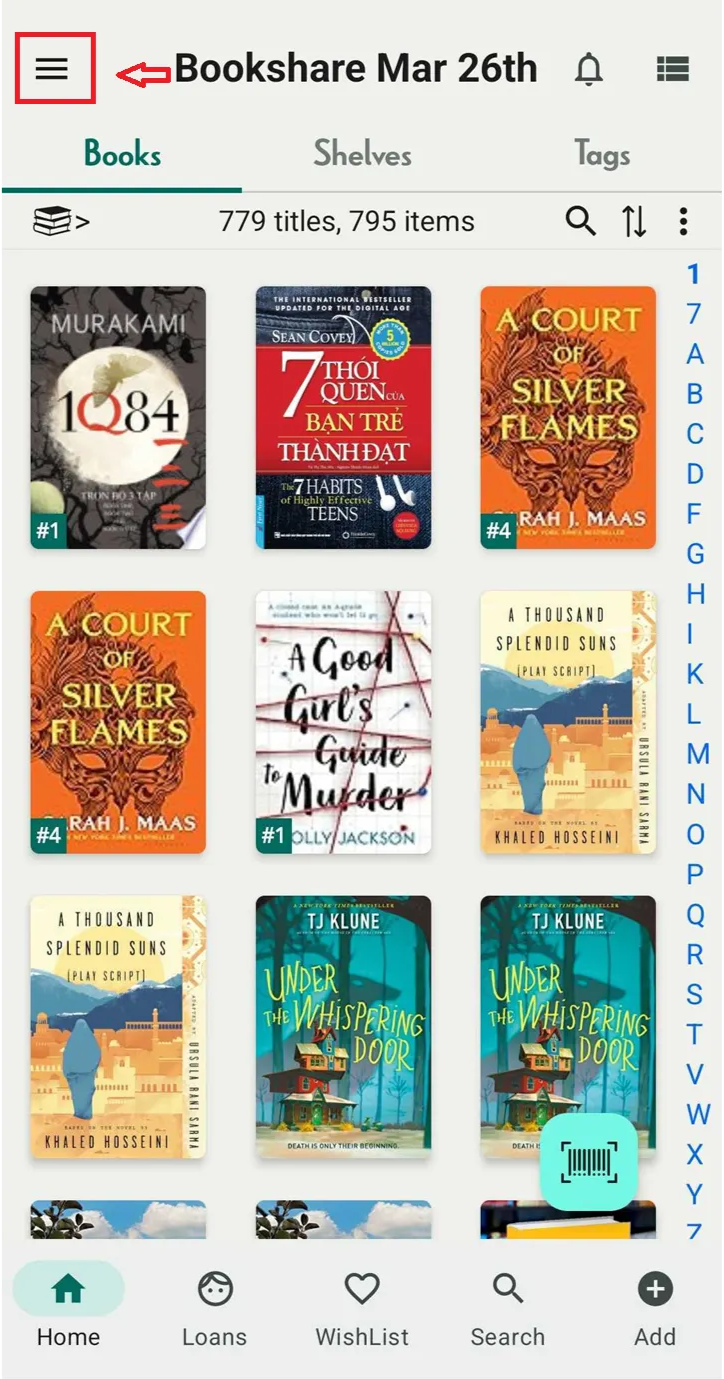
Step 1: Tap on the three-line icon
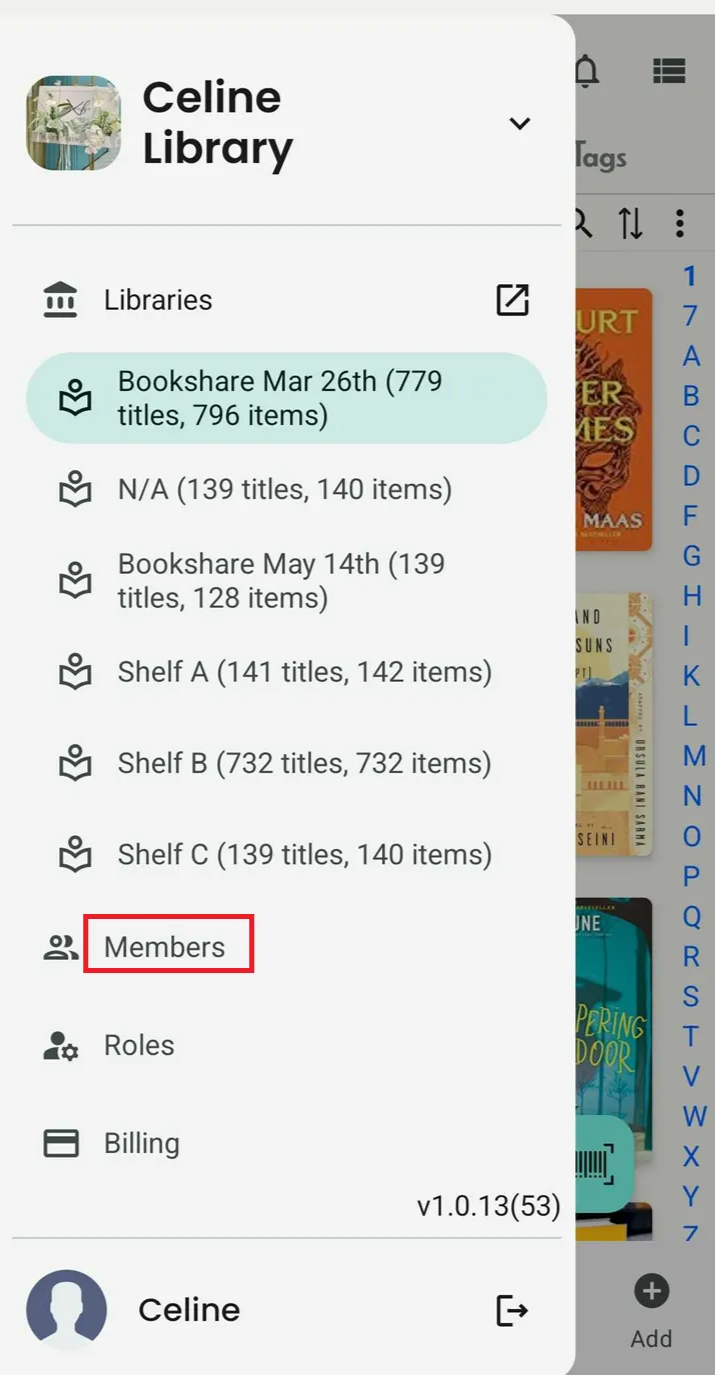
Step 2: Press “Member”
Step 3: Choose one of the members on the list
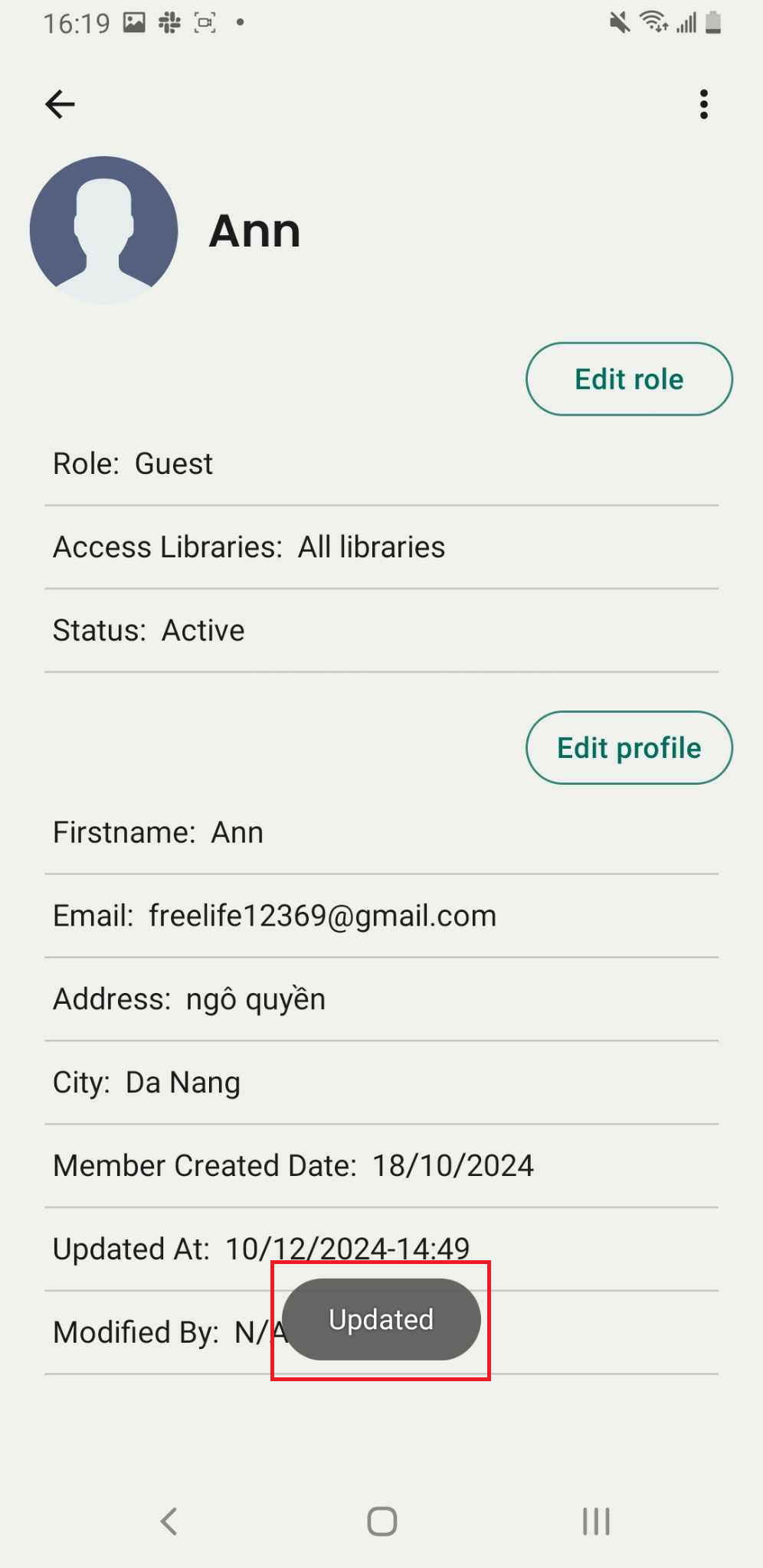
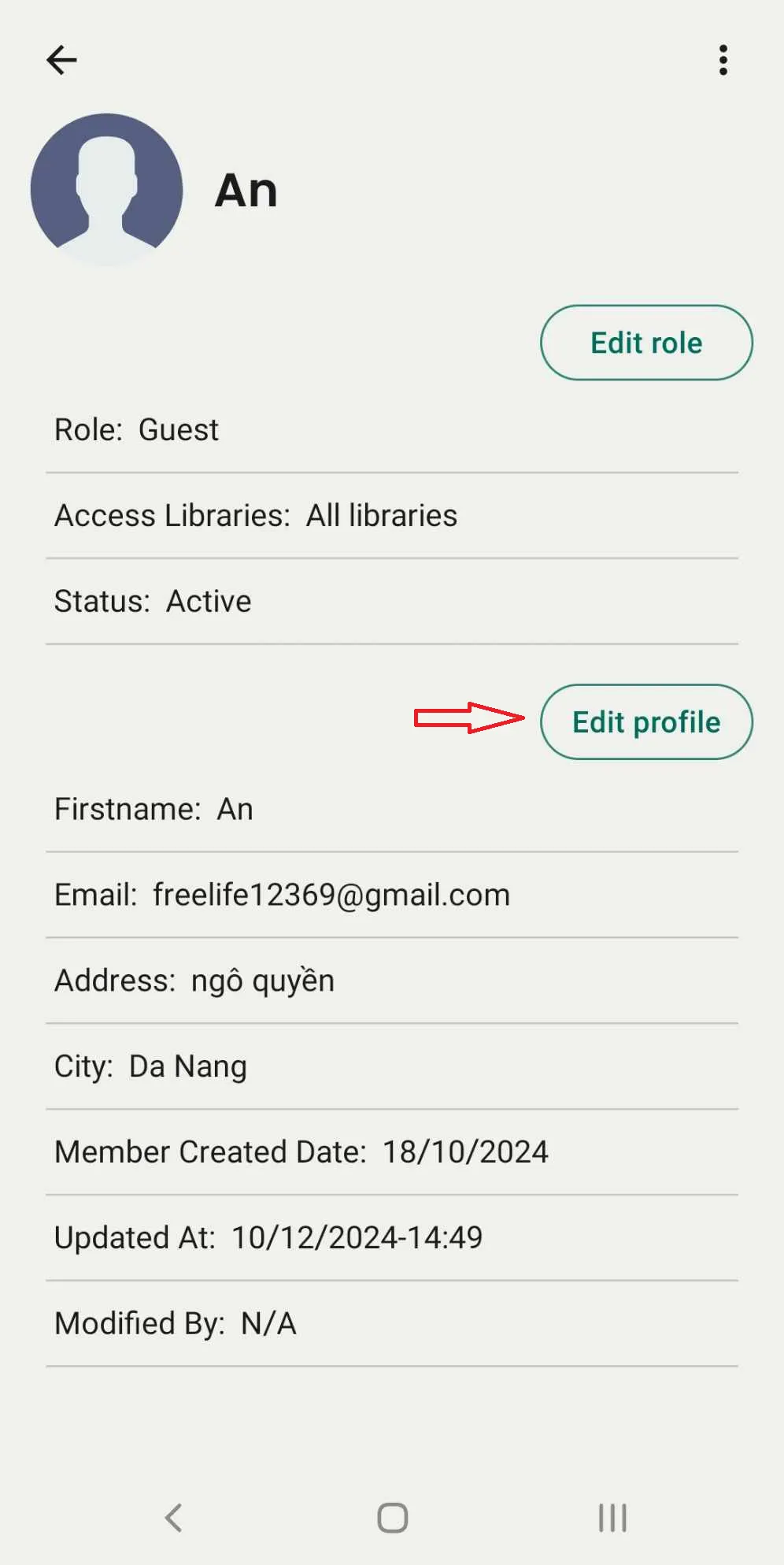
Step 4: The screen displays the member’s information. Press the “Edit Profile” button.
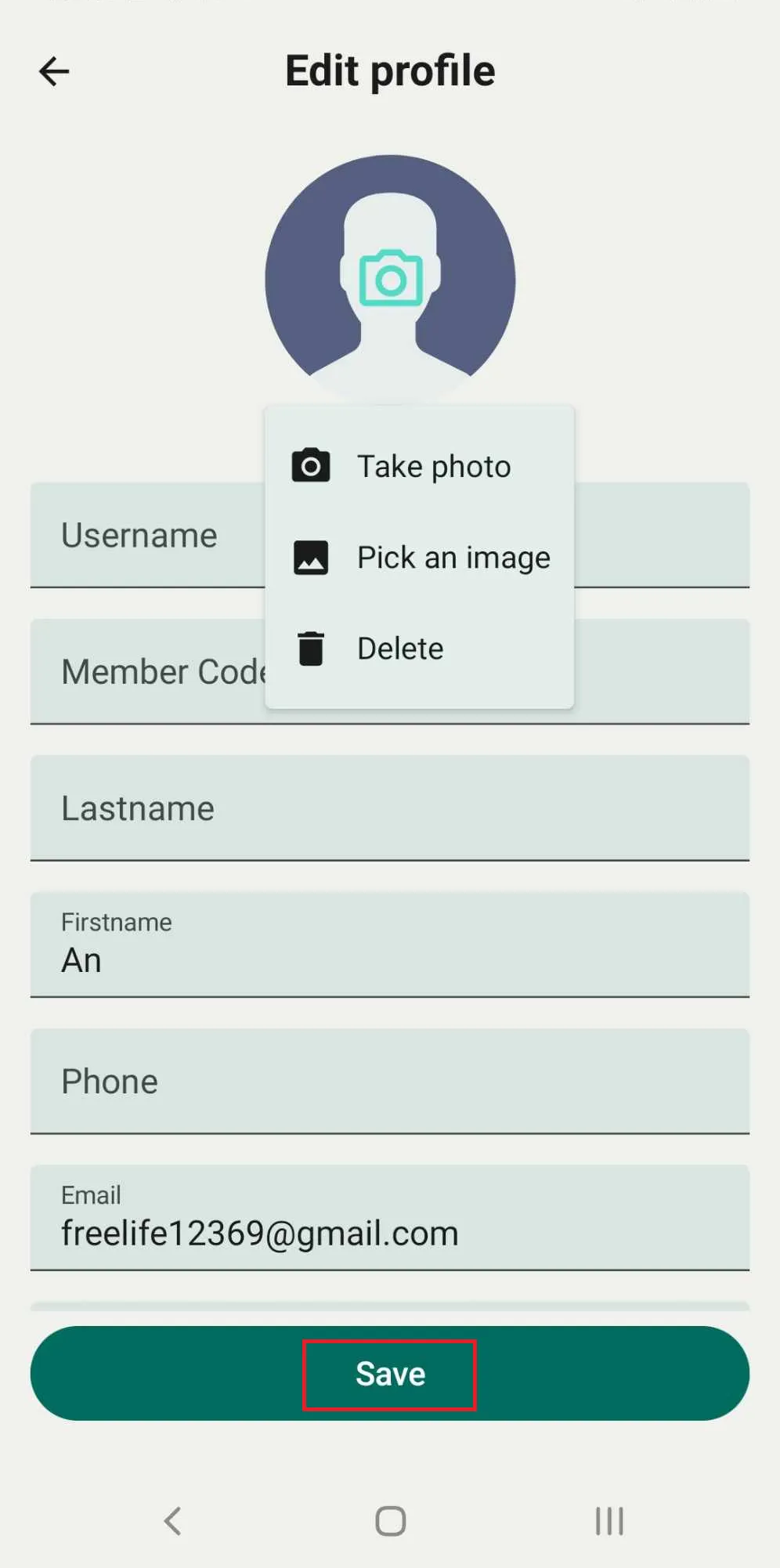
Step 5: Update the username, last name, first name, date of birth, email, address, city, and member code. Upload or change the member’s picture.
Press SAVE to apply the changes.