
View/Edit Organization information
Organization information
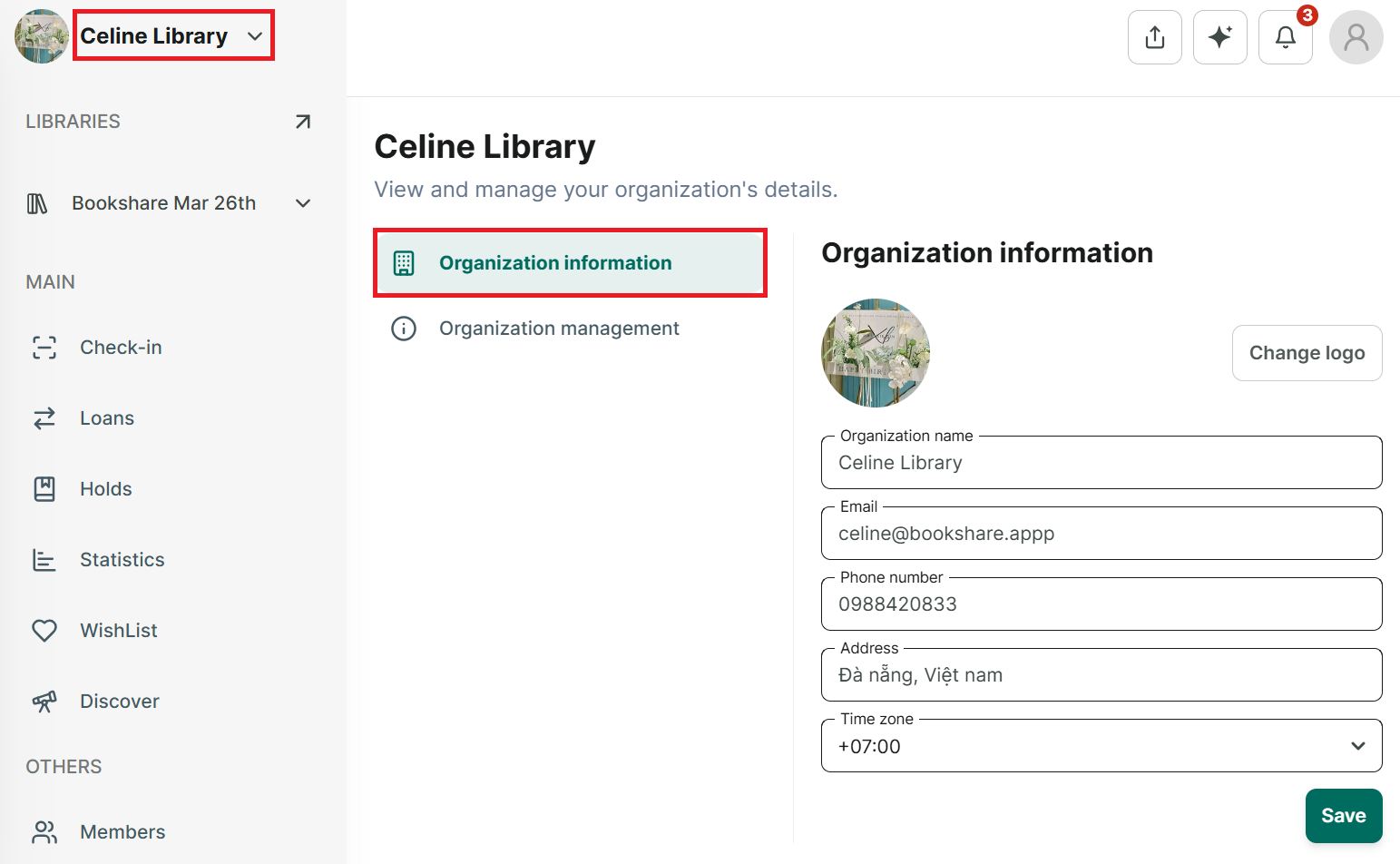
Step 1: Tap on the name of organization at the left top coner and press “Organization information”
Step 2: The screen displays the organization’s information. Edit information and press save
Step 3: You can edit all informations
Step 4: It displays the message “ Successfuly updated”
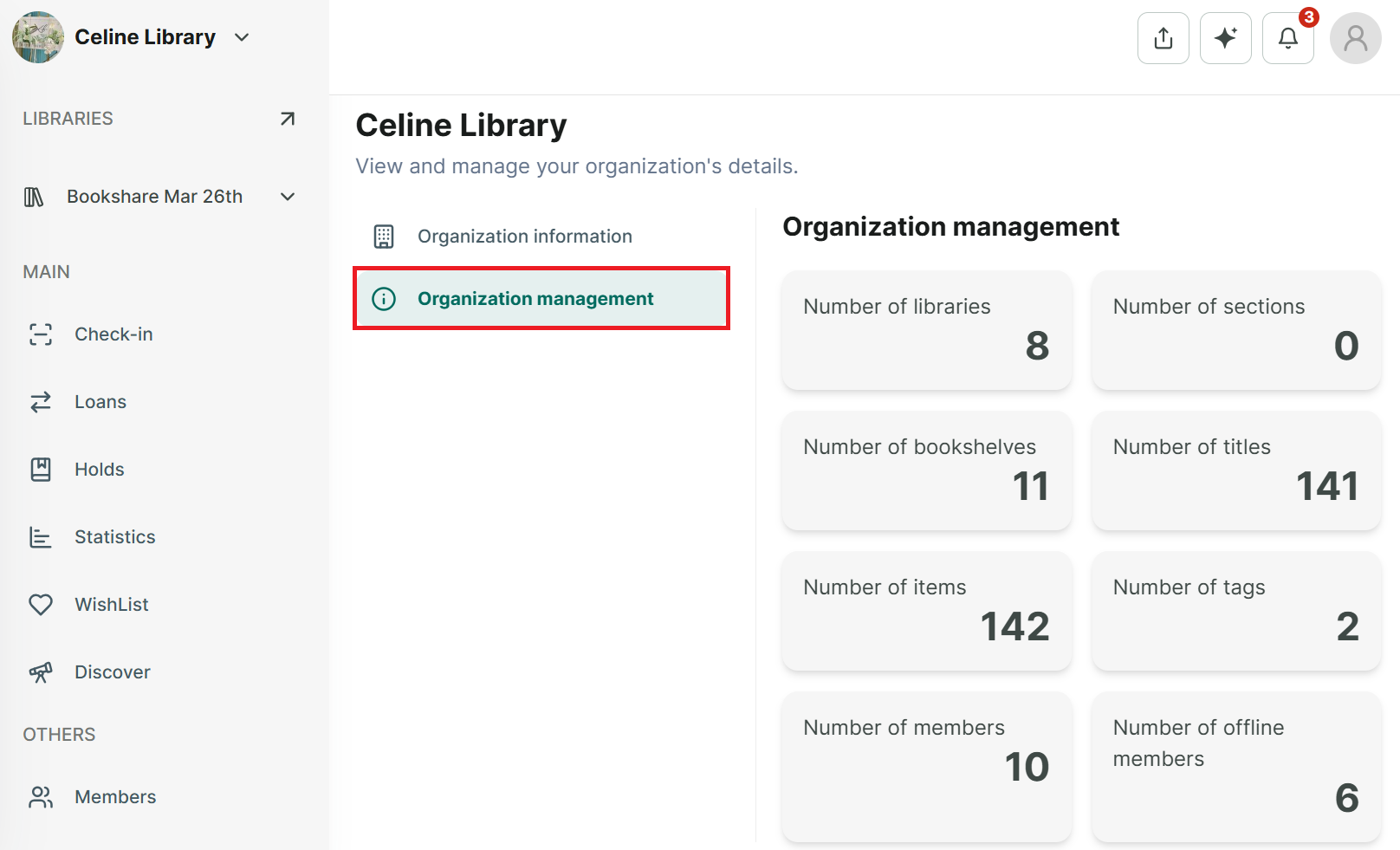
Organization Management
Step 5: You can select Organization Management to view all library item statistics.
(Note: Number of members means online members only.)