
Set/change shelf cover
Step 1: Access a shelf.
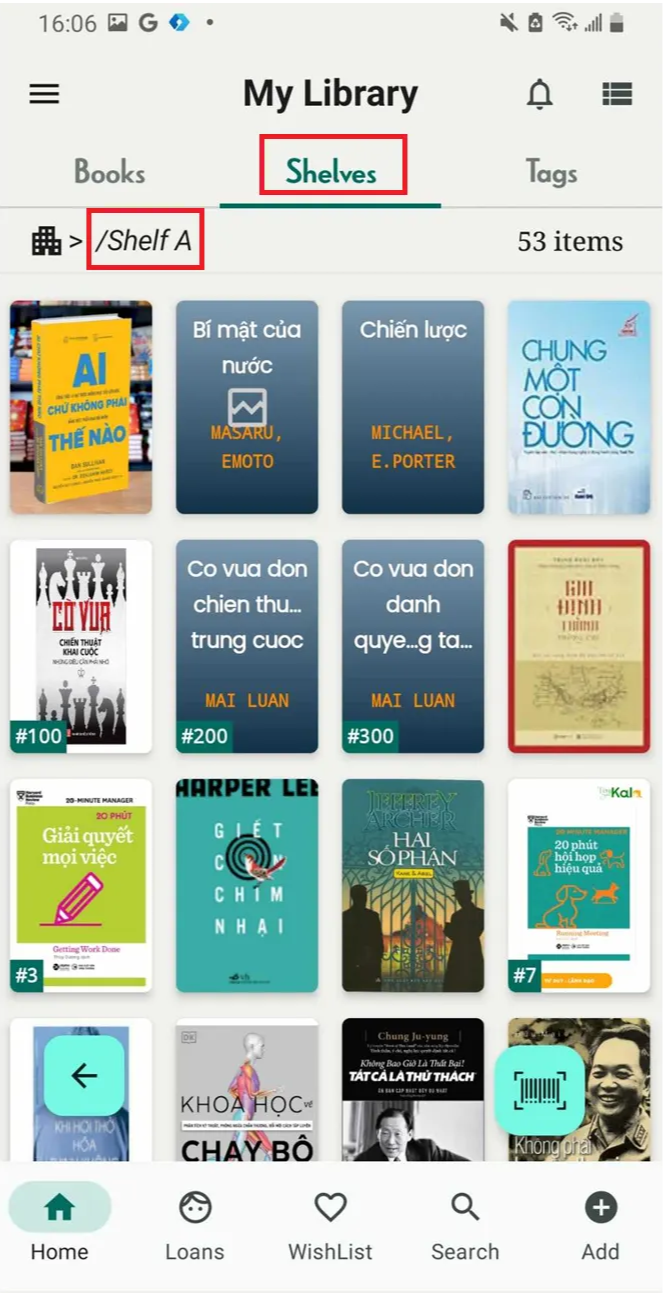
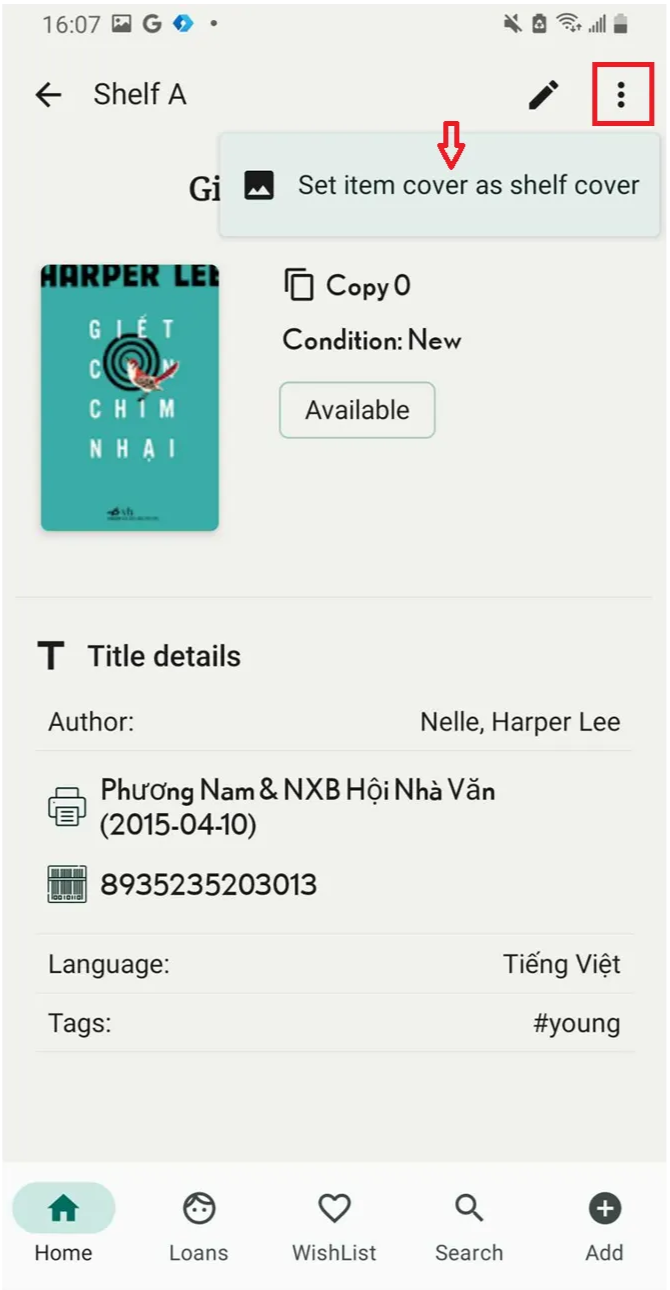
Step 2: Tap on the item you want to set as the shelf cover. Tap the three-line icon in the top right corner.
Press “Set item cover as shelf cover”
Step 3: The screen shows “Updated”
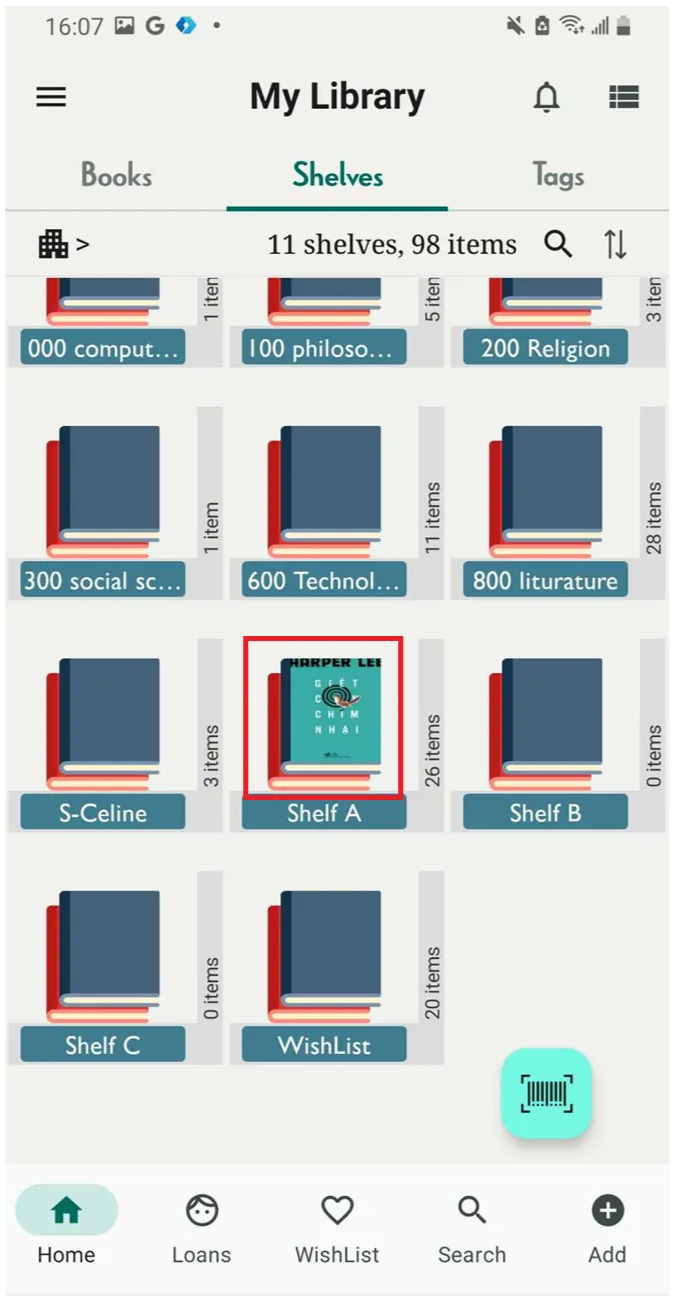
Press “Set item cover as shelf cover”
Chat with Skoolib
Answers come from the Help Center guides.