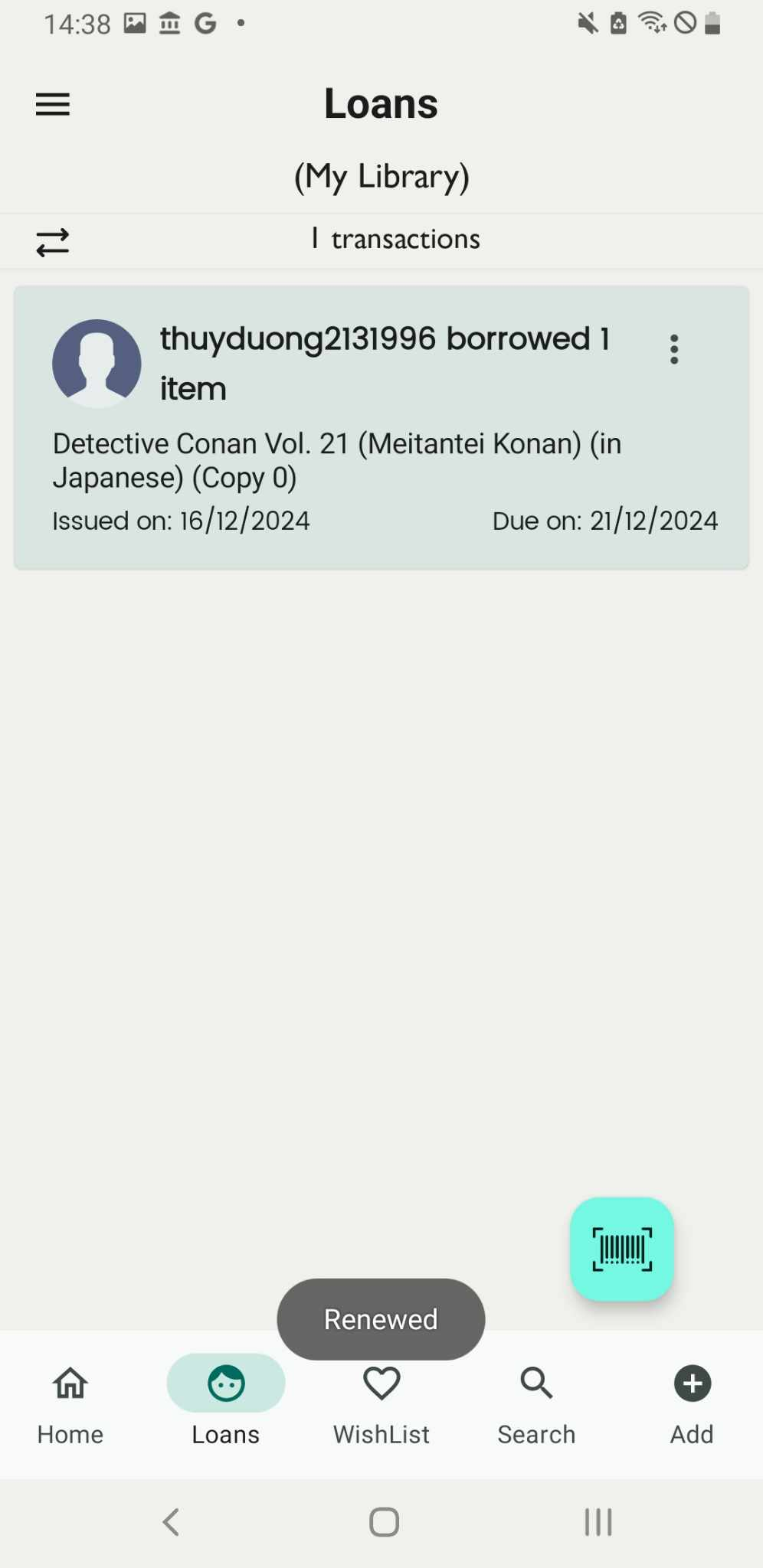
Renew the loan
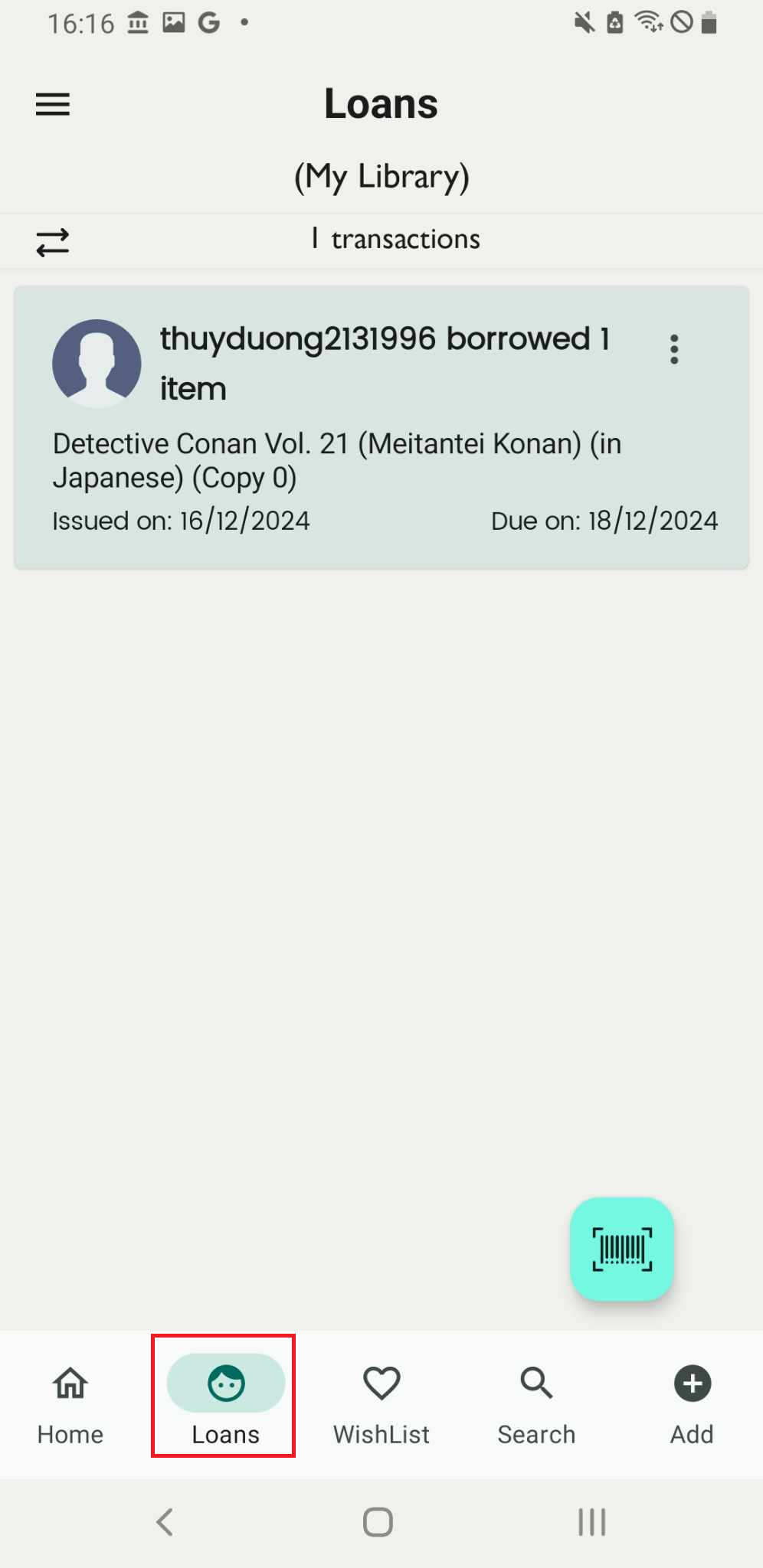
Step 1: Access the Loans field on the main screen. The Loans page will be displayed.
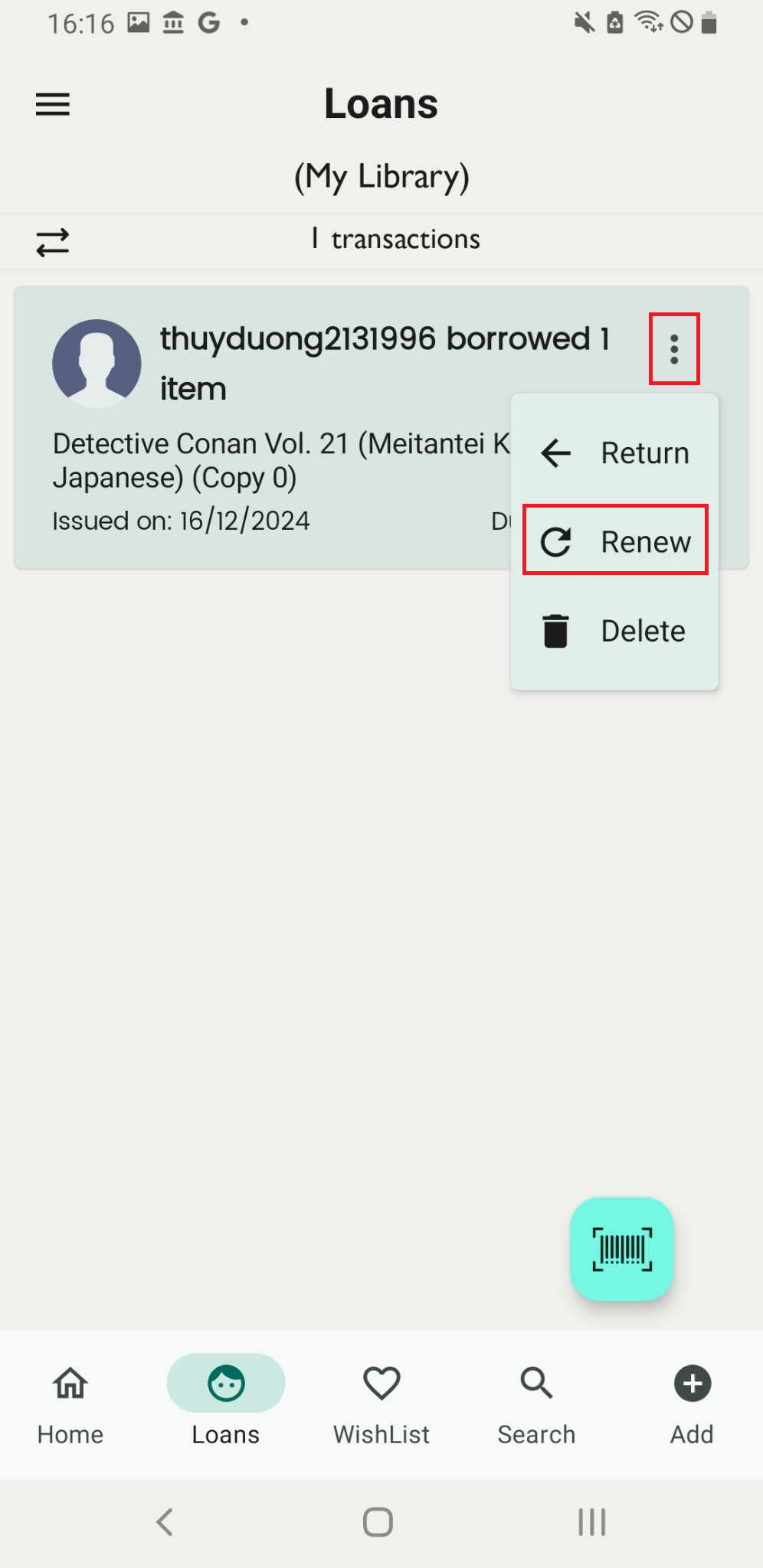
Step 2: Press the three-dot icon next to the member who borrowed the books. Three options:
- Return
- Renew
- Delete
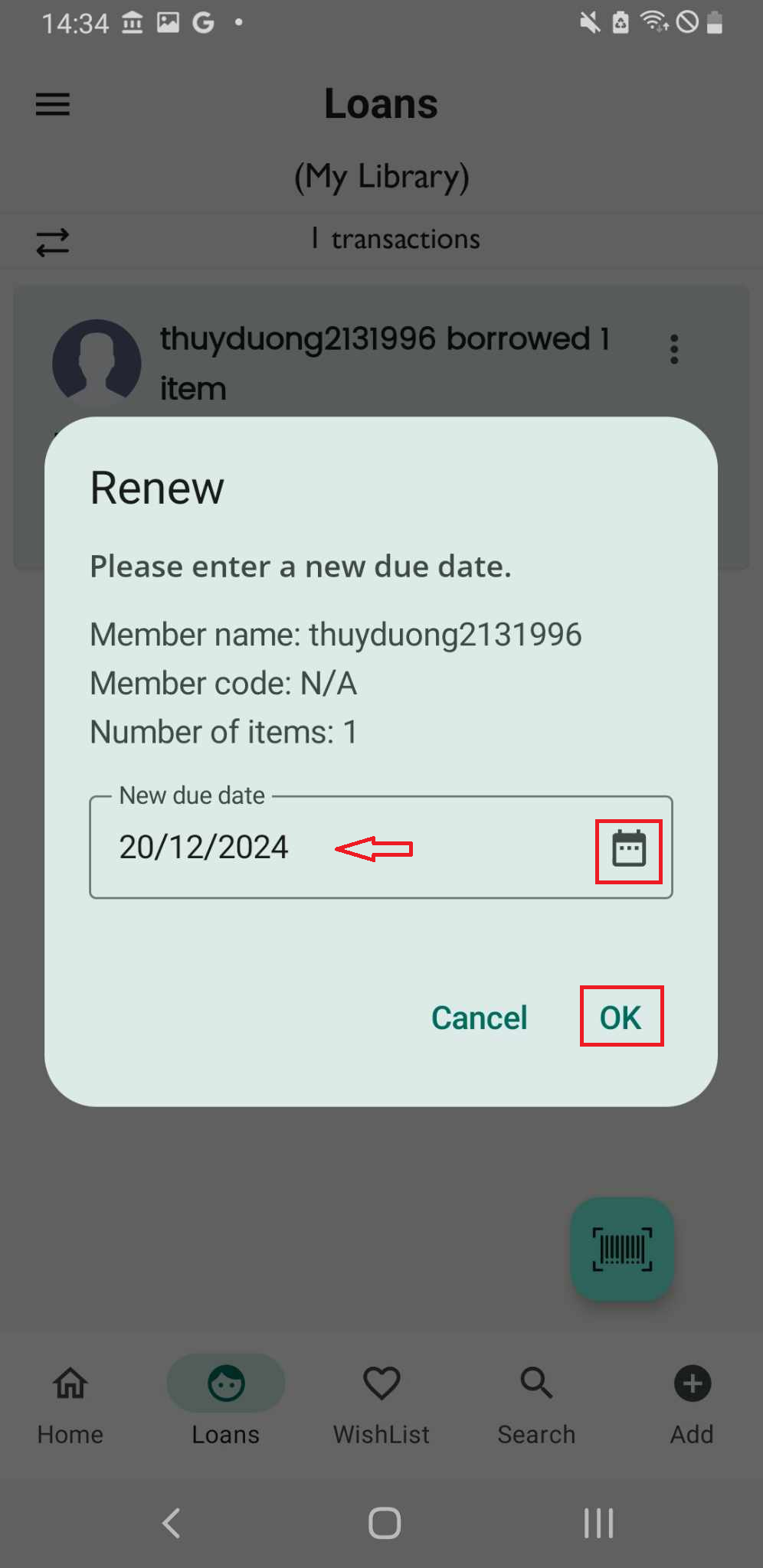
Choose Renew, Please enter a new due day:
- Member code
- Number of items
- Member name
Step 3: Tap on the calendar icon, select a new due date, and press OK to confirm.
Step 4: The screen displays “renewed”, the loan is updated