Quick Loan Procedure
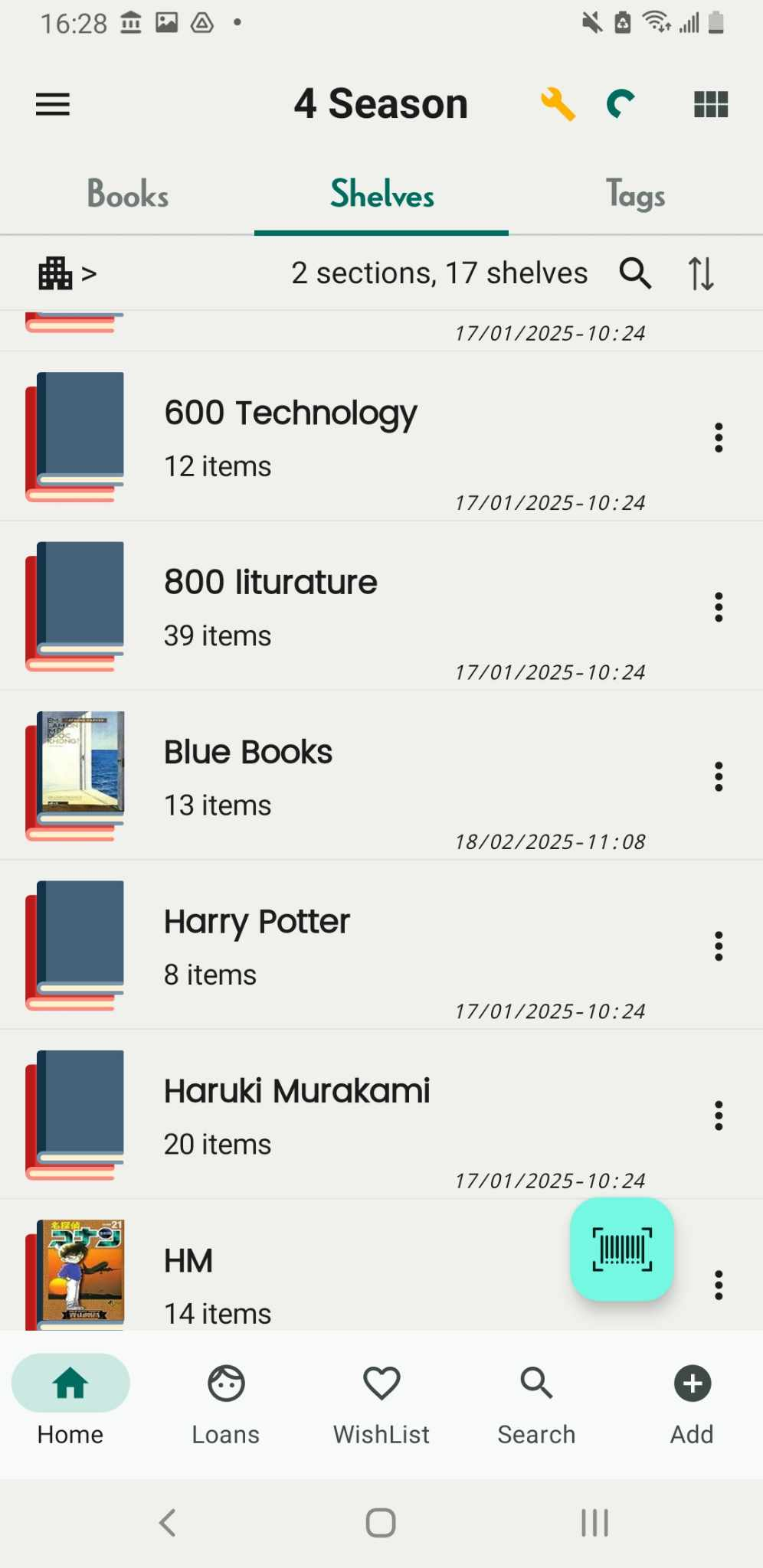
Step 1: Access Shelves tab and find the book you want to lend.
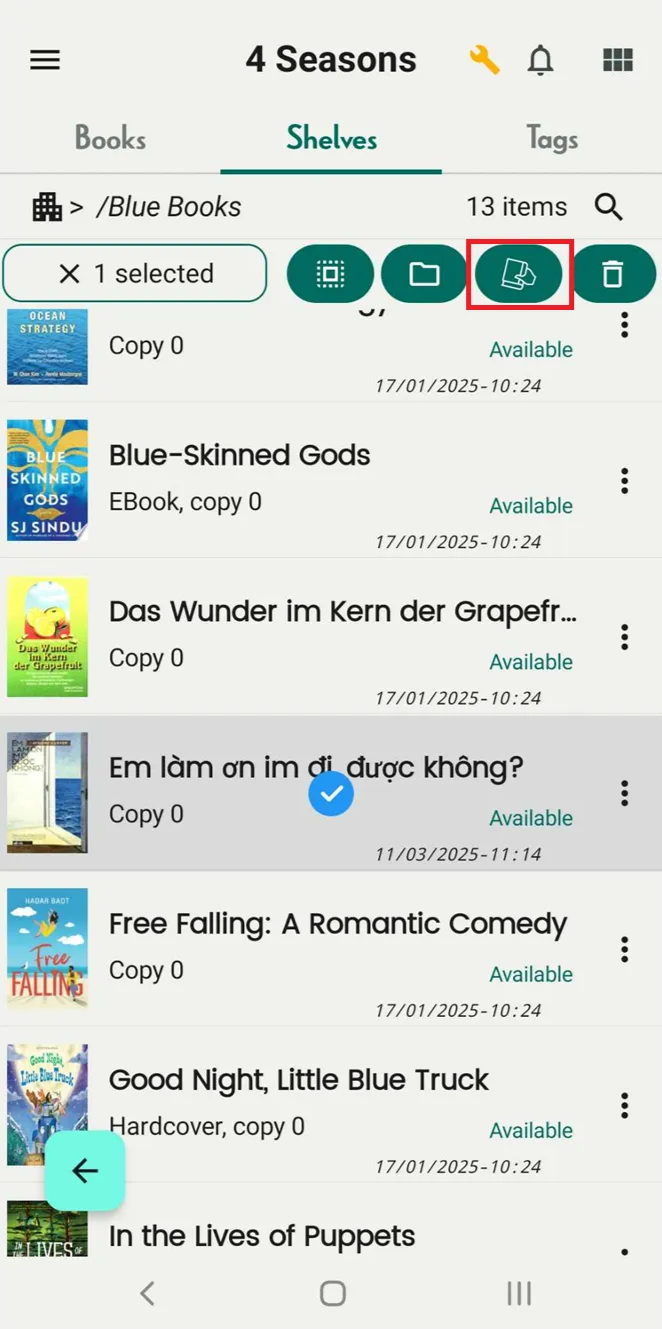
Step 2: Long-press the book, and select more books if you want to lend multiple. Tap on book icon beside the trash bin icon.
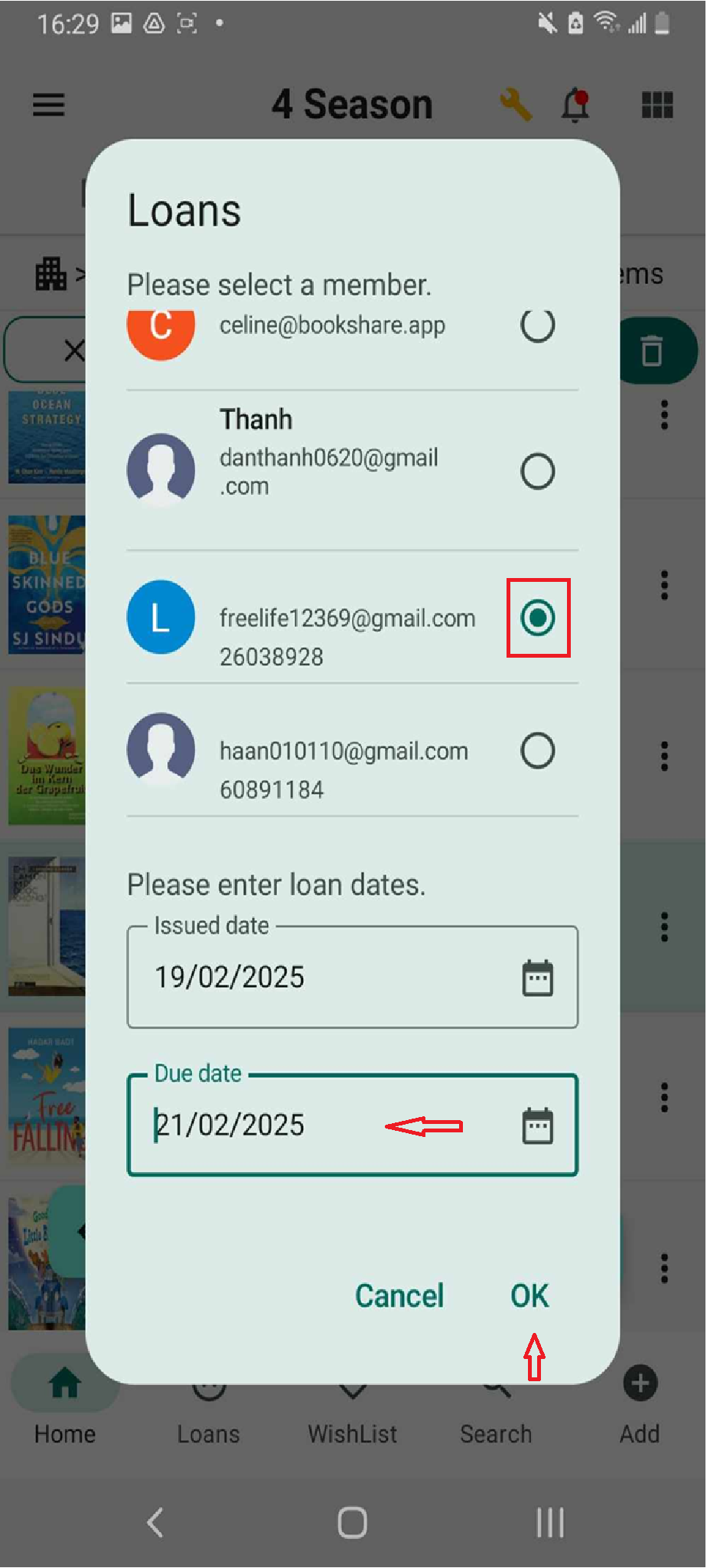
Step 3: List of member is shown up, choose member and enter due date. And press OKE
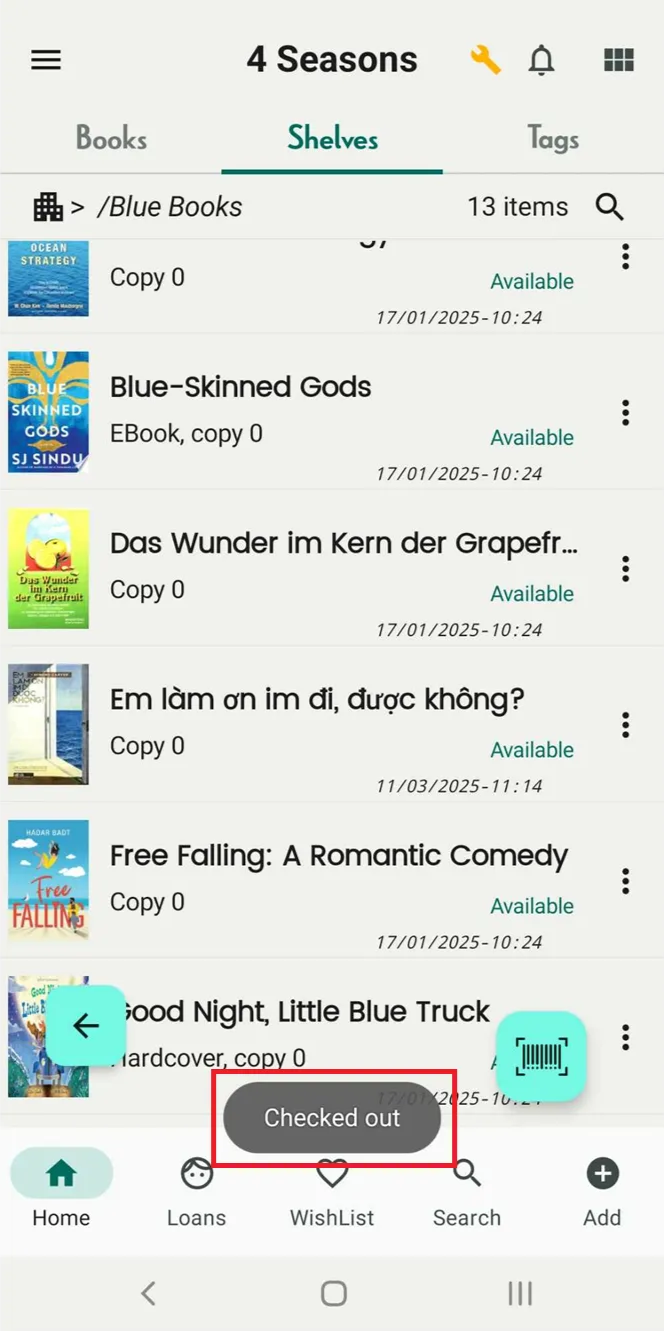
Step 4: “Checked out”
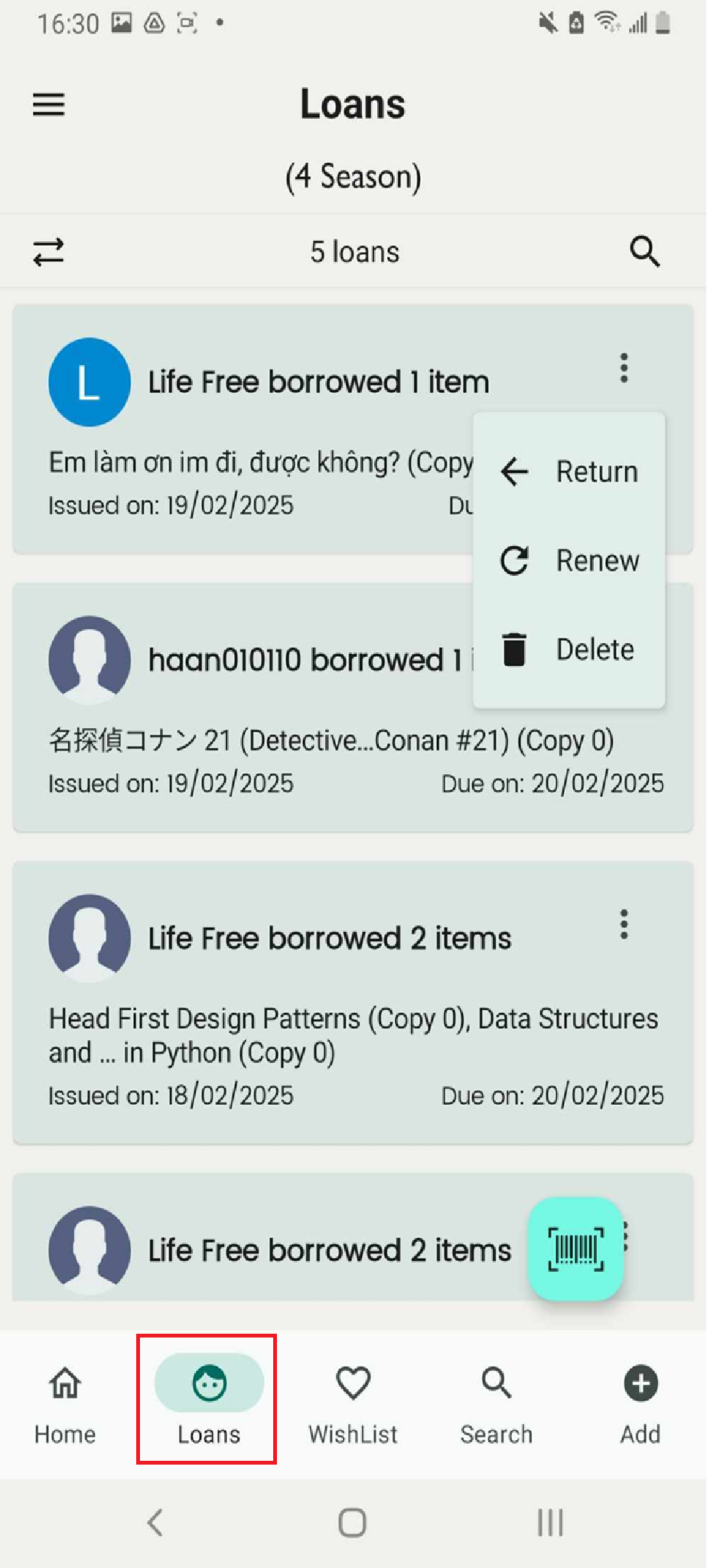
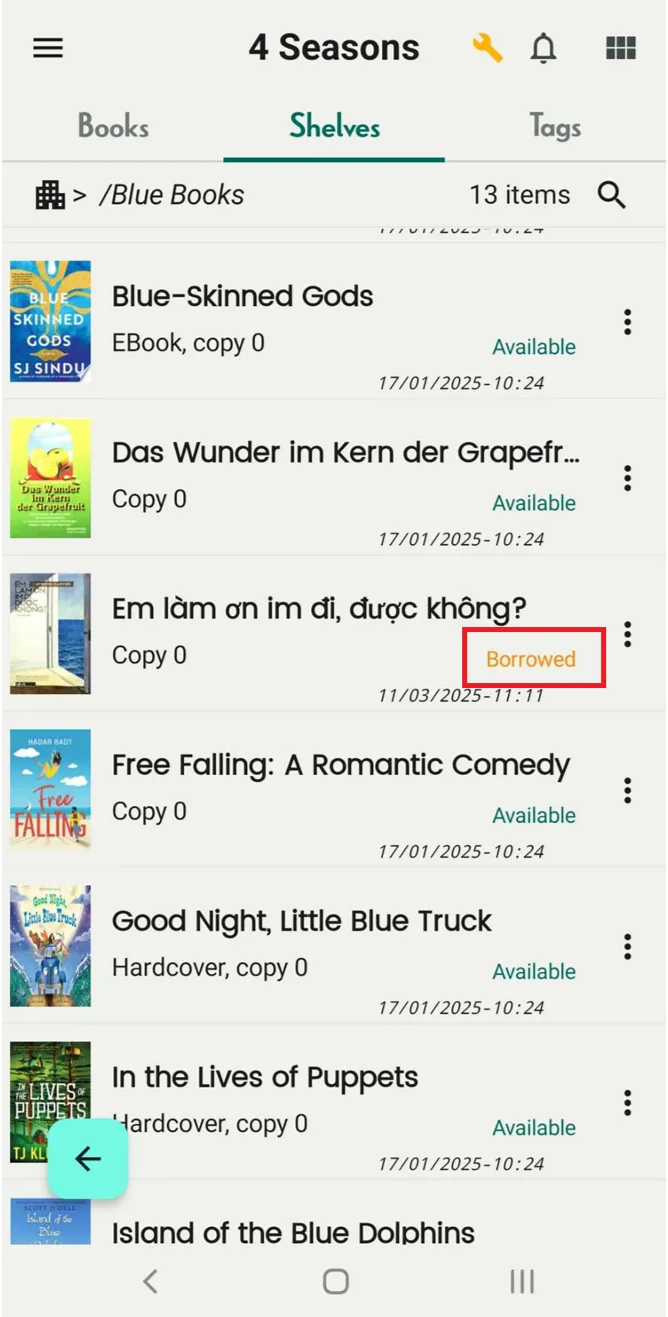
Step 5: You can manage and track it in the Loans section, and the book will be marked as “Borrowed” on the shelf.