
Skip to content

Sign up

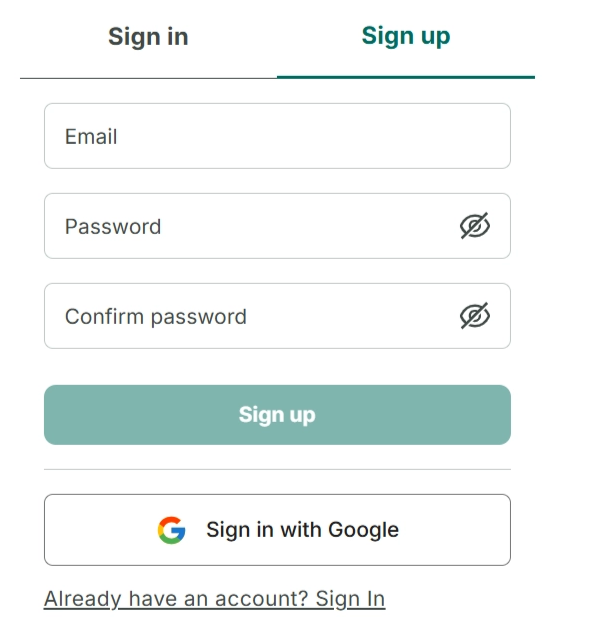
Step 1: Go to the Skoolib website: https://skoolib.net
e444fb60-a888-489c-ae23-3befd39a64b4.png

Step 2: Click “Sign up.” Then enter your email, password, and confirm your password.
bf6653a7-17f9-4e8a-babe-bc77b43a1244.png

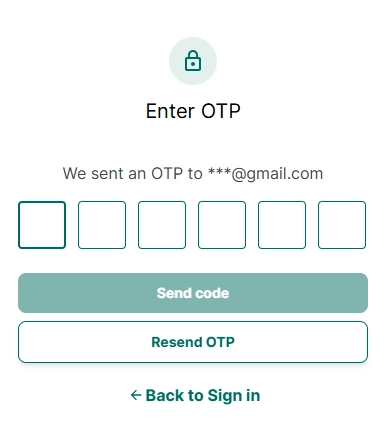
Step 3: An OTP code will be sent to the email you used to register. Check your email and enter the OTP code.

Step 4: Then go back to the login screen to sign in


I. Sign in directly with Google
950ce3c3-ba43-4340-a96c-72795975c3af.png

Step 5: Go to the Skoolib website: https://skoolib.net

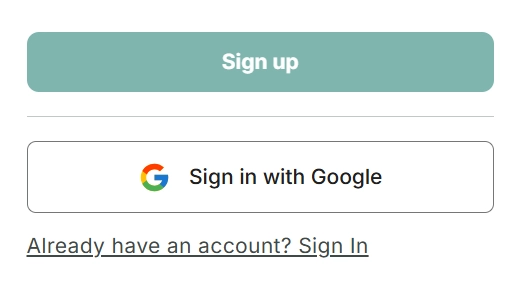
Step 6: Select “Sign in with Google.”

Step 7: Choose an existing Google account on your device or sign in with the Google account you want to use.

Step 8: Agree to the terms, and you will be able to access Skoolib and successfully create your organization.