
Account setting - Change Language
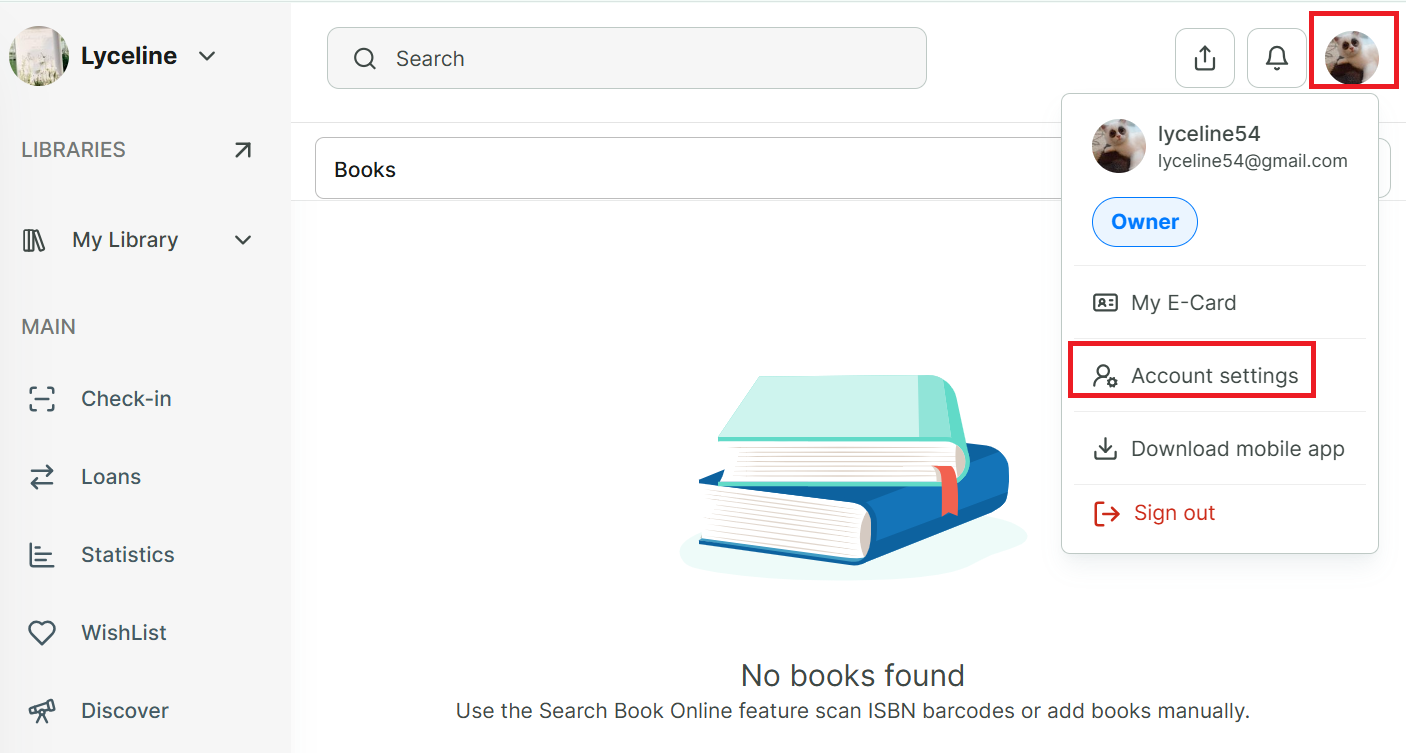
Step 1: Tap on Account icon at the right top of screen
Step 2: Select “Account settings”
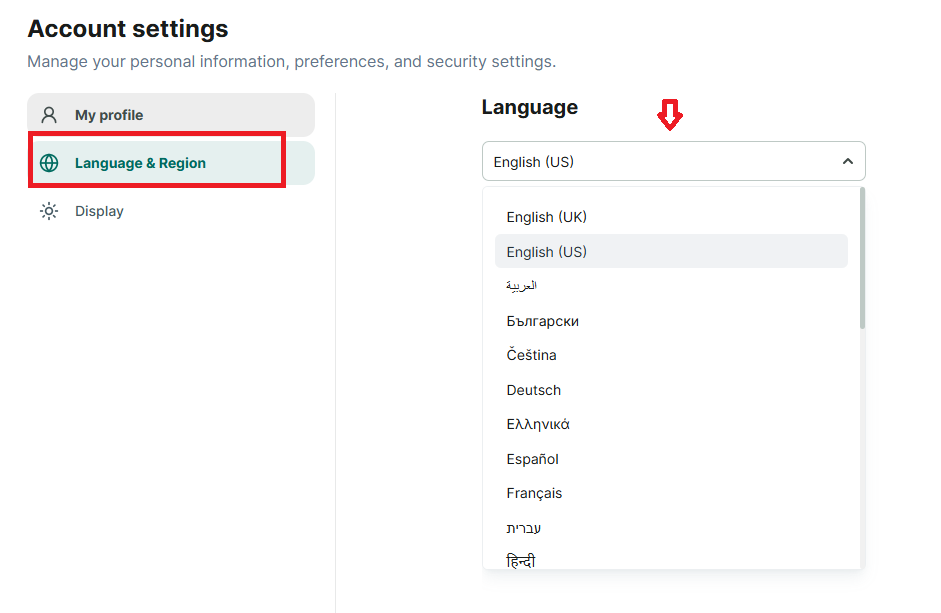
Step 3: Select “Language & Region” section
Step 4: Then select your “language”
Chat with Skoolib
Answers come from the Help Center guides.