
Cancel Subscription
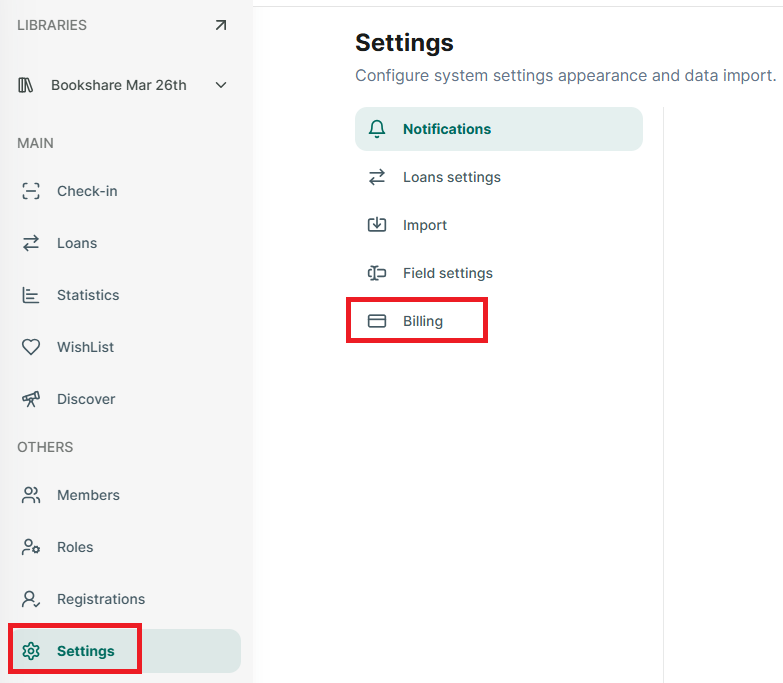
Step 1: Go to Setting section at the side menu
Step 2: Then Tap on “Billing” and it display all subscriptions
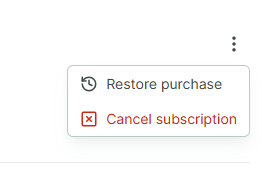
Step 3: Tap on the three-dot icon at the right side of the billing screen

Step 4: Select Cancel subscription
Step 5: Select “Yes, cancel” to cancel subscription
Step 6: Skoolib confirms that the subscription has been canceled.
