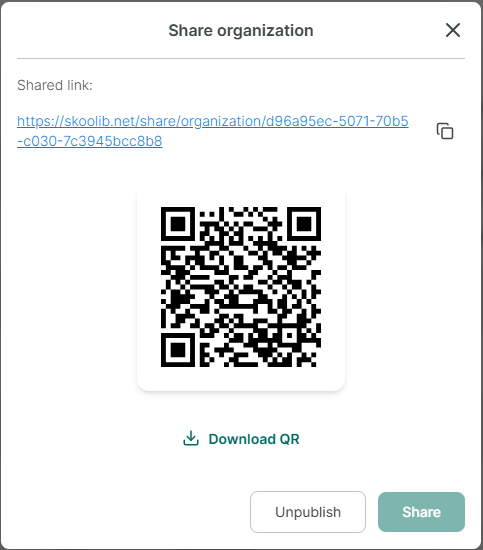
Sharing Feature
Share a tag link
Step 1: Select the Library contains the tag name you want to share.
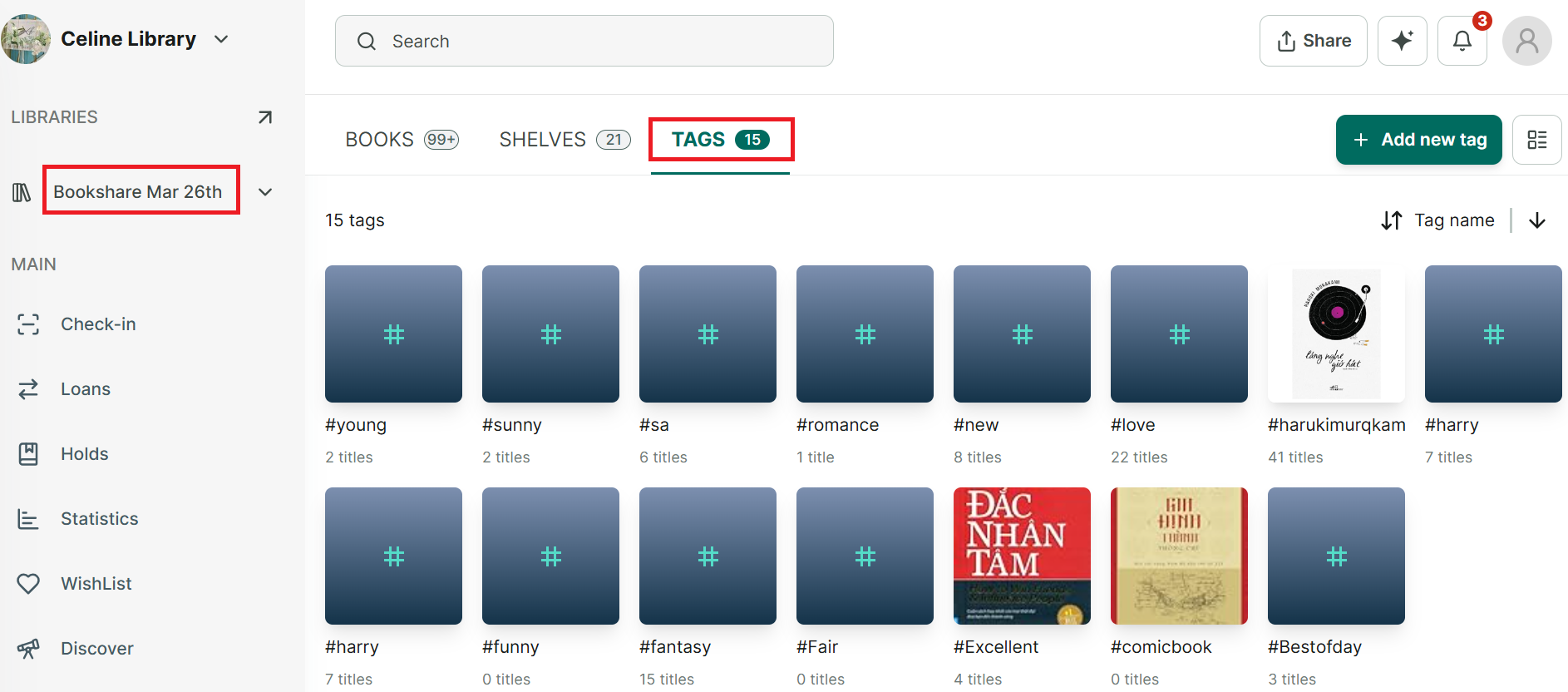
Step 2: Access the Tags Tab and all tag are shown up.
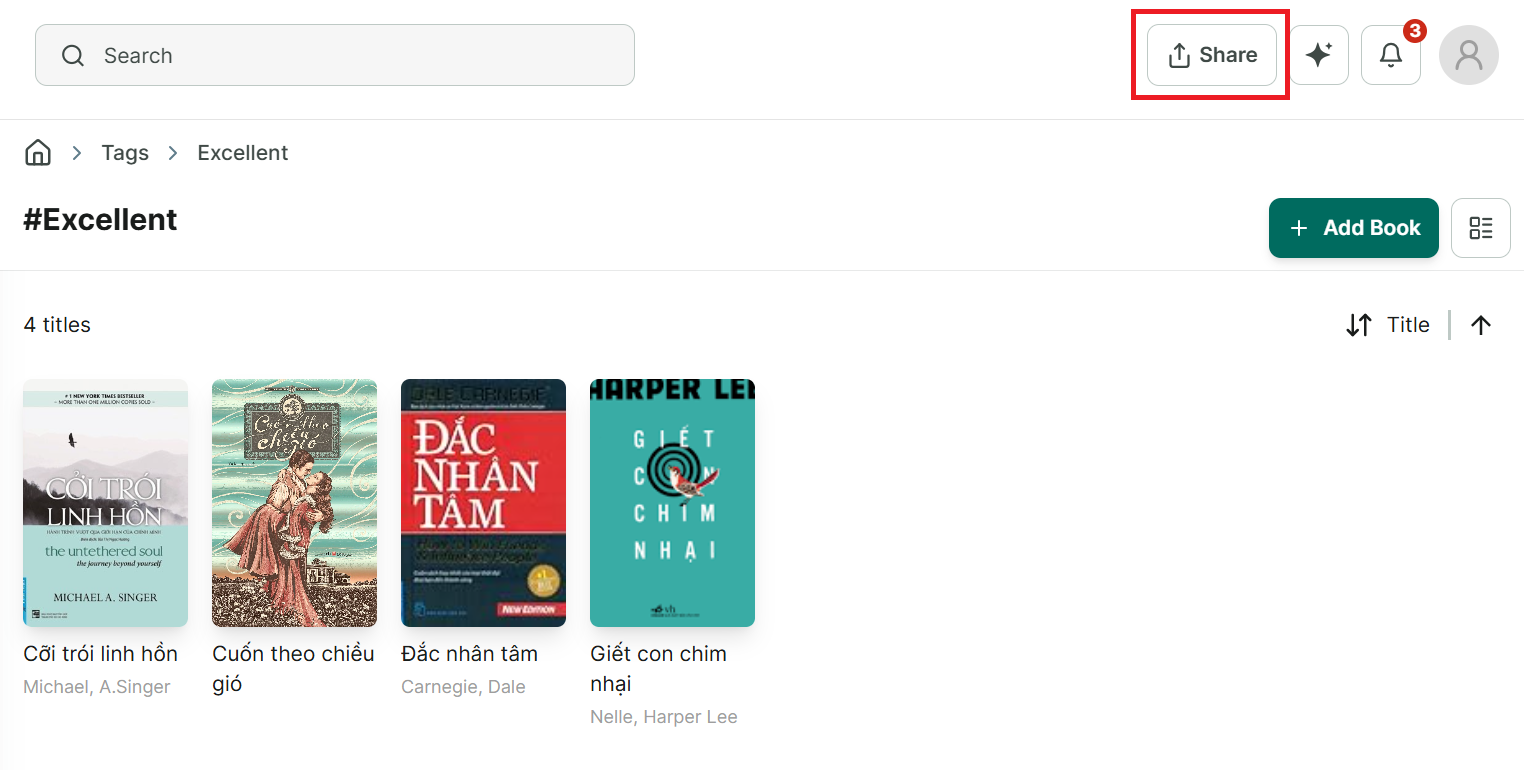
Step 3: Tap on a Tag you want to share → press “Share” button
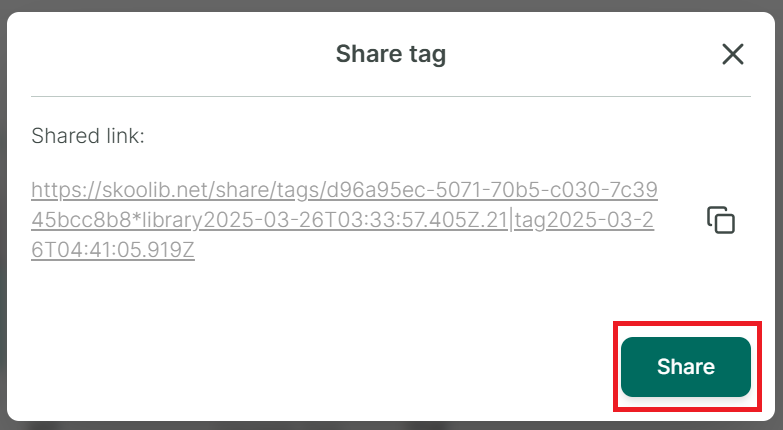
Step 4: Press “Share” again
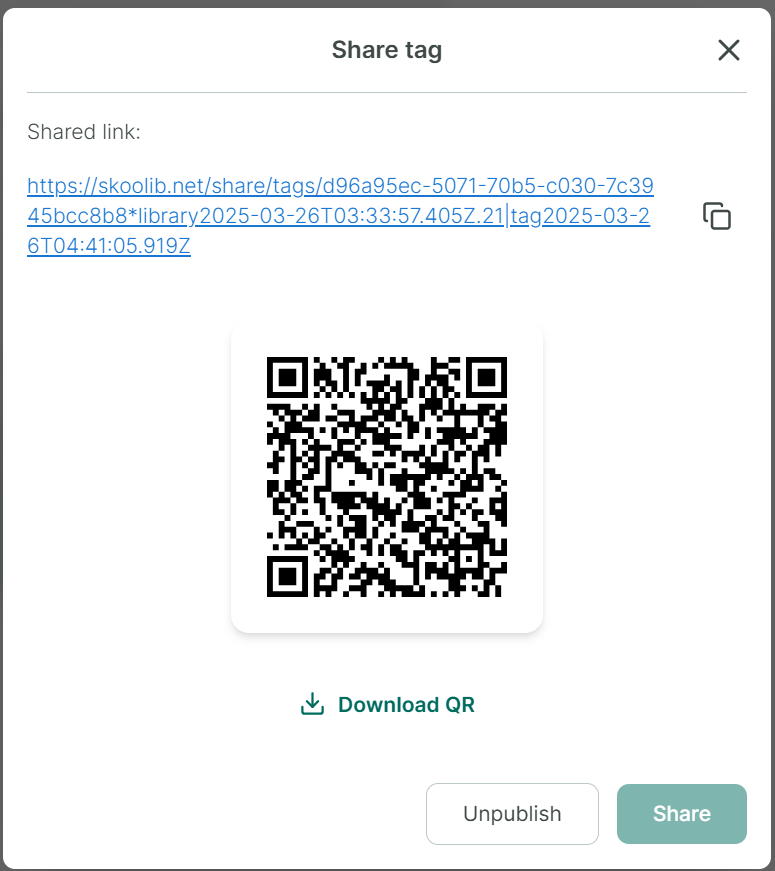
Step 5: The app generates a link and a QR code, which you can share with others.
Step 6: Tap on “Unpublish”, the user who was sent the link can no longer access it.
Share a library link
Step 7: Select a library you want to share → It will display all the library’s data.
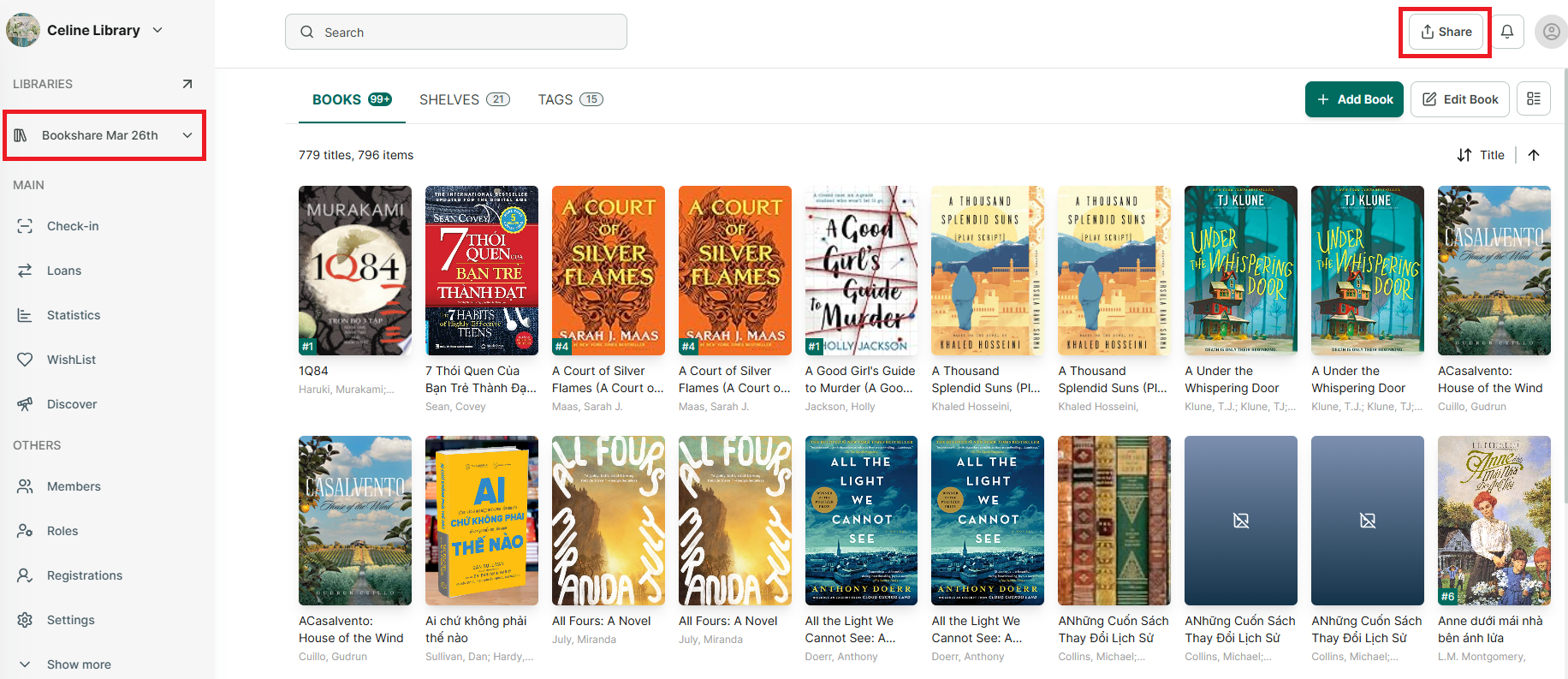
Step 8: Tap on “Share” button at the right top conner.
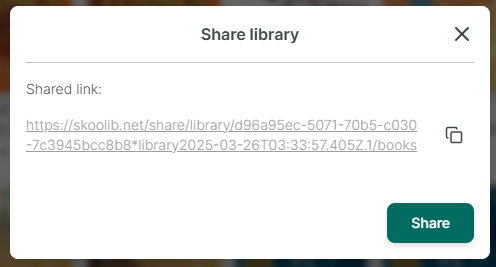
Step 9: Tap on “Share” button
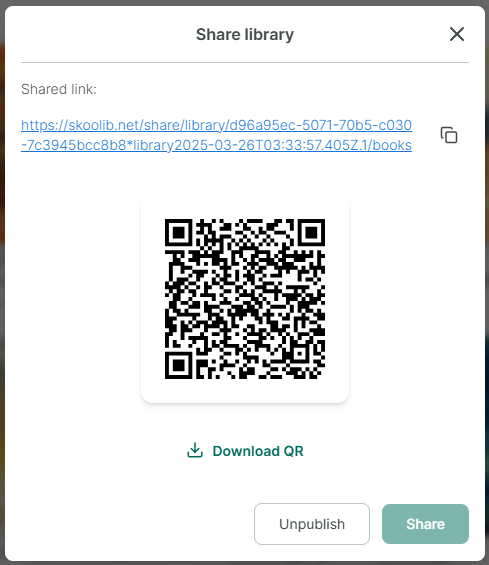
Step 10: The app generates a link and a QR code, which you can share with others.
Step 11: Tap on “Unpublish”, the user who was sent the link can no longer access it.
Share an organization link
Step 12: Access to “Libraries” section at the side menu → It displays all library of organization
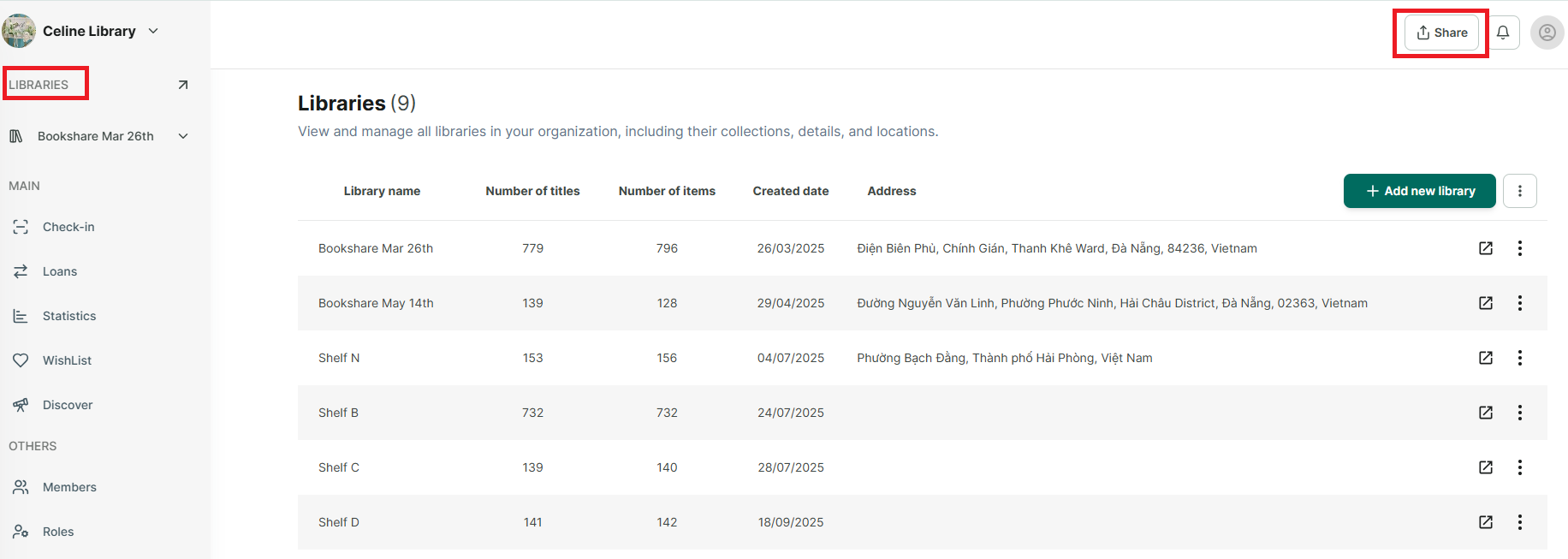
Step 13: Tap on “Share” button at the right top of conner.
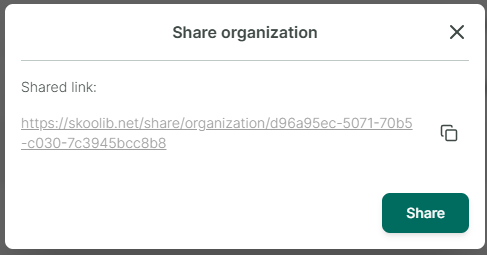
Step 14: Tap on “Share” button