Export Wishlist
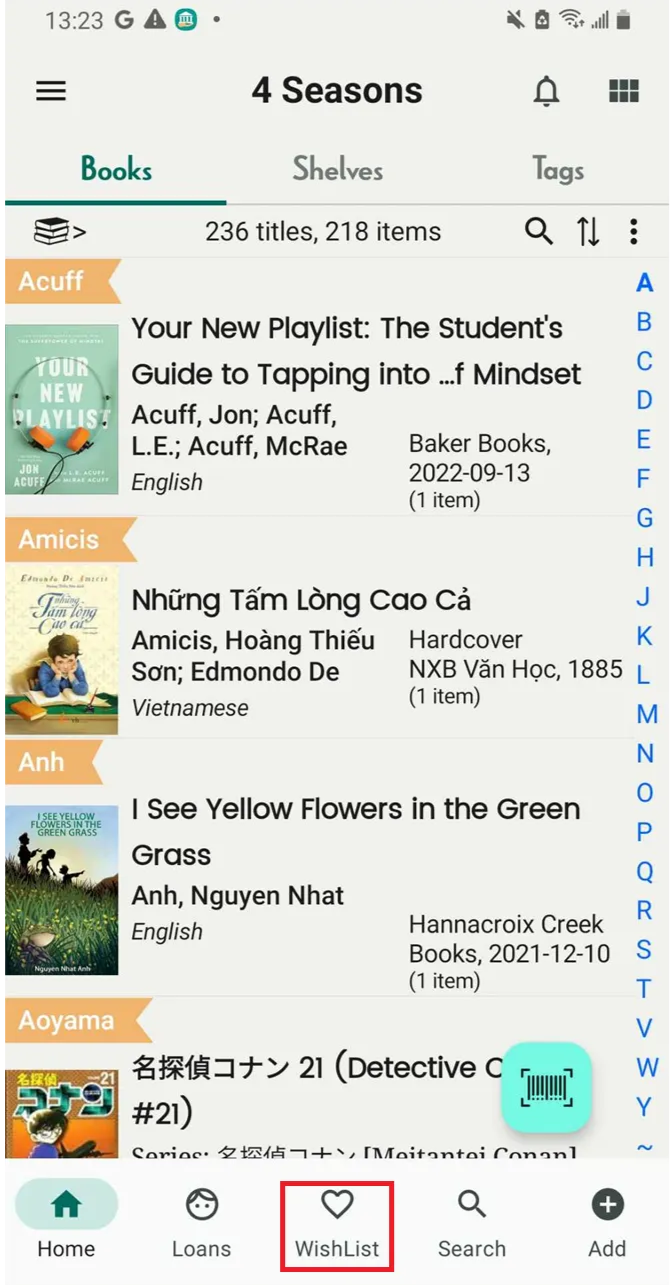
Step 1: Tap on the Wishlist field to view all the titles.
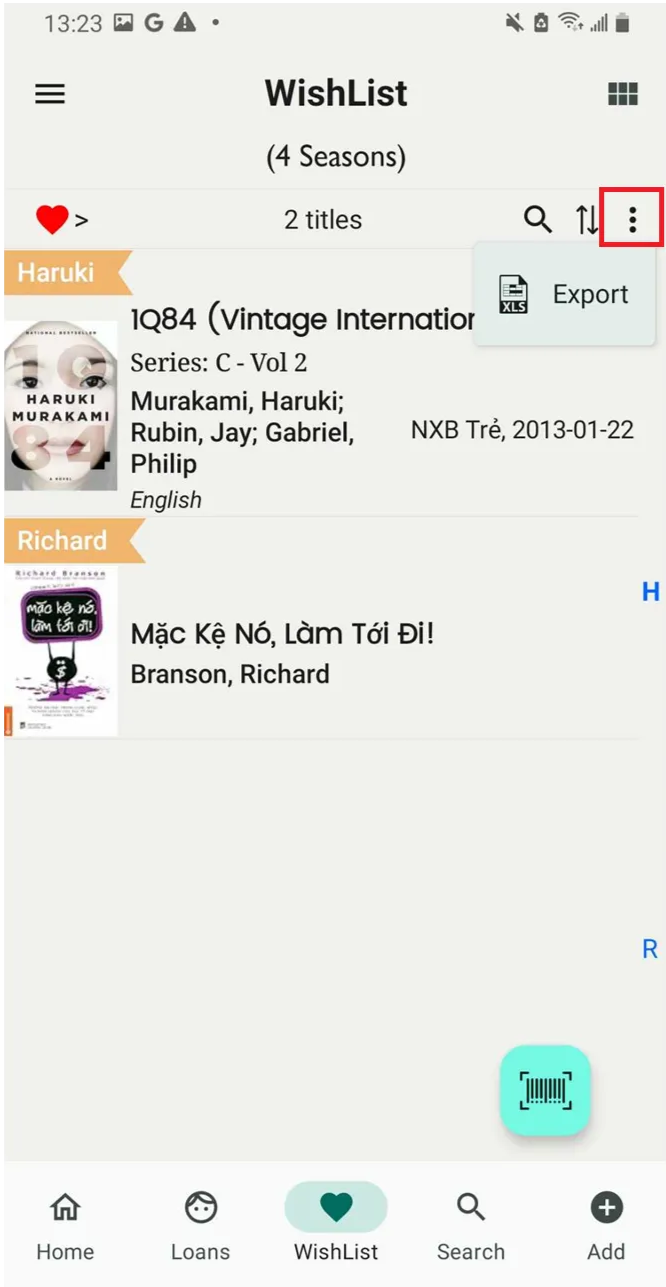
Step 2: Tap on the three-dot icon and select export
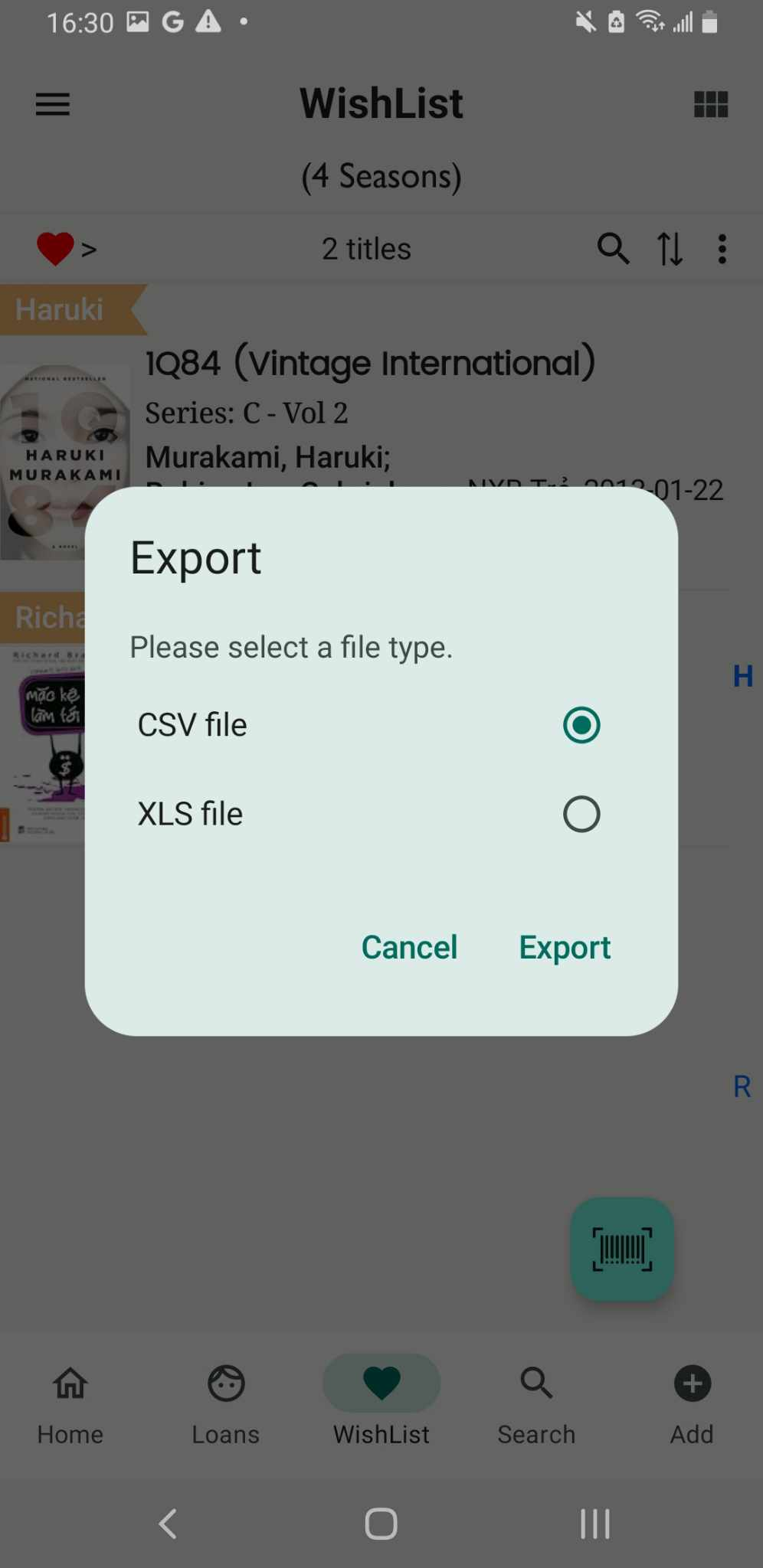
Step 3: Select a type file
- CSV
- XLS
Press Export
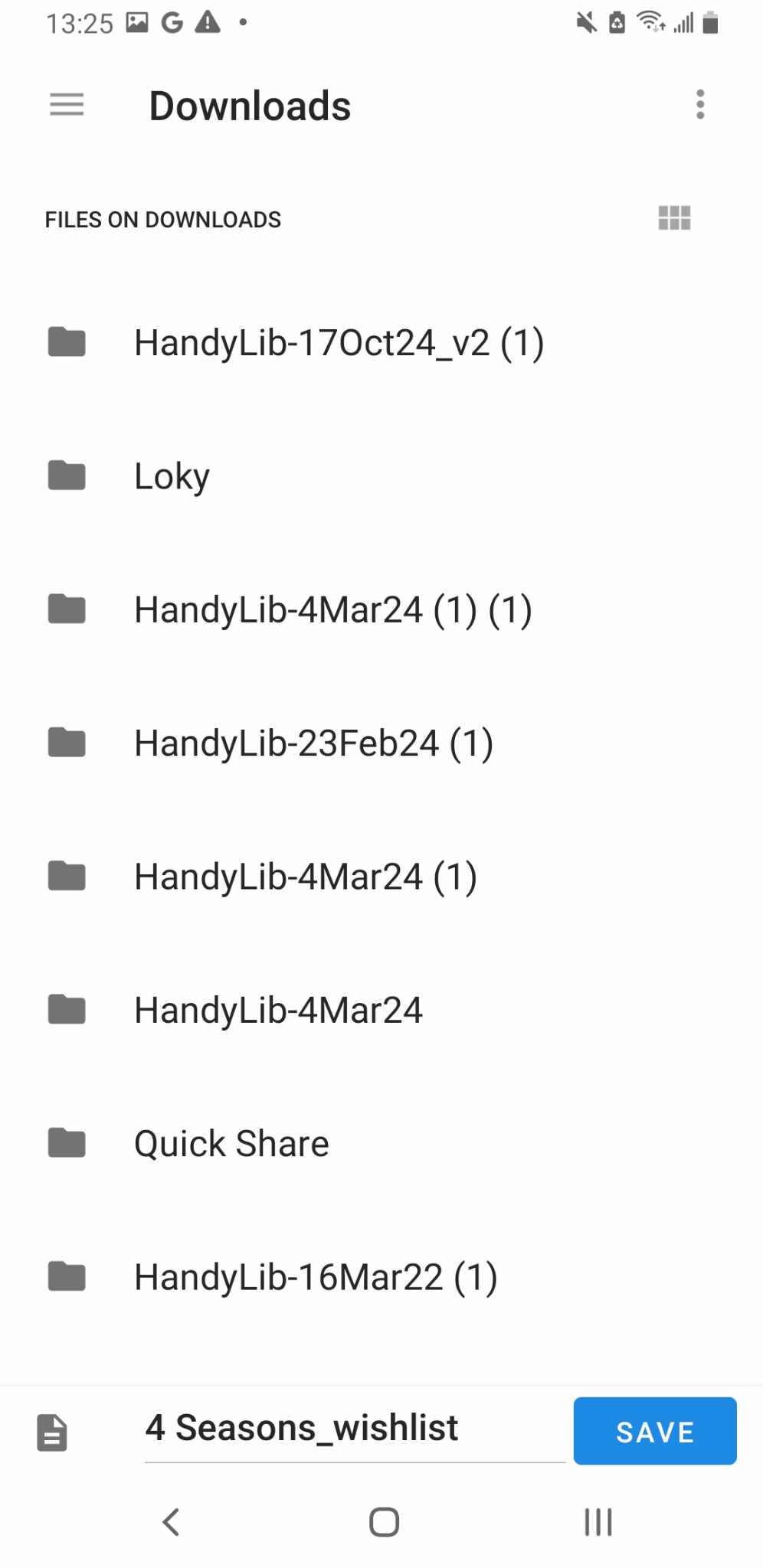
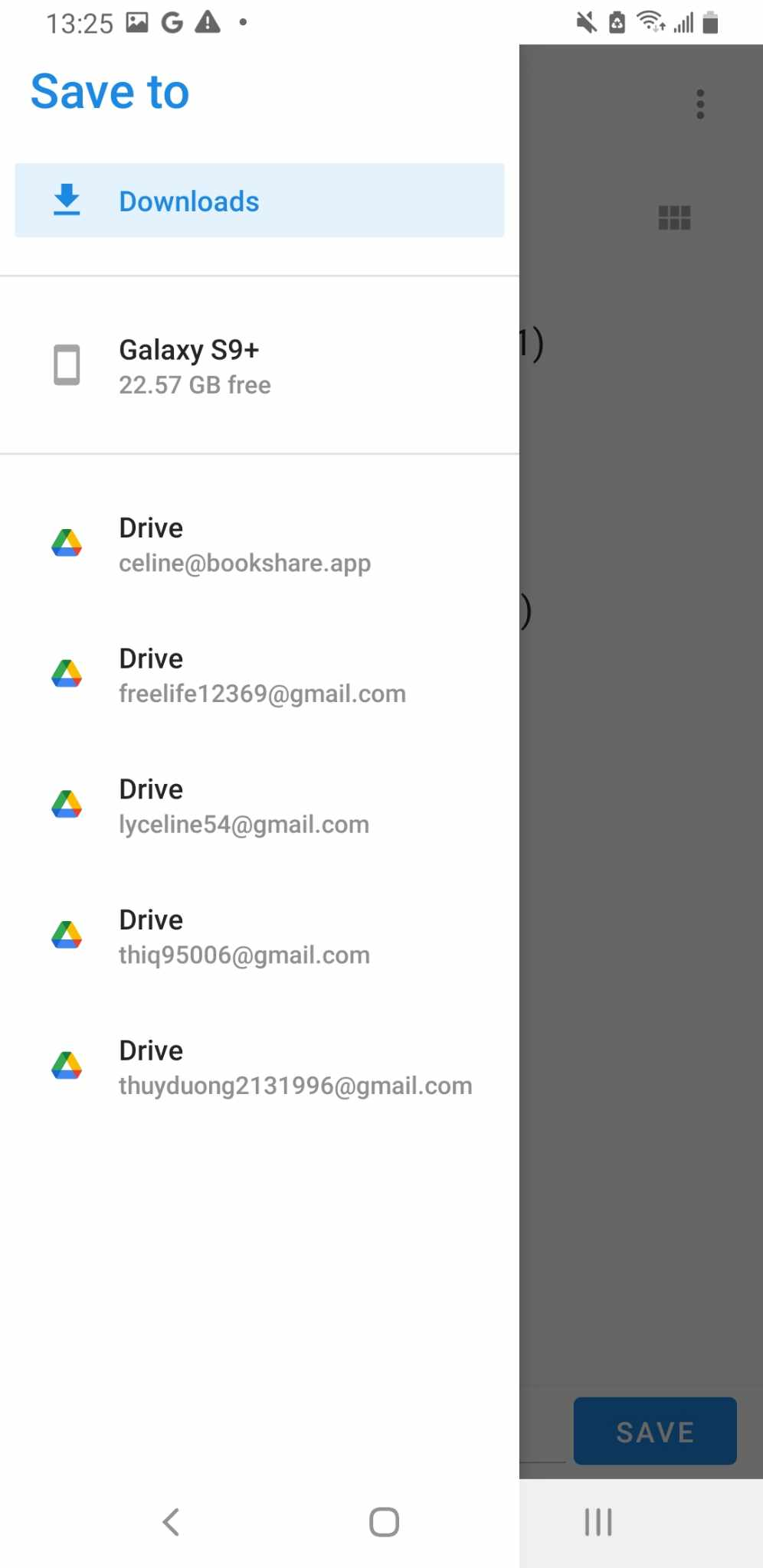
Step 4: Choosse where you want to save this file. You can save it on your device or Google Drive