
Edit profile
Step 1: Tap the account/profile icon at the top right of the screen.
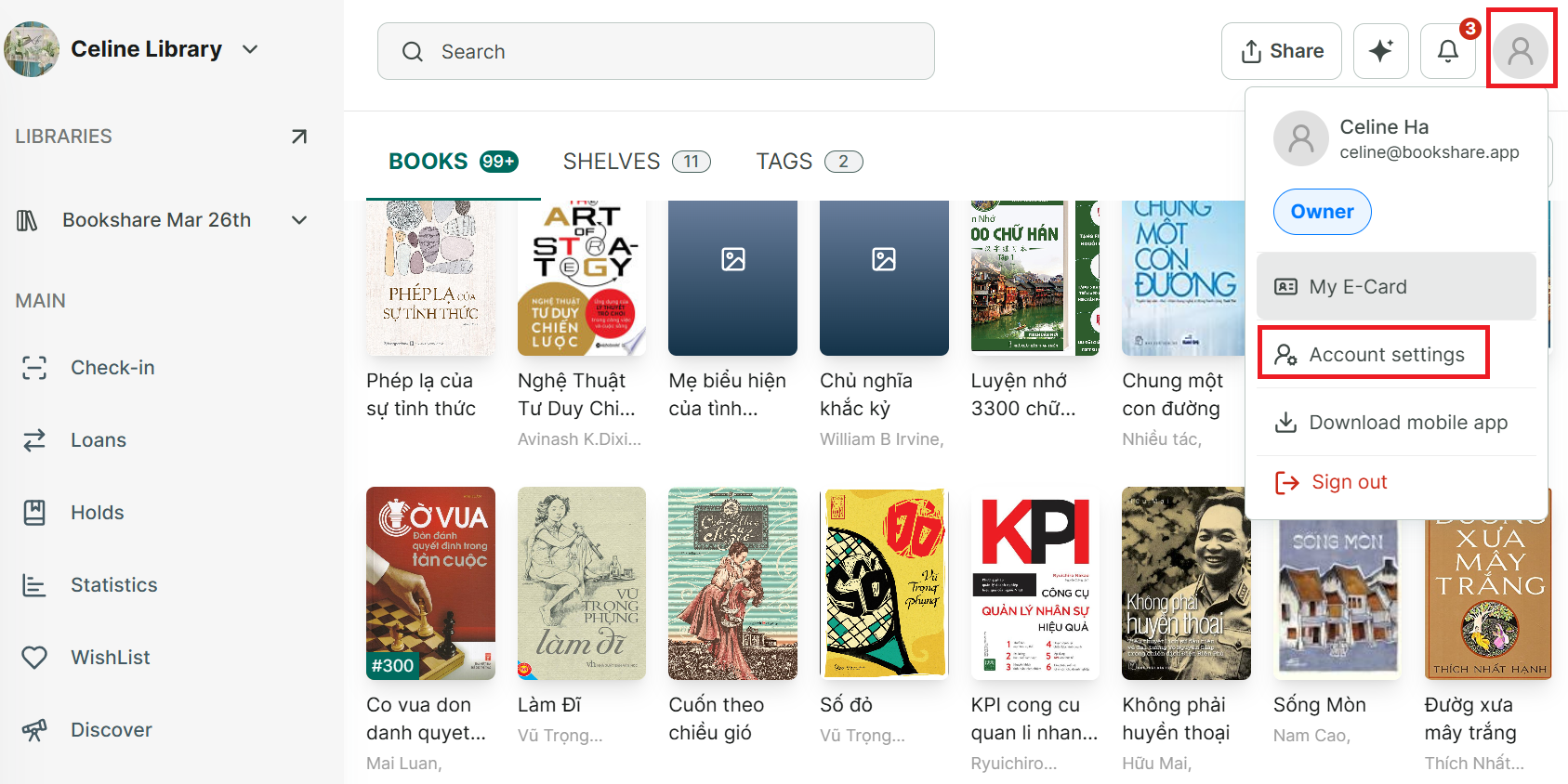
Step 2: Select “Account Settings.”
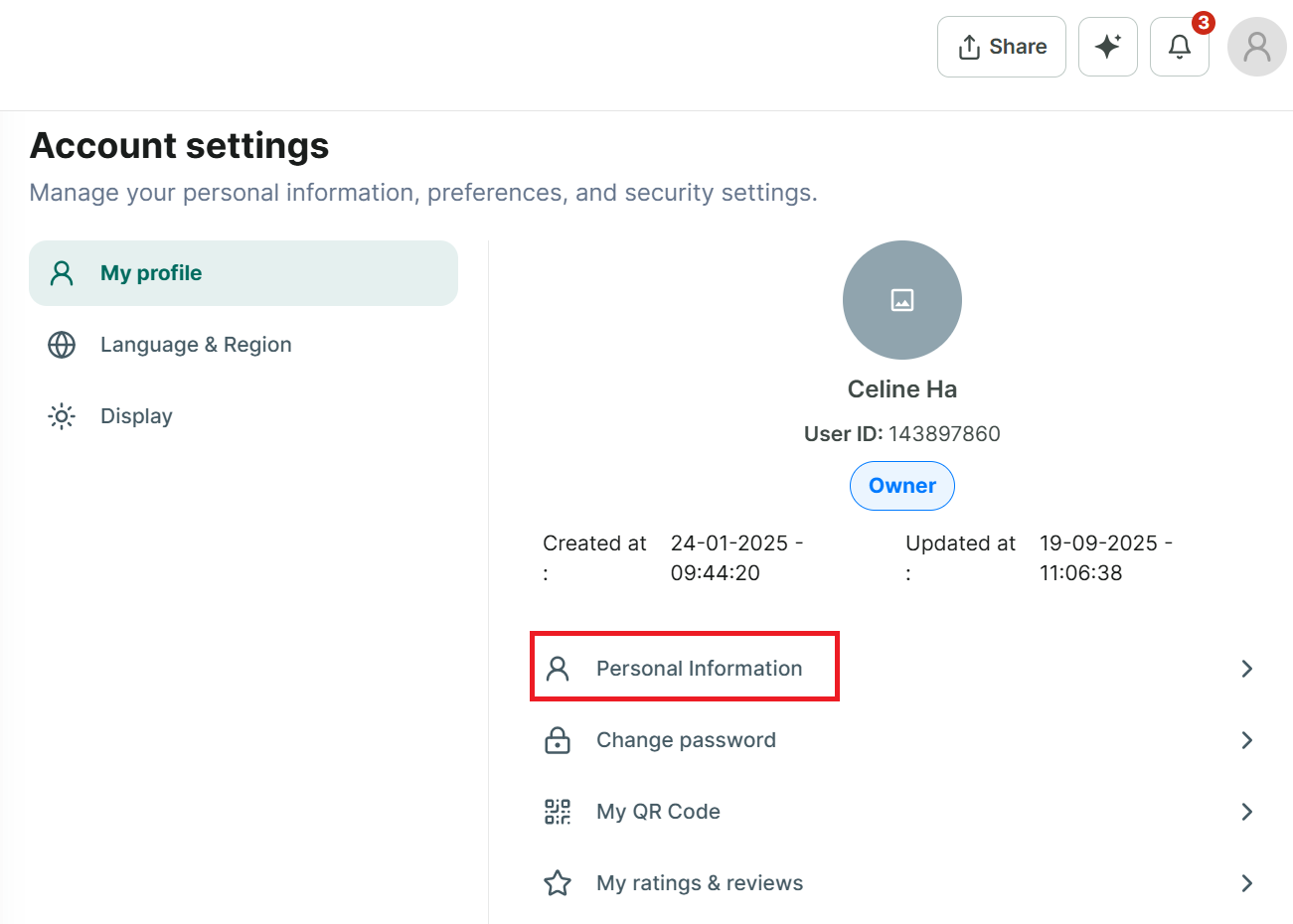
Step 3: Under “My Profile,” choose “Personal information.”
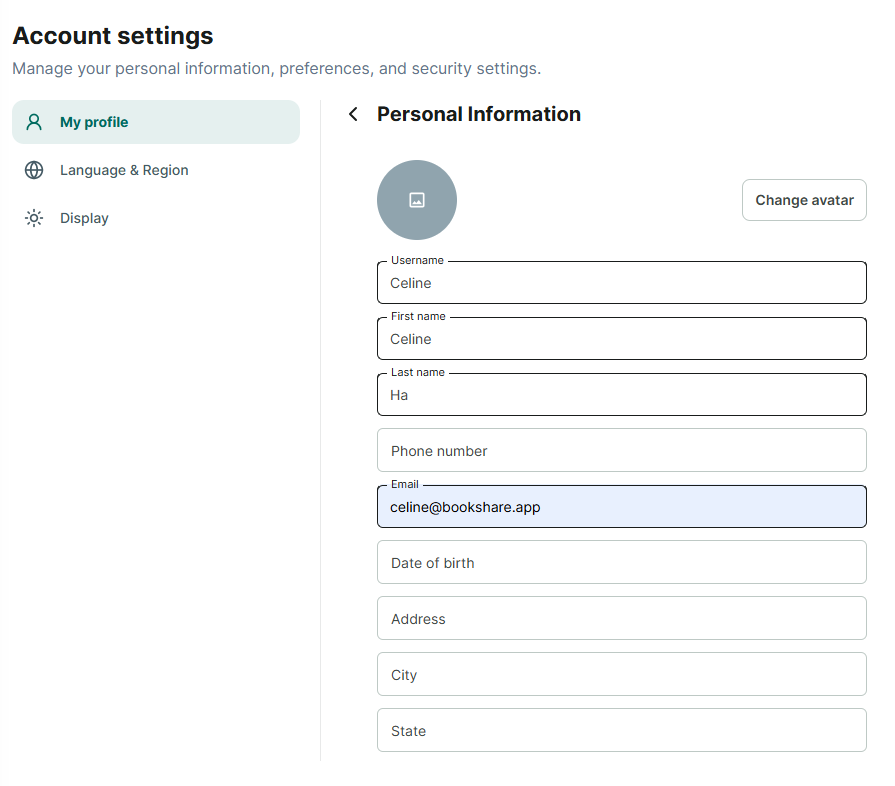
Step 4: You can edit all your information and change avatar
- Username
- Last name
- First name
- Phone
- Date of Birth
- Address
- City
- State
- Zip code
- Country
Then Press “Save”