
Edit profile of member
Step 1: To edit profile of member, please access “Member” section at the side menu.
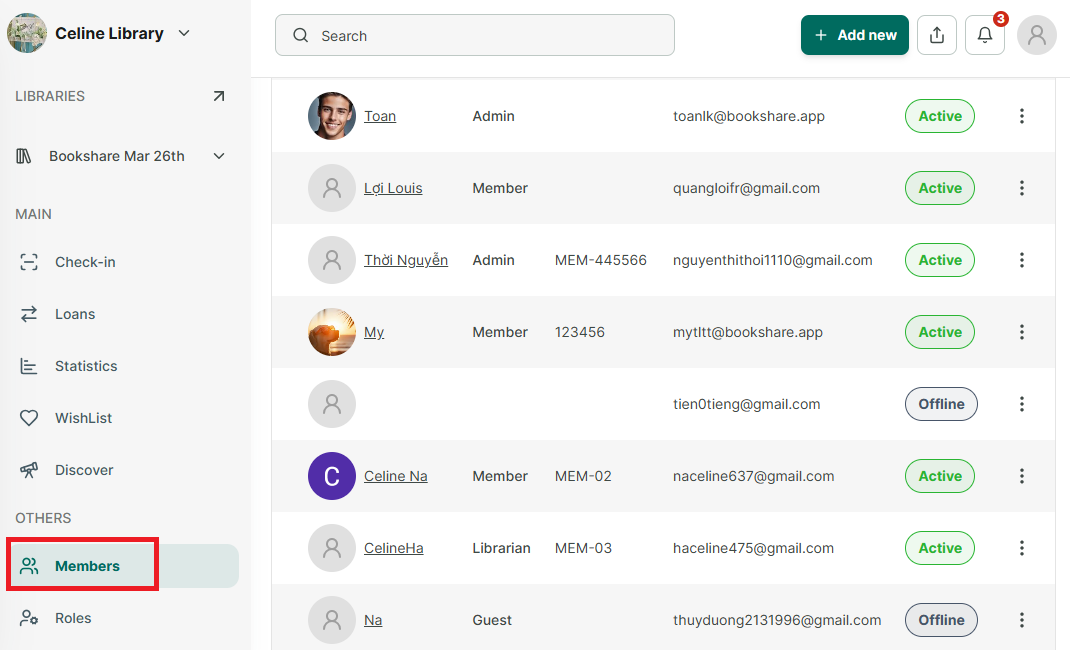
Step 2: It appears all member. Tap on member you want o edit their profile
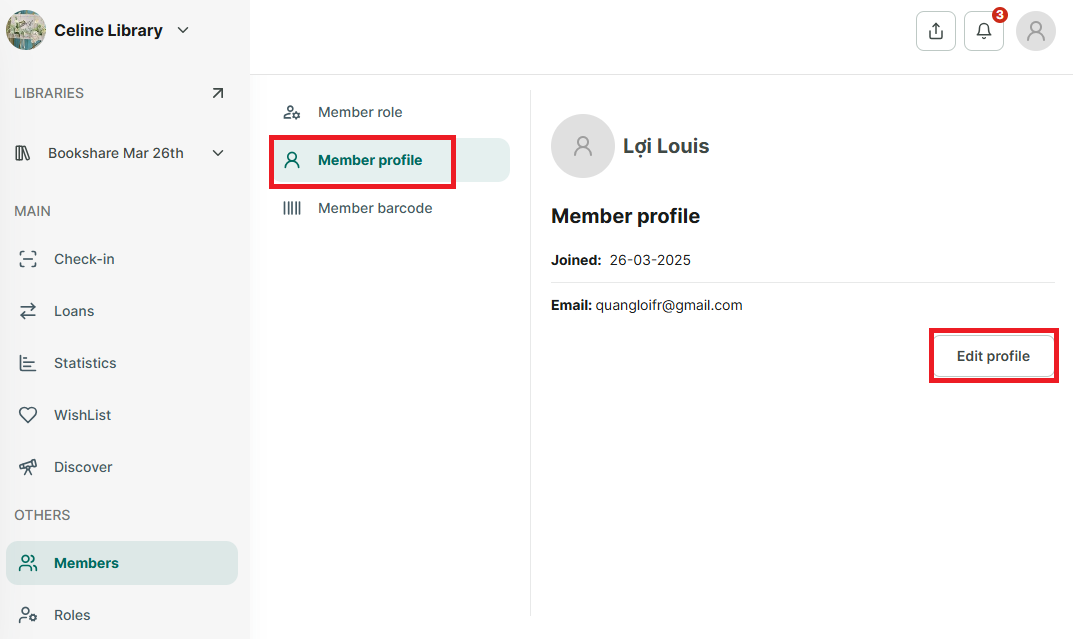
Step 3: Select “Member profile” and press “Edit profile” button
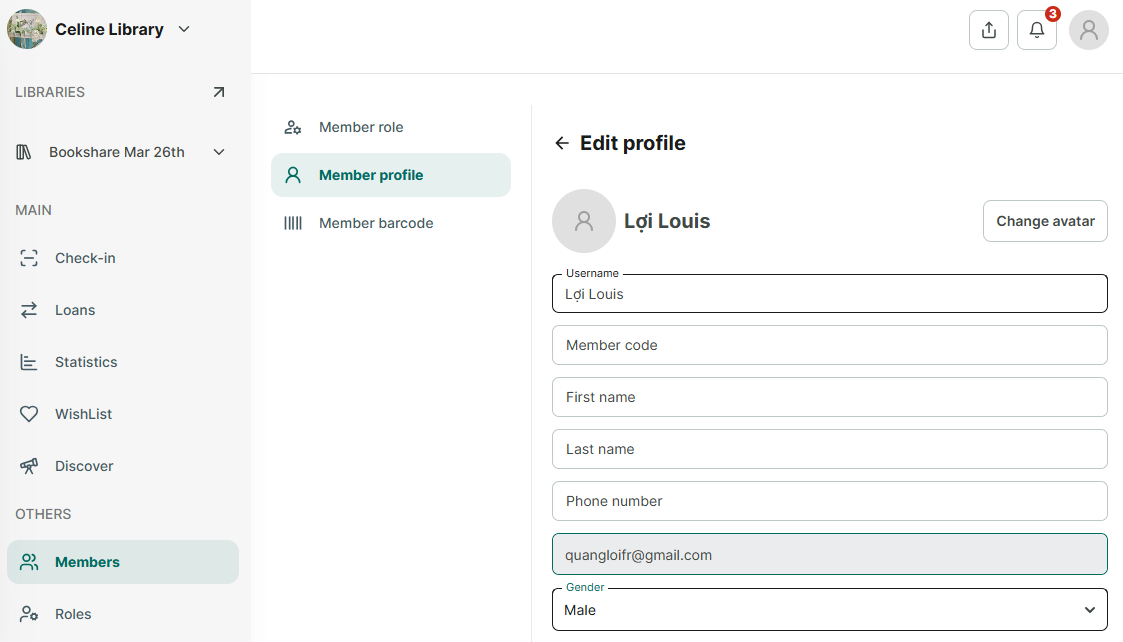
Step 4: Update the username, member code, last name, first name, phone number, email, gender, date of birth, address, city, zip code. You can upload or change the avatar.
Press SAVE to apply the changes.