Skip to content

Add a new Tag

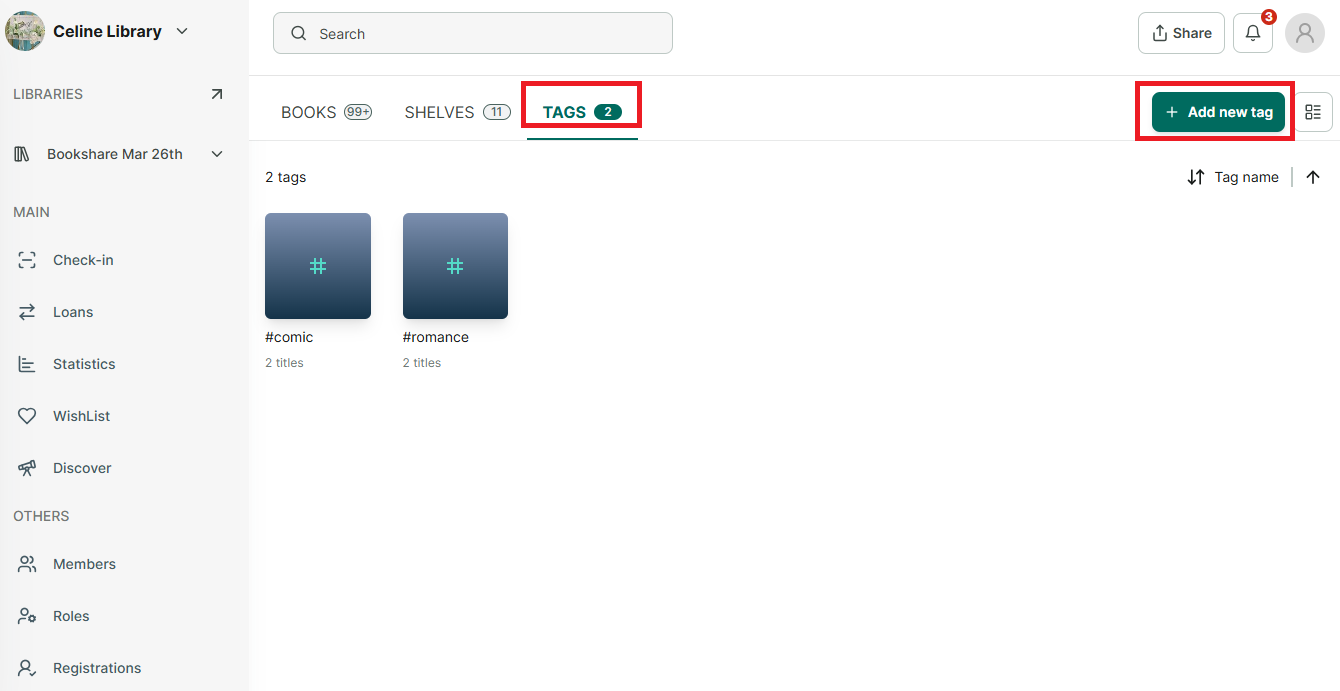
Step 1: Access the a library you want to add book

image.png

Step 2: Go to Tags tab and Click on the “Add new tag” button.

image.png

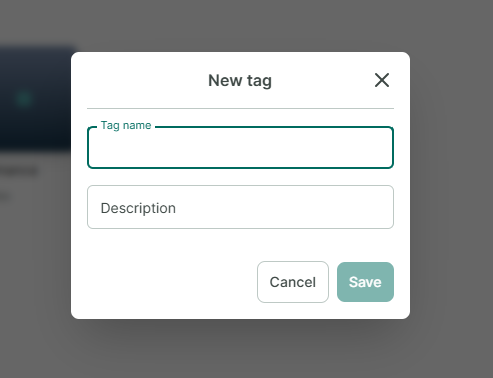
Step 3: Enter Tag name

Step 4: Tap “OK” to confirm the name or “Cancel” to cancel.

Step 5: The screen shows “Added”