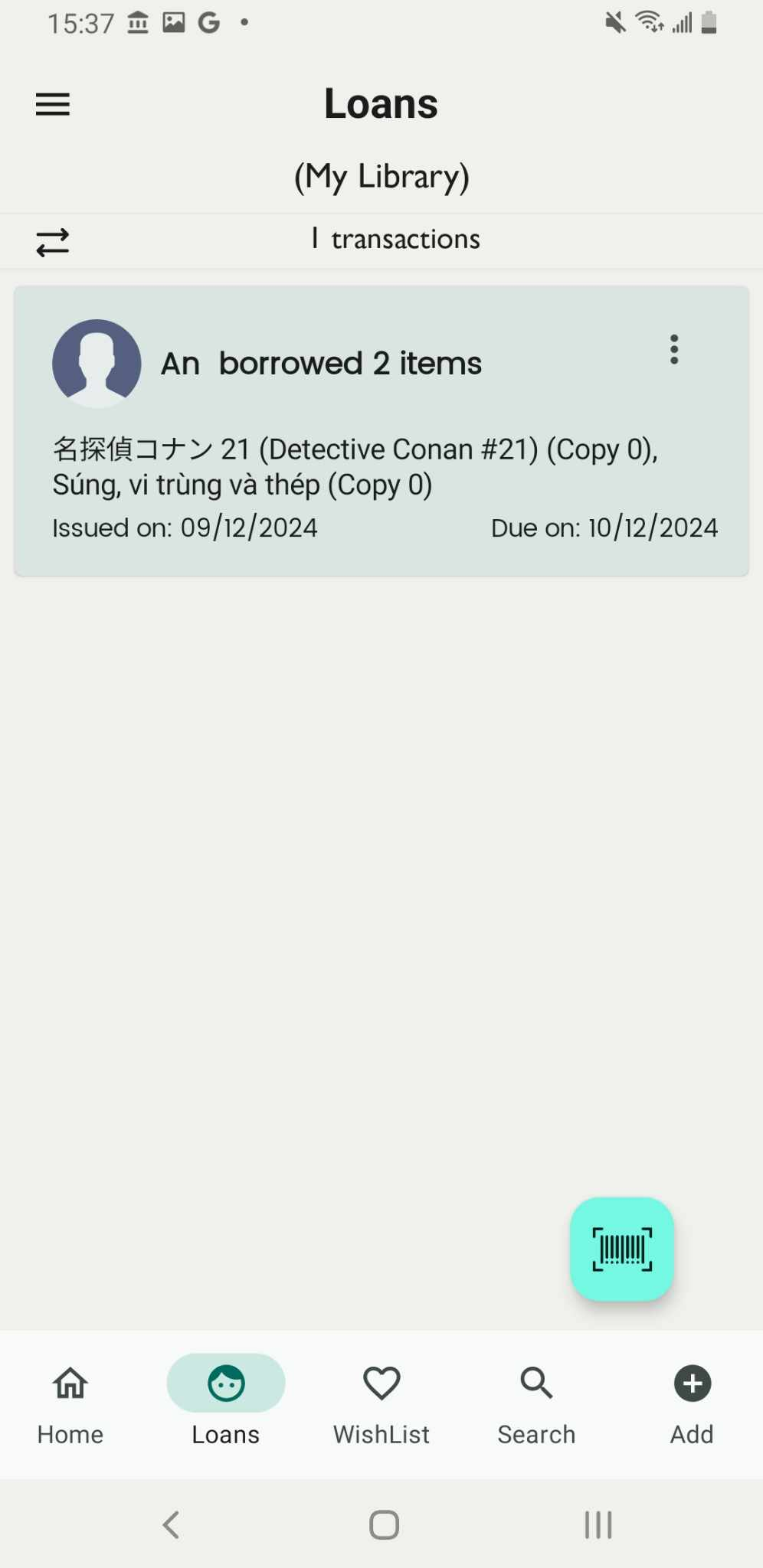
Scan barcode for lending a book or multiple books
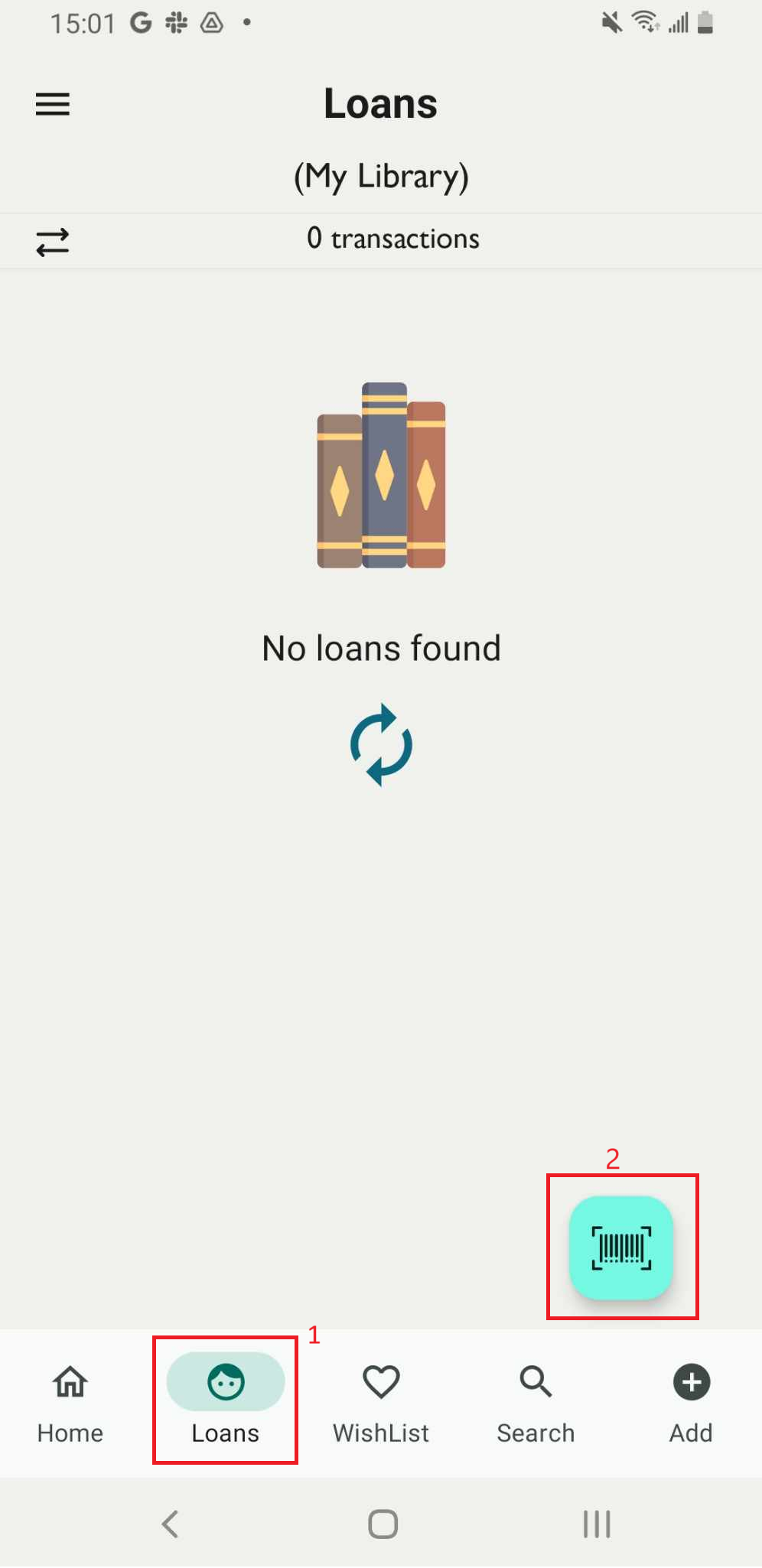
Step 1: Go to the Loan field on the main screen and tap on the barcode icon.
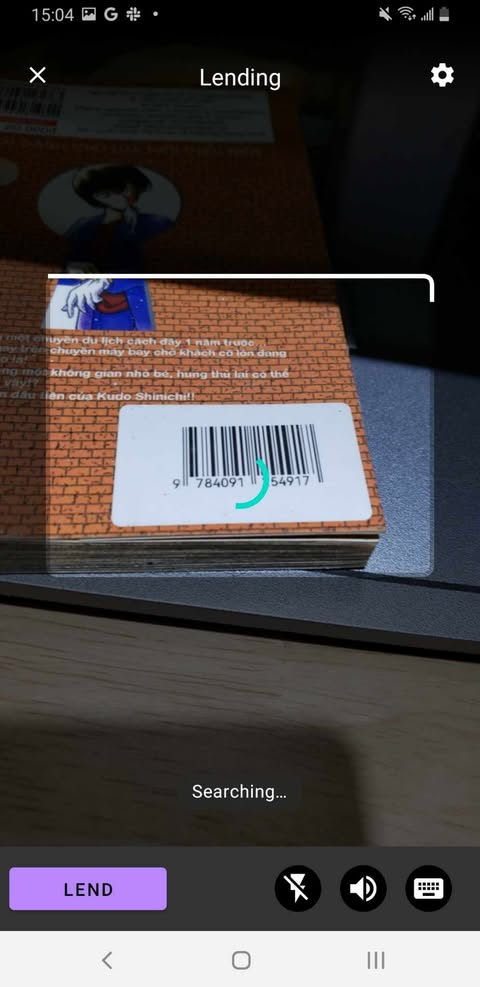
Step 2: Scan the ISBN barcode
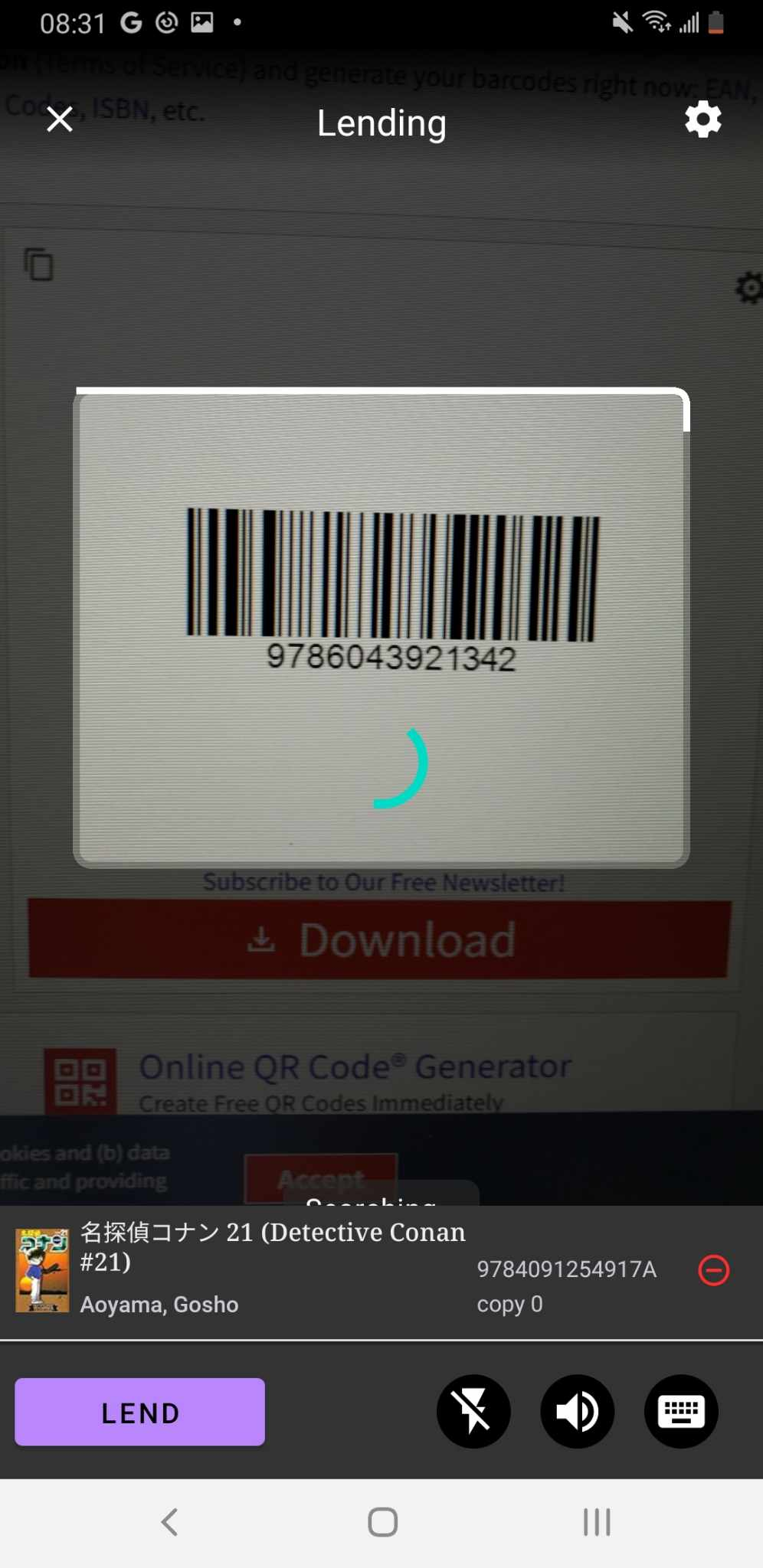
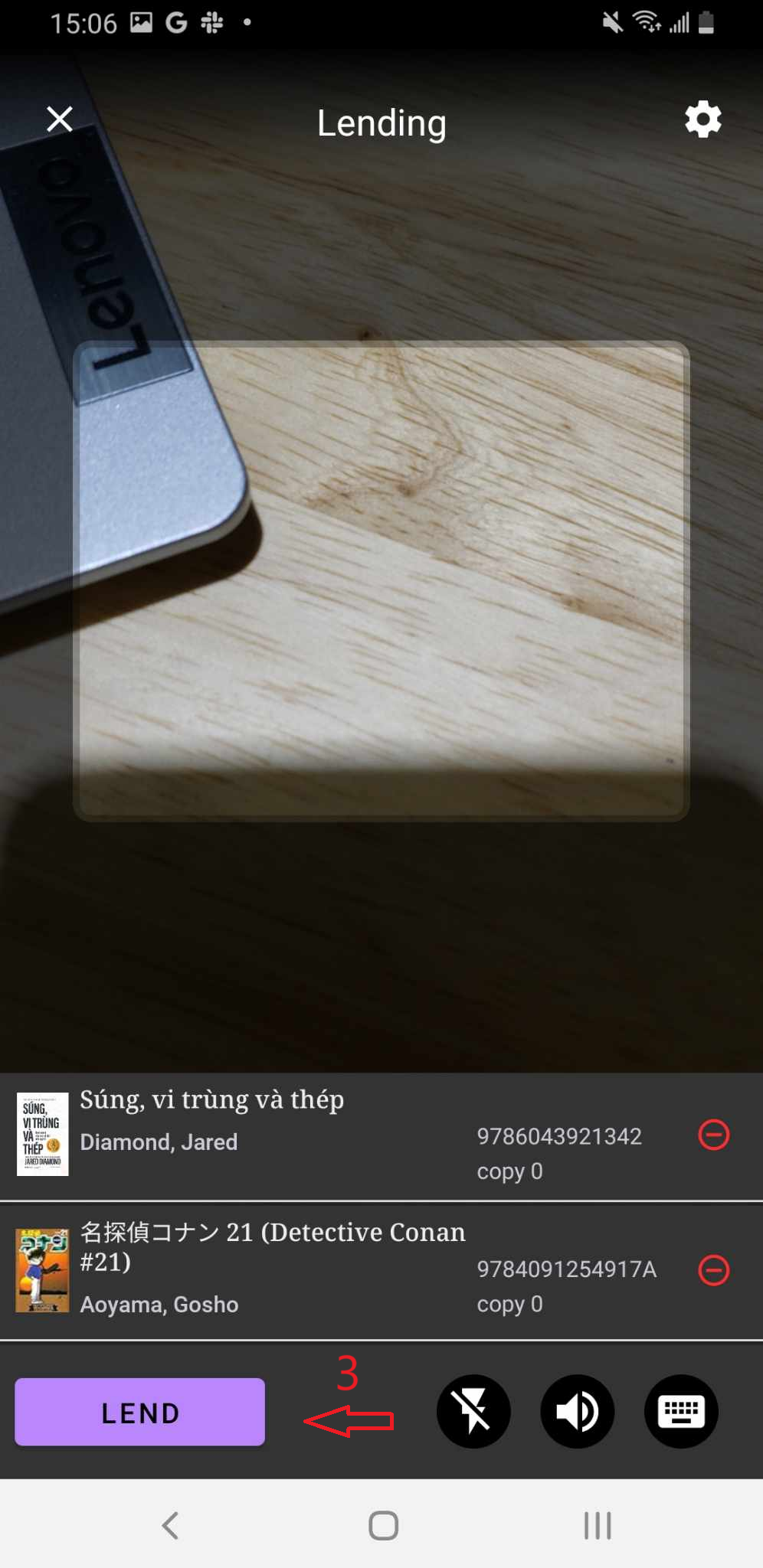
Step 3: The screen displays the list of items in the library. If you wish to lend multiple books, continue scanning additional ISBNs, and they will be added to the list. Then, press LEND.
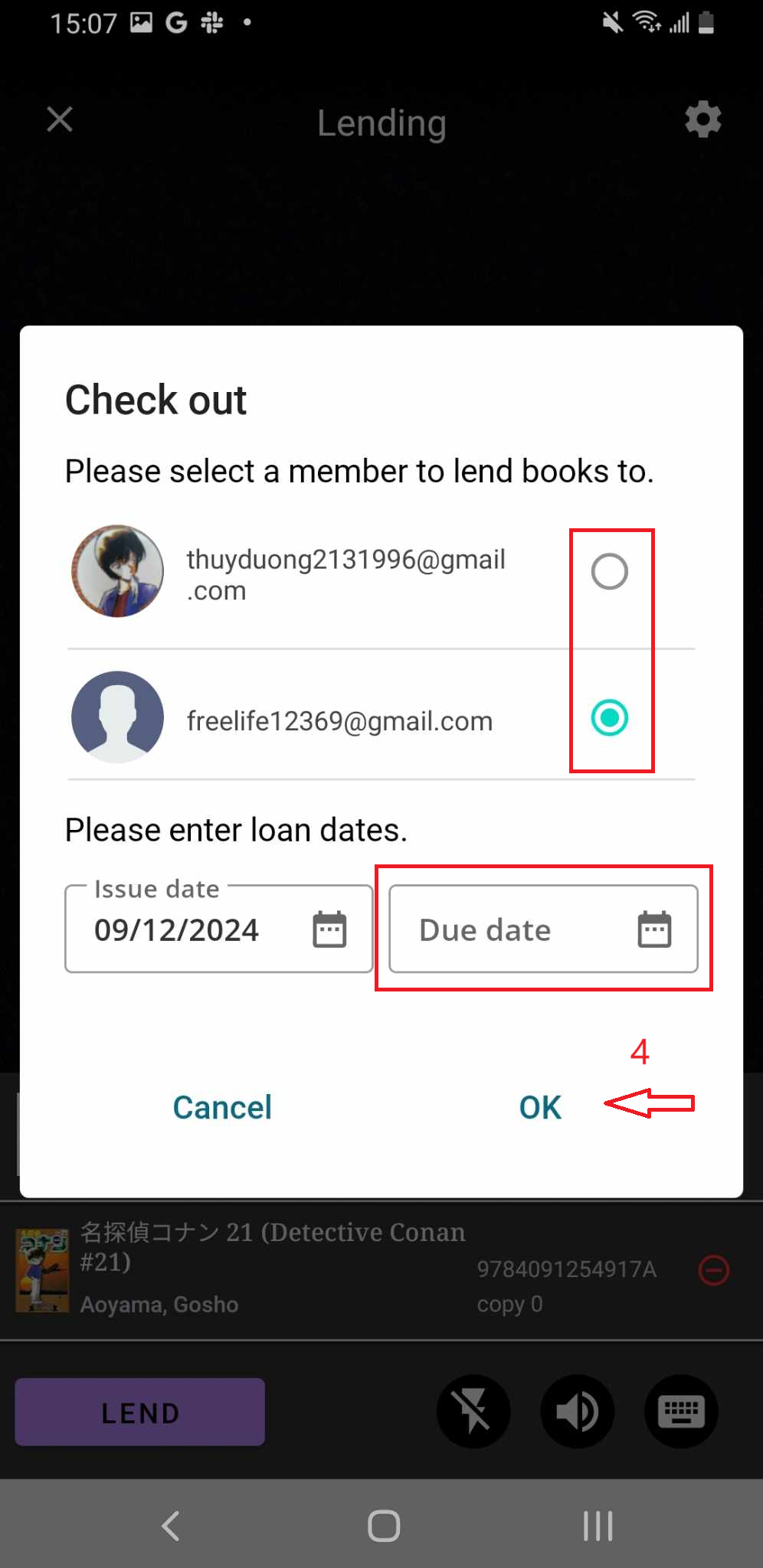
Step 4: The Check Out page will appear. Select a member to lend the book to, enter the loan dates, and tap OK to confirm.
Step 5: The screen will display “Check Out” along with the name of the member who borrowed the book.