Upgrade subscription
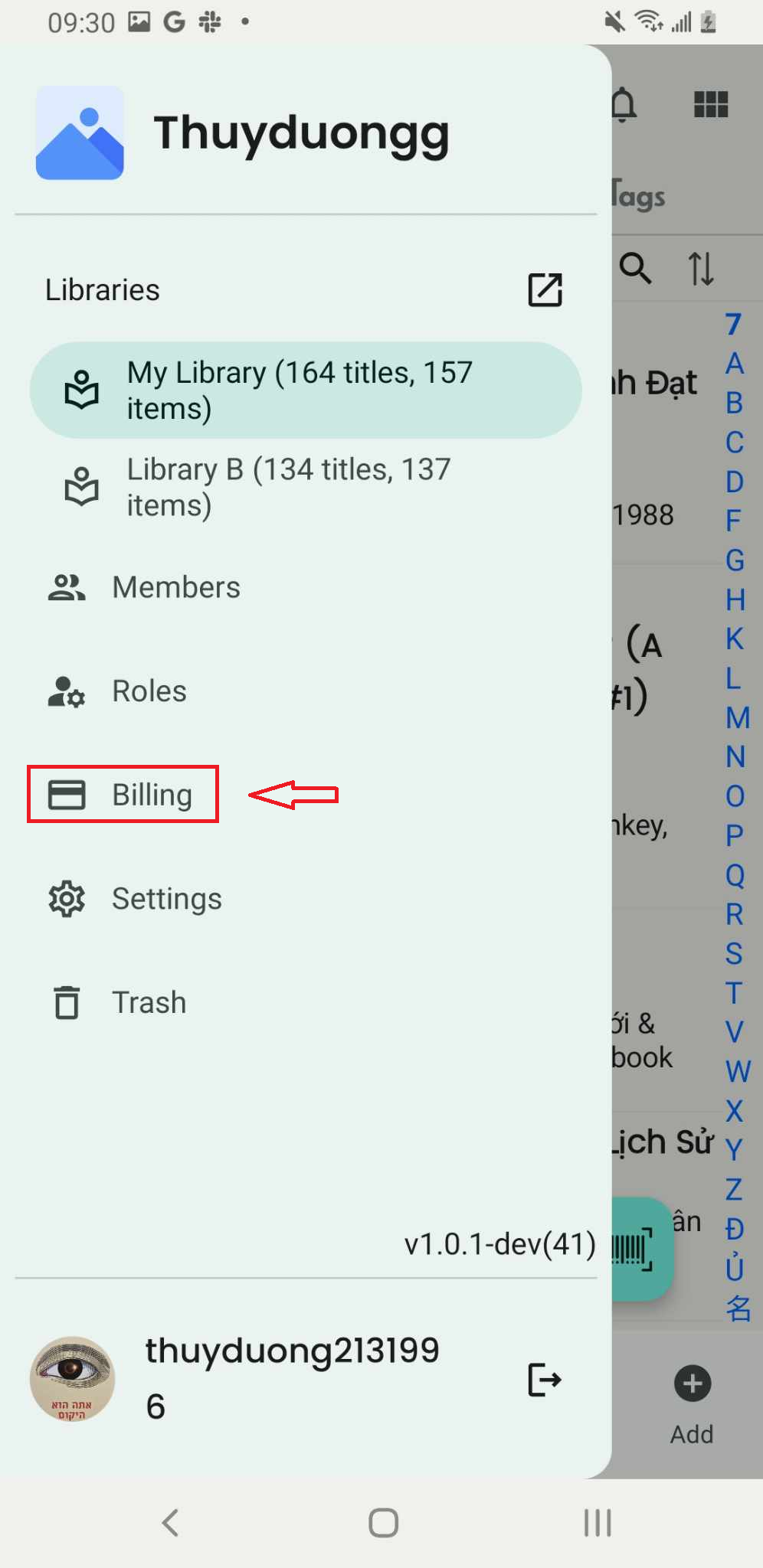
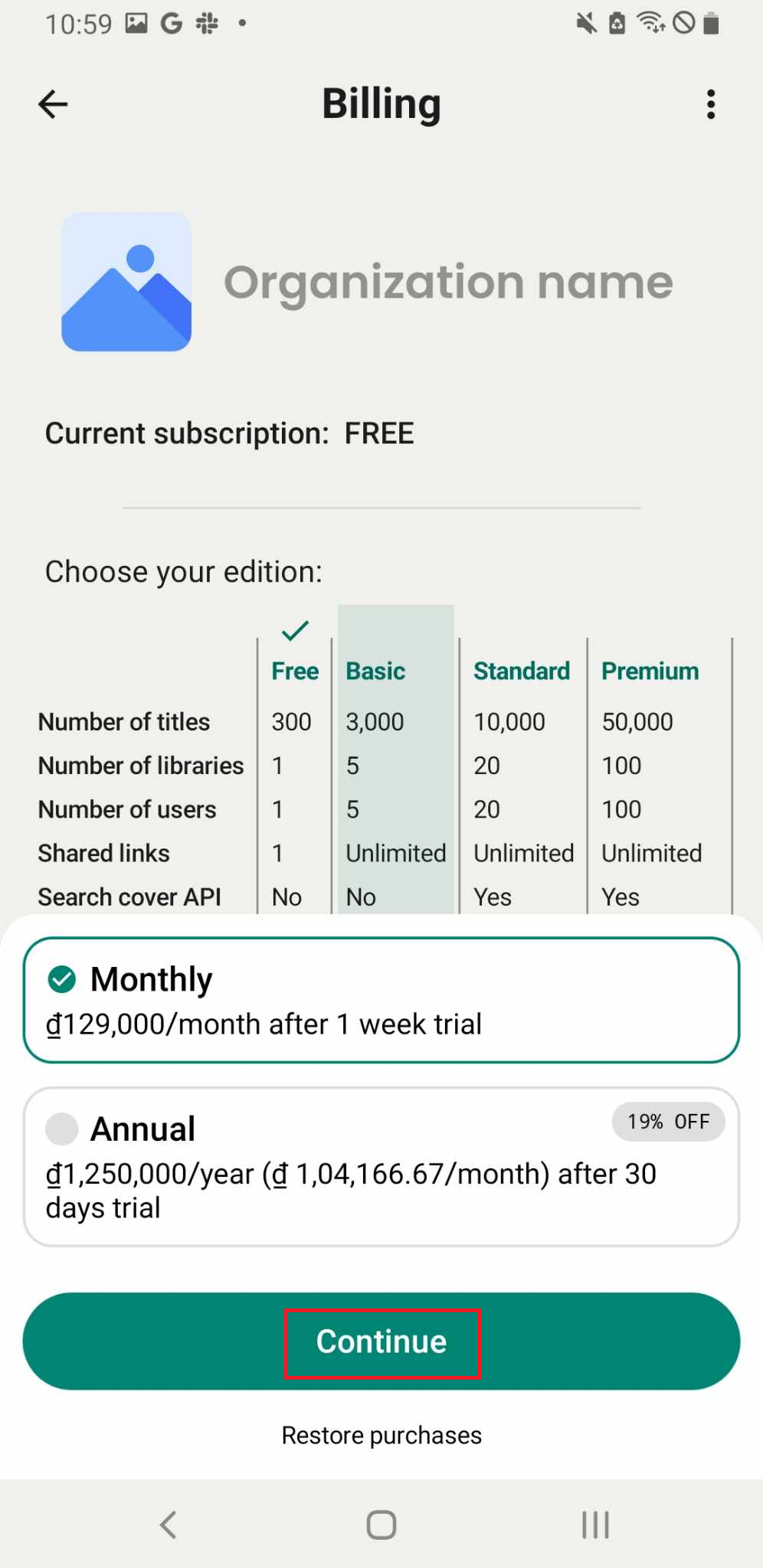
Step 1: Tap on “Billing” in the side menu. You can view your current subscription and others
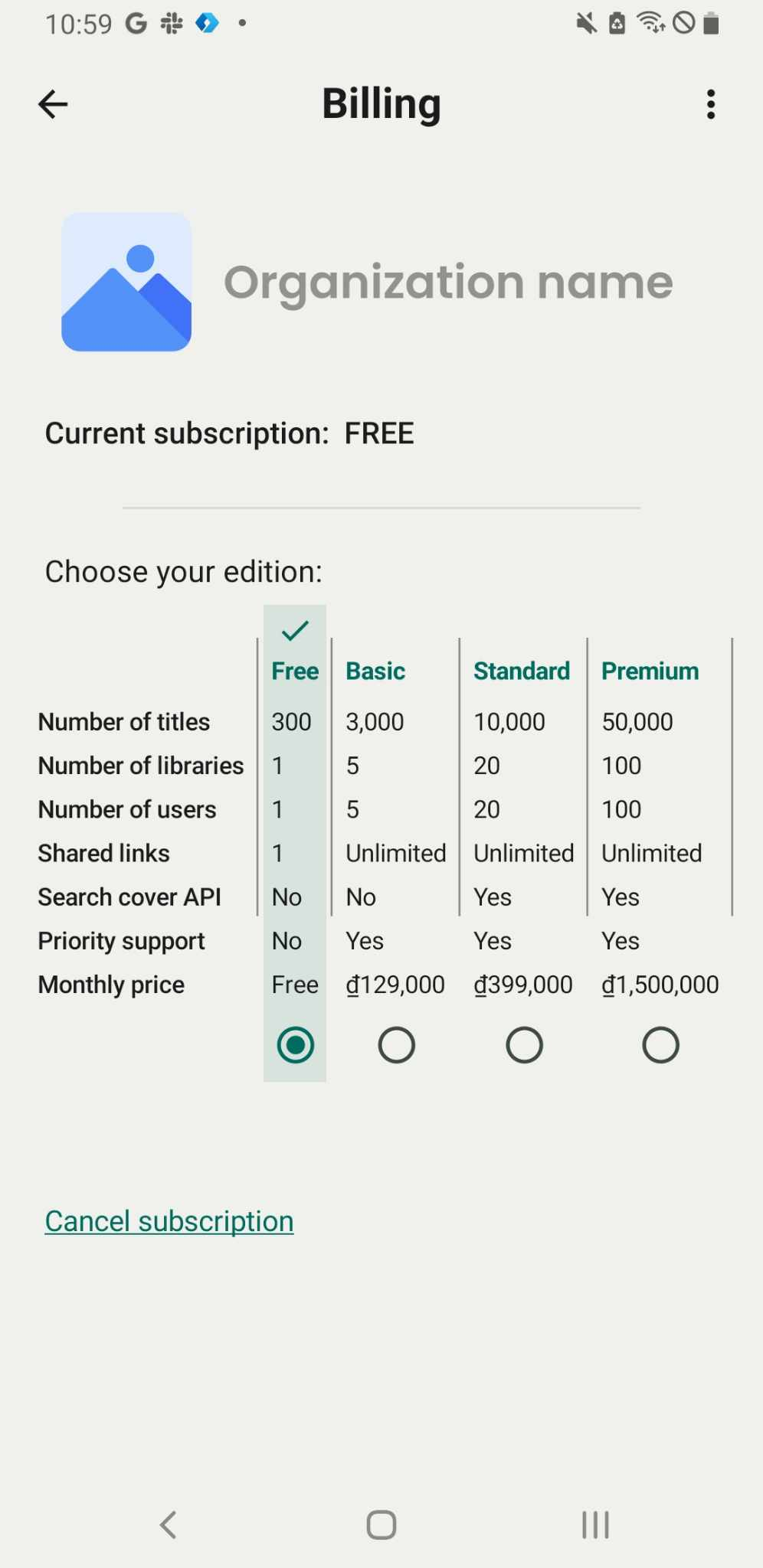
Step 2: Select the edition you want to upgrade and tap “Upgrade.” It will show the monthly price and the total annual cost.
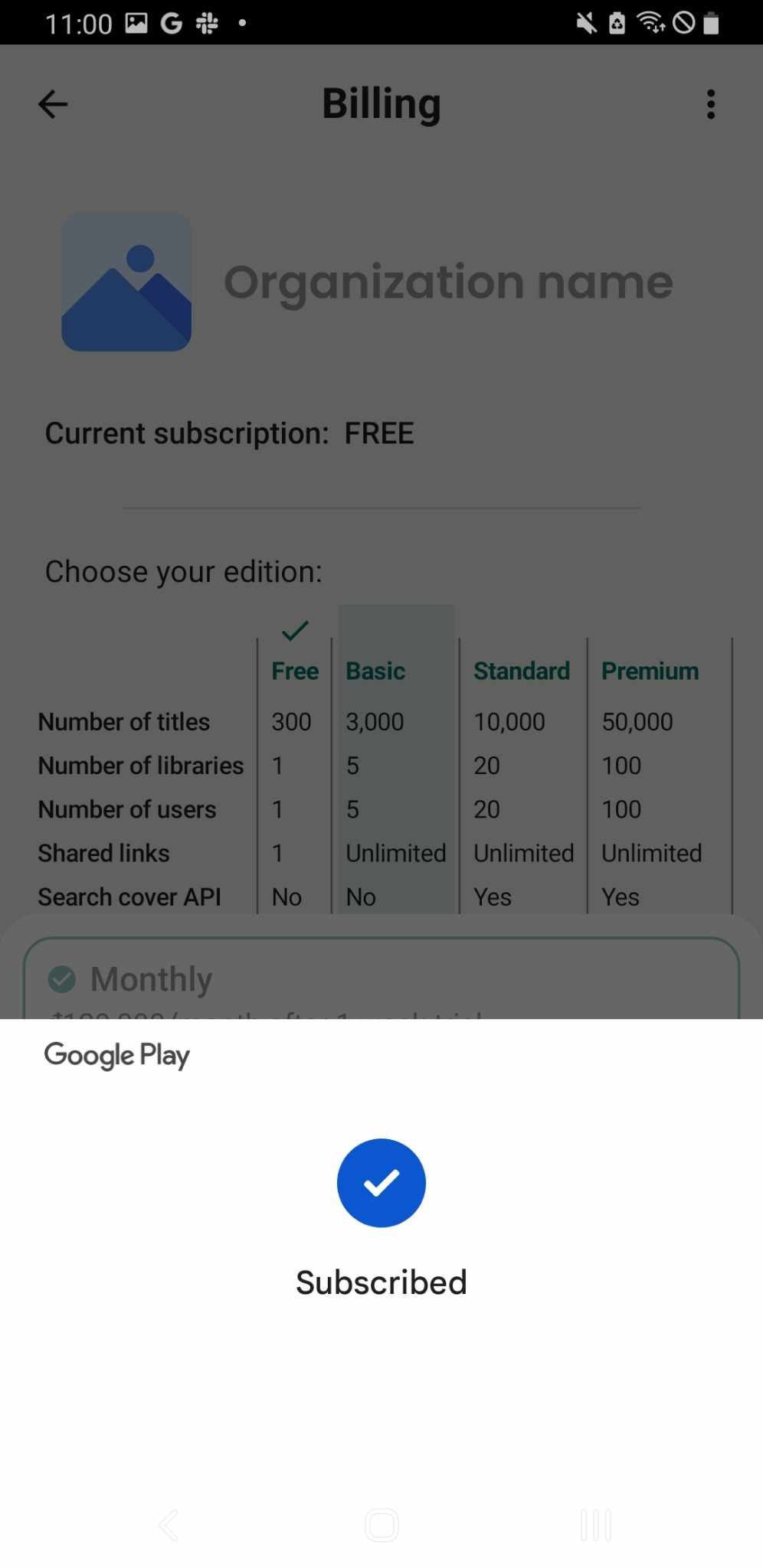
Choose either “Monthly” or “Annual” and press “Continue.”
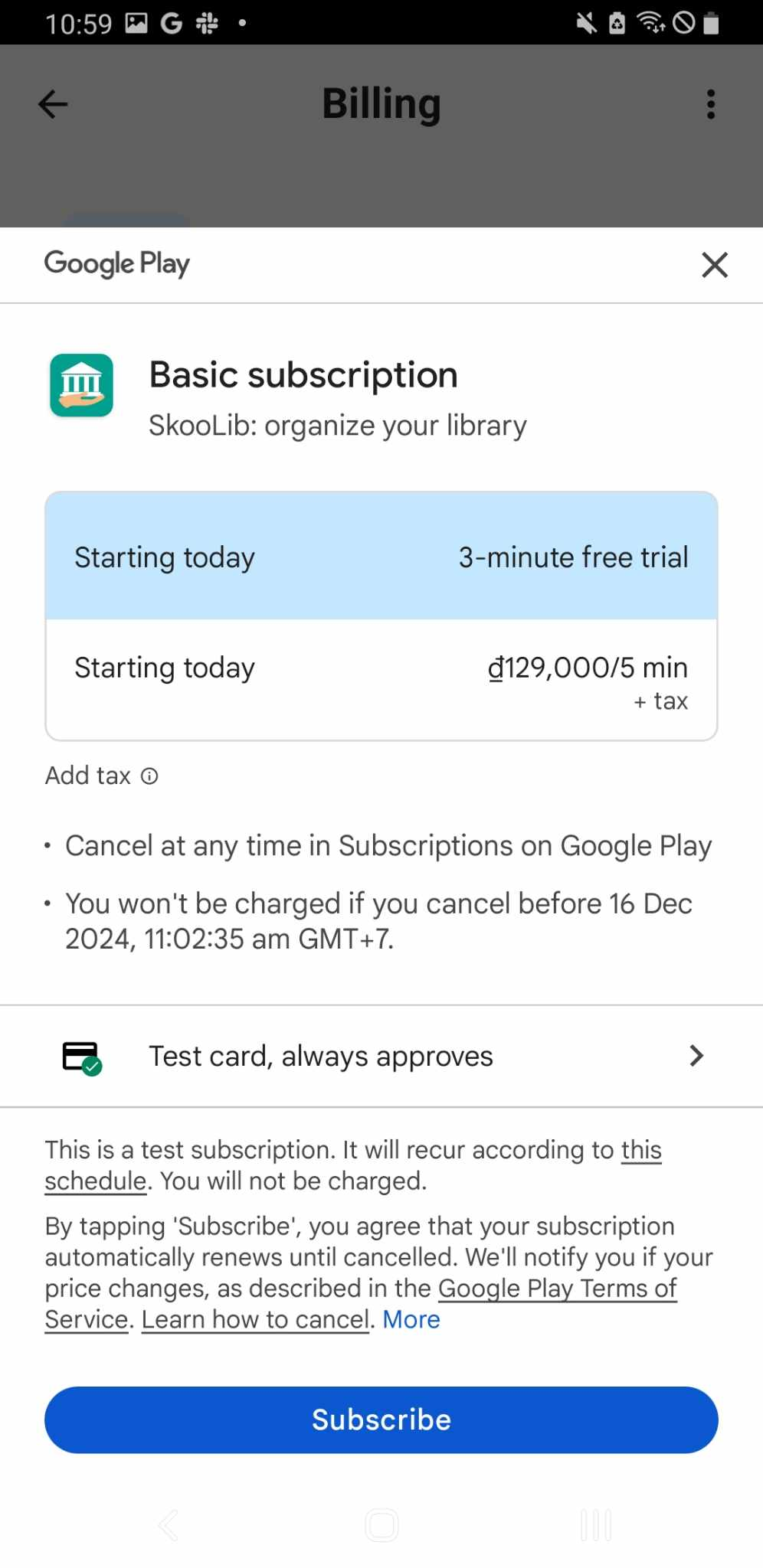
Step 3: Choose the subscription method: Test card, always approves.
Then, press Subscribe.
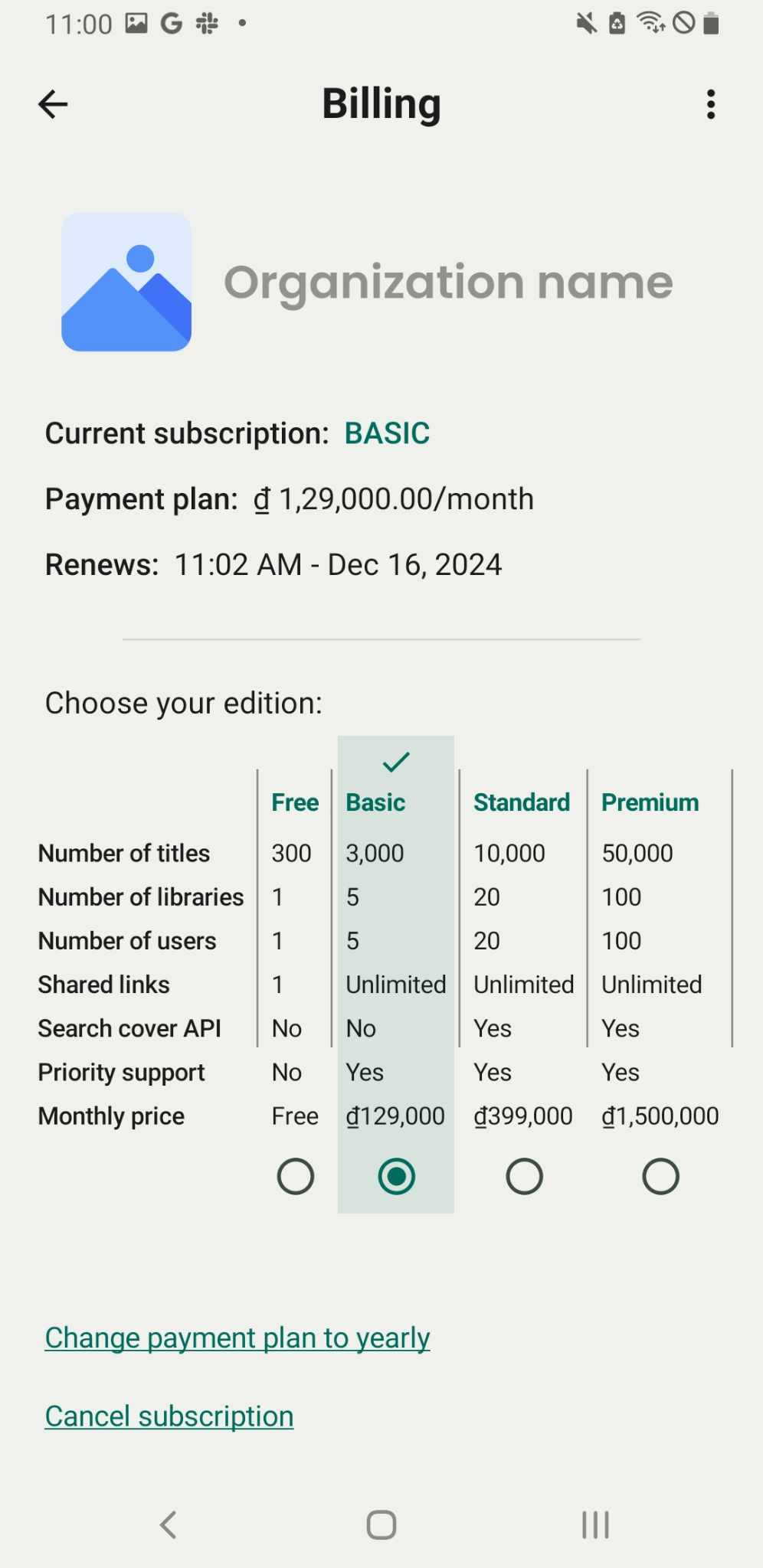
Step 4: The screen displays the upgraded edition.