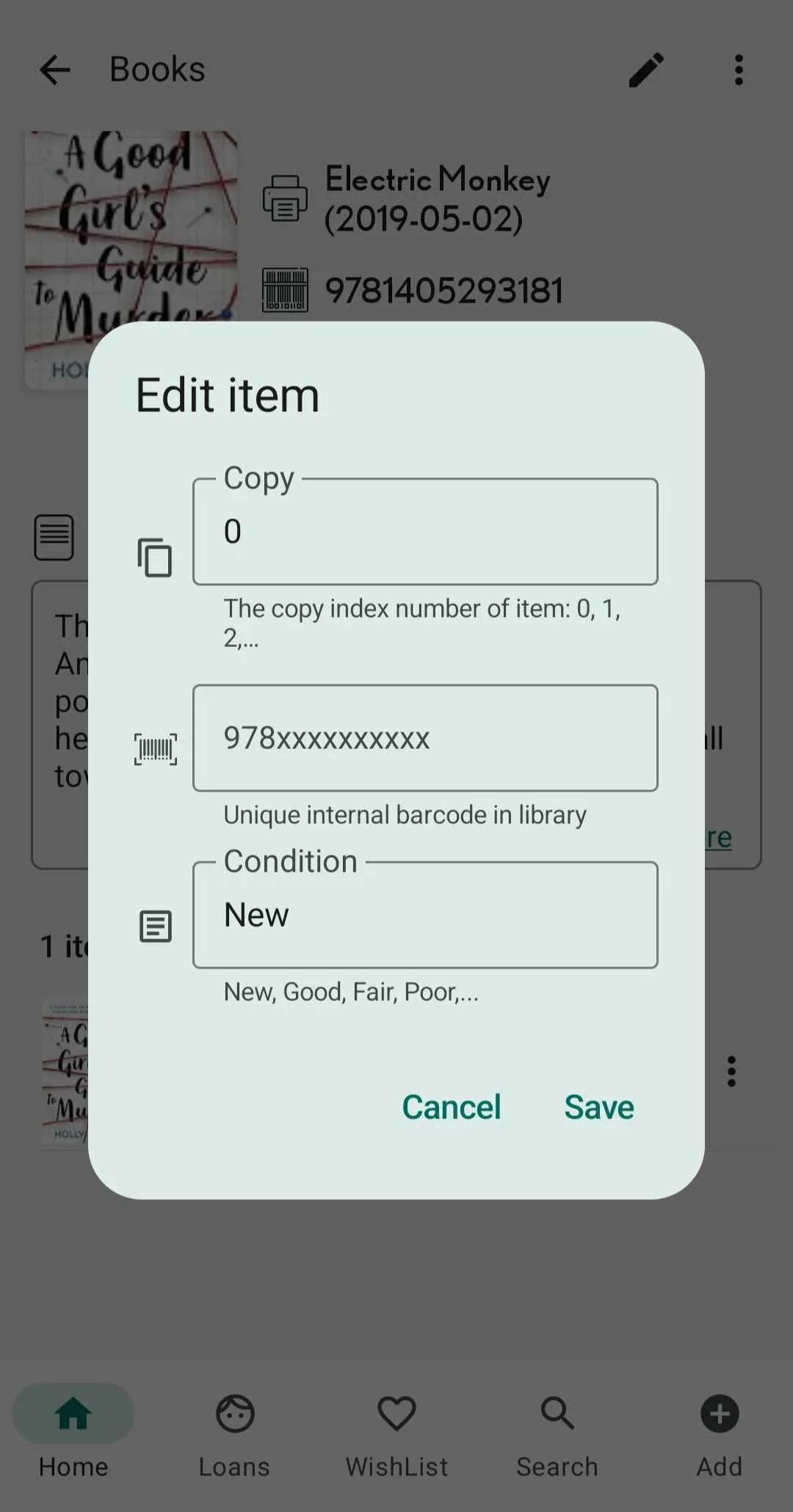
Edit item of book in Books Tab
Step 1: Open the app and go to the Books tab.
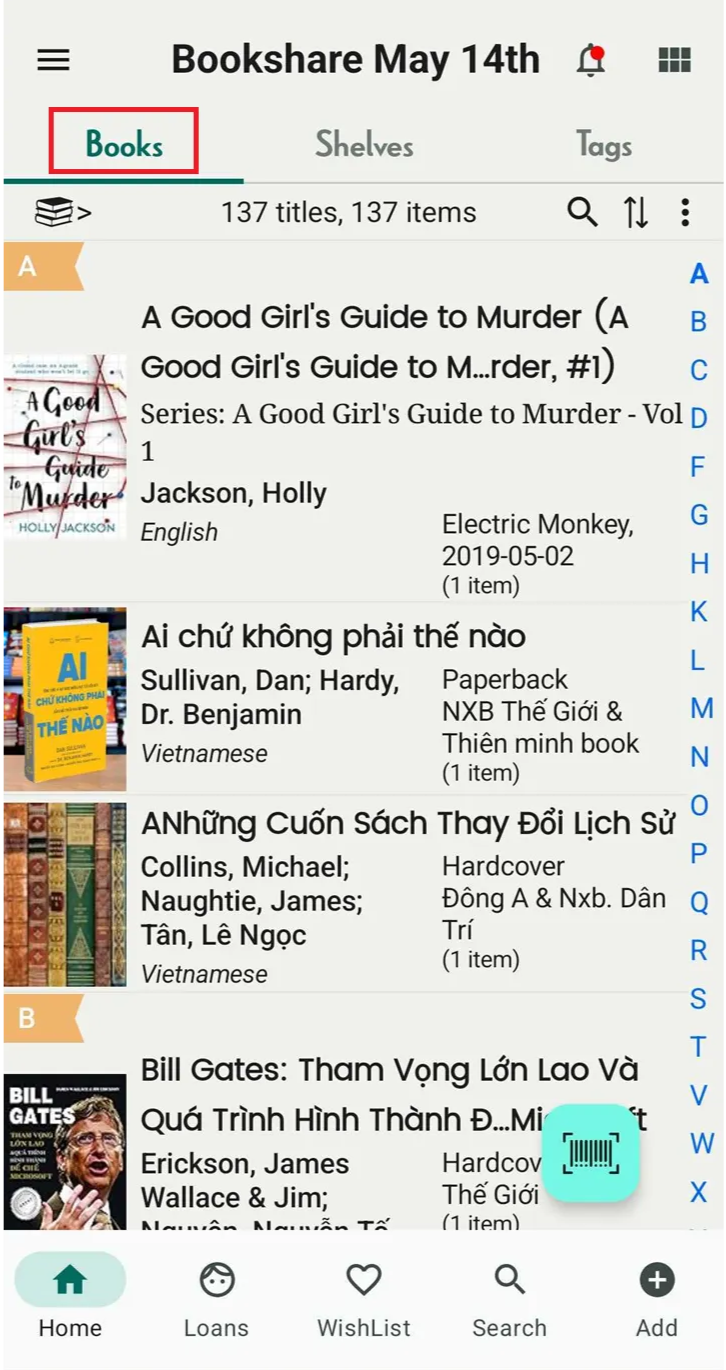
Step 2: Select a book to view its full details.
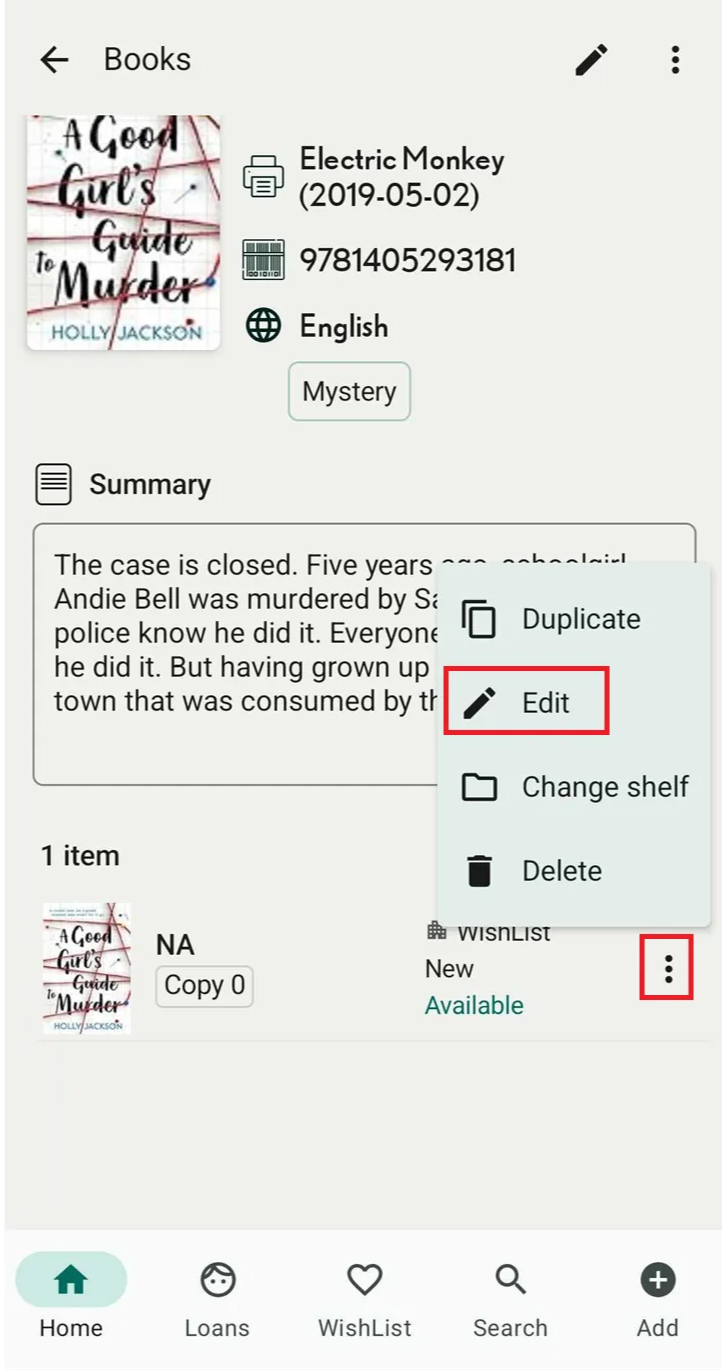
Step 3: Scroll down and tap the three-dot icon in the Item section.
Step 4: Choose Edit.
Step 5: Make your changes and tap Save. The item’s information will also be updated in item of book and in the shelf.