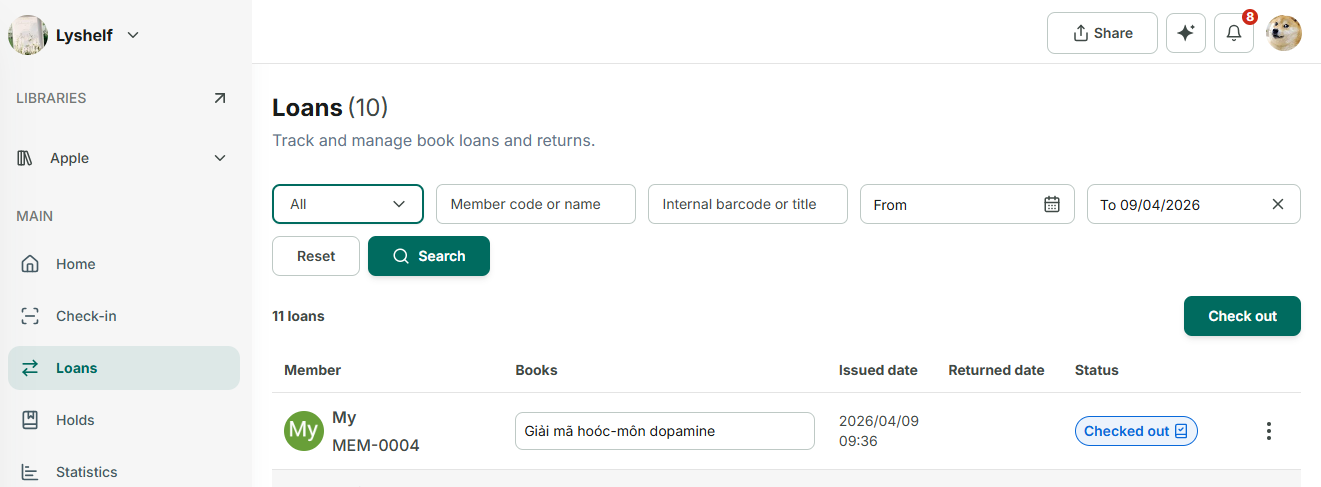
Create a new Loan transaction
Step 1: If you have multiple libraries, please select the onethat contains the book before creating the checkout. Go to Loans section.
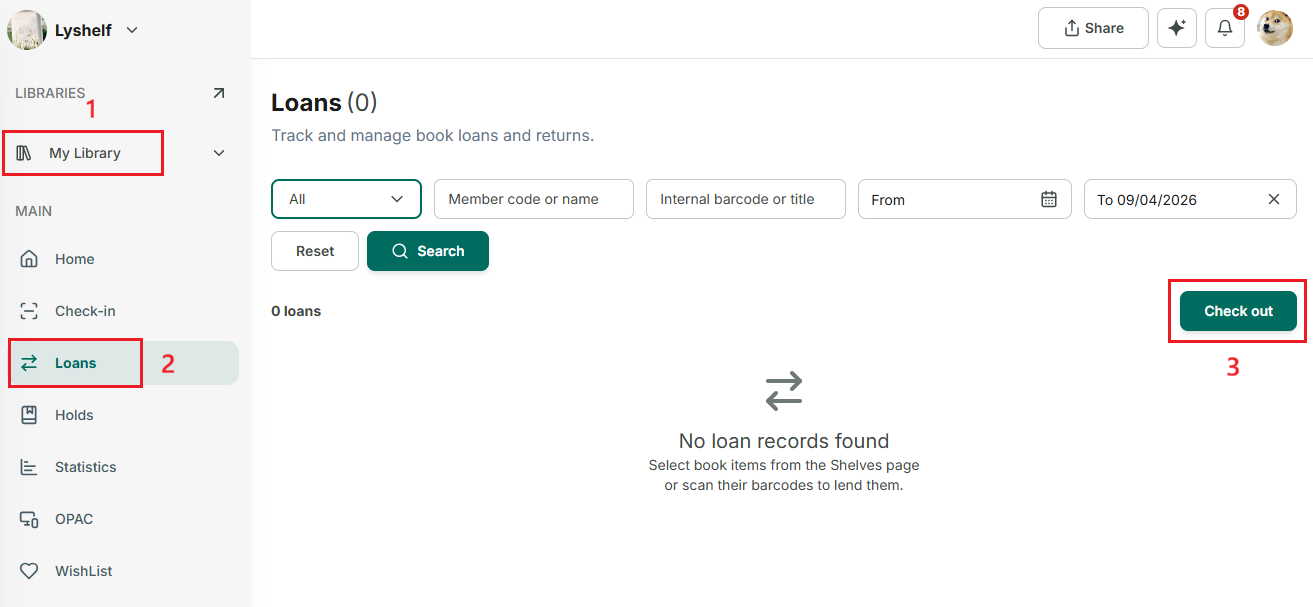
Step 2: Then, tap on “Checkout” button
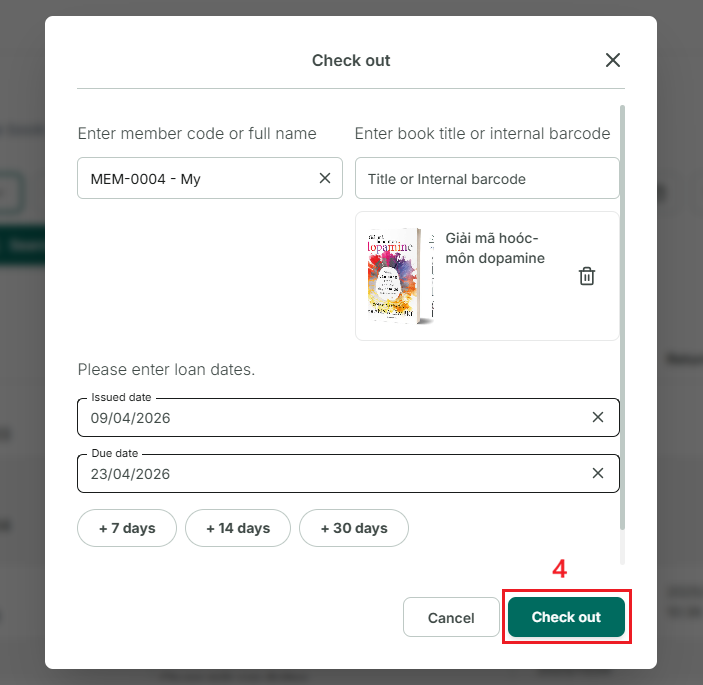
Step 3: In the first field, enter the name or member code to find the member. (Both online and offline members can borrow.)
In the second field, enter the **name of the book** you want to lend.→ Then, enter the due date, add a note if needed, and tap “Check out.”