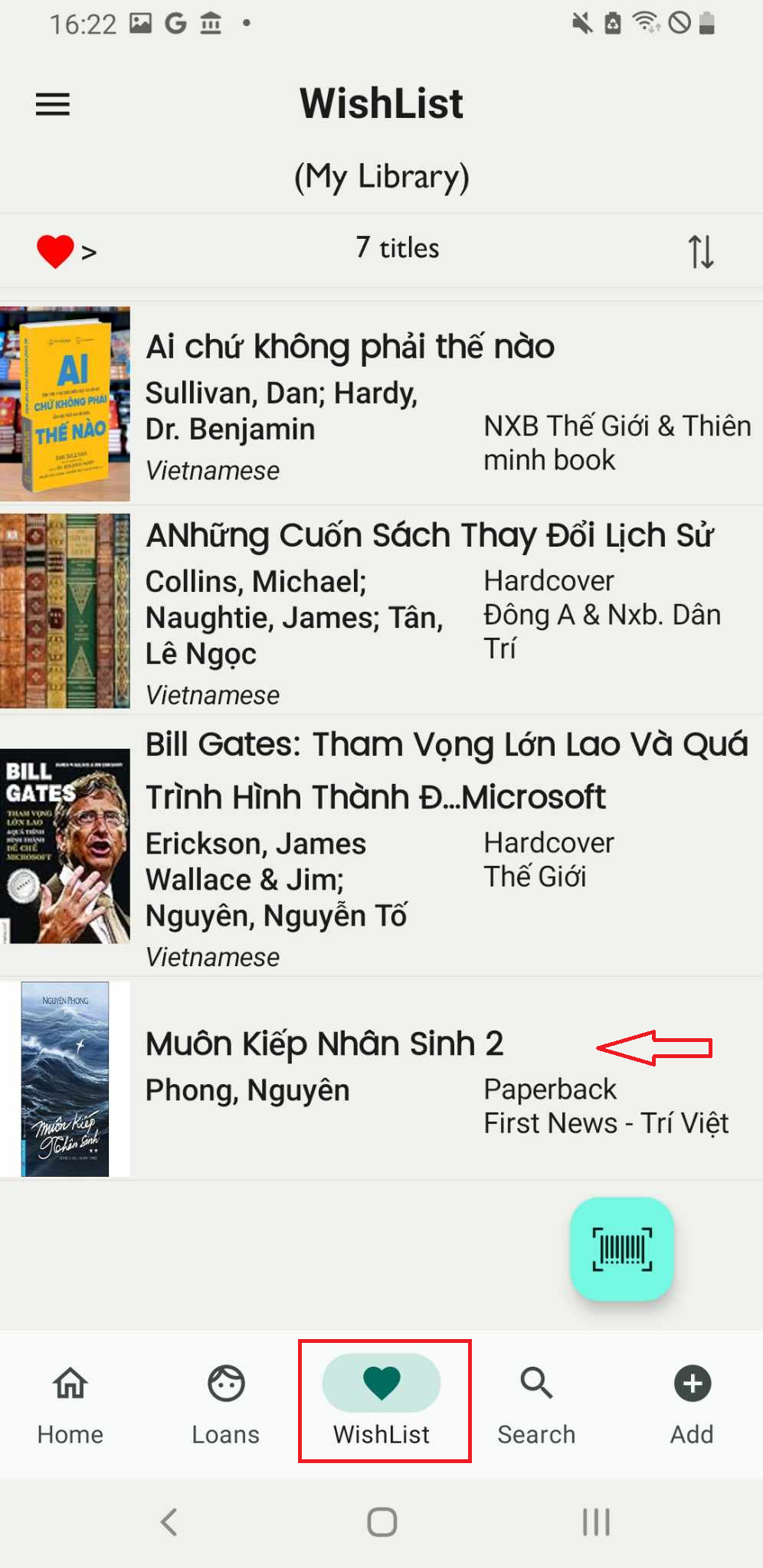
Add book to wishlist by search online
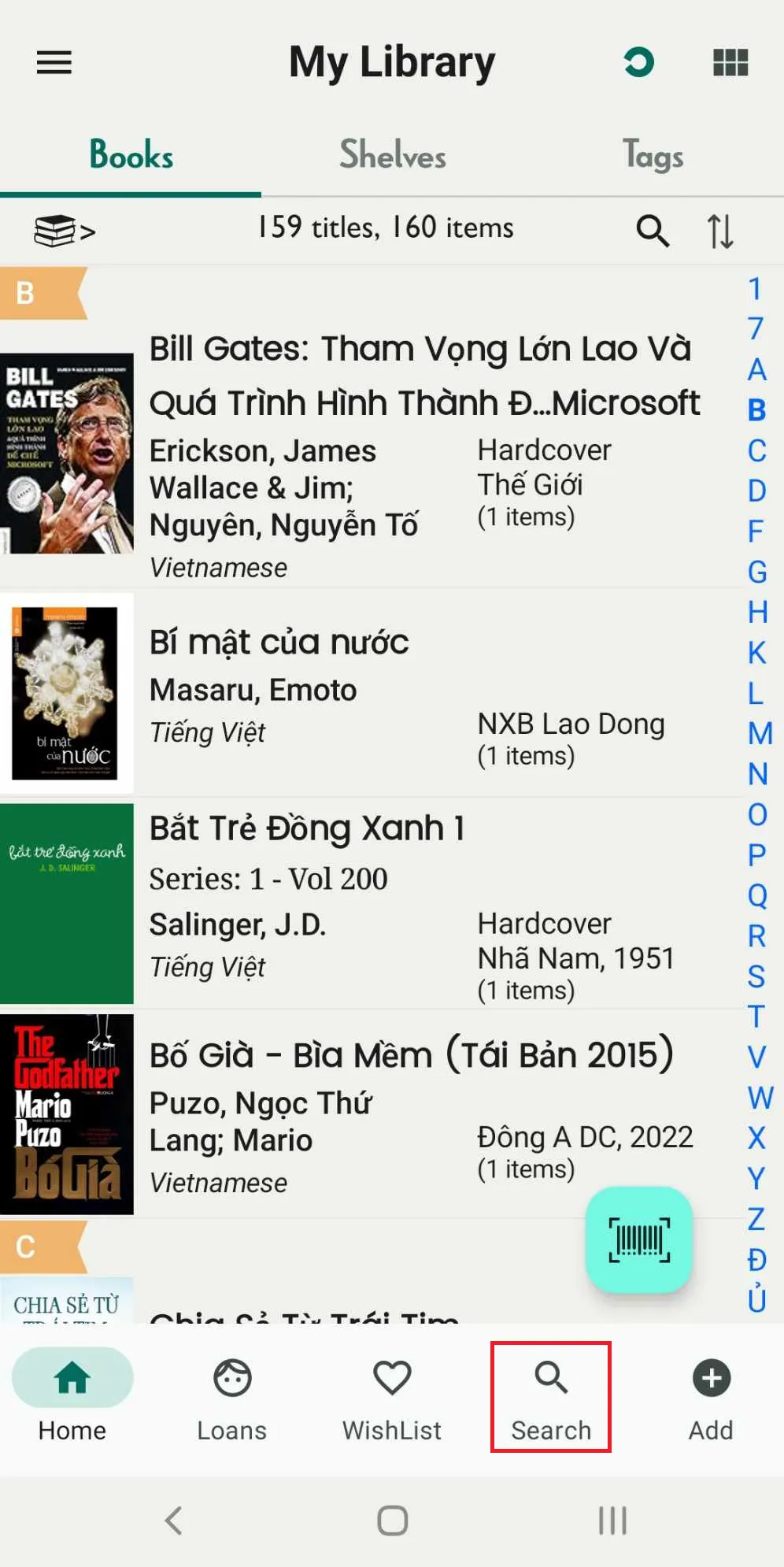
Step 1: On the main screen, tap on search field
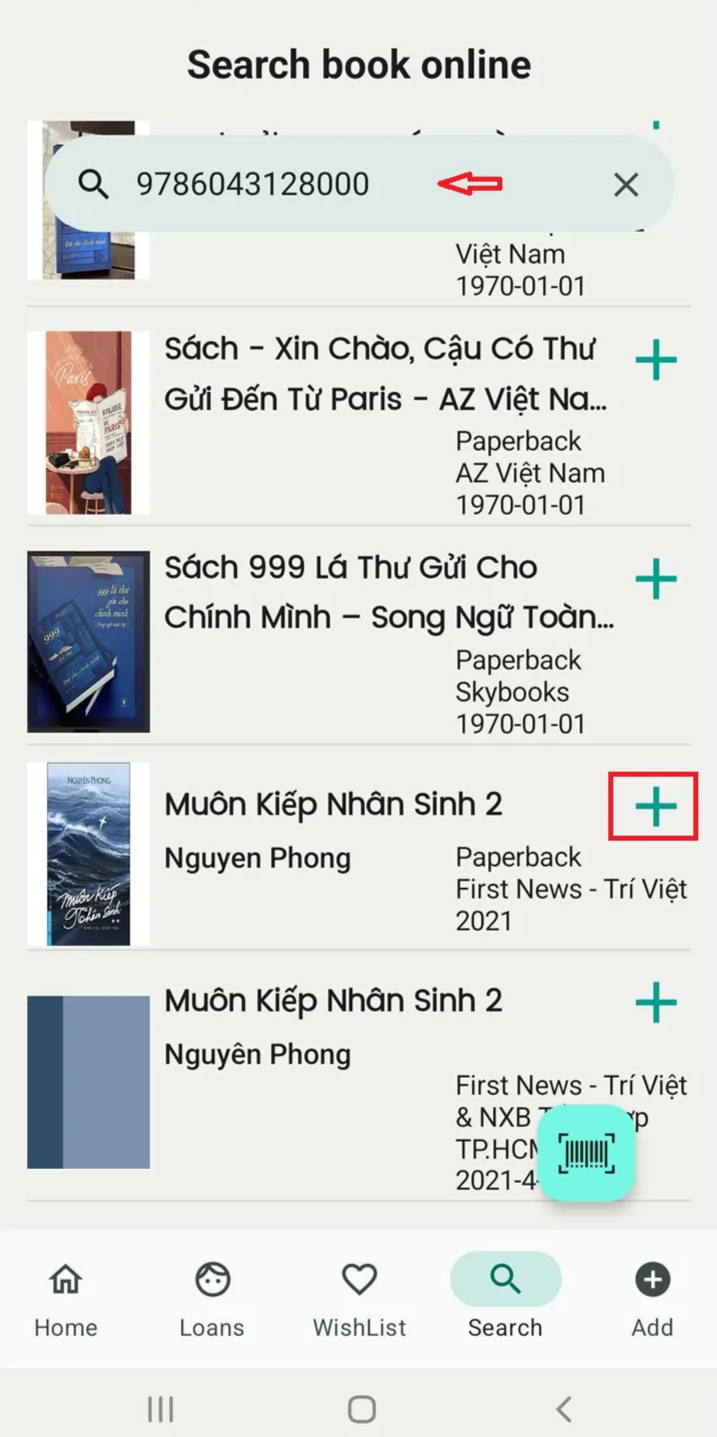
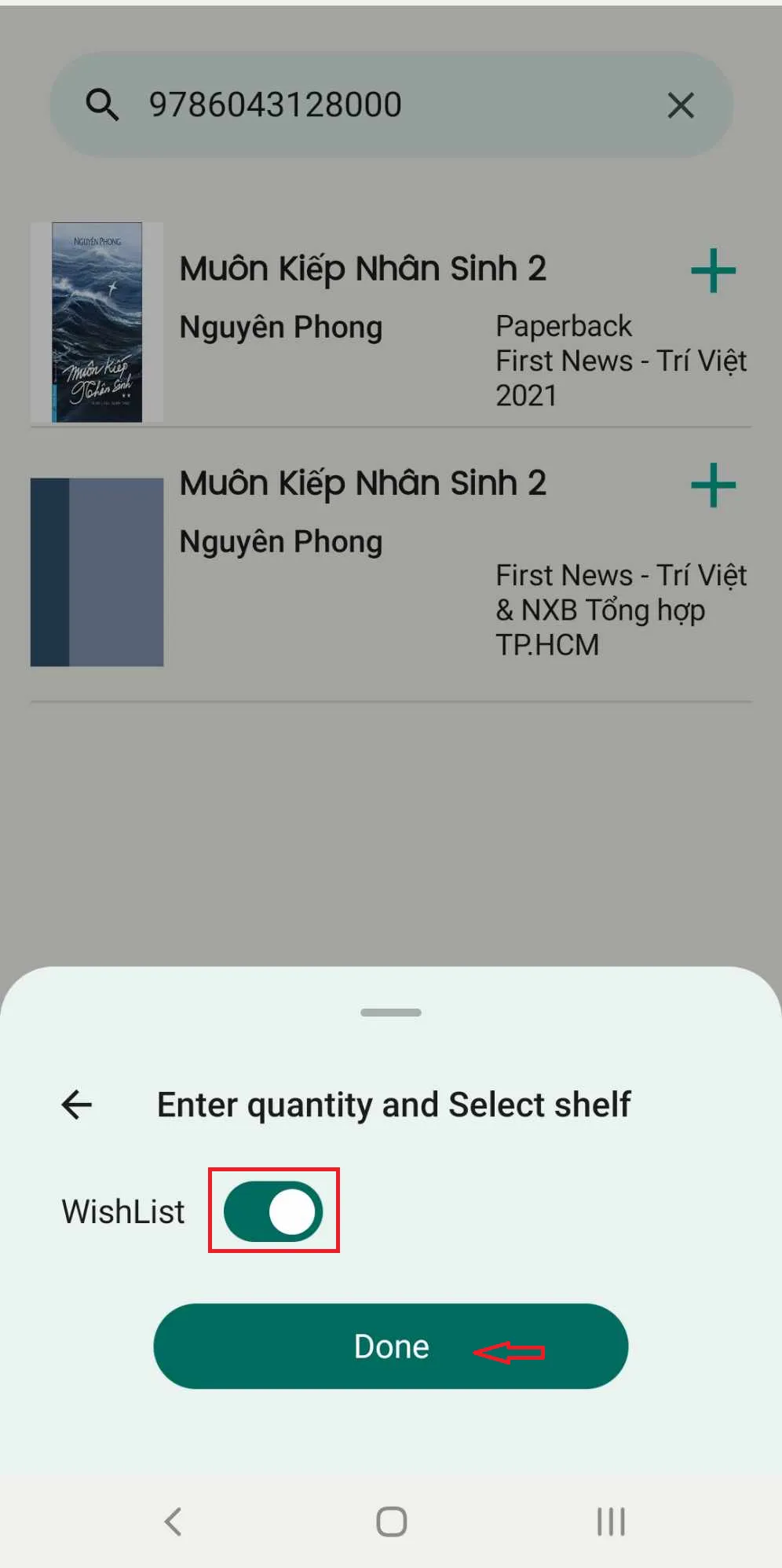
Step 2: Search for the book by ISBN, title, or author. Tap on the book found via online search, then press “Add.”
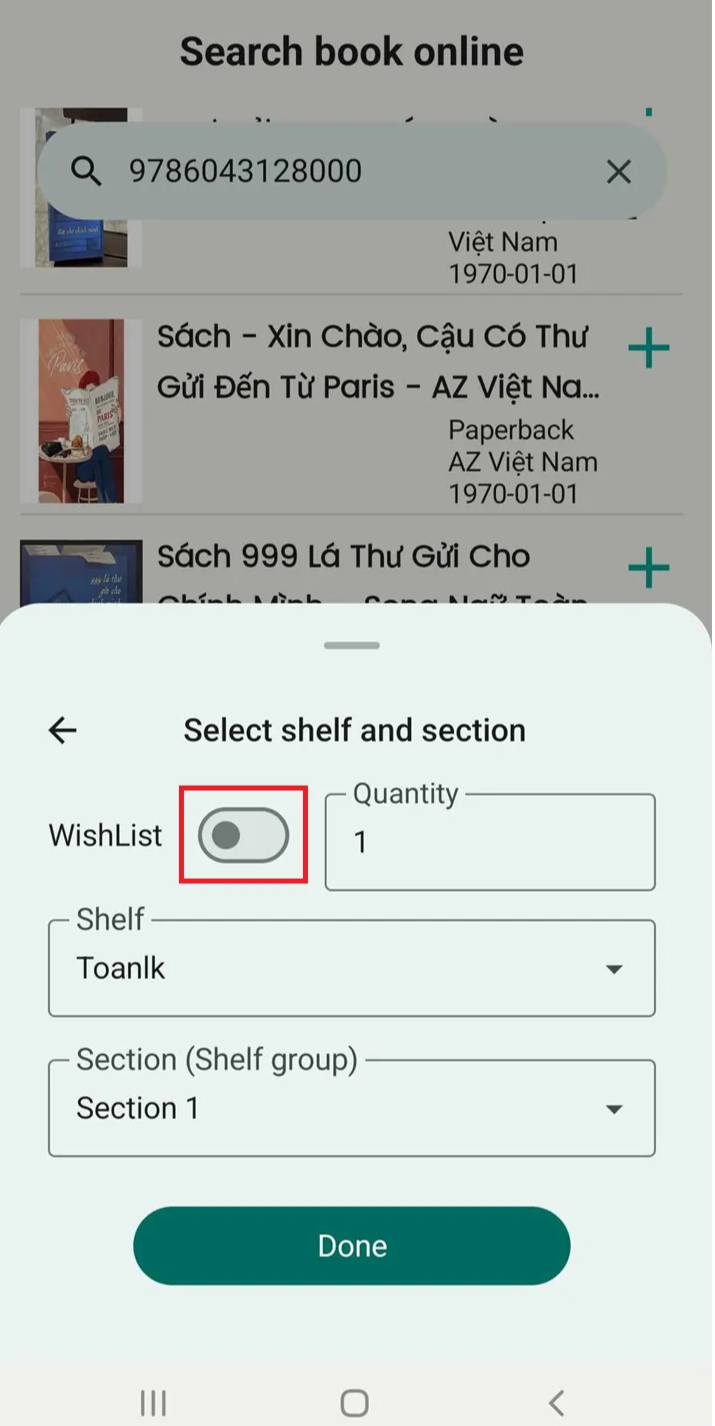
Step 3: Slide the toolbar to select the wishlist. Press Done
In some cases, after pressing “Done,” a message appears indicating that the title already exists in the library. You will be prompted to make a decision → Press “Continue.”
Step 4: Tittle is added successfully