Edit Organization
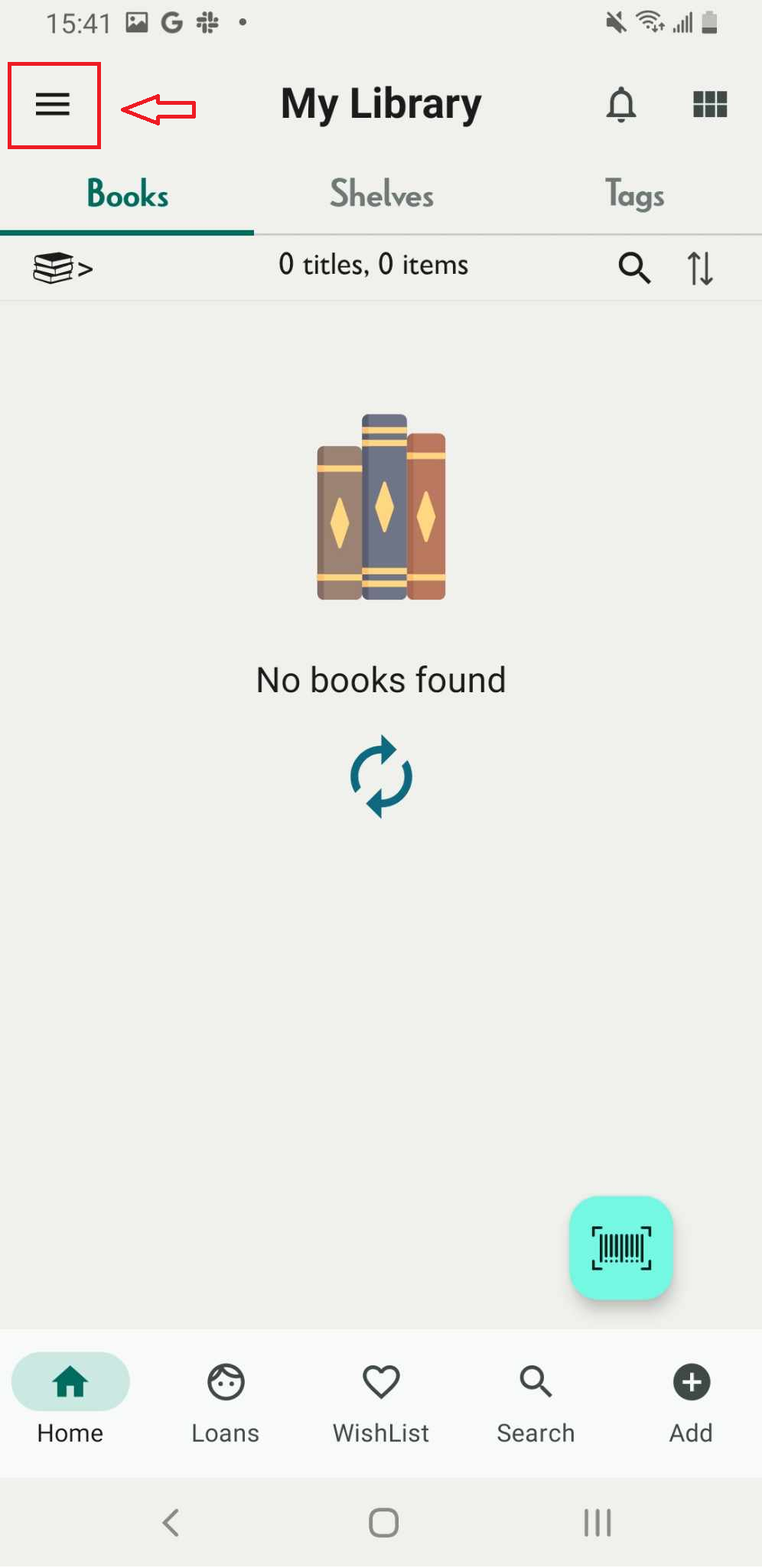
Step 1: Press the three-line icon. It shows the side menu
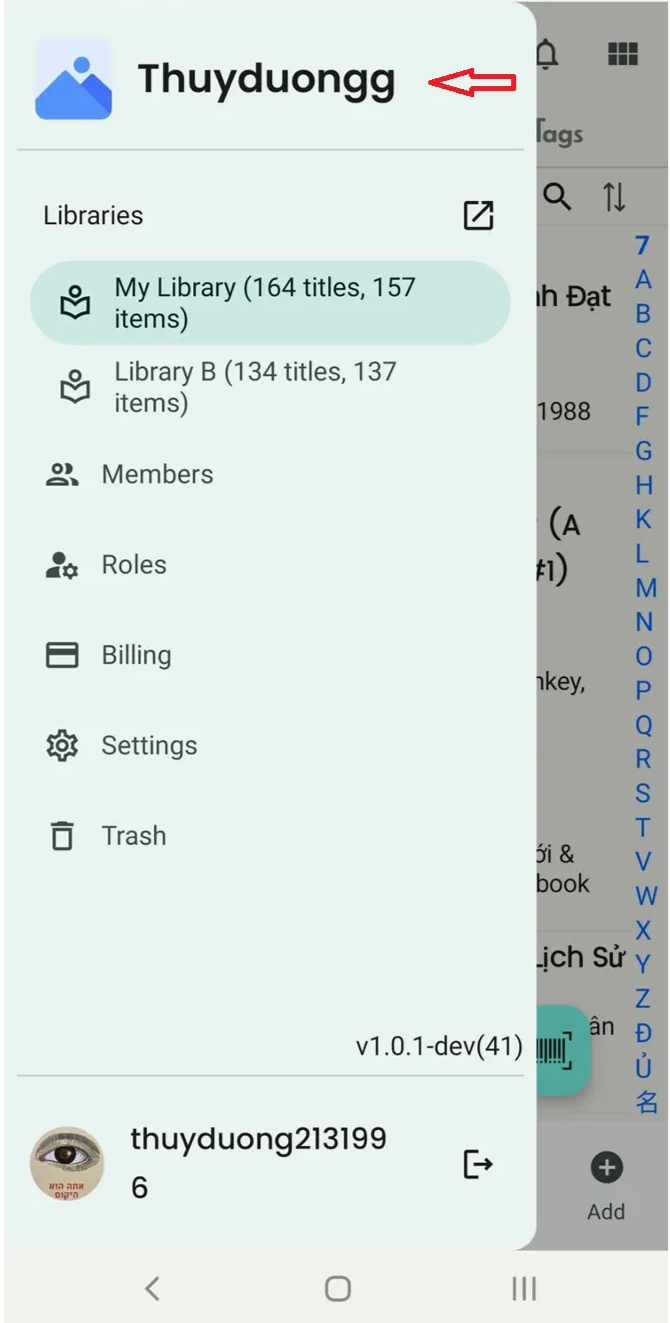
Step 2: Tap on the name of Organization
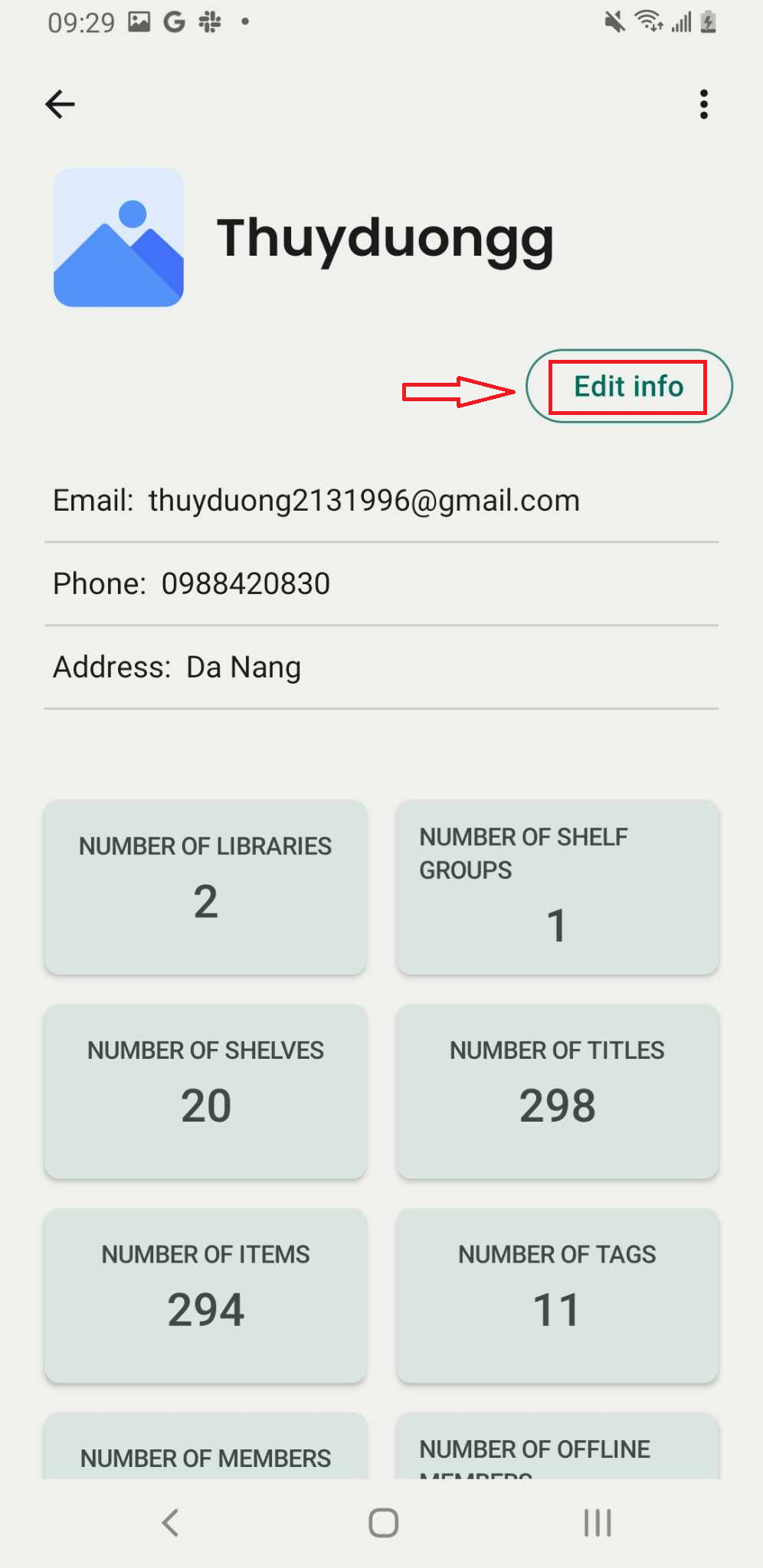
Step 3: The screen displays the organization’s information. Tap on “Edit Info” to make changes.
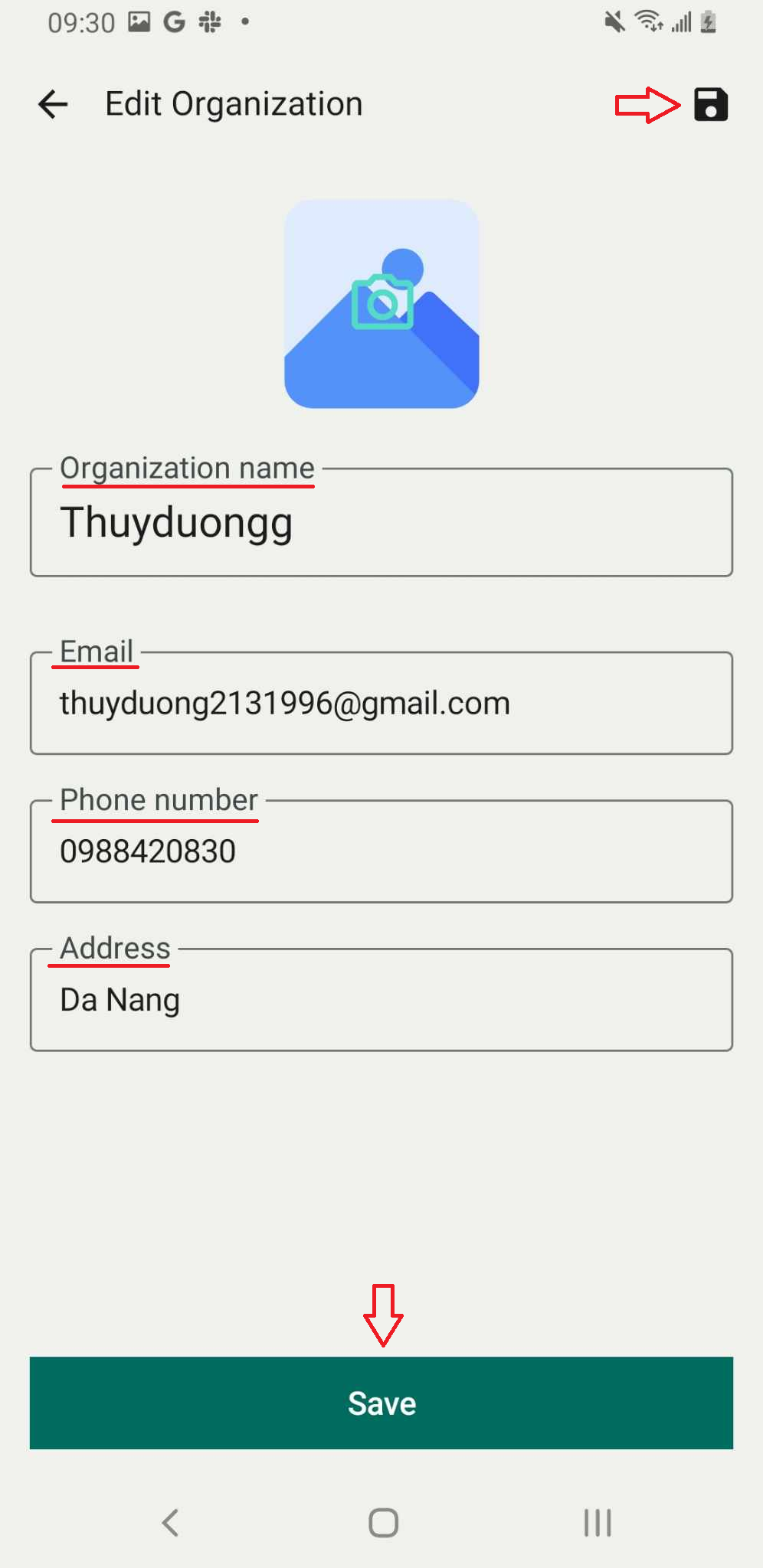
Step 4: You can edit:
- Organization Name
- Phone number
- Address
Press “Save” or the folder icon at the top right corner to save the information.
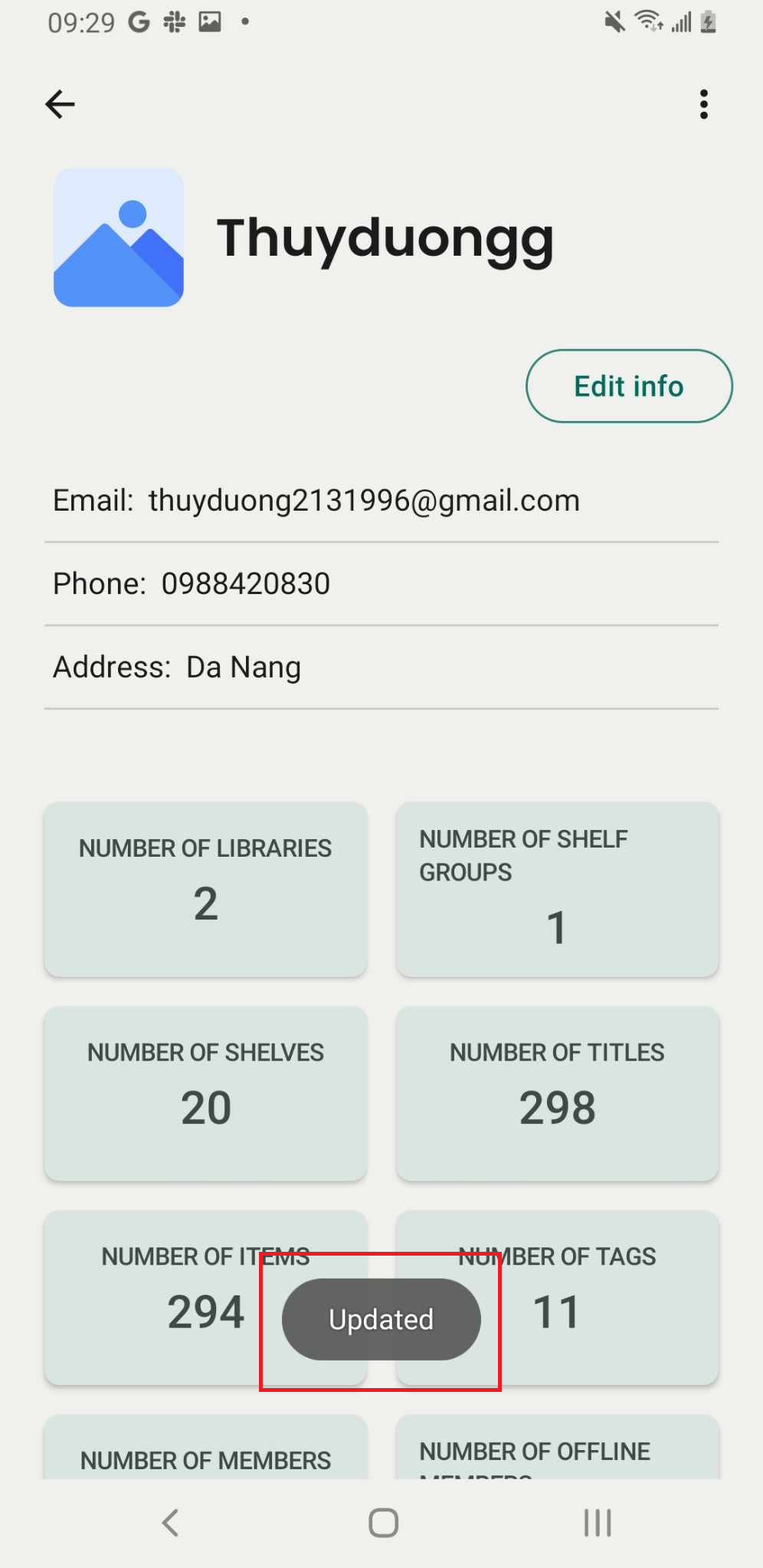
Step 5: It displays the message “ Updated: