Skip to content

Export libary data to a CSV file

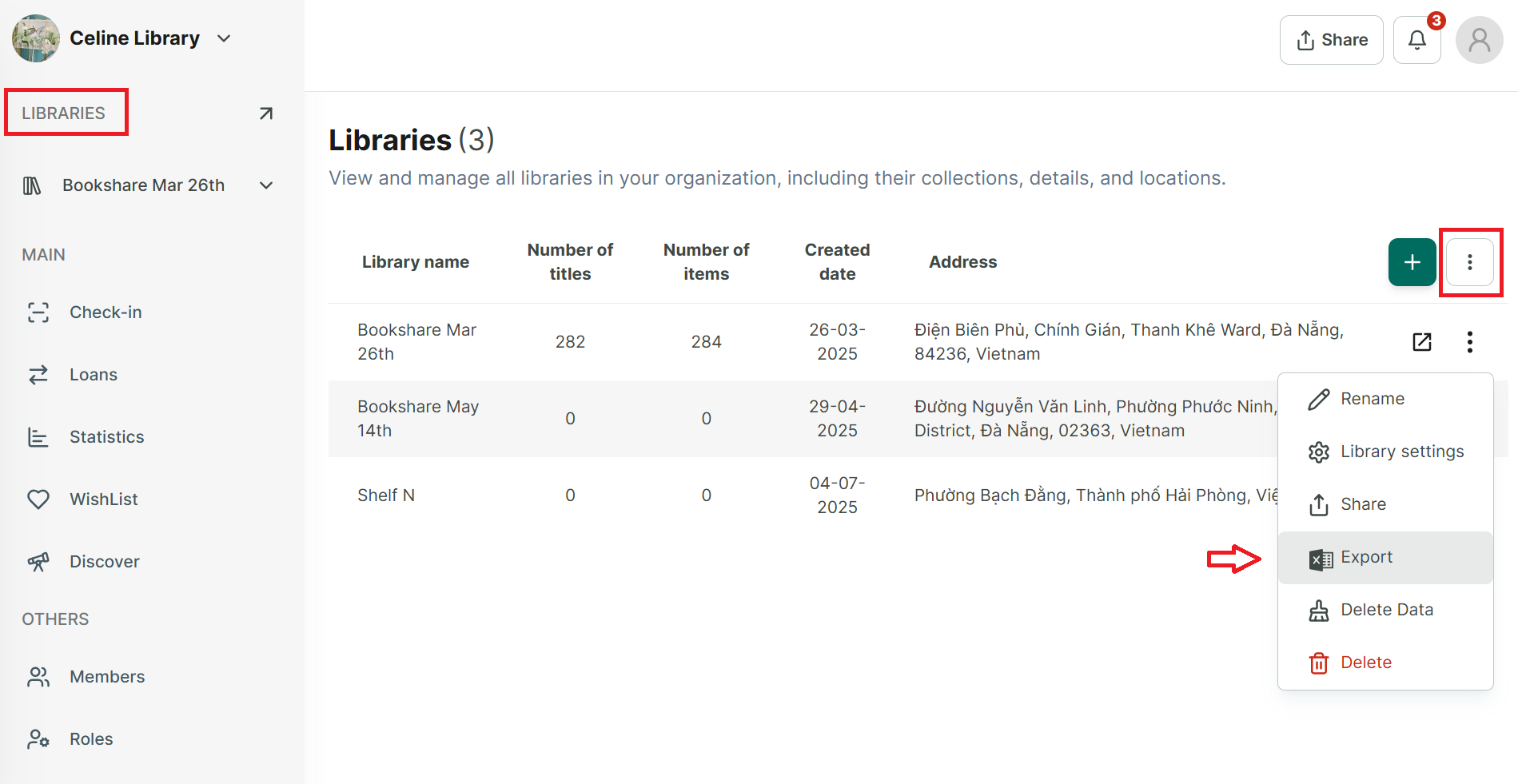
Step 1: Tap on “Libraries” sec tion at the side menu

image.png

Step 2: Tap on three-dot icon to show all editing options. Select “Export”

image.png

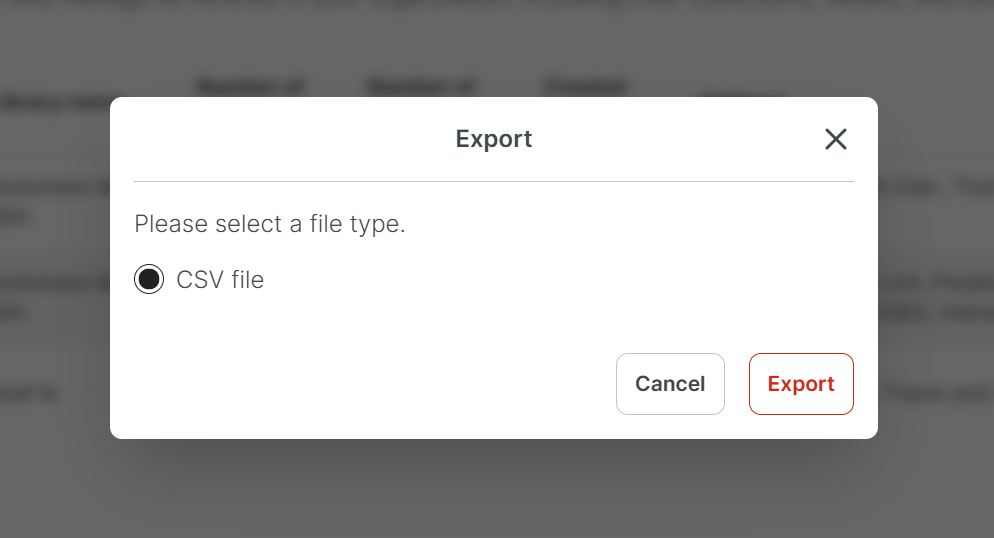
Step 3: Select an option “CSV” then press “Export”.