
Source
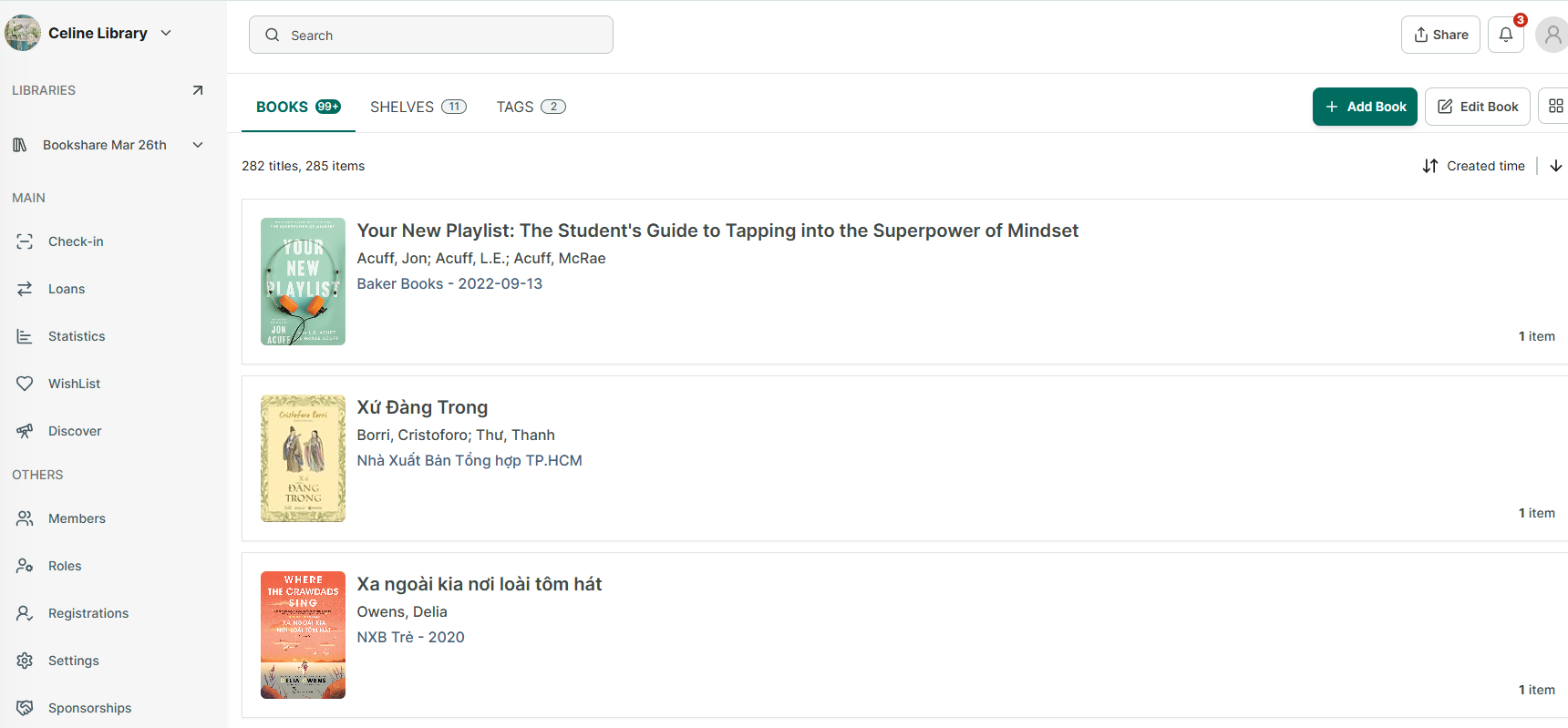
Step 1: After adding books, all books will appear in the Books tab.
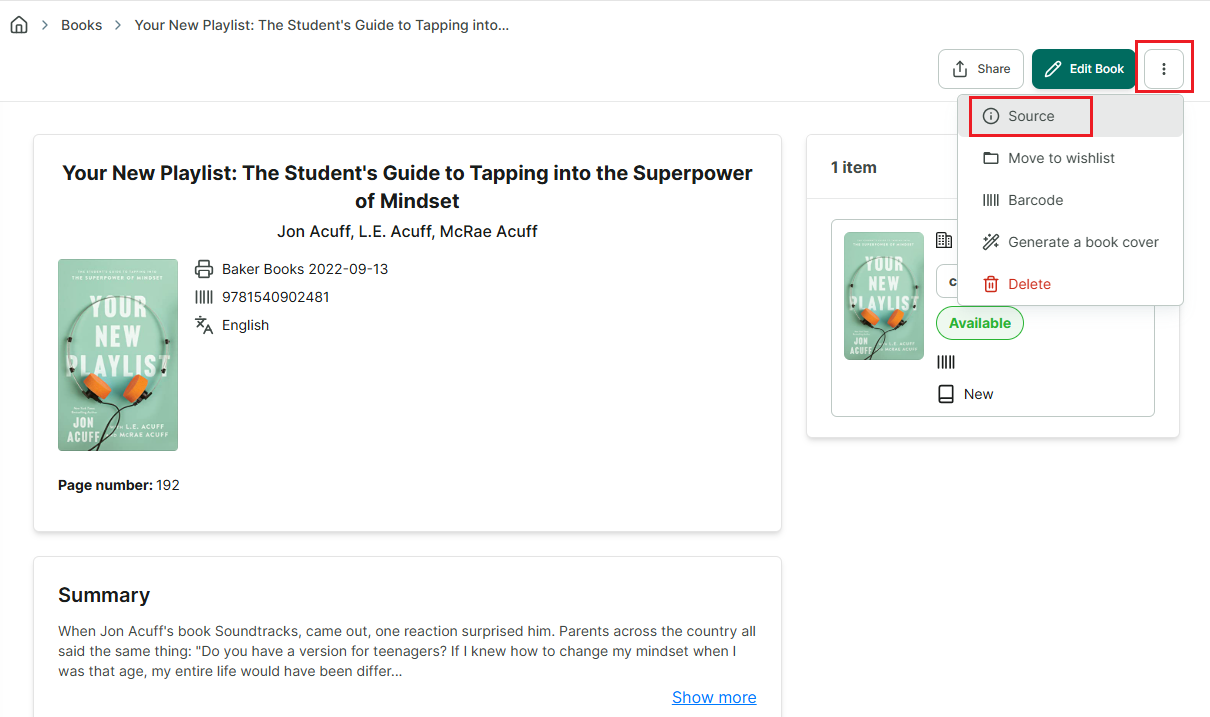
Step 2: Tap on a book to view its details → tap the three-dot button in the top corner of the screen to see more options → select Source.
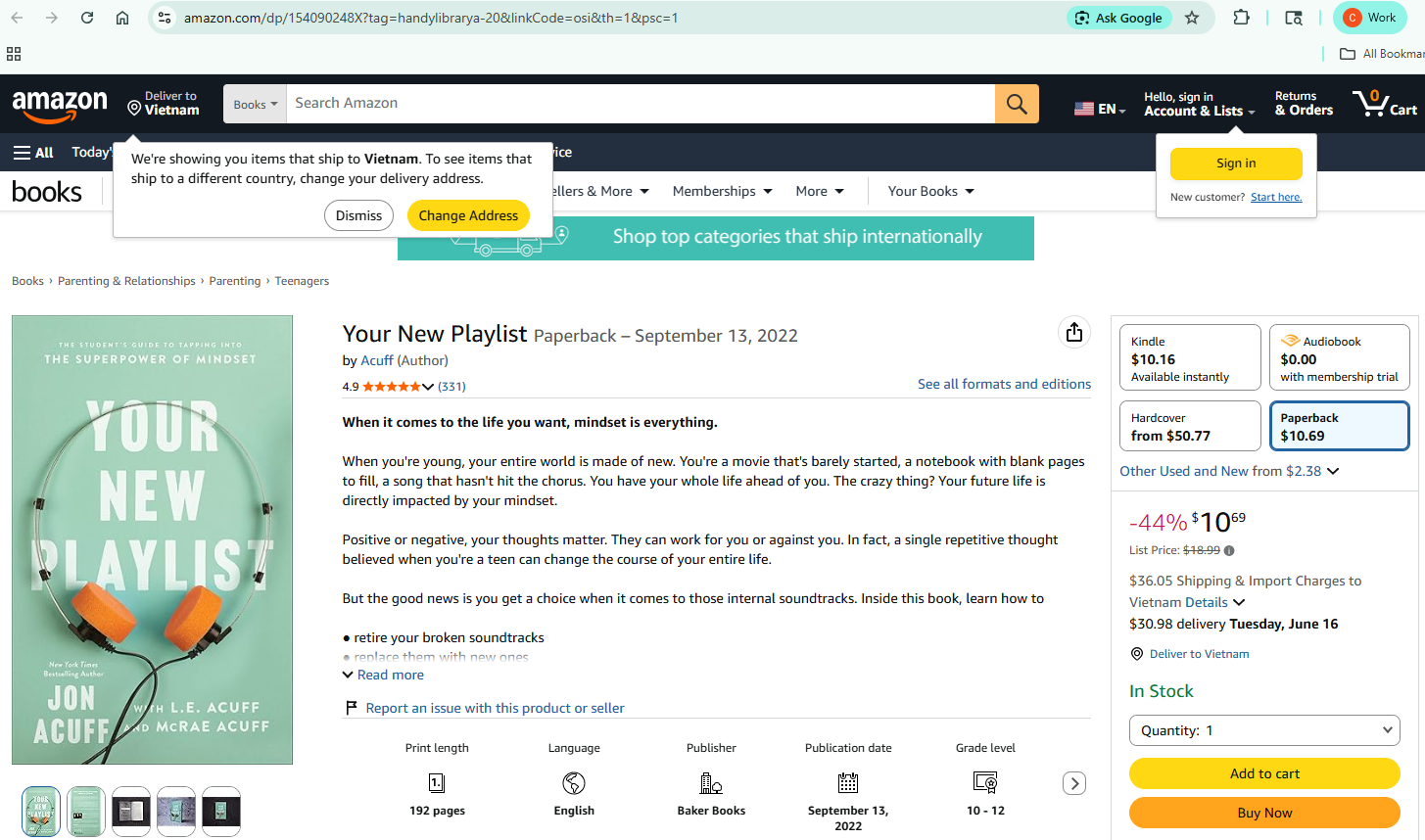
Step 3:
Chat with Skoolib
Answers come from the Help Center guides.