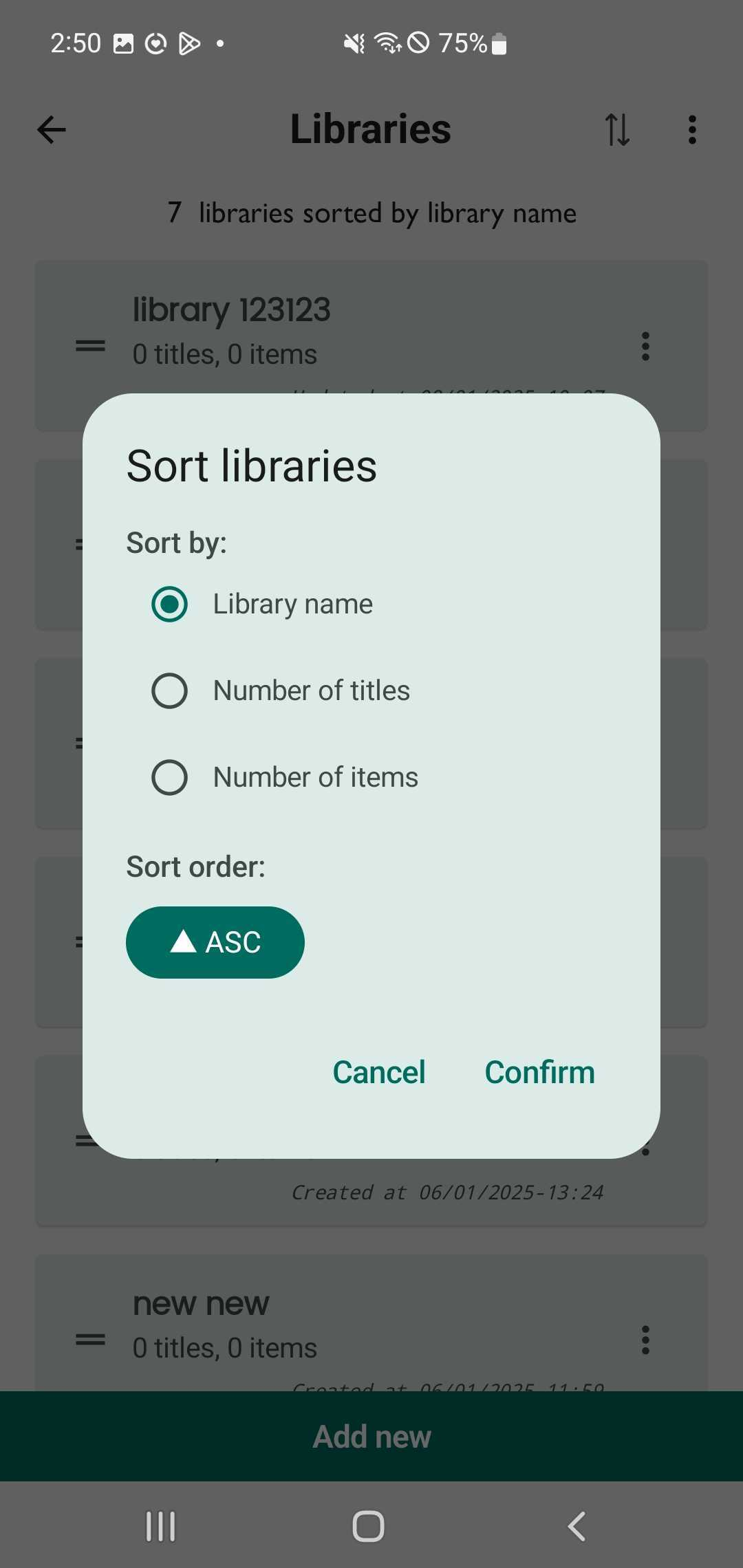
Sort libraries
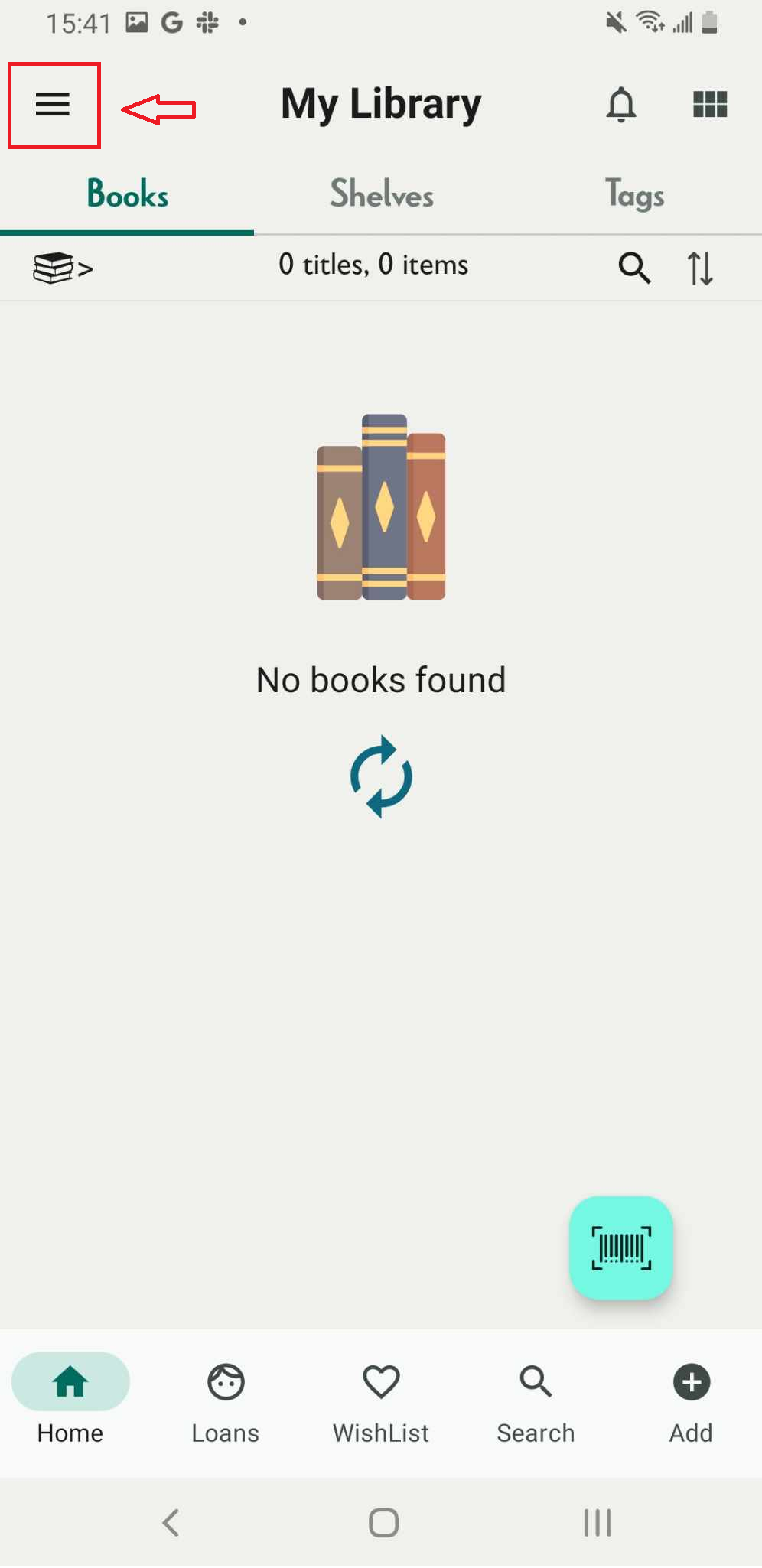
Step 1: Tap on the three-line icon in the top corner to open the side menu and access the libraries.
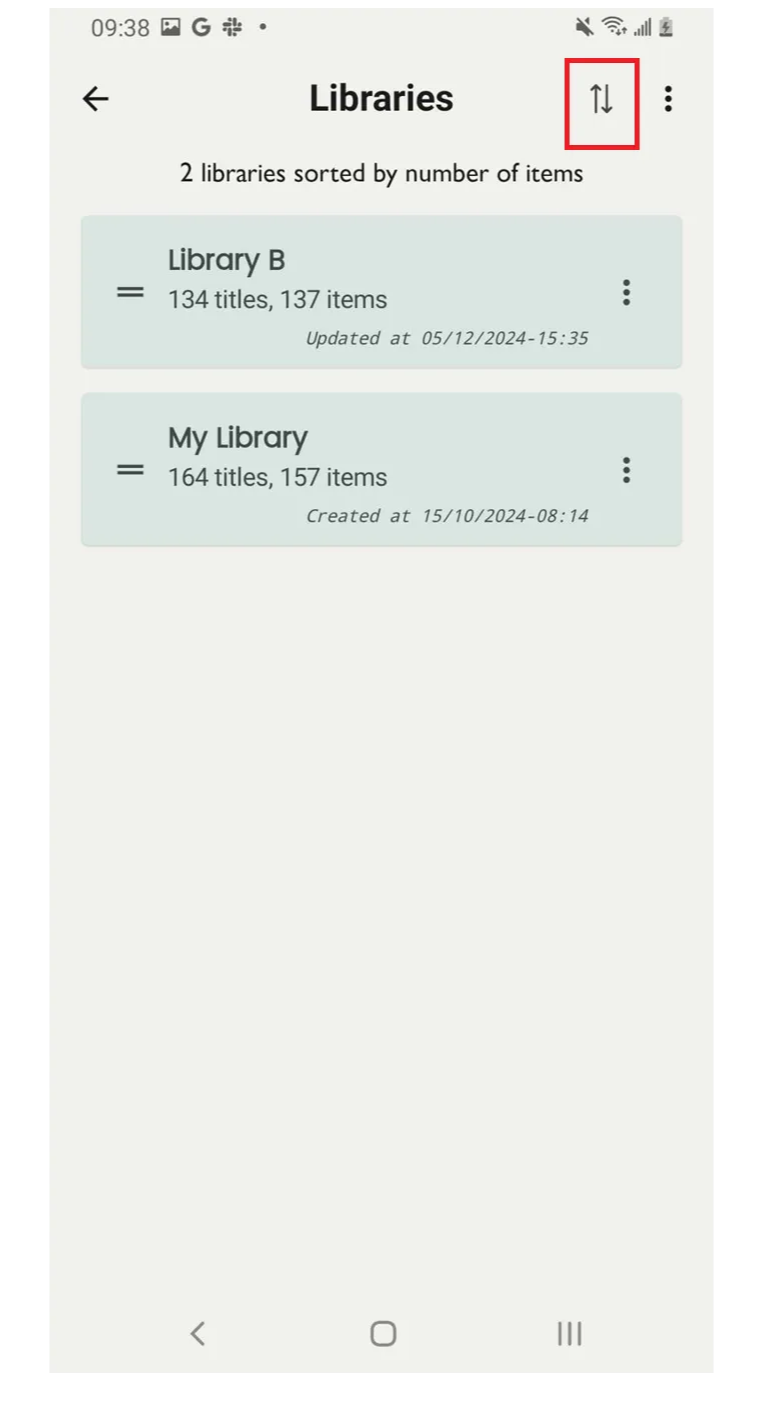
Step 2: Tap on the bidirectional arrow icon.
Step 3: Sort libraries by: library name
Number of titles
Number of items
#Sort order: ASC
Cancel - Confirm